Complete Guide to Claude Code Hooks: Five Trigger Points & Practical Configuration Walkthrough
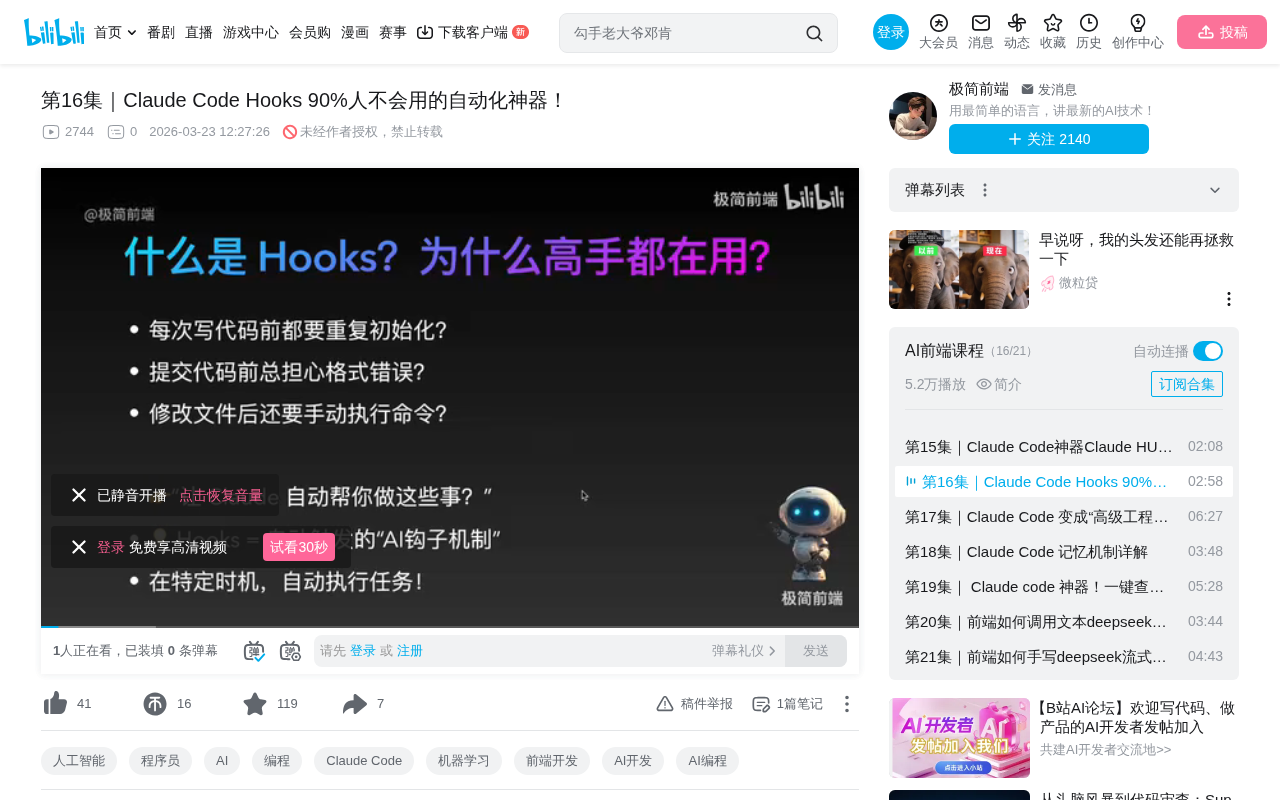
Claude Code Hooks automates AI programming operations through five trigger points
Claude Code Hooks is an automatic trigger mechanism that lets you insert custom logic throughout the lifecycle of AI operations. It provides five trigger points: PreToolUse (pre-execution interception), PostToolUse (post-execution processing), OnToolError (error handling), Notification (notification forwarding), and OnPrompt (input enhancement), helping developers automate repetitive operations, boost efficiency, and reduce the risk of accidental mistakes.
What Are Claude Code Hooks
When using Claude Code for daily development, have you noticed how much time repetitive operations consume? Initializing the environment before writing code, checking formatting after modifications, running test suites before commits... These mechanical tasks can actually be handled automatically by AI.
Hooks are essentially an automatic trigger mechanism. You only need to configure them once, and Claude Code will automatically perform a series of preset actions at specific moments. Their core value lies in automating all repetitive operations so you can focus your energy on actual business logic.
Hooks are a time-honored design pattern in software engineering, traceable back to interrupt handling mechanisms at the operating system level. In modern development, Git Hooks (such as pre-commit, post-merge), React Hooks (such as useState, useEffect), and Webpack Plugin Hooks are all concrete implementations of this concept. The core idea is to insert custom logic at critical points during program execution, enabling non-invasive extension of workflows. Claude Code Hooks continues this design philosophy by bringing the Hook mechanism into AI-assisted programming scenarios, allowing developers to insert custom control logic throughout the lifecycle of AI operations.
The Five Trigger Points of Hooks
Typing the /hooks command in Claude Code presents five trigger options, each corresponding to different use cases:
1. PreToolUse — Triggered Before Tool Execution
This is one of the most commonly used Hook types. It fires before Claude executes any tool operation, making it ideal for security checks, parameter validation, and other pre-execution interceptions. For example, displaying a confirmation prompt before deleting a file to prevent accidental operations.
PreToolUse is essentially an Interceptor pattern, which is extremely common in enterprise frameworks. Java Spring's HandlerInterceptor, Node.js Express middleware, and Axios request interceptors all employ similar pre-execution interception approaches. In the context of AI programming assistants, this pre-execution interception is particularly important—since AI models may make incorrect judgments based on incomplete context, PreToolUse acts as a safety barrier between AI decisions and actual execution, adding a layer of manual review or automated validation.
2. PostToolUse — Triggered After Tool Execution
Fires after a tool operation completes. Typical use cases include: auto-formatting code after saving, automatically running related tests after file modifications, and auto-reloading services after writing configuration files.
PostToolUse's automation logic is highly aligned with the design philosophy of Continuous Integration/Continuous Deployment (CI/CD) pipelines. In traditional CI/CD, code commits automatically trigger a series of pipeline operations including building, testing, and deployment—tools like Jenkins, GitHub Actions, and GitLab CI all implement this concept. PostToolUse brings this automation capability down to the developer's local coding environment—instead of waiting until code is pushed to a remote repository, you get immediate quality feedback loops during the local editing phase, significantly shortening the time window from problem discovery to fix.
3. OnToolError — Triggered on Execution Failure
Fires only when a tool execution encounters an error. This Hook is extremely practical—it can be configured to automatically analyze error causes, collect error logs, or even attempt automatic fixes for common issues.
OnToolError's design is closely related to the modern software engineering concept of Observability. Observability emphasizes understanding a system's internal state through three pillars: Logs, Metrics, and Traces. In AI-assisted programming scenarios, tool execution failures may involve various factors such as environment configuration, missing dependencies, or insufficient permissions. OnToolError provides a unified error capture entry point, similar to the role that APM (Application Performance Monitoring) tools like Sentry and Datadog play in production environments, but operating during the development phase to help developers quickly locate and resolve anomalies in AI operations.
4. Notification — Triggered on Notifications
Fires when Claude sends a notification. It can be used to customize how notification messages are displayed or forward notifications to other channels (such as Slack, Teams, etc.).
5. OnPrompt — Triggered on Input
Fires every time you input a question to Claude. It can be used to automatically supplement context information, load project configurations, or perform environment checks before a conversation begins.
Practical Demo: Configuring File Deletion Protection
Let's walk through a concrete example demonstrating how to use Claude Code Hooks to configure a safety mechanism that prevents accidental file deletion.
Step 1: Create the Hook Configuration
Type /hooks in Claude Code, select the first option PreToolUse (triggered before tool execution), then click "Add a new configuration."
Step 2: Write the Prompt
In the prompt input field, write the following logic description:
Determine whether the operation about to be executed involves file deletion (such as rm, delete, unlink commands). If so, display the prompt: "About to delete a file. This may be irreversible. Please confirm whether to continue," and let the user input Yes or No to decide whether to proceed.
After writing, click confirm, select project-level settings (so this Hook only takes effect in the current project), then exit the configuration interface.
Claude Code Hooks supports two configuration scopes: project-level and global-level. This is consistent with the layered configuration strategies of many development tools. For example, Git's .gitconfig is divided into system, user, and repository levels, and ESLint configuration files also support cascading overrides. Project-level configurations are typically stored in the project root directory and version-controlled alongside the code repository, making them suitable for team-shared normative Hooks (such as code formatting rules). Global-level configurations are stored in the user's home directory and are suitable for personal preference Hooks (such as custom notification methods). Properly distinguishing between these two scopes avoids configuration conflicts while achieving a balance between team standards and personal habits.
Step 3: Verify the Configuration
Type /hooks again to see the configuration you just created appearing in the list.
Step 4: Trigger Test
Using a project containing a login page as an example, try asking Claude to delete the login page file. When the delete command is executed, the Hook immediately takes effect, displaying a prominent warning:
⚠️ Dangerous Operation: About to delete a file. Deletion is irreversible. Please confirm whether to proceed.
- Enter Yes: Confirm deletion, operation continues
- Enter No: Cancel deletion, operation is intercepted
This simple configuration effectively prevents file loss caused by AI misjudgments during development.
More Practical Scenarios for Hooks
Beyond file deletion protection, Claude Code Hooks has many more application directions worth exploring:
-
Automatic Code Formatting: Configure in PostToolUse to automatically run formatting tools like Prettier and ESLint after every file save. Prettier is an "opinionated" code formatter that eliminates team debates about code style by minimizing configuration options, supporting JavaScript, TypeScript, CSS, HTML, Markdown, and many other languages. ESLint is the most mainstream static code analysis tool in the JavaScript/TypeScript ecosystem, capable of not only checking code style but also detecting potential logic errors and security vulnerabilities. The two are typically used together: Prettier handles formatting beautification while ESLint handles quality checking. Integrating them into a PostToolUse Hook means that every time AI modifies code, formatting and quality checks are automatically executed, ensuring AI-generated code also meets team coding standards.
-
Automated Testing: After modifying code files, automatically trigger related unit tests to catch regression issues immediately
-
Pre-commit Quality Checks: Automatically run lint checks and test suites before git commits to ensure code quality
-
Intelligent Error Diagnosis: Use the OnToolError Hook to automatically analyze error logs and provide fix suggestions when builds fail
-
Automatic Context Enhancement: Use the OnPrompt Hook to automatically load project architecture documentation and coding standards with each conversation
Summary
Claude Code Hooks is a seriously underestimated feature. Its design philosophy is simple—automatically do the right thing at the right time—but the efficiency gains it delivers are very real. By properly configuring the five trigger points—PreToolUse, PostToolUse, OnToolError, Notification, and OnPrompt—you can build a complete automated workflow that minimizes repetitive operations during development.
For developers who use Claude Code frequently, spending 10 minutes configuring a few common Hooks can save substantial time in the long run while reducing the risk of accidental operations. Start with simple file protection and code formatting, then gradually expand to more complex automation scenarios.
Related articles
 Tutorials
Cursor + Codex Dual-IDE Collaboration: A Practical Methodology for Open-Source Project Customization
A complete methodology for open-source project customization based on real-world experience, detailing the Cursor+Codex dual-IDE workflow, seven-stage process, MVP validation, and AI source code reading techniques.
 Tutorials
Cursor Multi-Agent in Practice: Building a Full-Stack Next.js Blog in 50 Minutes
Build a full-stack blog in 50 minutes using Cursor IDE's multi-Agent mode with Next.js, Clerk auth, and Supabase. Learn the 4-phase AI Agent workflow and key integration pitfalls.
 Tutorials
Building an AI Software Factory from Scratch: A Cursor Engineer's Hands-On Experience with Multi-Agent Collaboration
Cursor engineer Eric shares practical insights on building an AI software factory: automation levels, guardrail design, parallel Agent management, and scaling to 1000+ Agents for 24/7 development.