Claude Code Hooks Configuration & Plugin Recommendations: Cross-Session Memory and Automation in Practice
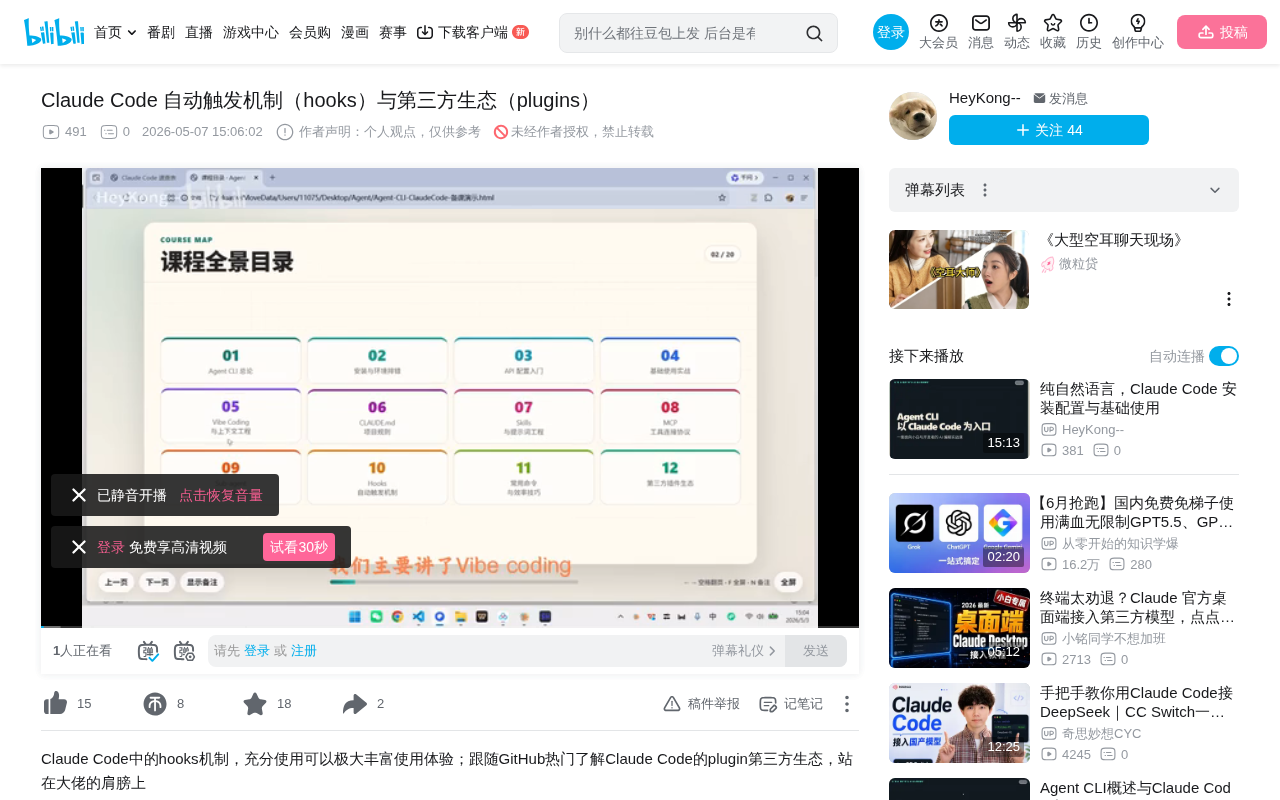
Deep dive into Claude Code's Hooks auto-trigger mechanism and third-party plugin ecosystem in practice.
This article provides a detailed breakdown of Claude Code's Hooks (event-driven auto-trigger mechanism), covering trigger scenarios, synchronous/asynchronous modes, and using the CloudMemory plugin as a case study to demonstrate cross-session memory via Hooks. It also covers two Hooks configuration paths (manual setup and plugin installation), three popular plugins (Everything Claude Code, CloudMemory, Superpowers), and a quick reference for common commands — helping developers level up from basic usage to power-user efficiency.
As a powerful Agent CLI tool, Claude Code's built-in Hooks (automatic trigger mechanism) and its increasingly mature third-party plugin ecosystem are delivering significant productivity gains for developers. Based on a hands-on course by Bilibili creator Feng Xunzhi, this article provides an in-depth look at how Hooks work, how to configure them, and how several popular plugins are used in practice.
What Are Hooks: Claude Code's Event-Driven Auto-Trigger Mechanism
Hooks — literally "hooks" — is a very apt metaphor: when a certain event occurs, it automatically "hooks" onto it and triggers another event. More precisely, Hooks is Claude Code's built-in event-driven auto-trigger mechanism, which can be understood across three dimensions:
- Trigger Scenario: Under what circumstances does it fire (e.g., before/after tool use, session start/end)
- Trigger Condition: What conditions must be met (e.g., a specific tool call, all operations)
- Trigger Action: What happens after it fires (e.g., loading context, playing a notification sound)
Event-Driven Architecture (EDA) is a classic design pattern in software engineering, widely used in GUI frameworks, web servers, message queue systems, and more. The core idea is that the system doesn't poll for state changes — instead, it automatically triggers pre-registered handler functions when specific events occur. Git Hooks, React Hooks, and WordPress Hooks are all concrete implementations of this concept in different domains. Claude Code's Hooks mechanism essentially brings this mature architectural pattern into the AI Agent workflow, allowing developers to insert custom logic at critical points during AI execution for fine-grained workflow control.
In Claude Code, type the /hooks command to access the Hooks management page. Common trigger scenarios include: PRE-TOOL USE (before tool use), POST-TOOL USE (after tool use), SESSION START (session begins), SESSION END (session ends), and more.
Synchronous vs. Asynchronous: Two Execution Modes for Hooks
Hooks execution comes in two modes — synchronous and asynchronous — and this distinction has a significant impact on practical usage:
- Asynchronous (Async): Hooks run in the background without blocking the main conversation flow. Claude Code continues to the next step without waiting for the Hook to finish.
- Synchronous: The main flow pauses until the Hook completes execution. This is appropriate when subsequent operations depend on the Hook's results.
Synchronous and asynchronous are fundamental concepts in concurrent programming. At the operating system level, a synchronous call means the caller blocks and waits for the callee to return a result — like a phone call where you must wait for the other person to finish speaking. An asynchronous call is more like sending a text message: you send it and continue with other tasks, handling the reply when it arrives. In modern runtimes like Node.js and Python asyncio, asynchronous patterns are widely used for I/O-intensive tasks to improve throughput. This design choice in Claude Code directly affects user experience: synchronous Hooks introduce a brief perceptible wait but guarantee data consistency; asynchronous Hooks keep interactions smooth and are suited for non-critical background tasks.
The choice of mode depends on the specific use case. If a Hook is just logging or syncing data in the background, async is more appropriate. If you need to inject critical context before a tool call, synchronous mode is a must.
CloudMemory Plugin in Practice: Cross-Session Memory via Hooks
CloudMemory is a memory system plugin that cleverly leverages multiple Hook points to achieve cross-session context memory.
A fundamental limitation of large language models is their statelessness — each session is independent, and the model itself doesn't "remember" previous interactions. While the Context Window provides short-term memory within a single session, information is lost once the session ends or the context exceeds its length limit. Mainstream industry solutions to this problem include RAG (Retrieval-Augmented Generation), vector database storage, and structured summary persistence. CloudMemory essentially implements a lightweight local memory management system that simulates something akin to human long-term memory by automatically performing read/write operations at key points in the session lifecycle.
By analyzing its Hooks design, we can gain a deeper understanding of how Hooks actually work:
-
Session Start Hook: When a session starts, CloudMemory automatically launches a background Worker Server and loads the historical context from the previous session, giving users the feeling that the AI "remembers" where they left off.
-
Session Init Hook: When the user sends a message, the user's intent and current context are registered in the memory system. This is the key mechanism behind the plugin "getting to know you better" over time.
-
Pre-Tool Use Hook: Before a tool call (e.g., using the Read tool to read a file), relevant memories are automatically injected into the context window, pre-loading information that might be needed. This reduces AI "confusion" and hallucinations.
-
Session End Hook: When the session ends, it automatically generates a summary, writing core content in a structured format to the memory store for future use.
Looking at the code structure, the plugin directory contains a hooks folder with a hooks.json file that serves as an index, defining the Hook script paths for each trigger scenario in detail. The actual execution logic resides in separate script files, keeping responsibilities clear and maintenance easy.
Two Configuration Paths for Hooks
Path 1: Local Manual Configuration
You can edit the settings.json file directly. The easiest approach is to simply tell Claude Code what you need and let it configure the Hooks for you. For example, the course demonstrated two custom Hooks:
- ToolTips Post Hook: Generates an explanation after each tool call, helping users understand what Claude Code is doing and partially opening up the technical "black box."
- Celebration Hook: Plays an audio notification after a session ends. This is especially useful during long-running background tasks — the sound alerts you when the task is complete.
Path 2: Installing via Third-Party Plugins
Many third-party plugins come with a large number of pre-built Hooks. For example, Everything Claude Code, an engineering standards plugin, includes numerous pre-configured Hooks — installing the plugin automatically gives you these automation capabilities.
Third-Party Plugin Ecosystem: Three Popular Plugin Recommendations
Claude Code has developed a fairly mature plugin ecosystem. Agent CLI (command-line interface agents) represents an important evolutionary direction for AI programming tools. Unlike traditional IDE plugins (such as GitHub Copilot), Agent CLI tools run directly in the terminal and can autonomously perform file read/write operations, execute commands, modify code, and more — rather than merely offering code completion suggestions. Tools in this category include Claude Code, Cursor Agent, Aider, and others, all sharing the common trait of autonomous decision-making and multi-step task execution capabilities. The introduction of the Hooks mechanism further strengthens this autonomy, allowing developers to preset automation rules and reduce the frequency of manual intervention.
In Claude Code, type the /install command to access the plugin management page (Marketplace). The installation process is straightforward: first install the Marketplace, then install specific plugins via commands.
| Plugin Name | GitHub Stars | Core Functionality |
|---|---|---|
| Everything Claude Code | 17.2K | Engineering standards management, comes with extensive Hooks |
| CloudMemory | 7.2K | Cross-session memory system, context persistence |
| Superpowers | 17.7K | Comprehensive capability enhancement |
It's worth noting that these popular plugins are feature-rich — they're easy to install but require time to truly master. It's recommended to regularly follow trending projects on GitHub and stay up to date with community developments.
Claude Code Common Commands & Key Operations Quick Reference
Beyond Hooks and plugins, there are several frequently used Claude Code commands worth knowing:
- Ctrl+C: Cancel current input
- Shift+Tab: Switch models
- /clear: Clear the conversation
- /compact: Compress the conversation (saves context window space)
- /resume: Restore a previous conversation window
- /config: Open settings (auto-compression, thinking mode, etc.)
- /init: Create a CLAUDE.md system prompt file
- /memory: Generate a memory file
- /mcp: Manage MCP servers
The /mcp command relates to MCP (Model Context Protocol), an open protocol introduced by Anthropic that aims to standardize how AI models interact with external tools and data sources. It's similar to what the USB protocol is for hardware devices — providing a unified interface specification that allows different tools and services to connect to AI systems in a standardized way. In Claude Code, MCP servers can provide capabilities like file operations, database queries, and API calls, while the Hooks mechanism can insert custom logic before and after these tool calls. Used together, they enable extremely powerful automated workflows.
The most noteworthy feature is the double-tap ESC rewind function. Claude Code automatically creates checkpoints during conversations. When code results aren't satisfactory, double-tapping ESC brings up a Rewind window where you can roll back to any checkpoint. Rewind supports three levels of granularity: rewind both code and conversation, rewind conversation only, or rewind code only. This essentially provides an insurance layer for your code and serves as a highly practical safety net in daily development. This design philosophy is directly aligned with Git's version control concept, but with finer granularity and more immediate operation — Git requires developers to actively commit to create rollback points, whereas Claude Code's auto-checkpoint mechanism automatically creates snapshots after each meaningful operation, significantly reducing the risk of losing work due to "forgetting to save."
Conclusion
Hooks and the plugin ecosystem represent the critical leap that takes Claude Code from "usable" to "great to use." Hooks enable workflow automation through event-driven mechanisms, while the mature plugin ecosystem gives developers quick access to community-refined best practices. For developers looking to use Claude Code at a deeper level, mastering Hooks configuration logic, leveraging third-party plugins effectively, and becoming familiar with common commands will significantly boost daily development efficiency. The key is to clearly identify your needs and then find the corresponding solutions in the community — standing on the shoulders of those who came before is how you go further.
Related articles
 Tutorials
Cursor + Codex Dual-IDE Collaboration: A Practical Methodology for Open-Source Project Customization
A complete methodology for open-source project customization based on real-world experience, detailing the Cursor+Codex dual-IDE workflow, seven-stage process, MVP validation, and AI source code reading techniques.
 Tutorials
Cursor Multi-Agent in Practice: Building a Full-Stack Next.js Blog in 50 Minutes
Build a full-stack blog in 50 minutes using Cursor IDE's multi-Agent mode with Next.js, Clerk auth, and Supabase. Learn the 4-phase AI Agent workflow and key integration pitfalls.
 Tutorials
Building an AI Software Factory from Scratch: A Cursor Engineer's Hands-On Experience with Multi-Agent Collaboration
Cursor engineer Eric shares practical insights on building an AI software factory: automation levels, guardrail design, parallel Agent management, and scaling to 1000+ Agents for 24/7 development.