Claude Code in Practice: Engineering Guide for AI-Powered API Test Automation

Engineering Claude Code for reliable AI-powered API test automation through Harness Engineering
This article classifies AI tools into three categories and positions Claude Code as a command-line tool built for engineering. It argues that having AI generate test code is wrong — the correct approach is using frameworks to manage cases while AI maintains structured data. Through Skill encapsulation and Harness Engineering methodology, including standardized requirements, iterative review, and rule constraints, AI's non-determinism can be controlled within acceptable engineering bounds for reliable test automation.
AI Tool Categories and Claude Code's Positioning
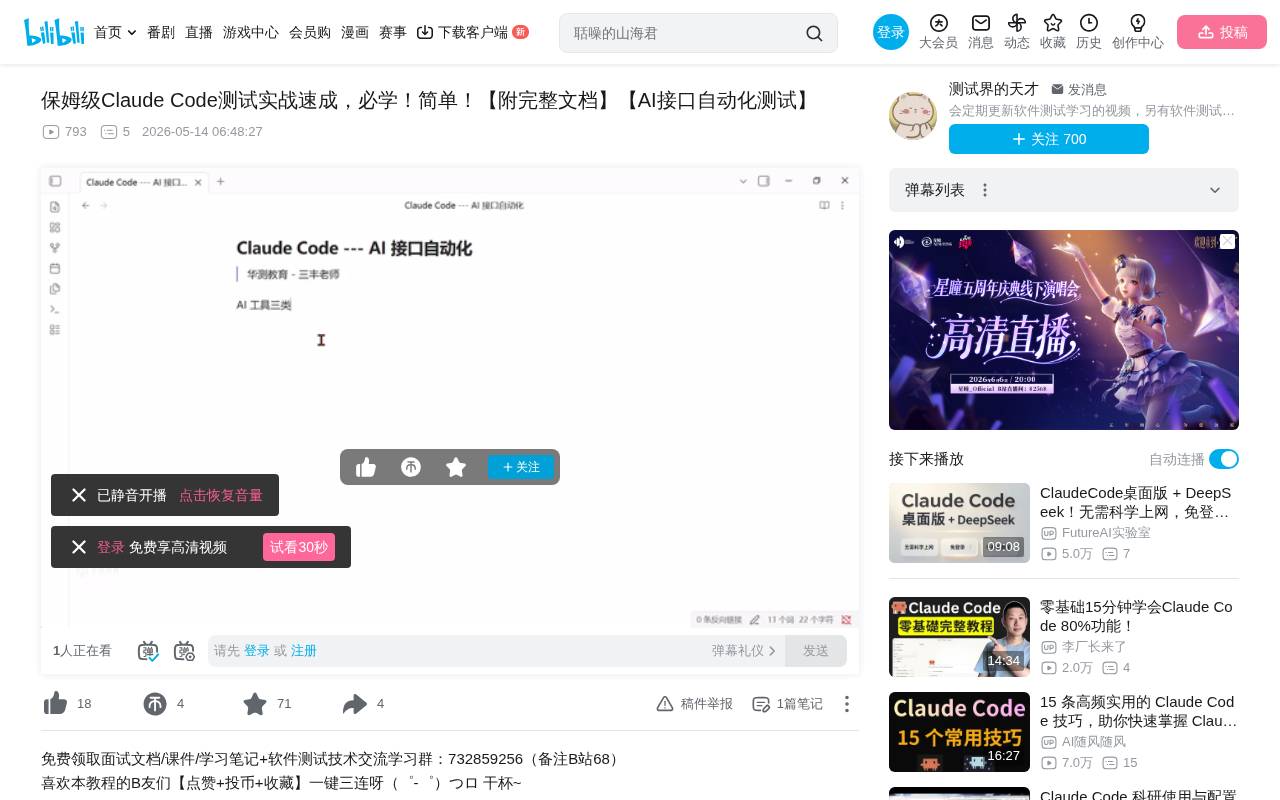
Current AI tools can be roughly divided into three categories: personal assistants (ChatGPT, Qwen, etc.), IDE-integrated tools (Cursor, Trae, QCode, etc.), and command-line tools (Claude Code, Open Code).
Personal assistant tools excel at social tool integration and daily conversations but aren't rigorous enough for engineering scenarios. IDE tools integrate AI capabilities for code writing. Command-line tools like Claude Code, despite having no UI at all, are born for engineering — they exist purely to get things done.
CLI-based AI Agents represent a "no-UI-first" design philosophy. Unlike IDE plugins that need to adapt to editor APIs, CLI tools directly operate on file systems and Shell environments, naturally possessing pipeline composition capabilities and seamless collaboration with Unix toolchains like grep, sed, and git. This design makes them equally applicable in CI/CD pipelines, remote servers, and other GUI-less environments, truly achieving "wherever there's a terminal, AI can work."
For developers and testers, software engineering is a rigorous process that cannot tolerate "sometimes right, sometimes wrong" outcomes. This is exactly why we need to learn tools like Claude Code.
Environment Setup: Combining Claude Code with an IDE
In practice, using Claude Code's command line alone isn't enough. The recommended approach is IDE + Claude Code:
- IDE (VS Code/Trae, etc.): For viewing code, editing files, and browsing project structure
- Claude Code: As a top-tier AI Agent tool, running in the IDE's terminal
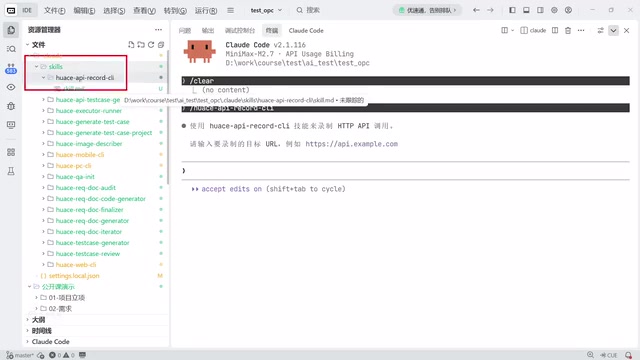
The reasoning is simple: Claude Code isn't convenient for viewing or editing files, while IDEs provide intuitive code browsing. Running Claude Code in an IDE terminal gives you both powerful AI capabilities and convenient code review and editing.
Regarding paid model selection, if budget is limited, you can use domestic models like MiniMax — spending the cost of a bubble tea (20-30 RMB) on a Token Plan with 5 hours and 600 calls per month, which is sufficient for learning. Installation supports Windows, Linux, and Mac, and can also be done via NPM (npm -g), though the NPM method may be deprecated in the future.
Common Misconceptions in AI API Test Automation
Wrong Approach: Having AI Generate Large Amounts of Test Code
Many people, upon discovering AI can write code, ask it to generate complete API automation projects with Python + PyTest + Requests — login, parameter extraction, dependency handling, the works. This approach can do automation, but is fundamentally wrong.
The problems:
- Hard to maintain: More test cases mean more code and higher maintenance costs. This was already proven unworkable in the pre-AI era
- Impossible to audit: If AI writes 100 lines of code, how do you ensure there are no hidden issues? With 100 APIs, code review alone becomes enormously time-consuming
- Non-deterministic: AI-generated code may differ each time, with inconsistent quality
Correct Approach: Let AI Maintain Test Cases, Not Write Code
The correct mindset is: Use a framework to manage test cases, let AI maintain case data. The framework handles execution logic; AI generates YAML/CEL format case files that conform to framework specifications.
CEL (Common Expression Language) mentioned here is a lightweight expression language developed by Google, commonly used in policy rules and data validation scenarios. In test case management, YAML describes test data structure (API endpoints, request parameters, Headers, etc.), while CEL describes assertion logic (e.g., response.status == 200 && response.body.code == 0). This reduces test case maintenance from a "programming problem" to a "data entry problem." The probability of AI making errors drops significantly — because it only needs to fill in structured data rather than write arbitrary program code.
The real difficulty in API automation isn't execution — Postman, JMeter, or any mature framework can handle that. The challenges are:
- How does AI know where API parameter values come from?
- Where does it get the data dependency relationships between API A and API B?
- How are assertion criteria determined?
- How are business flows chained together?
Engineering Implementation: Skill Development and Tool Encapsulation
What Is a Skill, Really?
A Skill is essentially an advanced encapsulation of prompts. It tells AI how to use a specific tool or complete a specific task. But Skills aren't omnipotent — complex functionality needs to be encapsulated as standalone CLI tools, with Skills only responsible for telling AI how to invoke them.
The Skill mechanism in Claude Code is similar to Tool definitions in LangChain or OpenAI's Function Calling declarations. Its essence is defining input/output schemas, invocation preconditions, and error handling strategies through structured prompt templates, enabling the AI Agent to reliably orchestrate multi-step workflows. For example, an "API Recording" Skill would declare: input is a target URL, precondition is that the recording tool is installed, output is a standard Markdown API document, and on error it should prompt the user to check network proxy configuration.
Key principles:
- Simple tools: Put directly in the Skill (e.g., a single command)
- Complex tools: Encapsulate as CLI programs, Skills only describe usage
- Version control: Skills must have version numbers and upgrade mechanisms
Practical Example: API Recording and Automation
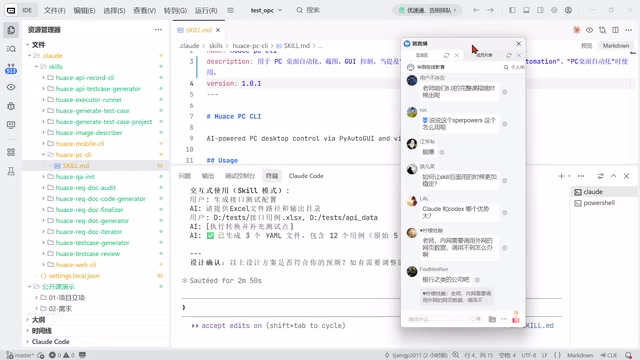
Taking API recording as an example, AI itself doesn't have packet capture capabilities. The solution is:
- Develop an HTTP API recording tool (CLI program)
- Write a Skill telling AI how to install and use the tool
- AI invokes the tool to launch a browser, record API calls, and generate Markdown API documentation
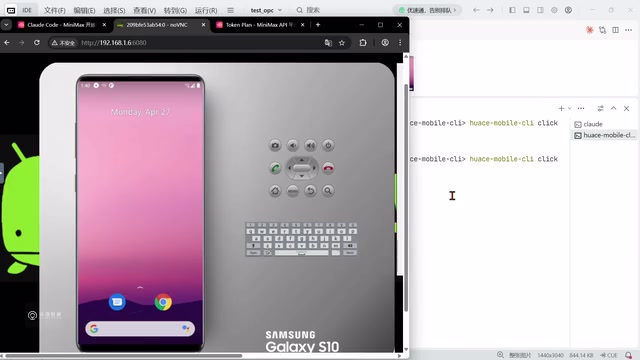
The same approach applies to PC desktop automation, mobile automation, and web automation — combining AI visual recognition capabilities with locally deployed vision models to achieve cross-platform automation.
Harness Engineering: Making AI Run Reliably
Why Harness Engineering Is Needed
AI's non-determinism is the biggest challenge:
- First and second generation results can be completely different
- It may work fine in the morning but "dumb down" in the afternoon
- Even local deployment can't guarantee complete model capabilities
Harness Engineering borrows from the "constraint-driven development" philosophy in traditional software engineering. Similar to how type systems constrain code behavior and database schemas constrain data formats, Harness Engineering narrows AI's output space through standardized input formats, fixed output templates, and multi-round validation loops, controlling non-determinism within engineering-acceptable ranges. The core insight is: rather than expecting AI to generate perfect results every time, design mechanisms that allow "imperfect results" to be quickly detected and corrected.
Core Elements of Engineering Constraints
- Requirements standardization: Normalize various requirement document formats (prototypes, Word, PDF, Markdown) into AI-understandable standard formats
- Iterative review: AI analyzes requirements → discovers issues → human+AI modifications → new version → re-review, iterating until polished
- API documentation completeness: Without complete requirement documents, test case generation is meaningless
- Flow mapping: Clarify API dependencies, business flows, and data sources
- Rule constraints: Not simple prompt constraints, but engineering-level hard constraints
Complete Engineering Workflow
Requirements import → Requirements standardization → Requirements review (multiple iterations)
    ↓
API document review → API dependency mapping → Flow standardization
    ↓
Tool development (CLI) → Skill encapsulation → AI invocation and execution
    ↓
Case generation → Format constraints → Quality validation → Test report
Key Takeaways
What matters with AI tools is the person using them, not the tool itself. The same Claude Code produces vastly different results with different usage approaches.
In the AI era, a tester's core competitiveness isn't "being able to ask AI to write code," but rather:
- Designing engineered AI testing systems
- Encapsulating the tools and Skills that AI needs
- Establishing constraint rules that keep AI working within reliable boundaries
- Transforming scattered ideas into implementable engineering solutions
This is the fundamental difference between being an "AI user" and an "AI engineer."
Related articles
 Tutorials
Cursor + Codex Dual-IDE Collaboration: A Practical Methodology for Open-Source Project Customization
A complete methodology for open-source project customization based on real-world experience, detailing the Cursor+Codex dual-IDE workflow, seven-stage process, MVP validation, and AI source code reading techniques.
 Tutorials
Cursor Multi-Agent in Practice: Building a Full-Stack Next.js Blog in 50 Minutes
Build a full-stack blog in 50 minutes using Cursor IDE's multi-Agent mode with Next.js, Clerk auth, and Supabase. Learn the 4-phase AI Agent workflow and key integration pitfalls.
 Tutorials
Building an AI Software Factory from Scratch: A Cursor Engineer's Hands-On Experience with Multi-Agent Collaboration
Cursor engineer Eric shares practical insights on building an AI software factory: automation levels, guardrail design, parallel Agent management, and scaling to 1000+ Agents for 24/7 development.