Claude Code Modded Version Deployment Guide: Pet Raising System + WeChat Remote Control in Practice

Claude Code mod turns AI programming assistant into a pet raising game with WeChat remote control
Code-A-D-Code is an open-source mod of Claude Code that packages the programming assistant as a pet raising system, where each pet has attributes like Wisdom, Patience, and rarity levels. Legendary pets have a natural probability of only 0.01%, but can be targeted through a seed-searching script. The project deploys on the Bun runtime, supports multiple models via the OpenAI-compatible protocol, and includes a built-in WeChat bridge for remote mobile conversations.
When a Programming Assistant Becomes an RPG Raising Game
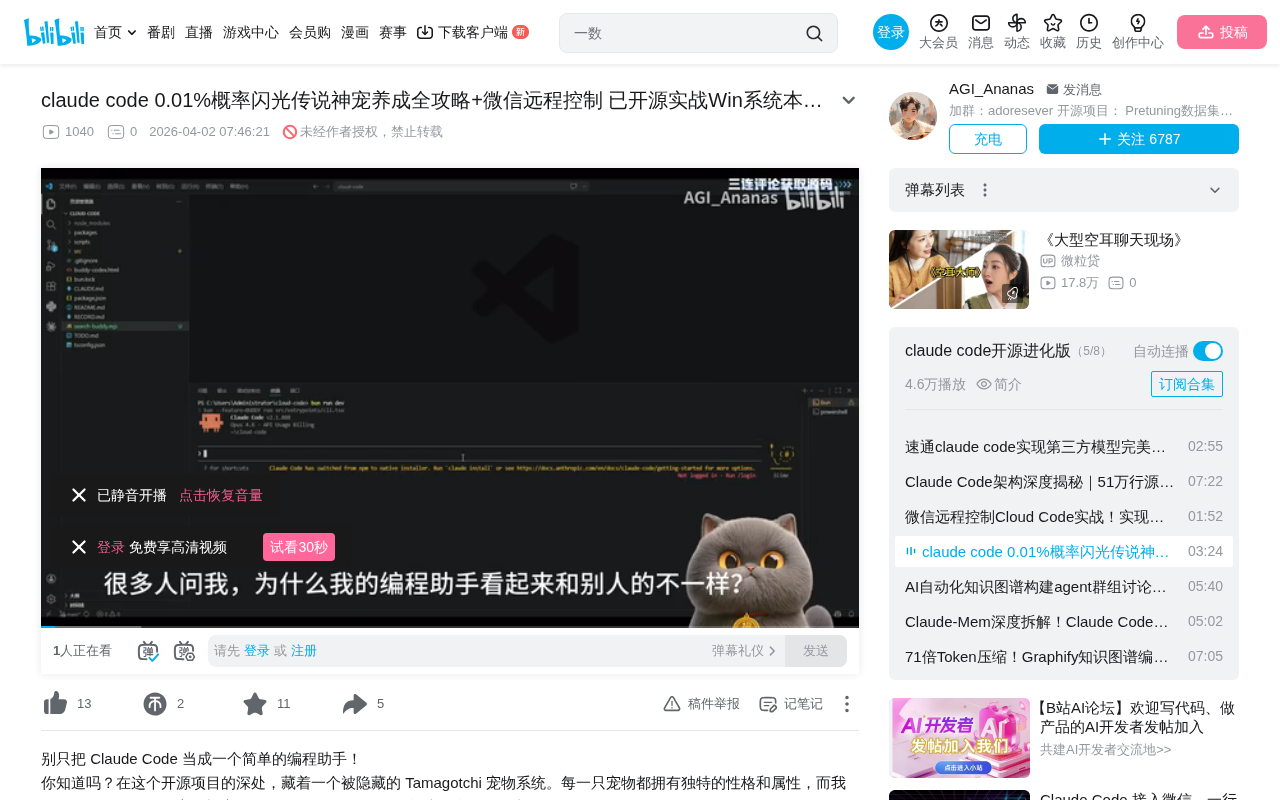
Have you ever imagined that a command-line programming assistant could be as fun as a game? Recently, a modded version of Claude Code (Code-A-D-Code) appeared on GitHub that repackages the AI programming assistant into a pet raising system — each "pet" has unique attributes, rarity levels, and personality traits, and can even be summoned remotely via WeChat.
What makes this project most appealing is that it's not just a gimmick. It preserves Claude Code's core programming capabilities while redefining the human-AI tool interaction experience through gamification. The legendary pet appearance rate is only 0.01%, but through code-based methods, you can precisely "calculate" your own golden legendary.
Gamification in productivity tools is nothing new — GitHub's contribution heatmap, Stack Overflow's reputation system, and Duolingo's streak counter are all classic examples. But combining an AI programming assistant with pet raising represents a more radical experiment. As underlying model capabilities converge toward homogeneity, differentiated user experience becomes a new competitive dimension. Similar trends include Cursor's personalized themes and Windsurf's achievement system, all exploring how to provide developers with emotional positive feedback during intensive coding work.
Environment Preparation and Basic Deployment
Getting the Source Code and Installing Bun Runtime
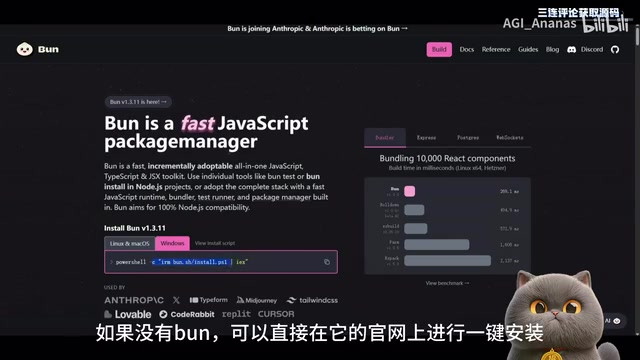
First, you need to obtain the Code-A-D-Code source code from GitHub or Gitee. The project is built on the Bun runtime, so you need to ensure your computer has Bun version 1.2 or above.
Bun is a next-generation JavaScript/TypeScript runtime released by Jarred Sumner in 2022, forming a three-way competition with Node.js and Deno. Written in Zig, it uses the JavaScriptCore engine (Safari's JS engine) rather than V8 under the hood, achieving orders-of-magnitude improvements in startup speed and package installation efficiency compared to Node.js. Bun also integrates a package manager, bundler, and test runner, eliminating the need for developers to install additional toolchains like npm or webpack. Choosing Bun as the runtime means the project prioritizes faster cold starts and a more streamlined toolchain.
- Users with Bun already installed: Simply run the update command to upgrade to the latest version
- Users without Bun: Visit the Bun official website for one-click installation
After installation, open the project source code in VS Code and complete the version check, dependency installation, and startup in sequence. During startup, you'll be asked to choose a window style (default recommended), API protocol (select OpenAI-compatible protocol), and model platform.
Configuring the Model and API Key
The video demonstration uses a model from the YouCloud computing relay platform. You need to enter the corresponding API key and model name, then press Enter through the remaining configuration steps. The flexibility here is high — theoretically, any model service compatible with the OpenAI protocol can be connected.
The so-called OpenAI-compatible protocol (typically referring to its Chat Completions API format) has become the de facto standard interface for large model services. This protocol defines a unified request format (including parameters like model, messages, temperature) and streaming/non-streaming response structures. Numerous model service providers both domestically and internationally (such as DeepSeek, Tongyi Qianwen, Moonshot, etc.) offer API endpoints compatible with this protocol, meaning developers can seamlessly switch between different models by simply changing the base_url and API key without modifying business code. This protocol-level standardization greatly reduces the migration cost of AI applications.
Pet Hatching Mechanism Explained
First Hatch: Experiencing the Cruelty of Random Attributes
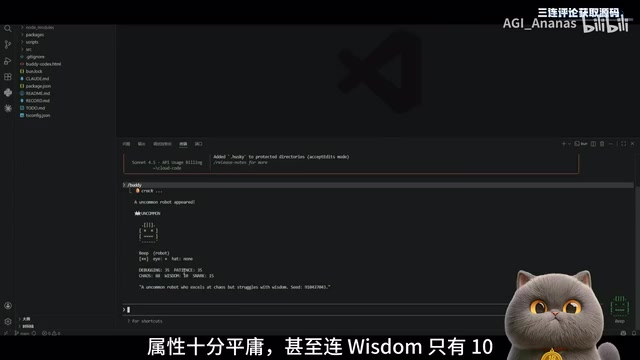
After configuration is complete, enter the body command to hatch your first robot pet. Each pet has multi-dimensional attribute values, including Wisdom, Patience, Humor, Chaos, and more.
The first hatch result is often disappointing — the first pet demonstrated in the video had very mediocre attributes, with Wisdom at only 10 points ("as a robot, it has absolutely no wisdom"), while Chaos was as high as 88. High Chaos means it might provide code suggestions that completely violate conventions, which is obviously catastrophic in actual programming.
Targeted Hatching Method for 0.01% Legendary Pets
The natural appearance probability of legendary pets is only one in ten thousand (0.01%), but the project provides a "scientific pet farming" method:
- Get your User ID: Run the specified command to obtain your unique user identifier
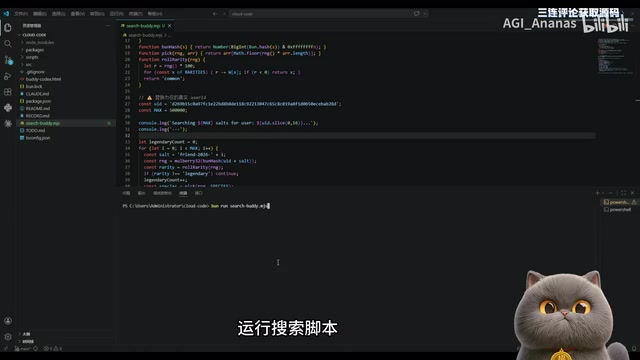
- Create a search script: Create a new
SearchBody.mjsfile in the project root directory, copy the search script code from the Readme and paste it in - Enter your User ID and run: The script will traverse the random seed space to find the specific seed value that produces a legendary pet
- Remember the key seed: After running, the script will output a
Friendrandom seed value - Targeted hatching: Use the specified command with that random seed, clear old pet data, and re-hatch
In the video, this process successfully hatched a five-star legendary pet "Shani Shiny" — a penguin wearing a little duck hat, with 100 Patience and 89 Humor.
Essentially, this is reverse-locking target results by exhaustively searching random seeds — a deterministic "pseudo-random crack." Random numbers in computers are fundamentally pseudo-random numbers — sequences generated by deterministic algorithms based on an initial value (seed), where the same seed inevitably produces the same sequence. This property is widely exploited in game development: Minecraft's world generation and Roguelike game level layouts all rely on seed mechanisms to achieve reproducible randomness. Code-A-D-Code's pet attribute generation follows the same principle: the User ID and random seed together determine the pet's attribute distribution. The search script is essentially a brute-force traversal of the seed space to find specific seed values that satisfy the "legendary" judgment condition — in cryptography, this is similar to a prediction attack on a weak random number generator.
WeChat Remote Control: Summon Your AI Programming Assistant Anytime, Anywhere
WeChat Bridge Configuration Steps
One of the most practical features of this modded version is the built-in WeChat bridge. After configuration, the system generates a QR code link — scan it with WeChat to chat with your AI pet from your phone.
WeChat bridging is typically implemented through WeChat's web version or iPad protocol to proxy message sending and receiving. Common open-source solutions include frameworks like wechaty and itchat, which obtain message push permissions by simulating login, then forward messages to backend services for processing. QR code login essentially establishes a long-connection session — messages sent from the phone are forwarded to the locally running AI model via the bridge service, and the model's replies return through the same channel to the WeChat chat window. This architecture extends locally deployed AI capabilities to mobile devices, but be aware of WeChat's risk control policies for third-party logins — frequent use may trigger account security alerts.
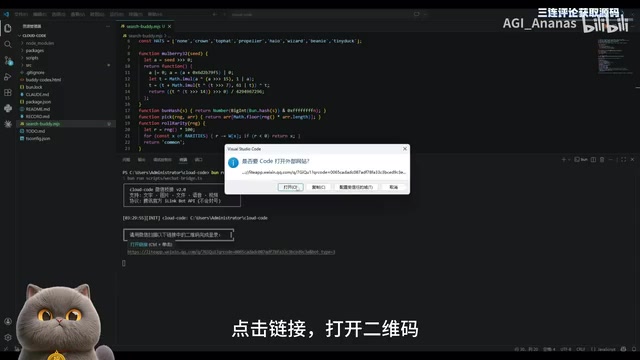
This means you're no longer limited to your computer terminal — during commutes or between meetings, you can ask questions or assign tasks to your programming assistant via WeChat.
Common Issues and Troubleshooting
If you find that the pet on your phone isn't responding, you need to add a specific flag in the project's configuration file. This is an easily overlooked detail — make sure to pay attention during deployment.
Product Thinking Behind Gamification Design
The value of this project lies not only in its technical implementation but also in the interesting proposition it raises: Does an AI tool need "personification"?
Traditional programming assistants pursue accuracy, efficiency, and lack of personality. But the Code-A-D-Code mod goes against the grain, giving AI attributes, rarity levels, and visual identities. This gamification wrapper produces several notable effects:
- Lowering the barrier to entry: The raising mechanism makes newcomers more willing to explore and experiment
- Enhancing user stickiness: "Pet farming" itself is a form of social currency — attribute screenshot sharing in comment sections creates community interaction
- Building emotional connections: When your programming assistant has a name and appearance, you naturally "converse" with it rather than "issue commands"
From a broader industry perspective, this design reflects a deep shift in the competitive logic of developer tool markets. When models like GPT-4, Claude, and Gemini increasingly converge in code generation capabilities, pure technical metrics are no longer sufficient to form a moat. User experience, emotional design, and community ecosystems are becoming the new differentiation battleground. This also explains why more and more AI products are introducing "non-functional" features like role-playing and personalization — they're essentially competing for users' attention and emotional investment.
Of course, this design has its limitations. If the "Chaos" attribute value truly affects code suggestion quality, it needs to be treated carefully in production environments. Gamification should not come at the cost of sacrificing the tool's core functionality.
Deployment Summary and Usage Recommendations
This open-source project demonstrates one possible direction for AI tool personalization. For developers who want to try it, the entire deployment process isn't complex — Bun environment + source code + API key, completable within ten minutes. The WeChat bridge feature further extends usage scenarios from desktop to mobile.
However, it's worth noting that the project's core remains Claude Code's programming capabilities — pet raising is just icing on the cake. Choosing the right underlying model and API service is the key factor that determines the actual experience.
Key Takeaways
- Code-A-D-Code is an open-source mod of Claude Code that packages the programming assistant as a pet raising system, with each pet having unique attributes and rarity levels
- Legendary pets have a natural probability of only 0.01%, but targeted hatching can be achieved by exhaustively searching random seeds via script
- Deployment is based on the Bun runtime and supports connecting various model services via the OpenAI-compatible protocol
- Built-in WeChat bridge functionality allows remote conversation with the AI assistant on mobile by scanning a QR code
- Gamification design lowers the barrier to using AI tools, but core value still depends on the underlying model's capabilities
Related articles
 Tutorials
Cursor + Codex Dual-IDE Collaboration: A Practical Methodology for Open-Source Project Customization
A complete methodology for open-source project customization based on real-world experience, detailing the Cursor+Codex dual-IDE workflow, seven-stage process, MVP validation, and AI source code reading techniques.
 Tutorials
Cursor Multi-Agent in Practice: Building a Full-Stack Next.js Blog in 50 Minutes
Build a full-stack blog in 50 minutes using Cursor IDE's multi-Agent mode with Next.js, Clerk auth, and Supabase. Learn the 4-phase AI Agent workflow and key integration pitfalls.
 Tutorials
Building an AI Software Factory from Scratch: A Cursor Engineer's Hands-On Experience with Multi-Agent Collaboration
Cursor engineer Eric shares practical insights on building an AI software factory: automation levels, guardrail design, parallel Agent management, and scaling to 1000+ Agents for 24/7 development.