Claude Code + Remotion in Practice: 6 Real-World Cases of Making Videos with AI Code

Claude Code + Remotion: a new paradigm for making videos efficiently with AI-generated code
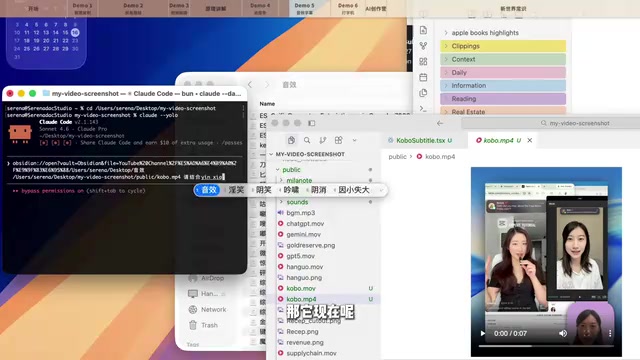
This article introduces how the combination of Claude Code (Anthropic's command-line AI programming tool) and Remotion (a React-based open-source video framework) transforms video production from manual editing into AI-driven code generation. Remotion treats each frame as a React component render and encodes the output via FFmpeg, while Claude Code's agentic capabilities let it understand project structure, autonomously plan tasks, and iteratively refine code — enabling creators to generate videos simply by describing the desired effect.

Why Code-Based Video Production Is Becoming the Most Efficient Editing Method in the AI Era
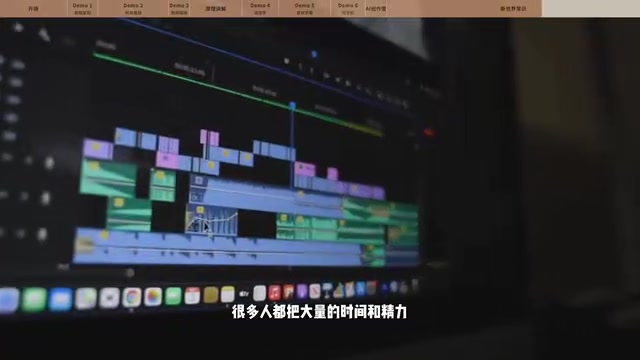
The pain points of traditional video editing are all too familiar to anyone who's done it: finding assets, creating animations, adding sound effects, adjusting subtitles — these repetitive tasks devour time that should be spent thinking and creating. Now, the Claude Code + Remotion combo is carving out an entirely different path — making videos by having AI write code.
Claude Code is Anthropic's command-line AI programming tool that allows developers to converse with Claude directly in the terminal. Claude can read project files, understand code context, write and modify code, execute commands, and review results. Unlike traditional conversational AI, Claude Code has "agentic" capabilities — it can autonomously plan multi-step tasks, navigate file systems, run tests, and iteratively refine based on results.
Traditional Conversational AI vs. Agentic AI: Traditional conversational AI (like the web version of ChatGPT) is a stateless single-turn or multi-turn dialogue system where users must manually copy-paste code, switch tools, and execute commands with each interaction. "Agentic AI," on the other hand, has autonomous planning and execution capabilities: it can perceive its environment (read the file system), formulate plans (decompose multi-step tasks), take actions (run terminal commands), observe results (read output), and iterate accordingly. This "perceive-plan-execute-feedback" loop enables Claude Code to participate in projects like a true collaborator, rather than merely serving as a "code generator." In video production scenarios, this means it can understand the entire Remotion project structure, coordinate modifications across multiple component files, and continuously optimize results through preview feedback.
This deeply integrated workflow makes it particularly well-suited for video production scenarios that require understanding project structure, managing multiple component files, and repeatedly previewing and debugging.
The underlying logic of this approach is actually quite intuitive: video is essentially the illusion of animation created by displaying 24 to 60 images per second, and web pages themselves are "drawn" with code. Stack thousands of web pages together, and you get animation. Remotion is built on exactly this principle, using React code to generate video.
Specifically, Remotion is an open-source video production framework created by Jonny Burger in 2021. Its core idea is to treat every frame of video as the render output of a React component — developers describe visual content with JSX, control animation logic with JavaScript, and Remotion handles frame-by-frame rendering at the specified frame rate (e.g., 30fps), ultimately encoding the result into MP4 or other video formats via FFmpeg.
How React's Component-Based Thinking Aligns with Video Production: React is a frontend JavaScript framework open-sourced by Facebook (now Meta) in 2013. Its core philosophy is breaking UI into reusable "components," each managing its own state and rendering logic. This component-based thinking aligns naturally with video production: a video is essentially composed of independent "modules" — title animations, data charts, subtitle bars, transition effects, and more. In Remotion, every visual element is a React component that can be independently developed, tested, and reused — assembled like building blocks into a complete video. This stands in stark contrast to the linear "timeline + layers" mindset of traditional editing software, representing a more engineering-oriented approach to content production.
This means developers can leverage the entire web ecosystem (CSS animations, SVG, Canvas, WebGL, etc.) to produce videos while enjoying React's engineering advantages like componentization and state management. Remotion also provides Hooks like useCurrentFrame() that give developers precise control over the visual state of every frame, achieving the equivalent of keyframe animations in traditional editing software. And what AI excels at is precisely writing code — we simply need to describe the desired effect, and Claude Code can automatically reason out the implementation and output Remotion code.
It's worth noting that when Remotion outputs the final video, it first renders each frame as a PNG image sequence, then calls FFmpeg to encode these images into a video file at the specified frame rate.
FFmpeg: The Invisible Infrastructure of Video Processing: FFmpeg was born in 2000, created by French programmer Fabrice Bellard, and has since become one of the world's most important multimedia processing infrastructures. Virtually every video software you can name — VLC, Handbrake, Adobe Premiere, OBS, YouTube's transcoding service — relies on FFmpeg under the hood for video encoding and decoding. It supports over 400 audio and video formats and implements nearly every mainstream codec including H.264, H.265, AV1, and VP9. In Remotion's workflow, FFmpeg handles the "last mile": encoding the PNG frame sequences rendered by React into the final MP4 file at the specified frame rate, bitrate, and color space. This process is fully controllable, meaning creators can precisely specify output quality — from social media compressed versions to broadcast-grade high-bitrate versions — all from a single codebase.
FFmpeg also handles audio mixing, video compression, format conversion, and more. This means code-based video production
Related articles
 Tutorials
Cursor + Codex Dual-IDE Collaboration: A Practical Methodology for Open-Source Project Customization
A complete methodology for open-source project customization based on real-world experience, detailing the Cursor+Codex dual-IDE workflow, seven-stage process, MVP validation, and AI source code reading techniques.
 Tutorials
Cursor Multi-Agent in Practice: Building a Full-Stack Next.js Blog in 50 Minutes
Build a full-stack blog in 50 minutes using Cursor IDE's multi-Agent mode with Next.js, Clerk auth, and Supabase. Learn the 4-phase AI Agent workflow and key integration pitfalls.
 Tutorials
Building an AI Software Factory from Scratch: A Cursor Engineer's Hands-On Experience with Multi-Agent Collaboration
Cursor engineer Eric shares practical insights on building an AI software factory: automation levels, guardrail design, parallel Agent management, and scaling to 1000+ Agents for 24/7 development.