Claude Code Source Code Analysis: A Complete Breakdown of the Startup and Bootstrap Flow

Deep analysis of Claude Code's source architecture from startup to entering the Agent Loop
This article analyzes Claude Code's source code through line-by-line debugging, revealing the complete startup and bootstrap flow: from the CLI entry's on-demand dynamic loading design, to REPL interactive interface startup, to user input being processed through layered function chains like HandlePromptSubmit and ExecuteUserInput—including command classification, sentiment keyword detection, and image metadata injection—ultimately calling the Query function through Enquiry to enter the core Agent Loop. The article distills key design patterns including on-demand loading, modular processing, sequential execution, and user behavior awareness.
Introduction
As Anthropic's AI programming tool, Claude Code's internal architecture design offers significant reference value for developers building their own Agent systems. Based on line-by-line debugging analysis of the Claude Code source code, this article provides an in-depth interpretation of the design philosophy behind its startup and bootstrap phase, revealing the complete flow from user input to the point just before entering the Agent Loop.
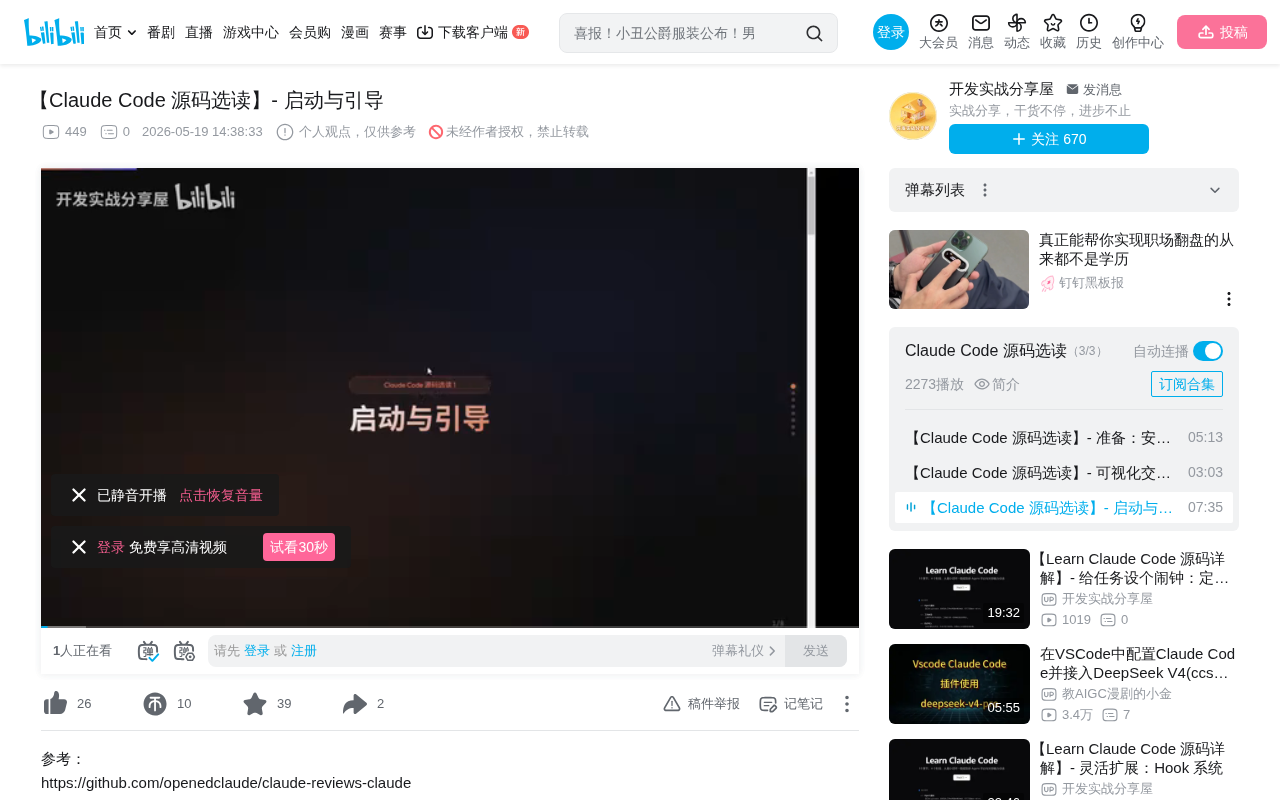
CLI Entry Point: The Design Philosophy of On-Demand Loading
Version Check and Dynamic Module Loading
After launching Claude Code, the program first enters the cli.tsx file. At line 80, the code checks whether the user's arguments are querying the version number—supporting --version, -v, or -V—and directly prints the current version before exiting.
Interestingly, at line 82 the program hasn't loaded any modules yet. It's not until line 87 that it uses an await import statement to dynamically load the Startup Provider (a performance profiler) for collecting performance metrics for subsequent optimization.
This reflects a core design principle of Claude Code: on-demand loading. Dynamic import() (i.e., the await import() syntax) is a feature introduced in ECMAScript 2020. Unlike static import declarations, it loads modules on demand at runtime and returns a Promise. In Node.js CLI tools, this pattern is particularly important: traditional static imports parse the entire dependency tree at startup, which for a tool like Claude Code with numerous dependencies could result in hundreds of milliseconds or even seconds of cold-start delay. On-demand loading ensures that querying the version number returns with near-zero latency, while heavyweight modules are only loaded when the user actually enters interactive mode. This pattern is also widely adopted in modern toolchains like Vite and esbuild.
The program uses numerous conditional statements to load different modules in different branches:
- The first conditional branch loads
config.js - Another branch loads
mcp-server.js—where MCP stands for Model Context Protocol, an open protocol launched by Anthropic in late 2024 aimed at standardizing communication between AI models and external tools/data sources. It uses JSON-RPC 2.0 as its transport format and defines three core primitives: Tools, Resources, and Prompts. Claude Code's built-in MCP Server support means it can function both as an MCP client calling external tools and expose its own capabilities as an MCP service for other Agents to call, forming a composable Agent ecosystem. - Finally, at line 377, it calls
await cliMain()
This design avoids the performance overhead of loading all modules at once during startup and is one of the best practices for building CLI tools.
Entering the Main Function and REPL Startup
The cliMain function is located in the main.tsx file. After a series of checkpoint checks, the program launches a REPL (Read-Evaluate-Print-Loop) interactive interface at line 4483.
The four letters of REPL stand for:
- Read: Read user input
- Evaluate: Evaluate/execute
- Print: Print results
- Loop: Loop waiting for the next input
REPL can be traced back to the Lisp interactive interpreters of the 1960s and is a foundational paradigm for human-computer interactive programming. In modern AI Agent tools, the REPL pattern is significant because it naturally supports multi-turn conversations: each loop iteration corresponds to one user input and Agent response, with state accumulating across iterations. Node.js comes with a built-in repl module providing a basic implementation, but Claude Code chose to build its own REPL combined with Ink (a React-based terminal UI framework) for rendering. This enables rich text display, streaming output, and complex interactive controls in the terminal, far exceeding the expressiveness of traditional command lines.
This REPL is also implemented through dynamically loading the repl.js file, then calling Render for interface rendering.
User Input Processing: A Layered Function Chain
The HandlePromptSubmit Entry Point
When a user types a message (e.g., "Hello") and presses Enter, the program enters the HandlePromptSubmit function in the repl.tsx file. This is a large function with numerous parameters, defining many variables internally and performing multiple operations.
ExecuteUserInput and Command Wrapping
The program then enters the ExecuteUserInput function, which wraps the user's input Prompt. The wrapped Command object contains:
mode: "prompt" (identifying this as a text prompt)- Other context variables
Through the debugger's Watch panel, you can clearly see the actual values of these variables in memory.
RunWithWorkload: Sequential Execution Mechanism
At line 498, the program uses the RunWithWorkload function to execute the contents of the Command sequentially. This means when a user inputs multiple Prompts, Claude Code executes them in order, one by one, rather than processing them in parallel.
This design decision is closely related to state management in Agent systems. In AI Agent scenarios, each tool call (such as file editing or command execution) changes the workspace state, and subsequent Prompts depend on the results of preceding operations. If executed in parallel, race conditions could occur: two Prompts simultaneously modifying the same file, or a later Prompt reading an intermediate state from an incomplete earlier operation. This is similar to the serializable isolation level in database transactions—sacrificing throughput for correctness. For a programming Agent, correctness is far more important than speed.
The Modular Design of ProcessUserInput
Next, the program enters the ProcessUserInput function, then dives deeper into the ProcessUserInputBased function. The code organization here is very instructive:
ProcessUserInput serves as a Module with three independent TypeScript files underneath:
- A file handling Bash commands
- A file handling Slash commands
- A file handling TextPrompt
This design ensures each file is only responsible for handling its corresponding Command type—single responsibility, easy to maintain and extend. This is a classic application of the Strategy Pattern in real-world engineering: dynamically selecting a processing strategy based on input type. Adding new command types only requires adding new files without modifying existing logic, perfectly adhering to the Open-Closed Principle.
TextPrompt Processing: Sentiment Analysis and Metadata Injection
Input Normalization and Mode Determination
In the ProcessUserInputBased function, the program first calls NormalizeInput to normalize the input, then determines whether the current Mode is Prompt or Bash, and whether Autoplay is enabled.
When the Mode is Prompt (line 569), the program performs a Trim operation, and finally at line 592 passes ProcessTextPrompt as the first argument to AddImageMetadataMessage.
Keyword Matching: User Sentiment Detection
Upon entering ProcessTextPrompt, the program first generates a random UID, then at line 59 performs two types of keyword matching:
- Negative keyword matching: Converts the input to lowercase and uses regex to detect whether the user is expressing negative emotions (complaints)
- KeepGoing keyword matching: Detects whether the user is repeatedly typing words like "Continue"
Collecting these two types of data falls under user experience signal collection in Product Telemetry. This practice is increasingly common in SaaS products: analyzing user frustration signals (such as repeatedly typing 'this is wrong' or 'try again') to quantify product friction points. Unlike traditional NPS surveys or support tickets, this real-time, passive signal collection can cover all users rather than just the few who actively provide feedback. Combined with A/B testing frameworks, teams can precisely measure the impact of each model or Prompt adjustment on user frustration rates, forming a data-driven iteration loop.
When frequent complaints or repeated prompting is detected, it may indicate that certain features need improvement.
Image Metadata Processing
The AddImageMetadataMessage function checks whether the user's input contains images. If there are no images (as in this example where only "Hello" was typed), it directly returns the result of ProcessTextPrompt without adding extra messages.
From Enquiry to Query: The Prelude to Entering the Agent Loop
After processing the user input, the program returns to line 503 to obtain the Messages List produced by ProcessTextPrompt. Then at line 591, it calls Enquiry—which is actually a parameter passed into HandlePromptSubmit.
Internally, Enquiry calls EnquiryImplementation (line 3586), performs Refresh Clients and a series of other operations, and finally at line 3403 calls the Query function in the query.ts file, officially entering the Agent Loop phase.
The Agent Loop here is the core runtime of the entire system: it's responsible for sending user messages to the Claude model, parsing the tool call instructions returned by the model, executing tool operations, feeding results back to the model, and looping until the model considers the task complete. From an architectural perspective, all the preceding startup and bootstrap flow is about preparing context and the runtime environment for this core loop.
Design Insights: What You Can Learn for Building Your Own Agent
From Claude Code's startup and bootstrap flow, we can distill the following design principles:
- On-demand loading: Reduce startup time through dynamic imports, only loading modules when needed. This is especially critical for CLI tools—users typically expect command-line tool response times within 100ms, and exceeding this threshold creates a noticeable lag.
- Modular processing: Different input types are handled by independent files with clear responsibilities. This not only facilitates team collaboration but also allows unit tests to be conducted independently for each input type.
- Layered encapsulation: Progressively process and enrich user input context through function chains. Each layer focuses only on its own responsibility—normalization, classification, metadata injection—forming a clear data pipeline.
- User behavior awareness: Embed sentiment analysis within the processing flow to provide data support for product iteration. This "observability-first" design philosophy enables teams to optimize products based on real usage data rather than guesswork.
- Sequential execution queue: Multiple commands execute in order to ensure state consistency. In scenarios requiring parallel acceleration, consider introducing dependency graph analysis to parallelize only operations with no state dependencies.
These design patterns are applicable not only to AI programming tools but serve as valuable references for any developer building interactive Agent systems. Understanding these underlying design decisions helps us avoid common pitfalls and make more reasonable architectural choices when building our own Agents.
Related articles
 Tutorials
Cursor + Codex Dual-IDE Collaboration: A Practical Methodology for Open-Source Project Customization
A complete methodology for open-source project customization based on real-world experience, detailing the Cursor+Codex dual-IDE workflow, seven-stage process, MVP validation, and AI source code reading techniques.
 Tutorials
Cursor Multi-Agent in Practice: Building a Full-Stack Next.js Blog in 50 Minutes
Build a full-stack blog in 50 minutes using Cursor IDE's multi-Agent mode with Next.js, Clerk auth, and Supabase. Learn the 4-phase AI Agent workflow and key integration pitfalls.
 Tutorials
Building an AI Software Factory from Scratch: A Cursor Engineer's Hands-On Experience with Multi-Agent Collaboration
Cursor engineer Eric shares practical insights on building an AI software factory: automation levels, guardrail design, parallel Agent management, and scaling to 1000+ Agents for 24/7 development.