Claude Code Tutorial: Complete Guide from Installation to Real-World Projects
Claude Code Tutorial: Complete Guide f…
Complete Claude Code guide from installation and configuration to real-world project applications.
This article provides a comprehensive overview of Claude Code, covering its technical positioning in the AI coding tool landscape, installation and configuration steps, alternative model adaptation for regions with access limitations, core programming capabilities, and non-programming productivity applications. It offers a balanced perspective on the tool's value and limitations while discussing AI coding efficiency boundaries.
Why You Need a Comprehensive Claude Code Tutorial
Claude Code is one of the most powerful AI coding tools available today, attracting growing attention from developers and productivity enthusiasts alike. However, English-only official documentation and scattered tutorial resources have kept many users at bay — getting stuck during installation, running into configuration errors, or simply not knowing how to use key features. Each step can become a reason to give up.
Recently, a comprehensive Claude Code tutorial has emerged from the Chinese developer community, reportedly created by domestic users on ByteDance's Feishu platform. It covers everything from absolute beginner basics to advanced real-world applications. This article breaks down the core value of such guides and helps you determine whether investing time in learning Claude Code is worthwhile.
Claude Code's Technical Position and Industry Context
Before diving into tutorial content, it's worth understanding where Claude Code sits within the AI coding tool ecosystem. Claude Code is a command-line AI programming tool from Anthropic that differs fundamentally from traditional IDE plugins like GitHub Copilot. It runs directly in your terminal environment, reads your entire project's file structure, executes system commands, and enables multi-turn conversational code development. Anthropic was founded by former OpenAI Research VP Dario Amodei, and its core technical approach emphasizes "Constitutional AI" — constraining model behavior through explicit principles — giving Claude a unique edge in code generation accuracy and safety.
As of 2025, the AI coding tools market has formed a three-way standoff: GitHub Copilot focuses on inline IDE completions, Cursor positions itself as an AI-native editor, while Claude Code has chosen a differentiated terminal-native path. This architectural choice gives Claude Code finer-grained control over projects — it doesn't just write code, it can create files, run tests, and manage Git commits. It's essentially an AI agent with full development capabilities.
What Pain Points Does a Good Claude Code Guide Solve?
Zero-Barrier Entry for Non-English Speakers
Claude Code's official documentation is entirely in English, creating natural barriers for non-native speakers trying to understand command parameters, configuration options, and best practices. A well-structured guide transforms all technical jargon into accessible explanations, enabling even programming newcomers to get started quickly.
Adapting to Alternative Models and Bypassing Access Issues
Using Claude's overseas API directly from certain regions can face unstable network access. Good tutorials address this pain point by providing alternative solutions for connecting to other LLM providers, ensuring a smooth and stable experience. For users without VPN access, this is an extremely practical workaround.
From a technical implementation perspective, model adaptation follows two main paths: one is routing requests to the overseas Claude API through an intermediary service; the other is directly replacing the underlying model with alternatives (such as Qwen, DeepSeek, or GLM) using OpenAI-compatible API formats. Claude Code supports custom API endpoints through environment variables, providing the technical foundation for model swapping. However, different models vary significantly in code comprehension, context window length, and instruction-following ability — for example, Claude 3.5 Sonnet's 200K context window is a key advantage for handling large projects, while some alternative models only offer 8K-32K context windows, which directly impacts cross-file code analysis effectiveness.
A Complete Learning Path from Installation to Production
Most Claude Code tutorials suffer from two problems: they either discuss concepts without practical steps, or they cover only a single aspect rather than the full workflow. A comprehensive guide should cover the following complete path:
- Download & Installation: Environment preparation and software setup
- Configuration: API key setup, proxy configuration, model selection
- Core Features: Code generation, bug fixing, code review, etc.
- Usage Tips: Prompt optimization, context management, efficiency improvements
- Real-World Projects: Hands-on application case studies
Claude Code's Core Capabilities Go Far Beyond Writing Code
Many people think of Claude Code as just "AI that writes code," but its application scenarios are far broader than that. Claude Code covers at least two major categories of use cases.
Programming and Development
This is Claude Code's primary battlefield. It can generate code from natural language descriptions, automatically locate and fix bugs, and perform code refactoring and optimization. For developers, it's like having a 24/7 programming assistant that dramatically shortens development cycles.
Non-Programming Productivity
Claude Code also excels at copywriting, document processing, data analysis, and workflow automation. This means even if you're not a programmer, you can leverage Claude Code to boost daily work efficiency — batch processing Excel data, auto-generating report templates, or even building simple automation workflows.
A Balanced View: Value and Limitations
What's Worth Appreciating
The greatest value of a comprehensive Claude Code guide lies in lowering the barrier to entry. For users with zero prior experience, it provides a clear learning path and eliminates the time cost of trial-and-error across scattered English documentation. Included practical commands and templates offer high immediate-use value.
What to Watch Out For
First, Claude Code itself is still rapidly iterating, so any tutorial may face relevance issues — always check version compatibility when learning. Second, while alternative model solutions solve access problems, capability differences between models are significant, and real-world results may differ from the original Claude experience. Finally, truly mastering AI coding tools requires more than reading a single guide — extensive practice and project experience are essential.
The Efficiency Boundaries of AI Coding Tools
It's worth noting that AI coding tools don't provide linear efficiency gains. According to internal research data from Google and Microsoft, AI-assisted programming can improve efficiency by 30%-50% on repetitive tasks like boilerplate code generation, unit test writing, and documentation comments. However, for scenarios requiring deep domain knowledge — complex architecture design, performance optimization, security auditing — efficiency gains are limited and may even introduce risks.
The emerging industry best practice is a "human-AI collaboration paradigm" — developers handle high-level design decisions and critical logic review, while AI handles code implementation and tedious detail work. This requires users to develop two core abilities: prompt engineering skills for accurately describing requirements, and professional judgment for reviewing AI output. This is also why the "prompt optimization" section of any guide is just as important as basic installation and configuration.
Final Thoughts
Claude Code is genuinely one of the standout AI coding tools available today, and quality tutorials can significantly reduce the learning curve for new users. For anyone looking to try AI-assisted programming or boost work efficiency, systematic educational resources are worth exploring.
But here's a reminder: tools are just tools — real efficiency gains come from deep understanding and continuous practice. Don't expect to "double your productivity" after reading a single guide. Instead, treat it as a starting point and continuously refine your AI collaboration skills through real projects.
Related articles
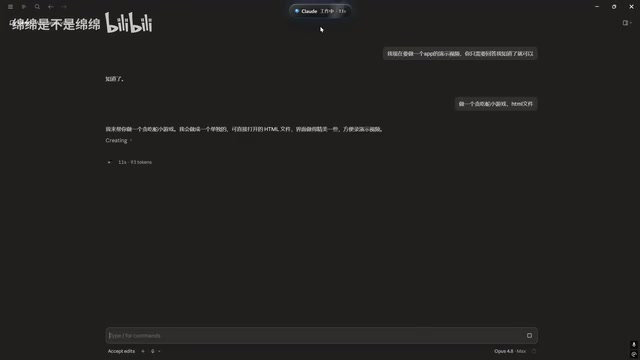
Claude Code Desktop Status Capsule: An Open-Source Widget for Real-Time AI Coding Status Monitoring
An open-source desktop status capsule that monitors Claude Code's idle, working, and completed states in real time, with multi-conversation management, memos, and music control for developers.

GPT-5.2 Codex vs Opus 4.5 Hands-On: A Comprehensive Comparison of Coding Ability, Speed, and Developer Experience
Hands-on comparison of GPT-5.2 Codex vs Opus 4.5 across frontend generation, physics simulation, 3D scenes, and code refactoring, with practical selection advice.
Deep Dive into the Three AI Programmin…
Deep Dive into the Three AI Programming Frameworks: The Right Way to Do Specification-Driven Development
Deep dive into the three frameworks of Specification-Driven Development (SDD) for AI programming: Blueprint, Execution Flow, and Change Records — solving the problem of AI code going off the rails.