Claude Code with GLM 4.6: A Guide to Deploying a Programming Agent with Chinese Domestic Models

Combine Claude Code with GLM 4.6 for a network-restriction-free programming Agent solution for Chinese developers.
This article explains how to combine the Claude Code programming Agent framework with Zhipu AI's GLM 4.6 model, solving network restrictions and cost issues for Chinese developers. It covers deployment steps, basic commands, thinking mode selection, project rule management, and highlights the SubAgent parallel development mode that enables multi-Agent collaboration through task decomposition to significantly boost development efficiency.
Why Combine Claude Code with Domestic Chinese Models?
Claude Code is a programming Agent developed by Anthropic, widely recognized as one of the most powerful coding Agents available today. Unlike traditional code completion tools, Claude Code is a fully autonomous AI programming agent capable of understanding project context, independently executing terminal commands, reading and writing files, running tests, and iteratively correcting based on execution results. Its underlying architecture follows the ReAct (Reasoning + Acting) paradigm, where the model first reasons and thinks at each step before deciding on the next action, forming a closed loop of observation-thinking-action. This Agent architecture makes it far superior to traditional single-turn code generation tools when handling complex programming tasks.
However, using Claude Code directly requires a subscription and faces network restrictions, which is unfriendly for developers in China.
Conveniently, Zhipu AI recently released GLM 4.6, which has risen to the top as the strongest domestic open-source model currently available. GLM (General Language Model) is a large language model series developed by Zhipu AI based on their proprietary architecture. GLM 4.6, as the latest version, adopts a Mixture of Experts (MoE) architecture optimization that significantly reduces computational overhead during inference while maintaining model parameter scale. Compared to GLM 4.5, its coding capability improved by 27%, token consumption decreased by 30%, and its performance on code evaluation benchmarks like HumanEval, MBPP, and SWE-bench, as well as comprehensive benchmarks like MMLU and GPQA, aligns with Claude 3.4 and Claude 3.4.5. As an open-source model, GLM 4.6 allows developers to use it via API calls or local deployment without the network restrictions of overseas services.
Combining Claude Code's powerful Agent framework with GLM 4.6's model capabilities solves the network restriction problem while enjoying the cost advantages of domestic models. This combination works because Claude Code supports the OpenAI-compatible API format—any model service providing this interface format can serve as its backend. This reflects the trend of "interface standardization" in the AI tool ecosystem, where the frontend Agent framework and backend model service are completely decoupled.
Deployment Preparation and Installation Steps
Environment Setup
First, you need a programming IDE. Cursor (international) or Trae (domestic) are recommended. Deploying Claude Code requires Node.js and Git environments. Claude Code is built on the Node.js runtime, with its CLI tool written in JavaScript/TypeScript, requiring Node.js as the execution environment. Node.js is a JavaScript runtime based on Chrome's V8 engine, widely used for building command-line tools and server-side applications. Git, as a distributed version control system, is needed by Claude Code to track code changes, create commit records, and roll back to previous states when errors occur.
For developers unfamiliar with the command line, there's a "lazy method": simply paste the Claude Code official deployment documentation link into your IDE's Agent dialog and let the Agent complete the entire deployment process for you, saving you the hassle of manually configuring Node.js, Git, and environment variables.
Manual Deployment
If you choose to do it manually, it's recommended to use the terminal within Cursor, since you can call on the Agent assistant on the right side anytime you encounter issues. After successful installation, type the claude command in the terminal to verify the installation.
Replacing with GLM 4.6 Model
Claude Code uses Claude 4 as its base model by default, and we need to replace it with GLM 4.6. The replacement process essentially involves modifying three key environment variables: replacing ANTHROPIC_API_KEY with Zhipu's API Key, pointing ANTHROPIC_BASE_URL to Zhipu's API endpoint (e.g., https://open.bigmodel.cn/api/paas/v4), and specifying the model name as glm-4.6. The specific steps are:
- Visit Zhipu AI's model open platform
- Apply for a GLM 4.6 API Key
- Set environment variables according to the developer documentation
- Replace the API Key in the configuration
You can also use the "lazy method"—send Zhipu's developer documentation to Cursor's Agent and let it handle the replacement and environment variable setup for you.
Basic Operations and Common Commands
Entering and Exiting Claude Code
- Enter: Type
claudein the terminal and press Enter - Exit: Hold Ctrl and press C twice (Claude Code is abbreviated as CC)
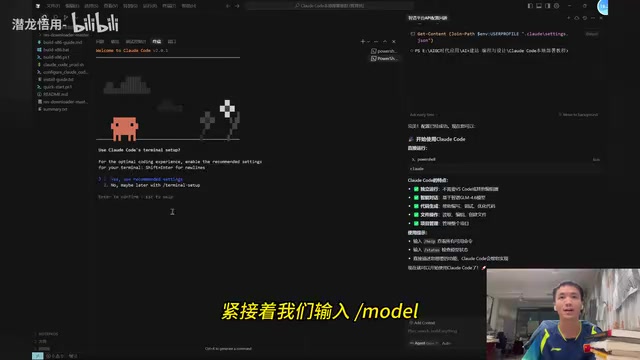
On first entry, you'll need to select a default mode. Afterward, you can use /model to confirm the current model in use, or type /status to check the technical configuration status.
Skipping Safety Confirmation Prompts
Every time Claude Code executes a command, it prompts for confirmation. You can skip this with the following command:
claude --dangerously-skip-permissions
Note: If your project contains sensitive data, it's recommended not to use this option. This safety confirmation mechanism exists because Claude Code has the ability to execute arbitrary terminal commands, including high-risk operations like deleting files or modifying system configurations. The confirmation prompt serves as a manual review safety gate.
Code Signature Settings
For serious development scenarios, setting a co-author signature for code is important:
git config code.author read-by:force
This setting annotates Git commit records to indicate AI participation in code writing. This is increasingly considered a best practice in team collaboration and code auditing, helping distinguish between manually written and AI-assisted generated code.
Advanced Usage Tips
Thinking Mode Selection
The official tool provides different depths of thinking modes, suitable for programming tasks of varying complexity:
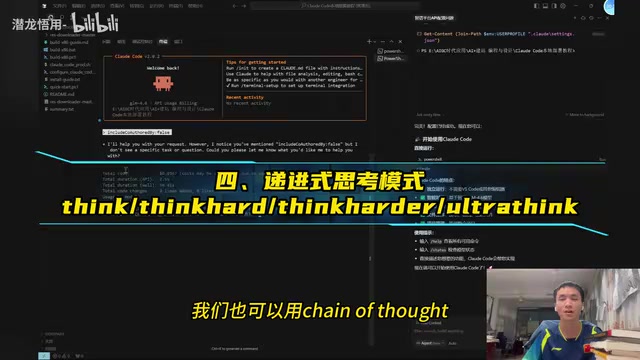
Think— Normal thinkingThink Hard— Deep thinkingThink Harder— Deeper thinkingUltra Think— Ultimate thinking
These multi-level thinking modes essentially control thinking depth by adjusting the model's reasoning token budget. In large language models, "thinking" corresponds to the internal reasoning process the model performs before generating the final answer. Deeper thinking modes allow the model to consume more tokens for intermediate reasoning steps, producing more accurate results in complex logic and multi-step algorithm design scenarios, but at the cost of longer response times and higher token consumption.
If complex problems cause thinking timeouts, you can use Chain of Thought prompting to have the model reason step by step. Chain of Thought was first proposed by Google Brain in a 2022 paper. By including examples of intermediate reasoning steps in the prompt, it guides the model to reason step by step rather than jumping directly to the answer. It has become a standard method for improving LLM complex reasoning capabilities.
Model Switching and Management
Type /logout to log out of the current model, making it easy to switch to other large models. When GLM 4.6's free quota is exhausted, you can also consider other domestic open-source models like Kimi T2, Kimi T3, DeepSeek, etc. as alternatives. The switching steps are essentially the same as the initial configuration—just modify the API Key and Base URL, which is exactly the convenience that interface standardization provides.
Project Rules and Context Management
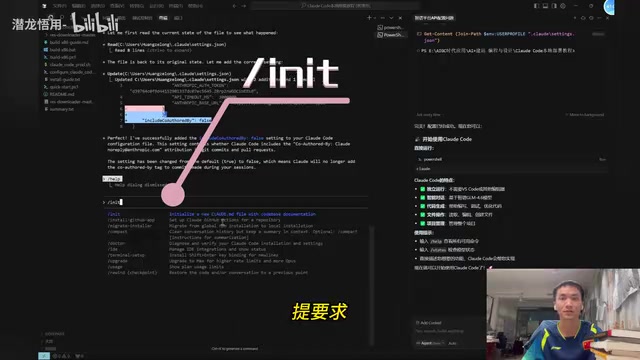
/compact— Compresses previous development and chat history, summarizes the context and hands it off to the next Agent to continue working. This feature addresses the core problem of limited context windows in large language models by summarizing and compressing historical conversations, freeing up context space without losing key information./init— Analyzes and reads through the current project folder, establishing an overall cognitive map of the project including directory structure, tech stack, dependencies, etc.- Write rules in the
claude.mdfile in the project root directory (e.g., "Please respond entirely in Chinese for this project"), and Claude Code will follow these instructions in subsequent interactions. This is similar to a project-level persistent version of a System Prompt.
Other Useful Commands
claude.p— Enable temporary planning!— Execute temporary commands#— Add context documents without opening a new window
SubAgent Mode: A Powerful Tool for Parallel Development
One of Claude Code's most powerful features is the SubAgent (sub-agent) mode. This mode draws from the microservices architecture philosophy in software engineering and the task decomposition methodology (WBS, Work Breakdown Structure) in project management. The core idea is:
- Create a batch of sub-Agents focused on individual tasks
- Each Agent focuses on one module's functionality
- Multiple Agents operate in parallel
In terms of technical implementation, the main Agent acts as a "project manager" responsible for task planning and decomposition, while each SubAgent runs as an independent process with its own context window and working directory. This solves the fundamental problem of a single Agent's limited context window—when project code volume exceeds the model's context length limit, a single Agent tends to "forget" previous information or produce hallucinations. Through divide and conquer, each SubAgent only needs to focus on the module code it's responsible for, significantly reducing context pollution and hallucination risks.
This approach can significantly improve task success rates and reduce execution error rates. For example, when developing an application, you can assign the frontend, backend, database, and testing modules to different sub-Agents, achieving truly parallel development. This multi-Agent collaboration pattern is also an important development direction in the AI Agent field in 2025, sharing the same design philosophy as multi-Agent frameworks like AutoGen and CrewAI.
Summary
The Claude Code + GLM 4.6 combination provides Chinese developers with a powerful and practical programming Agent solution. Claude Code offers an excellent Agent framework and interaction experience—its ReAct architecture, multi-level thinking modes, and SubAgent parallel capabilities represent the highest level of current programming Agents. GLM 4.6 perfectly complements it with capabilities on par with Claude 3.4, lower costs, and no network restrictions. As domestic open-source models continue to improve, this approach of pairing "the strongest framework + the strongest domestic model" deserves attention and experimentation from every developer. As model capabilities further improve and Agent frameworks continue to evolve, AI-assisted programming will comprehensively transition from "code completion" to a new stage of "autonomous development."
Related articles
 Tutorials
Cursor + Codex Dual-IDE Collaboration: A Practical Methodology for Open-Source Project Customization
A complete methodology for open-source project customization based on real-world experience, detailing the Cursor+Codex dual-IDE workflow, seven-stage process, MVP validation, and AI source code reading techniques.
 Tutorials
Cursor Multi-Agent in Practice: Building a Full-Stack Next.js Blog in 50 Minutes
Build a full-stack blog in 50 minutes using Cursor IDE's multi-Agent mode with Next.js, Clerk auth, and Supabase. Learn the 4-phase AI Agent workflow and key integration pitfalls.
 Tutorials
Building an AI Software Factory from Scratch: A Cursor Engineer's Hands-On Experience with Multi-Agent Collaboration
Cursor engineer Eric shares practical insights on building an AI software factory: automation levels, guardrail design, parallel Agent management, and scaling to 1000+ Agents for 24/7 development.