7 Official Best Practices for Claude Code Recommended by Anthropic
7 Official Best Practices for Claude C…
Anthropic's official 7 best practices for Claude Code to boost AI-assisted programming efficiency.
Anthropic's team has compiled 7 core tips for Claude Code: set clear acceptance criteria for self-review, use Plan Mode to plan before executing, describe requirements precisely, provide project context via CLAUDE.md, let Claude interview you to uncover requirement blind spots, regularly clear sessions to stay efficient, and run multiple sessions in parallel while using fresh sessions to review previous output. The core idea is to treat Claude as a collaborator that needs clear guidance, not a wishing well.
Anthropic has prepared an official best practices handbook for Claude Code, featuring 7 core usage tips — all created by the Claude Code development team themselves. These aren't just official recommendations; they're the actual workflows used internally by the team. Mastering these techniques can significantly improve the efficiency and quality of your collaboration with Claude Code.
Give Claude a Chance to Self-Review
Imagine hiring a contractor to build your house, handing over the blueprints, walking away, and coming back a week later hoping the house isn't crooked — that's how most people use Claude Code.
Core principle: Don't just tell Claude what to do — tell it what "done" looks like.
For example, instead of just saying "build me a signup page," describe it like this:
- Build me a signup page with name and email input fields
- Make sure the email field can detect fake addresses — no junk entries allowed
- Show a confirmation message after successful registration
- After you're done, test it yourself and show me a screenshot of the result
This is like giving your contractor an acceptance checklist: the doors must open, the windows must close, and the roof can't leak. Claude will check its own work, catch issues, and fix them on its own — no need for you to keep going back and forth with corrections.
Claude Code's ability to "self-review" relies on the self-reflection capability that Anthropic built into the model during training. When you provide clear acceptance criteria, the model enters an implicit evaluation loop after generating code — comparing its output against the standards you described and automatically correcting any inconsistencies. This aligns closely with Test-Driven Development (TDD) in software engineering: define the expected behavior first, then write the implementation. In traditional development workflows, acceptance criteria typically appear as User Stories during Agile Sprint Planning. In AI-assisted programming, these criteria become direct anchoring points for the model's reasoning, significantly reducing the probability of output drifting from expectations.
Use Plan Mode — Plan Before You Build
If you're driving somewhere you've never been, you wouldn't just jump in the car and wing it. Same logic applies: let Claude plan the route before it starts building.
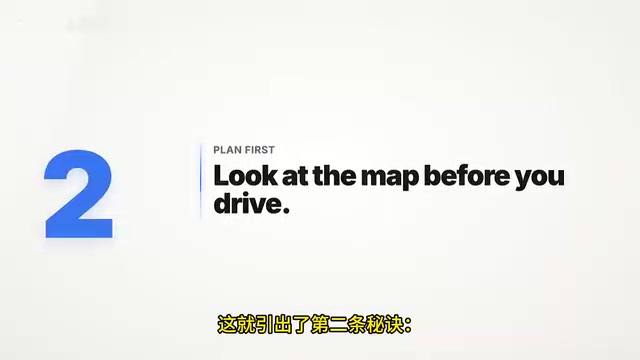
Anthropic breaks Plan Mode into three steps:
Step 1: Describe Your Requirements
Switch to Plan Mode and describe what you want to build. Claude will study your project, read files, and get a feel for the current state of things.
Step 2: Review the Plan
Claude will lay out all the steps — which files to create, the order of creation, and how they relate to each other.
Step 3: Approve and Execute
Once you've reviewed and approved the plan, exit Plan Mode and let Claude start building.
You can skip this for simple tasks, but for anything moderately complex, planning first saves a ton of rework.
Plan Mode essentially makes the large language model's Chain-of-Thought reasoning process explicit. In default mode, Claude thinks and executes simultaneously, but Plan Mode forces a separation between the reasoning phase and the execution phase. This separation borrows from the "design first" principle in software architecture — in large projects, the Architecture Design Document is always written before a single line of code. During the planning phase, Claude traverses the project's file structure, dependencies, and existing code patterns to build an internal mental model of the project, then plans modification paths based on that model to ensure new code stays consistent with the existing architecture.
Describe Requirements as Precisely as Ordering from a Menu
When ordering at a restaurant, you wouldn't say "just bring me something tasty" — the waiter would have to guess. Claude Code works the same way: the more specific your instructions, the fewer corrections you'll need.
Bad example: "Make my website look better"
Good example: "Change the homepage title to blue, make the font bigger, and add a 'Get Started' button"
A practical tip: use the @ symbol to directly reference a specific file or folder. Type @ followed by the filename, and Claude will read that file before taking action — like pointing directly at the dish you want on the menu. The more information you provide, the better the results.
Use CLAUDE.md to Give Claude an Employee Handbook
Think of Claude as a new colleague at your company — on their first day, they have no idea about your style, preferences, or project architecture. Without guidance, they're just guessing.
Solution: Use the /init command.
Claude will scan your project and create a CLAUDE.md file — essentially Claude's employee handbook. From then on, every time you open the project, Claude already knows how you work.

You can add things like:
- Personal coding preferences
- Project structure rules
- Naming conventions, etc.
But Anthropic specifically warns: keep it concise. If the handbook is too long (say, 100 pages), Claude will start ignoring parts of it. Only include things that Claude can't infer on its own.
The CLAUDE.md file works through Context Injection. Every time a Claude Code session starts, the system automatically loads the file's contents into the model's Context Window as part of the system-level prompt. This means the information in CLAUDE.md influences all of Claude's decisions throughout the entire session. Anthropic's recommendation to keep it concise relates to the attention allocation mechanism of the context window — when the injected text is too long, the model's attention to individual pieces of information decreases. This is a direct manifestation of Attention Dilution in the Transformer architecture. An ideal CLAUDE.md should only contain tacit knowledge that can't be inferred from the code itself, such as team-agreed naming conventions, special deployment processes, or non-standard project structures.
Let Claude Interview You in Reverse
Most people using Claude Code try to craft the perfect prompt, like a patient writing their own prescription. But the right approach is: let Claude ask you the questions.
After describing your requirements, add one line:
"Interview me about my project — ask me questions I haven't thought of"
Claude transforms into a diagnostic doctor and starts asking critical questions:
- Do you need a login page?
- What happens if someone enters the wrong password?
- Does this feature need to work on mobile?
These are all things you probably haven't considered but will cause problems down the road. After Claude finishes asking, it creates a comprehensive plan based on your answers. You don't need to write the perfect prompt — you just need to have a conversation with Claude.
The reverse interview technique has a formal name in software engineering: Requirements Elicitation. Traditional requirements engineering research shows that the primary reason software projects fail isn't technical issues — it's incomplete requirements or misunderstandings. In the reverse interview, Claude plays a role similar to a Business Analyst, proactively exploring edge cases, exception handling paths, and non-functional requirements (such as performance, security, and accessibility) based on its understanding of the project context. This capability stems from the model's exposure to vast amounts of real-world project requirement documents and technical discussions during training, enabling it to identify common requirement blind spots.
Regularly Clear Sessions to Stay Efficient
Claude's session is like a desk — every message you send and every file piles up on it. When the desk is buried, Claude slows down, mixes up information, and starts making mistakes.

Three ways to clean up:
Method 1: The /clear Command
Every time you finish a task and start a new one, type /clear to wipe the desk clean and start fresh.
Method 2: The Rollback Feature
If Claude goes off track, press S to stop, then press S again to open the rollback menu. You can go back to any point in the conversation and undo everything Claude did after that — including code and conversation. It's like a time machine for your project.
Method 3: The /compact Command
If you're in the flow and don't want to start over, type /compact. Claude will keep all the important information and clear out the irrelevant clutter.
These three cleanup methods are directly tied to the context window limitations of large language models. Although Claude has an industry-leading ultra-long context window (up to 200K tokens), as conversation length increases, the model faces two problems: first, increased inference latency, because the Transformer's self-attention mechanism has quadratic computational complexity relative to sequence length; second, the "Lost in the Middle" phenomenon, where the model's ability to recall information from the middle of the context degrades. The /compact command works by performing summary compression on the current session — retaining key decisions and code change records while discarding redundant intermediate discussions — thereby freeing up window space without losing core context.
Run Multiple Sessions in Parallel to Boost Development Efficiency
You don't have to run just one Claude session at a time. In the desktop app, you can open multiple sessions simultaneously:
- One session for cleaning up code
- One session for writing new pages
- One session dedicated to building new features
It's like three chefs working at three different stations at the same time.
Advanced tip from the official handbook: Start one session to build something, then open a new session to review it. A fresh Claude session won't be biased toward work it just produced — like having a different chef taste the first chef's dish for a more objective evaluation.
The technical foundation of the multi-session parallel strategy is that Claude Code supports independent session instances, each with its own context window and working state. Anthropic's recommendation to use new sessions for reviewing previous session output is actually combating a cognitive phenomenon known as Confirmation Bias — when the same AI session is both the author and reviewer of code, it tends to believe its output is correct because the reasoning path that generated the code still exists in the context. A new session doesn't carry the "baggage" of that historical reasoning and can evaluate code quality from a more objective perspective. This is perfectly consistent with the software engineering best practice that "code reviews should not be performed by the author."
Summary
The core logic behind these 7 practices is: treat Claude as a highly capable collaborator that needs clear guidance, not a wishing well. Give it clear acceptance criteria, specific instructions, appropriate context, and leverage the tool's features to manage your workflow — and you'll get a development experience that far exceeds expectations.
Related articles
 Tutorials
Cursor + Codex Dual-IDE Collaboration: A Practical Methodology for Open-Source Project Customization
A complete methodology for open-source project customization based on real-world experience, detailing the Cursor+Codex dual-IDE workflow, seven-stage process, MVP validation, and AI source code reading techniques.
 Tutorials
Cursor Multi-Agent in Practice: Building a Full-Stack Next.js Blog in 50 Minutes
Build a full-stack blog in 50 minutes using Cursor IDE's multi-Agent mode with Next.js, Clerk auth, and Supabase. Learn the 4-phase AI Agent workflow and key integration pitfalls.
 Tutorials
Building an AI Software Factory from Scratch: A Cursor Engineer's Hands-On Experience with Multi-Agent Collaboration
Cursor engineer Eric shares practical insights on building an AI software factory: automation levels, guardrail design, parallel Agent management, and scaling to 1000+ Agents for 24/7 development.