Claude + Trae IDE with Yakit: Automated Penetration Testing via MCP in Practice
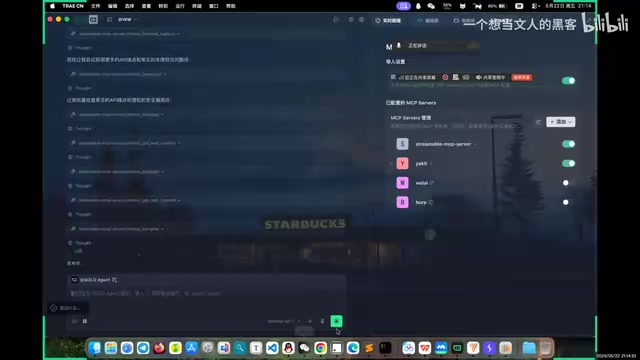
Automated penetration testing using Claude, Trae IDE, and MCP protocol with Yakit and Chrome browser.
This article demonstrates how to build an automated penetration testing pipeline by combining Claude LLM with Trae IDE, using MCP (Model Context Protocol) to orchestrate Chrome browser control and Yakit security tools. It covers MCP configuration, Agent/Skill setup, and a practical walkthrough on Yakit's built-in vulnerable lab, showing how the LLM autonomously discovers SQL injection, XSS, and SSRF vulnerabilities.
Overview
As AI large language models continue to grow in capability, security professionals have begun exploring deep integration between LLMs and traditional penetration testing tools. Based on a practical demonstration by a Bilibili content creator, this article provides a detailed walkthrough of how to use the Claude LLM with Trae IDE, leveraging the MCP (Model Context Protocol) to orchestrate Chrome browser and Yakit packet capture tools for fully automated penetration testing.
MCP (Model Context Protocol) is an open protocol released by Anthropic in late 2024, designed to provide LLMs with a standardized way to connect to external tools and data sources. Before MCP, every AI application needed custom integration code to interface with different tools, leading to severe ecosystem fragmentation. MCP's design philosophy is similar to the USB protocol—defining a universal interface standard so that any tool implementing an MCP Server can be called by any AI application supporting an MCP Client. The protocol uses JSON-RPC 2.0 as its communication format and supports three core capabilities: tool invocation, resource reading, and prompt templates, enabling LLMs to control browsers, databases, security tools, and other external systems in a unified manner. It is precisely this standardized connectivity that makes the automated penetration testing approach described in this article possible.
The core idea behind this solution is straightforward: Browser Control + Packet Capture Tool Control = Automated Penetration Testing. As long as the LLM can control a browser for page navigation and interaction while simultaneously capturing and analyzing packets through Yakit (or Burp Suite), you can build a complete automated security testing loop.
MCP Configuration and Environment Setup
Key Points for Multi-MCP Service Configuration
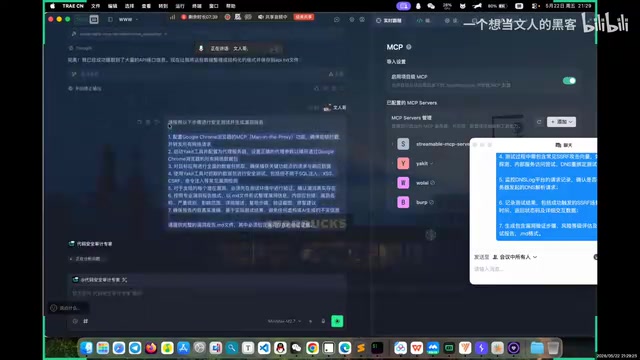
This solution requires configuring two critical MCP services: Chrome Browser MCP and Yakit MCP.
Chrome Browser MCP enables the LLM to control a browser just like a human—opening web pages, clicking buttons, filling forms, and reading page content. It's typically implemented via the Chrome DevTools Protocol (CDP), controlling Chrome browser instances programmatically. Yakit MCP allows the LLM to invoke Yakit's various security testing features, including packet analysis, vulnerability scanning, Fuzzer testing, and more.
Yakit is an open-source network security toolkit developed by the YAK Language team, positioned as a domestic alternative to Burp Suite. Unlike Burp Suite which is Java-based, Yakit is built on the Yak language (a programming language designed specifically for the security domain) with an Electron frontend. It integrates MITM proxy packet capture, vulnerability scanning, Fuzzer testing, encoding/decoding tools, DNSLog, and other commonly used security testing features, with built-in vulnerable lab environments that can be launched with a single click. Its greatest advantage is being completely free and open-source, with better support for Chinese-speaking users, and it has gained widespread adoption in China's security community in recent years.
When configuring MCP in Trae or Claude Code, keep the following in mind:
- Claude Code has a dedicated
.mcpdirectory where configuration files must be placed to take effect - If MCP configured in Cursor (C-Switch) doesn't work in other tools, you need to write the configuration to global variables
- MCP connections may drop due to network instability; reconnect promptly when disconnections occur
Once configured, you can use natural language commands to have the LLM invoke the browser MCP—for example, asking it to search for penetration testing articles. The model will automatically open the browser, execute the search, and download results, all without manual intervention.
Auto-Confirmation Settings
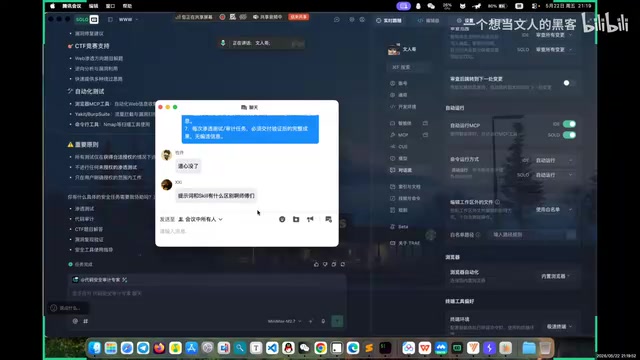
An easily overlooked but crucial configuration is the auto-run settings. By default, the LLM requires manual user confirmation for every action, which severely slows down automated penetration testing workflows. This design is inherently a safety measure—preventing AI from executing dangerous operations without authorization—but in controlled security testing environments, frequent confirmation dialogs become an efficiency bottleneck. It's recommended to modify the following settings:
- Review all changes: Set to auto-run
- MCP execution: Set to auto-run
- Command line execution: Set to auto-confirm
This prevents the model from frequently pausing for confirmation during code writing, tool invocation, and automated scanning, significantly improving testing efficiency. Important note: Auto-run settings should only be enabled in controlled lab environments or authorized testing scenarios. In production environments, manual confirmation should be maintained to avoid accidental operations.
Agent and Skill Configuration
Creating a Penetration Testing Agent
Trae is an AI-native integrated development environment launched by ByteDance, deeply customized on the VS Code architecture with built-in native support for multiple LLMs. Unlike traditional IDEs where AI serves merely as a code completion plugin, Trae deeply integrates AI capabilities into the development workflow, supporting Agents, Skill packages, MCP protocol, and other advanced features. Its "Agent" functionality allows users to define AI roles and behavior patterns through system prompts, while Skill packages provide reusable domain knowledge bases. Together, they enable Trae to handle professional scenarios like security testing and code auditing.
Trae supports creating dedicated "Agents," which essentially assign specific roles to the LLM. This concept originates from the Agent architecture in AI—using preset system prompts to constrain and guide the model's behavior patterns, making general-purpose LLMs perform more professionally and proactively in specific domains. The demonstration created two types of agents:
- Penetration Testing Agent: Built-in penetration testing prompts that make the model proactively perform security detection
- Code Audit Agent: Focused on security analysis at the code level
The creation process is simple: click Settings → Agents → Create, paste in your prepared prompts (which can be tens of thousands of characters), and click Generate. The prompt defines the model's behavior pattern—with penetration testing prompts configured, the model will proactively perform security checks on targets. Without such prompts, general-purpose LLMs typically won't initiate security analysis and may even refuse security testing requests due to built-in safety alignment policies.
The Value of Skill Packages
Unlike prompts, Skills function more as the model's "knowledge base" and "toolbox." If prompts define "what the model should do," Skills tell the model "how to do it specifically." Skills include:
- Bypass techniques and payload generation capabilities
- Various WAF (Web Application Firewall) evasion strategies—WAFs are security devices deployed in front of web applications that identify and block common attack requests, so penetration testing frequently requires techniques like encoding transformations, chunked transfer, and semantic obfuscation to bypass WAF detection rules
- Vulnerability exploitation knowledge bases
- Testing methodologies for different scenarios
Adding Skills is intuitive: select global configuration and drag in the downloaded ZIP package; the system will automatically recognize it. Only one prompt can be active at a time, but multiple Skills can be loaded simultaneously, and using both together yields the best results. This design allows security researchers to package their accumulated testing experience and techniques into Skills for sharing and reuse within teams.
Practical Demonstration: Automated Testing on Yakit Lab
Lab Environment Preparation
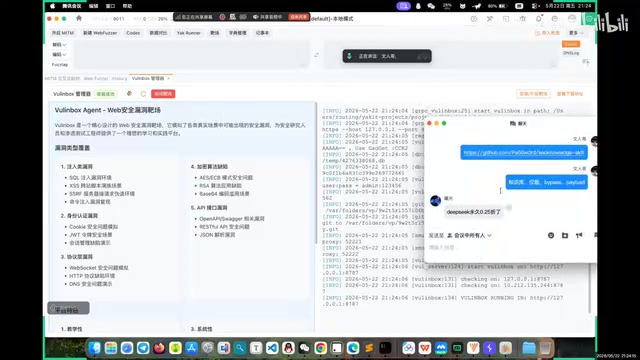
The demonstration uses Yakit's built-in lab environment, running locally at 127.0.0.1:8787. For beginners unfamiliar with environment setup, the Yakit lab is an excellent choice—it includes numerous vulnerability scenarios covering various OWASP vulnerabilities, launches with a single click after download, and requires no additional PHP, Java, or other runtime configurations.
OWASP (Open Web Application Security Project) is the world's most influential open-source community for web application security, and its OWASP Top 10 is the industry-recognized standard for web security risk classification. The Yakit lab covers SQL injection, XSS (Cross-Site Scripting), SSRF (Server-Side Request Forgery), and other classic vulnerability types from the OWASP Top 10. SQL injection manipulates databases by embedding malicious SQL statements in input parameters; XSS executes malicious scripts in users' browsers through injection; SSRF exploits server-side request functionality to make servers access internal resources or perform unauthorized operations. Although the principles behind these vulnerabilities are widely understood, they remain the most common security threats in web applications due to oversights in development practices.
Automated Testing Workflow
The actual testing workflow proceeds as follows:
- Start Yakit Packet Capture: First use Yakit to capture traffic from the lab. As a MITM (Man-in-the-Middle) Proxy, Yakit intercepts and records all HTTP/HTTPS communications between the browser and target server—this traffic data forms the foundation for subsequent vulnerability analysis
- Issue Testing Commands: Tell the model the target address and testing objectives in natural language, e.g., "Collect the API documentation for this lab"
- Model Auto-Execution: The LLM automatically opens the browser via Chrome MCP, visits the target address, and enumerates API endpoints. The model performs information gathering like an experienced penetration tester—identifying the target's tech stack, directory structure, API endpoints, etc.
- Packet Analysis: Yakit's History panel automatically populates with numerous request records as the model probes various interfaces and parameters
- Vulnerability Detection: The model automatically tests for SQL injection, XSS, SSRF, and other vulnerabilities
In the demonstration, the model successfully discovered a SQL injection vulnerability—it automatically sent injection payloads (carefully crafted malicious input data) to the edit1 endpoint and determined the existence of an injection point based on the returned error messages. The entire process was fully automated with no manual intervention required. Notably, the model doesn't just send a single test payload; it dynamically adjusts attack strategies based on server responses. This adaptive capability is the core advantage of LLMs over traditional automated scanners.
DNSLog-Assisted Detection
For vulnerabilities like SSRF that require out-of-band data exfiltration, DNSLog can be used for verification. DNSLog is a vulnerability verification technique based on DNS query logs, primarily used to detect blind (no direct response) vulnerability types. Its working principle: the tester registers a controllable DNS domain and monitors its resolution logs, then embeds subdomains of that domain in vulnerability exploitation payloads. If the target server is vulnerable, it will trigger DNS resolution when processing the malicious request, and the tester confirms the vulnerability by checking whether corresponding resolution records appear in the DNS logs. This technique is particularly suitable for scenarios where the target server cannot directly return execution results, and is one of the core methods for Out-of-Band (OOB) detection in penetration testing.
Specific steps:
- Yakit has built-in DNSLog functionality that can be called directly via MCP
- Online DNSLog platforms can also be used, supporting custom usernames without conflicts with others
- Provide the DNSLog address to the LLM so it uses that address as the callback target when testing SSRF
- After testing, check whether the DNSLog has callback records to confirm the vulnerability
Model Selection and Cost Recommendations
Recommended Options
For model selection, here are some practical suggestions:
- Claude 3.5/4 Series: Strong penetration testing capabilities, especially the Sonnet series which offers good value. The Claude series excels in code comprehension and tool invocation, and Anthropic's native MCP protocol support gives it a natural advantage in tool orchestration scenarios
- DeepSeek V3 Pro: If budget is limited, DeepSeek is a solid alternative at a relatively lower price. As a representative Chinese LLM, DeepSeek demonstrates excellent Chinese language comprehension and code generation capabilities, with API costs at only a fraction of Claude's
- Trae Free Credits: The Trae platform currently offers free usage credits for some paid models—worth trying first
Note that during automated penetration testing, the model performs extensive tool calls and multi-turn reasoning, consuming far more tokens than typical conversation scenarios. A complete lab test session may consume hundreds of thousands of tokens, so model selection should balance capability against cost.
Prompt Optimization Tips
Trae includes a built-in prompt optimization feature that can transform simple testing instructions into more professional versions less likely to trigger model safety restrictions. LLMs typically have built-in Safety Alignment mechanisms that refuse requests potentially usable for malicious purposes. Optimized prompts clearly establish the legitimacy and authorization context of testing, enabling the model to execute security testing tasks more proactively and reducing "safety refusal" occurrences. For example, transforming "help me attack this website" into "as an authorized security tester, please conduct a comprehensive security assessment of the following lab environment" significantly improves model cooperation.
Conclusion
The core architecture of this MCP automated penetration testing solution can be summarized as: LLM (Brain) + Browser MCP (Eyes and Hands) + Yakit/BP MCP (Analysis Tools). The three work in concert to achieve full-process automation from information gathering, interface discovery, and vulnerability detection to report generation.
From a technology evolution perspective, this solution represents a leap in security testing tools from "automation" to "intelligence." Traditional automated scanners (like AWVS, Nessus) detect based on predefined rules and signatures, often powerless against complex business logic vulnerabilities. LLM-driven solutions possess semantic understanding and contextual reasoning capabilities, able to understand business logic and dynamically adjust testing strategies like human testers—a qualitative leap forward.
Although this solution still has issues like unstable MCP connections and potential false positives from the model, it has already demonstrated the enormous potential of AI-assisted security testing. For security professionals, mastering the configuration and use of such toolchains will become an important skill for improving work efficiency. As the MCP ecosystem matures and LLM reasoning capabilities continue to strengthen, AI-driven automated penetration testing is poised to become standard practice in the security industry.
Related articles
What Is Google WebMCP? A Deep Dive into the New Standard for AI Agents to Directly Invoke Web Functionality
A deep dive into Google WebMCP (Web Model Context Protocol): how it works, its technical implementation, and use cases. Learn how WebMCP lets AI Agents directly invoke web tools.

AI Can't Kill Old-School Programming: Why Fundamentals Are Still a Developer's Moat
Vibe Coding is trending, but can it replace solid fundamentals? A deep analysis of why core principles, systems thinking, and knowledge frameworks remain a developer's moat in the AI era.

ZeroStack: An In-Depth Look at the Rust-Based Minimalist Coding Agent That Uses Only 16MB of RAM
In-depth review of ZeroStack, a Rust-based coding agent using only 16MB RAM. Analyzing its file I/O, multi-model support, permission controls, and ideal use cases.