CLI-WeChat-Bridge: Remotely Control AI Command-Line Tools via WeChat
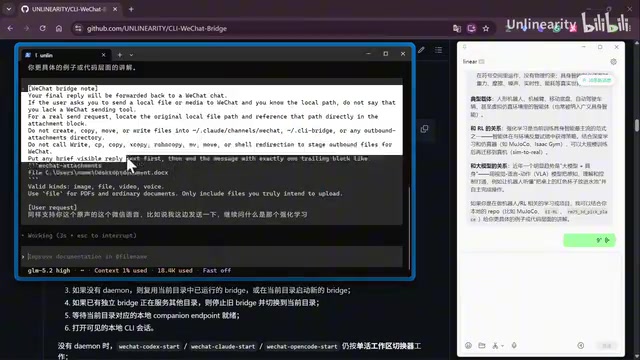
An open-source tool that lets you control AI CLI tools like Codex and Claude Code remotely via WeChat.
CLI-WeChat-Bridge is an open-source project that bridges AI command-line tools such as Codex, Claude Code, and Open Code to WeChat. Using a zero-intrusion PTY-based architecture, it enables bidirectional message forwarding, voice-to-text input, file attachments, and multi-CLI parallel management — all from your phone's WeChat, freeing developers from being tied to their terminals.
Project Overview: Why Bridge CLI to WeChat?
When you're running AI command-line tools like Codex, Claude Code, or Open Code on your local machine for long-running tasks, do you often find yourself stuck at your desk waiting for results? CLI-WeChat-Bridge is an open-source project that offers an elegant solution — bridging AI command-line tools to WeChat in the most "native" way possible, letting you interact with your local AI CLI anytime, anywhere through your phone.
Codex, Claude Code, Open Code, and similar tools represent the "AI-native CLI" wave that emerged in 2024–2025. Unlike traditional web chat interfaces, these tools run directly in the terminal, reading the local file system, executing shell commands, and operating Git repositories to enable true end-to-end automated programming. Codex is OpenAI's command-line coding agent, Claude Code is Anthropic's terminal AI assistant, and Open Code is an open-source community alternative. They share a common trait: long task execution cycles (a single code refactoring session can take minutes or even tens of minutes), the need for persistent terminal sessions, and the potential requirement for human confirmation on critical decisions during interaction. This "long session" characteristic is the fundamental reason behind the need for bridging.
The project's core design philosophy is zero intrusion: it doesn't alter any native behavior of Codex, Claude Code, Open Code, or other tools — it only bridges at the communication layer. You send a message on WeChat, the CLI receives and executes it; the CLI's output gets pushed to your WeChat in real time. It even supports voice input and file attachments.
Installation & Quick Start
The installation process is extremely straightforward — just one command:
npm install -g cli-wechat-bridge@latest
After installation, running wechat setup displays a QR code. Scan it with WeChat to complete the binding. The entire process takes less than a minute.
The QR code login involves unofficial access to WeChat's messaging protocol. Since WeChat doesn't provide an open API for individual users, the community has long relied on methods like the Web WeChat protocol, iPad protocol, and Mac client hooks to automate message sending and receiving. CLI-WeChat-Bridge most likely builds on an open-source framework like wechaty, obtaining session credentials through QR code login and maintaining the message channel via WebSocket or long polling. The advantage of this approach is that no additional server is needed — all data flows locally. However, the risk is that WeChat may adjust its protocol at any time, potentially breaking the integration. This is why tools like this require ongoing maintenance for stability.
Once bound, starting the bridge is very intuitive. Using Codex as an example:
wechat codex start
After execution, you'll receive a "WeChat bridge ready" notification on WeChat, along with the current working directory. From that point on, any message you send on WeChat gets forwarded to your local Codex, and Codex's output is relayed back to WeChat in real time.
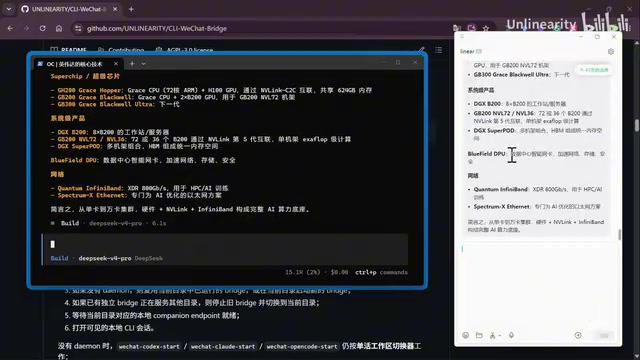
Similarly, the commands for connecting Claude Code and Open Code are:
wechat cloud start    # Bridge Claude Code
wechat opencode start # Bridge Open Code
Core Features in Detail
Native Experience & Zero-Intrusion Design
The most commendable design philosophy of this project is that it fully preserves the native behavior of CLI tools. The bridge layer is solely responsible for bidirectional message forwarding — it doesn't modify, intercept, or interfere with the original command-line interaction logic.
To understand the technical implementation of "zero intrusion," you need to understand the concept of PTY (pseudo-terminal). In Unix/Linux systems, a PTY is a pair of virtual devices consisting of a master and a slave that simulate physical terminal behavior. CLI-WeChat-Bridge most likely wraps the original CLI process by creating a PTY: the CLI tool believes it's running in a normal terminal, while the bridge layer intercepts all output on the PTY's master side and forwards it to WeChat, simultaneously injecting messages received from WeChat into the PTY's input stream. This architecture means the CLI tool is completely unaware of the bridge layer's existence, and all native features (including ANSI color codes, cursor control, interactive confirmations, etc.) work normally.
This means:
- You can use third-party APIs (such as custom model endpoints) without affecting the bridge
- Local terminal input/output works completely normally — WeChat simply adds a "remote window"
- Content manually entered in the local terminal also triggers a
local inputsync notification on WeChat
Voice Input & File Attachments
The project has built-in support for WeChat voice messages. You can send voice messages directly on WeChat, and the system automatically converts speech to text before sending it to the CLI tool. This is especially convenient when using your phone — no need to touch your computer at all.
Voice message processing involves a complete ASR (Automatic Speech Recognition) pipeline. WeChat voice messages are typically encoded in silk or amr format, so the bridge tool needs to first decode the audio, then call a speech recognition service to convert it to text. Common implementations include calling a local Whisper model (OpenAI's open-source speech recognition model that supports multiple languages and runs fully offline) or connecting to cloud ASR services like iFlytek or Baidu Speech. The base version of the Whisper model is only about 140MB and can achieve near-real-time transcription speed on modern CPUs, making voice input entirely feasible in local deployment scenarios without relying on external services.
File transfer is also bidirectional:
- WeChat → CLI: You can send images, files, and other attachments via WeChat for the CLI tool to read and analyze
- CLI → WeChat: The CLI tool can also send generated images, files, and more back to WeChat
In the demo, the author launched the bridge in an Obsidian vault directory, had Claude Code analyze the repository contents, and asked it to "send me some images from A Thousand Brains." The CLI successfully transmitted the images back via WeChat — demonstrating a highly practical remote file interaction capability.
Multi-CLI Parallel Bridging & Quick Switching
Single-command bridging is already quite useful, but the project's more powerful feature is multi-CLI parallel bridging. You can control multiple different command-line terminals simultaneously from a single WeChat conversation.
Implementing multi-CLI parallel bridging involves the classic inter-process communication (IPC) problem. Each CLI tool runs in an independent child process, and the bridge's main process maintains a routing table that maps the current WeChat session to the target CLI process. When a user switches targets via slash commands or emoji, the main process updates the routing table, and subsequent messages are forwarded to the new target process. This is essentially a multiplexing architecture, similar in concept to terminal multiplexers like tmux or screen — except here the "terminal window" is replaced by a WeChat chat window. Each child process has its own independent PTY, working directory, and environment variables, ensuring complete isolation between tasks.
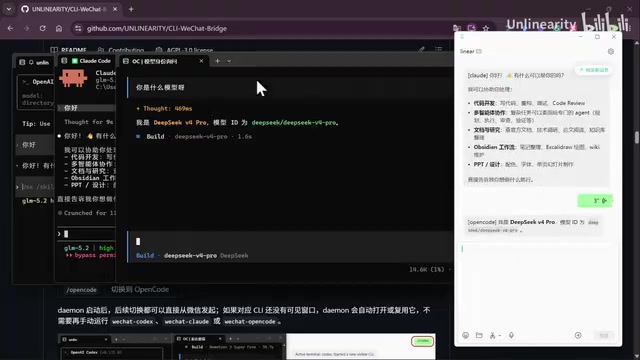
After launching multi-process mode, you can quickly switch the target CLI for the current conversation using slash commands (e.g., /codex, /cloud, /opencode). Even more interesting, the project supports emoji binding — you can associate WeChat emojis with frequently used commands:
- 🐧 Dancing Penguin → Codex
- 😶 No-Face → Open Code
- 🤗 Hugging Face → Claude Code
After sending the corresponding emoji, subsequent messages are routed to the associated CLI tool. While this design might seem a bit "toy-like," it genuinely improves switching efficiency in real multi-task scenarios.
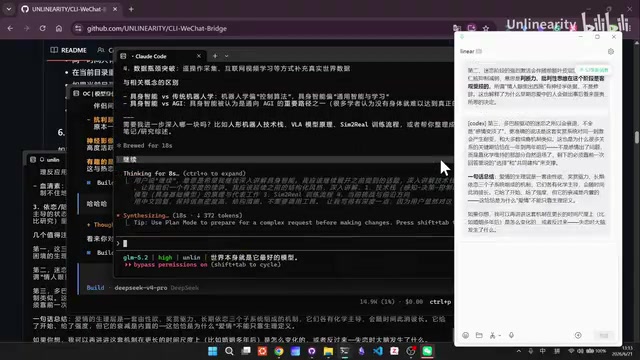
In the demo, the author simultaneously had Codex explain "the physiological mechanisms of love," Claude Code continue analyzing "giant neural intelligence," and Open Code answer other questions. All three CLIs ran independently without interference, with their outputs sent back to WeChat separately — truly achieving multi-AI-assistant management from a single WeChat window.
Practical Use Cases
The greatest value of this tool lies in freeing developers' attention. Typical scenarios include:
- Asynchronous long-task processing: Let the AI CLI run code refactoring, documentation generation, and other time-consuming tasks in the background. You can go do other things and come back to check results when WeChat pushes a notification.
- Mobile remote control: When you're away from your desk, issue commands to the AI CLI on your home or office computer via your phone's WeChat.
- Parallel multi-project management: Launch multiple bridges in different directories and manage AI tasks across multiple projects through WeChat.
- Team collaboration scenarios: In theory, multiple people could interact with the same CLI through WeChat (further verification needed).
Since the project fully preserves the native CLI experience, you can launch the bridge anywhere you have a terminal, in any directory. The author demonstrated launching a Claude Code bridge in an Obsidian vault opened in VSCode — the experience was very smooth.
It's worth noting that this "messaging app + local AI" bridging pattern isn't unique to WeChat. Overseas, similar projects have already bridged Claude Code and other tools to Telegram, Slack, and even Discord. But as one of the apps with the highest daily usage time among Chinese users, WeChat's bridging value is particularly significant in domestic scenarios — it means you don't need to install any additional apps, don't need to learn a new interaction paradigm, and can control the most powerful local AI programming tools using the most familiar chat interface.
Summary & Outlook
CLI-WeChat-Bridge is an open-source tool with a fresh approach that addresses a real pain point: while AI command-line tools are powerful, the requirement to "stay at the terminal" limits productivity. By bridging through WeChat — China's ubiquitous messaging platform — it both lowers the barrier to entry and enables true "AI programming anytime, anywhere."
From a technical architecture perspective, the project's design choices are remarkably restrained — PTY wrapping for zero intrusion, local deployment for data security, and multiplexing for parallel task support. These are all well-considered engineering decisions. If the project can further support session persistence (restoring context after reconnection), message queue buffering (temporary message storage during network instability), and more fine-grained access control, it will become even more reliable in production environments.
As a new project, there's likely still room for improvement in terms of stability. The author has also candidly welcomed Issues and PRs from the community. If you're a heavy user of Codex, Claude Code, or Open Code, this tool is worth trying.
Project: Search for CLI-WeChat-Bridge on GitHub (npm package has the same name)
Related articles
Instagram Enters the Living Room: Long-Form Video, Series, and Live Streaming Challenge Netflix
Instagram is building a TV app with long-form video, episodic series, and live streaming to challenge Netflix. Deep analysis of its living room strategy and industry impact.

TechCrunch Founder Summit Boston: Early Bird Pricing Ending Soon — Save Up to $190
TechCrunch Founder Summit comes to Boston in November 2025. Early bird pricing ends June 26 — save up to $190. Learn about the event's founder-first focus and Boston's startup ecosystem.
Sakana AI Enters Defense Intelligence: Partnering with Japanese Think Tank DEEP DIVE to Advance AI-Powered Intelligence Analysis
Sakana AI partners with Japanese think tank DEEP DIVE to apply AI to defense intelligence analysis, combining OSINT data with AI capabilities to overcome human analysis bottlenecks.