Codex APP Deep Dive: Core Advantages and AI Coding Tool Selection Guide
Deep dive into Codex APP's advantages over Claude Code and Cursor for AI-assisted development.
This article provides a comprehensive comparison of the three leading AI coding tools — Codex APP, Claude Code, and Cursor — across pricing, stability, and capability focus. It reveals that Codex APP offers better value and stability than Claude Code, excels in frontend and UI development, while Claude Code is stronger for backend logic. The piece recommends developers learn all three tools but highlights Codex APP as the top choice for frontend and independent developers.
Introduction: AI Coding Tools Enter the "Four Forms" Era
OpenAI's Codex recently launched a standalone APP version, which means Codex now has four distinct forms: CLI terminal, web interface, IDE plugin, and standalone APP. Each form corresponds to a different technical architecture and use case — the CLI (Command Line Interface) terminal form is similar to Claude Code's interaction style, where developers converse with AI directly through the command line, ideal for experienced developers comfortable with terminal operations; the web interface is accessed via browser without installing any software, suitable for lightweight use; the IDE plugin form embeds AI capabilities into the development environment for code completion, refactoring, and more; while the standalone APP has its own window management, file system access permissions, and independent rendering engine, delivering richer interaction capabilities and a more stable runtime environment than plugins.
In the past, most developers were accustomed to integrating Codex as a plugin within various development tools, but with the release of the APP version, Codex's user experience and capability boundaries have improved significantly. This multi-form coexistence strategy is essentially OpenAI's comprehensive play to capture the developer workflow entry point.
In today's landscape of ever-emerging AI coding tools, a three-way rivalry between Cursor, Claude Code, and Codex has taken shape. So what exactly makes Codex APP unique? Which type of developer is it best suited for? This article provides an in-depth analysis across multiple dimensions including pricing, stability, and capability focus.
Codex vs. Claude Code: A Comprehensive Comparison
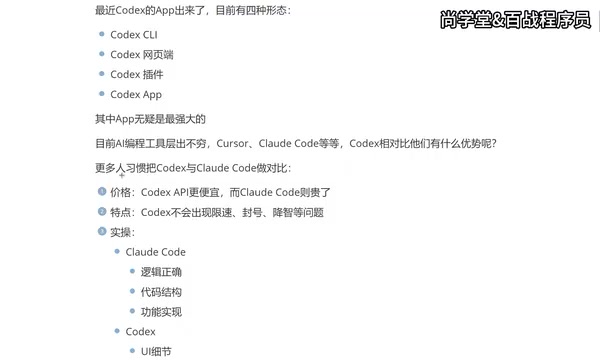
Many developers are used to comparing Codex and Claude Code side by side, and these are indeed the two most representative AI coding tools competing head-to-head today.
Price Advantage: Codex Offers Better Value
From an API pricing perspective, Codex's calling costs are noticeably lower than Claude Code's. The cost structure of AI coding tools typically involves two models: subscription-based and pay-per-use (based on Token consumption from API calls). Tokens are the basic units that large language models use to process text — one English word corresponds to roughly 1-2 Tokens, while Chinese characters typically consume more Tokens. Claude Code is built on Anthropic's Claude model, and its API pricing for both input and output Tokens is higher than OpenAI's comparable models.
For developers who heavily use AI coding assistance, daily usage might involve hundreds of code generation and modification requests, with monthly API costs ranging from tens to hundreds of dollars. The cost gap accumulates significantly over time. This pricing factor gives Codex a first-mover advantage in terms of value for money, especially for independent developers and small teams — it's a factor that cannot be overlooked when making a choice.
Stability: No More Rate Limiting and Account Ban Anxiety
Claude Code has a frustrating issue in practice — rate limiting and account bans. Many developers have reported that during intensive use of Claude Code, they frequently encounter rate limits or even account suspensions, seriously disrupting their development rhythm.
The root cause lies in Anthropic's API Rate Limiting mechanism. Rate limiting is a request frequency cap set by API providers to prevent server overload and manage computing resource allocation, typically measured in RPM (Requests Per Minute) and TPM (Tokens Per Minute). When developers send a large number of complex code generation requests in a short period, they can easily hit these thresholds. Account bans are usually related to Anthropic's stricter usage policies, including detection of abnormal usage patterns, account sharing, or triggering security review mechanisms. This limitation is particularly painful for developers who need sustained, intensive coding sessions, as it breaks the programming "flow state" and forces developers to wait through cooldown periods or switch to other tools.
By comparison, Codex performs much more reliably in this regard, without rate limiting or account ban issues. As for the controversy around "quality degradation" (declining model output quality), while some users have reported this phenomenon, it doesn't appear to be a significant issue based on actual experience.
Capability Focus: The Frontend vs. Backend Divide
This is a particularly interesting finding and the most noteworthy difference in real-world development:

Claude Code leans more toward:
- Logical correctness
- Code structure optimization
- Completeness of feature implementation
As a result, backend developers tend to prefer Claude Code, which excels at handling complex business logic, database operations, API design, and similar tasks.
Codex places more emphasis on:
- Precise reproduction of UI details
- Sensible color schemes
- Smooth animation effects
- User experience in operational prompts
This makes frontend developers and APP developers more inclined to choose Codex. For development scenarios that frequently involve interface interactions and visual presentation, Codex's output quality is clearly superior.
This capability divide is closely tied to the training data and optimization direction of their underlying models. OpenAI's models likely incorporated more UI/UX design specifications, CSS style libraries, frontend framework component libraries, and other visually-related data during training, with specific preference optimization for visual presentation during the RLHF (Reinforcement Learning from Human Feedback) phase. Anthropic's Claude model, on the other hand, is renowned for its powerful reasoning capabilities and long-context understanding — Claude's Constitutional AI training methodology makes it particularly strong in logical consistency and code correctness. This difference also reflects the two companies' distinct product philosophies: OpenAI focuses more on user-perceivable output quality, while Anthropic emphasizes the rigor of underlying logic.
The Big Three of AI Coding: How to Choose Between Cursor, Claude Code, and Codex
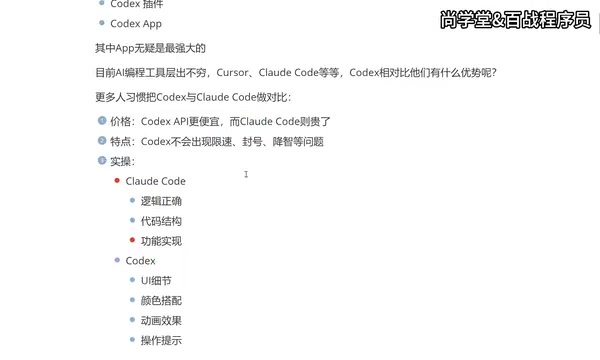
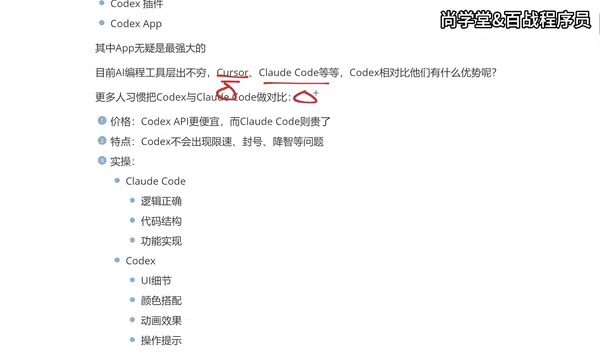
While there are numerous AI coding tools available today — including GitHub Copilot (Microsoft ecosystem), Windsurf (formerly Codeium), Amazon CodeWhisperer, JetBrains AI Assistant, and many more — only three truly stand in the top tier: Cursor, Claude Code, and Codex.
These three are considered top-tier because they each represent a different product paradigm: Cursor represents the "AI-native IDE," deeply integrating AI into every aspect of the editor; Claude Code represents the "terminal-first" approach, providing end-to-end coding capabilities as a command-line Agent; and Codex APP represents the "standalone application" approach, attempting to establish a new developer workflow entry point outside the IDE. The competition among these three paradigms is essentially a battle for the strategic high ground of "the developer's primary work interface in the AI era."
A point worth emphasizing: You should learn to use all three tools, rather than mastering only one.
The reasons are practical:
- Different companies may provide accounts for different AI tools
- Different project scenarios call for different tools
- The tools can complement each other, boosting overall development efficiency
The Migration Path from Cursor to Codex
Many developers follow a similar tool evolution path:
- Cursor Phase: As one of the earliest mature AI coding tools, Cursor has accumulated a large user base. Cursor is a deeply customized version of VS Code with built-in multi-model switching, codebase indexing, intelligent completion, and other features, with a Pro subscription at around $20/month. However, its subscription cost is relatively high, and advanced features also have usage limits. The long-term cost adds up, prompting many developers to look for alternatives.
-
Claude Code Phase: Claude Code offered a new option, especially with reduced costs when connected to domestic models. However, experience shortcomings (such as rate limiting and account bans) and the CLI terminal interaction style aren't for everyone. While CLI mode is extremely efficient for experienced developers, it lacks visual code previews and graphical interfaces, presenting a learning curve for developers accustomed to GUI environments.
-
Codex APP Phase: The launch of Codex APP addresses the pain points above — reasonable pricing, stable operation, an independent graphical interface, and seamless integration with traditional development tools like VS Code.
Summary of Codex APP's Core Advantages
Experience Upgrade Through a Standalone APP
Compared to the plugin form, the biggest change with Codex APP is its independent runtime environment. It no longer depends on any specific IDE but exists as a complete application.
From a technical architecture perspective, IDE plugins run within the host program's (e.g., VS Code) process space, constrained by the host's API limitations, memory allocation policies, and lifecycle management. For example, VS Code plugin WebView components have limited performance when rendering complex UIs and cannot directly access system-level APIs. A standalone APP, typically built on frameworks like Electron or Tauri, has its own process, full system permissions, and autonomous resource management capabilities.
This means:
- Smoother interaction experience
- Richer feature integration (such as real-time preview of frontend page effects)
- More flexible workflow configuration (such as managing multiple project directories simultaneously)
- Smoother collaboration with tools like VS Code — the standalone APP can establish communication with the IDE through a local server, enabling code synchronization and collaborative editing, balancing both independence and compatibility
More Friendly for Non-Professional Developers
For users without deep programming experience, Codex APP does a better job in presentation and interactive guidance. It not only generates code but also provides more intuitive and visually appealing presentations at the UI level, lowering the entry barrier for AI-assisted programming. This is particularly important for product managers, designers, and others who need to quickly validate ideas but lack professional programming skills — they can describe requirements in natural language and directly see visualized results without needing to understand every line of the underlying code.
AI Coding Tool Selection Recommendations
Overall, your tool choice should be based on your actual needs:
| Use Case | Recommended Tool |
|---|---|
| Frontend development, UI-intensive projects | Codex APP |
| Backend development, complex logic processing | Claude Code |
| Seeking value for money and stability | Codex APP |
| Need mature ecosystem and community support | Cursor |
The final recommendation: All three tools are worth mastering, but if you can only choose one to learn deeply, Codex APP — with its pricing advantage, stability, and increasingly comprehensive feature set — is indeed one of the most worthwhile AI coding tools to invest your time in right now. Especially for frontend developers and independent developers, Codex APP may become the most handy tool in your daily development workflow.
Key Takeaways
Related articles

CodeGraph: The 50K-Star Open-Source Tool That Cuts AI Coding Token Usage in Half
CodeGraph is a 50K-star open-source tool that builds a code knowledge graph so AI coding assistants can locate code instantly—cutting Token usage by 47%, boosting speed by 22%, all running 100% locally.

VibeCoding Beginner's Guide: A Complete Guide to Building Software with Natural Language from Scratch
VibeCoding lets anyone build software through natural language conversations with AI. Learn the core concepts, learning path, and practical methods to get started.

Using UU Accelerator to Speed Up Cursor: A Compliant Solution for Stable AI Coding in China
Learn how to use NetEase UU Accelerator to speed up Cursor AI coding tool in China, with step-by-step setup including node selection and launch configuration.