Codex Computer Use Hands-On: Full Automation from Writing Code to Publishing a Release
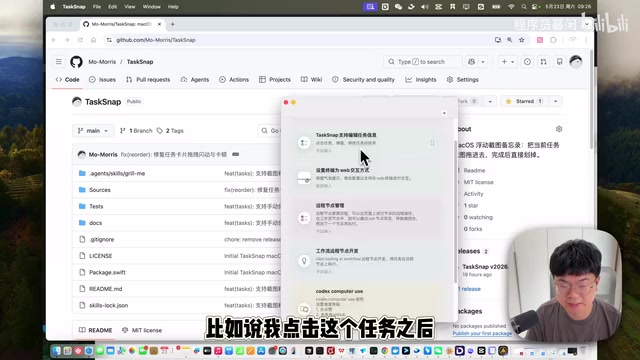
Codex Computer Use automates the entire dev workflow from coding to GitHub Release publishing.
This article provides a hands-on demonstration of OpenAI's Codex Computer Use feature, showing how it automates the complete software development workflow — from writing feature code and verifying functionality to packaging a DMG installer and publishing a GitHub Release. The demo compares Codex's approach with Claude Computer Use, highlighting Codex's superior fluidity and tighter developer toolchain integration, while exploring the broader implications for AI-driven software development automation.
Introduction: A New Level of AI Computer Control
While we're still debating whether AI can replace programmers, OpenAI's Codex has quietly taken a much bigger step — not only writing code but directly controlling your computer to complete the entire workflow from development to release. Chinese tech YouTuber Mu Xian recently shared a complete hands-on demo of Codex Computer Use, showcasing an impressive workflow: having AI automatically complete feature development, code pushing, build packaging, and Release uploading.
OpenAI Codex was originally released in 2021 as a specialized model fine-tuned for code generation tasks based on GPT, and it served as the underlying engine for GitHub Copilot. Computer Use is a capability that allows AI models to directly control graphical user interfaces — by capturing screen images to understand the current state, then simulating mouse clicks, keyboard inputs, and other operations to complete tasks. This capability relies on multimodal models' visual understanding of screenshots and their planning ability to decompose high-level intentions into specific GUI operation sequences. Anthropic was first to release a public beta of Claude Computer Use in October 2024, with OpenAI subsequently following up with similar functionality.
Compared to Anthropic's Claude Computer Use, Codex's Computer Use demonstrates stronger completeness and fluidity in actual experience. Let's break down this complete automation workflow in detail.
Demo Project: Mac Task Management Tool — Task Snap
The demo uses a macOS utility project called "Task Snap," hosted on GitHub. The tool's core functionality provides a floating icon on the desktop where users can quickly add tasks, save screenshots, and more.
The goal of this demo was to add a "click task to edit title and details" feature to the project, then have Codex automatically complete all of the following steps:
- Write feature code based on requirements
- Verify the feature works correctly
- Package and generate a DMG installer
- Push code to GitHub
- Upload the DMG to the GitHub Release page and publish a new version
DMG (Disk Image) is the standard software distribution format for macOS — essentially a virtual disk image file that users can double-click to mount and drag the application into the Applications folder to install. GitHub Release is GitHub's version publishing feature, where developers can create release pages for specific Git tags with changelogs and binary file downloads. In the traditional workflow, developers need to manually execute xcodebuild for compilation, create-dmg for packaging, git tag for version marking, then manually upload files and fill in release notes on the web page — the entire process involves frequent switching between command line and browser. The value of Codex Computer Use lies precisely in chaining these cross-tool operations into a seamless automated workflow.
Phase 1: AI Planning and Feature Development
Plan First, Execute Second
Mu Xian emphasized an important usage tip: For complex features, always enable "Plan Mode" first. Have the AI output a development plan, confirm it's correct, then execute — this significantly reduces the probability of rework.
Plan Mode is essentially an engineering application of "Chain of Thought." In software engineering, this corresponds to the best practice of "design before coding." AI tends to experience "direction drift" in complex tasks — gradually deviating from the original requirements during execution. By generating a plan before executing, it not only gives humans the opportunity to correct course early but also provides a clear roadmap constraint for the AI's subsequent execution, significantly reducing the probability of logical inconsistencies or omissions in large modifications. This "human-AI collaboration" pattern is one of the most validated effective working paradigms in current AI-assisted development.
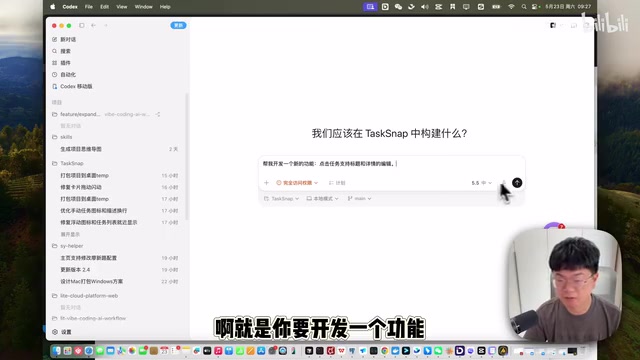
His prompt to Codex was concise: "Help me develop a new feature: clicking a task allows editing its title and details." Codex then generated a detailed development plan:
- Add editing capability to task cards
- Clicking card text or blank area opens an edit popup
- Support modifying title and details
- Screenshots and thumbnails continue to be used for long-press to view full image
- Both title and details must be filled in when editing
- After saving, update the list and persist to storage
After confirming the plan was correct, Codex began automatically writing code. After completion, it verified via the swift run command, and the feature ran successfully.
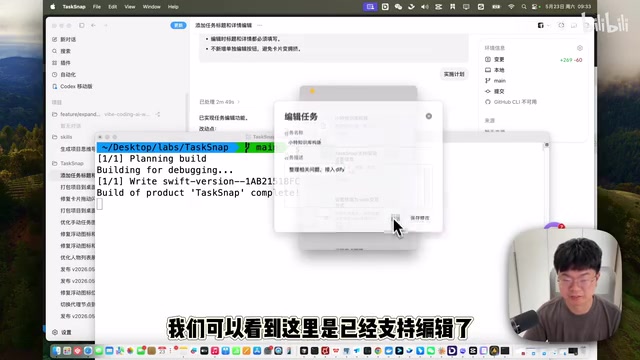
Phase 2: Computer Use Automated Release Workflow
Environment Configuration and Permission Granting
Using the Computer Use feature requires the following setup:
- Enable the "Computer Use" option in Codex plugin settings
- Grant two permissions in macOS System Settings → Privacy & Security:
- Accessibility permission (for simulating mouse and keyboard operations)
- Screen & System Audio Recording permission (for AI to recognize screen content)
macOS's Accessibility API is a system-level interface provided by Apple that allows third-party applications to simulate user input (such as mouse movement, clicks, keyboard presses) and read the hierarchy of UI elements. This API was originally designed to help people with disabilities use computers, and was later widely adopted by automation tools (such as Keyboard Maestro, Hammerspoon, etc.). Screen recording permission allows applications to capture screen content — the AI needs to continuously take screenshots to "see" the current interface state and decide on the next action. The combination of these two permissions gives AI a complete capability loop of "seeing the screen + operating the computer." It's worth noting that Apple controls these permissions very strictly, and re-authorization may be required after each system update — this is a security consideration, since granting a program full control over a computer carries non-trivial risks.
Fully Automated Operations from Code Push to Release Publishing
After configuration, Mu Xian entered the release-related prompt (specifying version number 5.23), then completely let the AI operate on its own. What happened next was quite impressive:
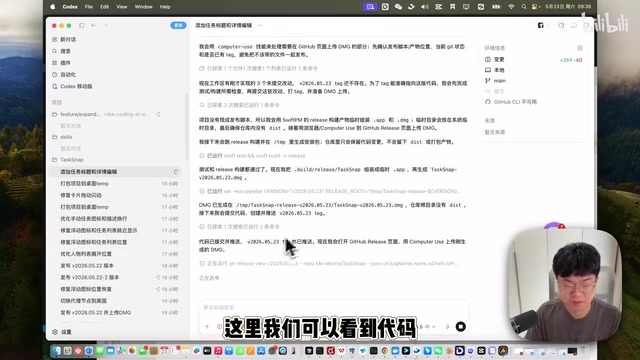
Codex automatically completed the following operation sequence:
- Code push: Automatically committed and pushed the modified code to GitHub
- Open browser: Automatically navigated to the GitHub project's Release page
- Locate file: Opened Finder and found the packaged DMG file
- Upload file: Dragged/uploaded the DMG file to the Release page
- Wait for confirmation: Paused before final publishing, waiting for user confirmation
One detail worth mentioning: throughout the process, the mouse movement trajectory was clearly different from human operation — the AI cursor moves with precision positioning, without the hesitation and micro-adjustments typical of human operation. This is because after the visual model identifies the target element's coordinates, it directly calculates the precise pixel position for clicking, rather than continuously correcting the mouse position through visual feedback like humans do. While this "teleportation-style" operation is efficient, it also means that when interface element recognition is off, the AI lacks the human ability to "close enough is good enough" fuzzy error tolerance, and may click on the wrong position.
Practical Value and Future Outlook
Automation Vision for Open Source Project Maintenance
Mu Xian proposed a highly imaginative application scenario: if you maintain open source projects, you could set up scheduled tasks to have Codex automatically complete the following workflow:
- Automatically read bug reports from GitHub Issues
- Analyze problems and write fix code
- Automatically package after test verification
- Publish new versions to Release
This means the entire process from problem discovery to version release can be unattended — developers only need to review and confirm at key checkpoints.
This vision is actually aligned with the CI/CD (Continuous Integration/Continuous Deployment) philosophy in the DevOps field, but takes a significant step further. Traditional CI/CD pipelines (such as GitHub Actions, Jenkins) can only execute predefined scripted operations, while Codex Computer Use's breakthrough is its ability to handle unstructured input (such as bug reports described in natural language) and execute non-scripted GUI operations. This is equivalent to automating the "last mile" of the automation pipeline — those operations that must be completed through graphical interfaces.
Phone Remote Control: Release Versions by Just Speaking
Another practical tip is remotely controlling Codex via phone — simply sending voice commands can trigger the entire automation workflow, truly achieving a development experience where you can "release versions by just speaking."
Codex vs. Claude Computer Use Comparison
Mu Xian mentioned in the video that he had previously tried Anthropic's Claude Computer Use, and his overall impression was that "there's still a lot of room for improvement." In comparison, Codex's Computer Use performs better in the following areas:
- Higher operational fluidity, with fewer freezes or misoperations
- Tighter integration with the development toolchain
- Better adaptation to the macOS system
The two have fundamentally different technical approaches: Claude Computer Use uses a pure vision approach, relying entirely on screenshots to understand interface state; while Codex, being deeply integrated into the VS Code editor, can simultaneously leverage code context, terminal output, file system, and other structured information to assist decision-making, giving it a natural advantage in development scenarios. However, Claude Computer Use has stronger generality and can theoretically control any application, while Codex currently focuses more on the vertical scenario of software development.
Conclusion
What Codex Computer Use demonstrates is not just "an AI that can control a computer," but a completely new software development paradigm. When AI can understand requirements, write code, operate GUIs, and complete releases, the developer's role is transforming from "executor" to "reviewer" and "decision-maker."
For individual developers and small teams, the maturation of such tools will greatly unleash productivity — you no longer need to remember the operational procedures for each platform; you just need to clearly describe your goal, and AI can help you complete everything else. Of course, this also brings new challenges: how to ensure the safety of AI operations (avoiding accidental file deletion, erroneous releases, etc.), how to establish effective review mechanisms, and how to find the balance between efficiency and controllability — these are all problems that must be solved as this technology matures.
Key Takeaways
Related articles
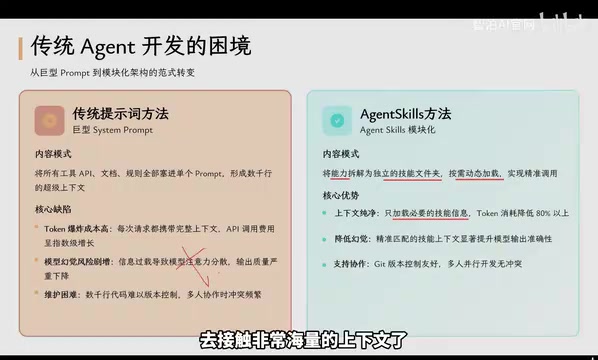
Agent Skills: Folders as Skills — Making AI Produce Precise, Template-Based Output
Agent Skills splits AI capabilities into independent skill folders with on-demand loading and progressive disclosure, cutting token costs by 80% and reducing hallucinations for template-based output.

Five Common Claude Code Mistakes — How Many Are You Making?
Five common Claude Code mistakes developers make: copy-pasting code, skipping CLAUDE.md, inefficient prompting, ignoring docs, and poor context management — with fixes.

Andrew Ng's New Course Explained: A Practical Guide to Using OpenAI's O1 Reasoning Model
Deep dive into Andrew Ng and OpenAI's Reasoning with O1 course covering test-time scaling, new prompting paradigms, multi-model orchestration, and practical applications for developers.