Codex Mobile Remote Programming Tutorial: Set Up Coding from Anywhere in Three Steps
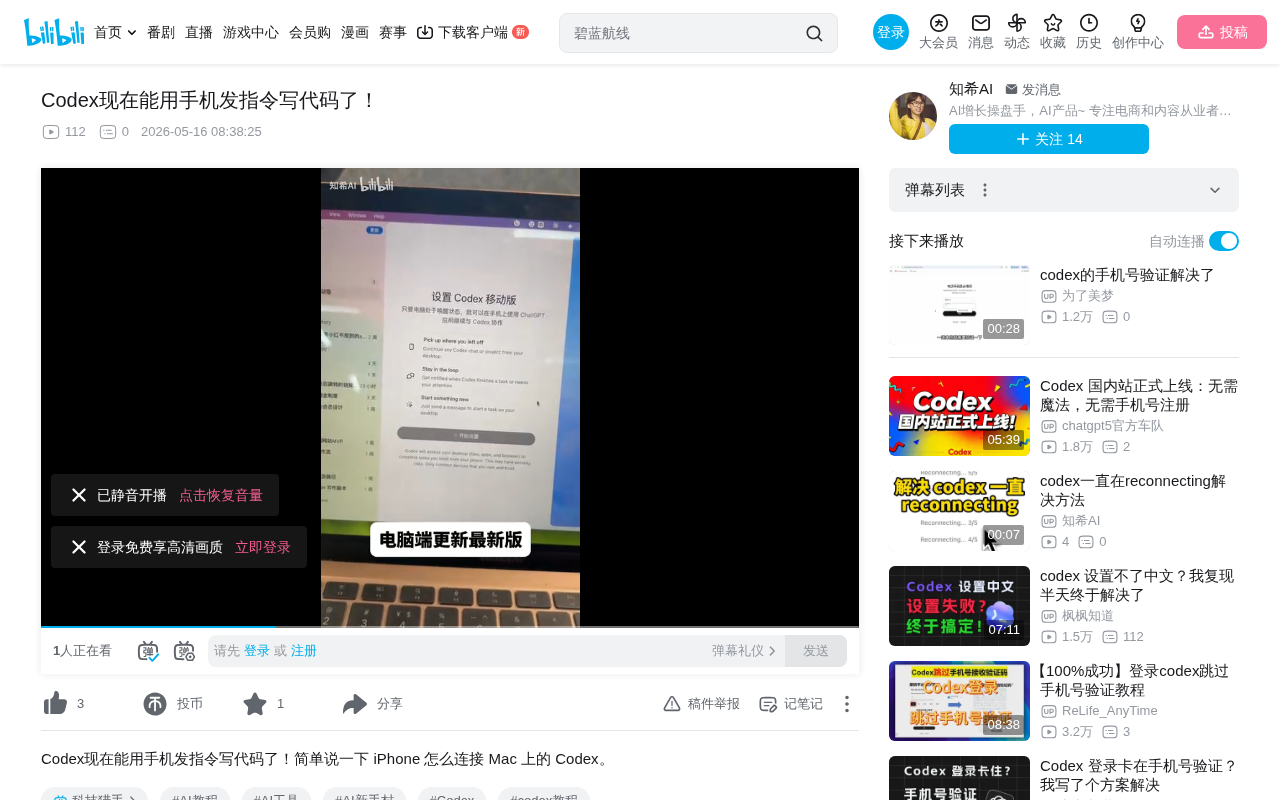
OpenAI Codex lets you send programming instructions from your phone to your computer, enabling coding from anywhere.
OpenAI Codex adds mobile remote control for computer-side programming. Developers can complete setup in just three steps: update the computer client, enable permissions, and authorize the phone. Built on a cloud relay architecture, natural language instructions sent from the phone are processed in the cloud and dispatched to the computer for execution — no complex network configuration needed. Developers can issue programming tasks during commutes, meetings, and other scenarios using fragmented time, reflecting AI programming tools' evolution toward asynchronous collaboration.
Overview
OpenAI's Codex recently rolled out a practical new feature: the ability to send programming instructions from your phone to your computer remotely. This means developers are no longer confined to sitting in front of a computer to write code — you can kick off programming tasks from your phone anytime, anywhere.
OpenAI Codex is an AI coding agent developed by OpenAI. Unlike simple code completion tools (such as GitHub Copilot's inline suggestions), it's an autonomous agent system capable of independently executing complete programming tasks. Codex can understand programming requirements described in natural language, autonomously plan implementation paths, write code, run tests, and even fix bugs. It runs in a cloud-based sandbox environment and can directly operate on a developer's code repositories, completing the entire workflow from code generation to submitting PRs. This makes it particularly well-suited for asynchronous work patterns — developers issue tasks without needing to monitor them in real time, and Codex independently completes the work and reports results.
Codex Mobile Remote Control Setup Process
The entire configuration process is remarkably streamlined, requiring just three steps to set up the phone-to-computer connection.
From a technical implementation perspective, mobile remote control of computer-side programming fundamentally relies on a cloud relay architecture. Both the phone and computer communicate through OpenAI's cloud services. Natural language instructions sent from the phone first reach the cloud, where they're processed by the Codex model, then specific programming tasks are dispatched to the authorized computer for execution. This architecture avoids the complexity of establishing direct peer-to-peer connections required by traditional remote desktop solutions, eliminating the need to configure port forwarding or VPNs. The authorization mechanism is typically based on OAuth tokens or device pairing codes, ensuring that only verified phones can send instructions to specific computers — balancing convenience with security.
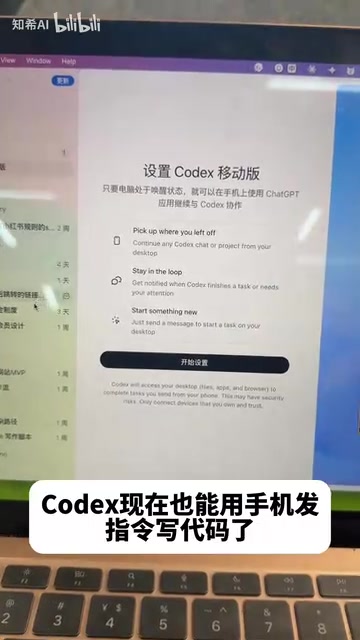
Step 1: Update Your Computer to the Latest Version
First, make sure the Codex client on your computer is updated to the latest version, as only the new version includes the mobile control feature entry point.
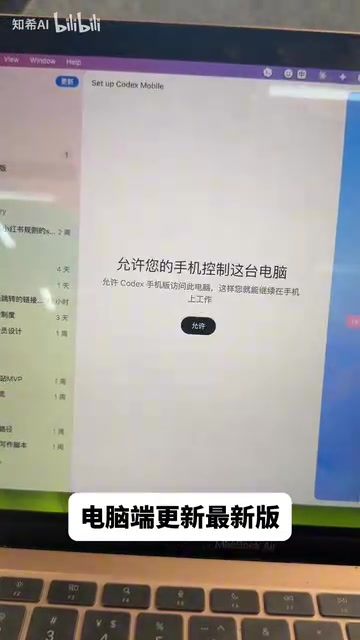
Step 2: Enable Mobile Control Permissions on Your Computer
Find the relevant settings option on your computer and click "Allow phone to control computer" to enable remote control permissions.
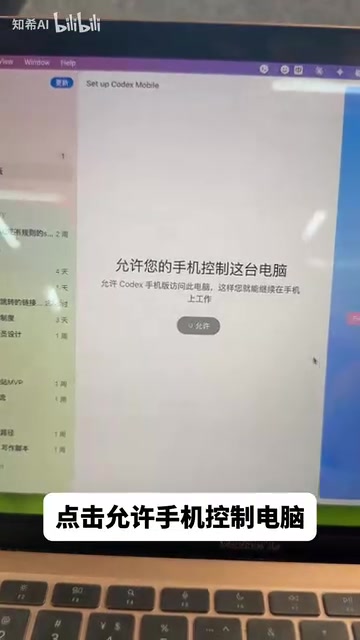
Step 3: Complete Authorization on Your Phone
Open the corresponding app on your phone and tap the authorization button to complete the pairing setup. The entire process requires no complex network configuration or additional software installation.
Use Cases for Mobile Remote Programming
Once setup is complete, developers can send programming instructions to Codex from any scenario, with the computer executing code generation and writing tasks.
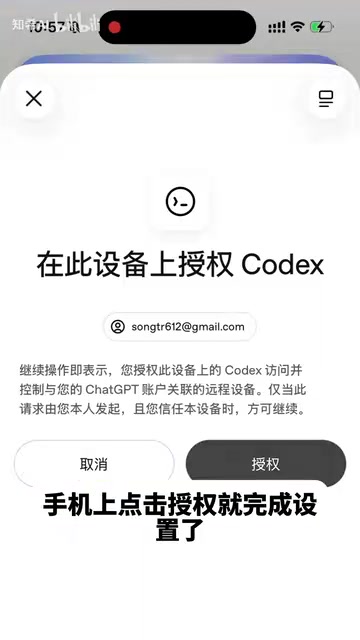
Practical application scenarios for this feature include:
- During commutes: When a code idea strikes on the subway or bus, send instructions directly from your phone
- Between meetings: Quickly dispatch a programming task when it's inconvenient to open your laptop
- Capturing inspiration: Instantly transform sudden programming ideas into code, rather than merely jotting down text notes
The value of programming during fragmented time goes beyond improving time utilization — it's about capturing developers' spontaneous inspiration. Cognitive science research shows that many creative problem-solving solutions often emerge in non-work scenarios (such as during walks or commutes), known as the "incubation effect." In traditional workflows, these inspirations can only be recorded as text notes, waiting to be implemented when back at the computer, with information loss and motivation decay in between. The mobile programming instruction entry point shortens the path from inspiration to execution to just seconds — developers describe their ideas in natural language, AI immediately begins implementation, and reviewable code is ready when they return to their computer.
How Codex Impacts Developer Workflows
This update reflects how AI programming tools are evolving toward an "asynchronous collaboration" model. Traditional programming workflows require developers to operate in front of a computer throughout the entire process, while Codex's mobile control feature decouples "issuing instructions" from "executing code." Developers can send tasks during fragmented time and review and adjust the generated code when they're back at their computer.
Asynchronous collaboration is an important direction in the development of AI programming tools in recent years. Traditional IDE assistance tools (such as code completion and syntax checking) require developers to be present in real time, belonging to a synchronous interaction model. AI coding agents represented by Codex, Devin, Claude Code, and others are driving the industry toward an asynchronous model. In this paradigm, the developer's role shifts from "code writer" to "task planner and code reviewer," similar to how a technical manager assigns tasks to team members. Industry data shows that development teams using AI agent assistance can improve their effective programming time utilization by 30%-50%, as AI can continue working while developers handle other matters.
This model is particularly well-suited to the characteristics of AI-assisted programming — humans handle thinking and decision-making, while AI handles execution and generation. The phone serves as a lightweight instruction entry point, lowering the barrier to initiating programming tasks and freeing development efficiency from physical environment constraints.
Key Takeaways
- Codex adds the ability to remotely control computer-side programming from your phone
- Setup requires only three steps: update computer, enable permissions, authorize phone
- Developers can send programming instructions via phone during commutes, meetings, and other scenarios
- This feature decouples instruction issuance from code execution in the programming workflow, improving utilization of fragmented time
Related articles
 Tech Frontiers
GitHub Agent HQ Launch: AI Coding Tools Enter the Era of Platform Competition
GitHub Universe unveils Agent HQ platform for unified coding agent management, Copilot upgrades with multi-model support. OpenAI completes restructuring, Anthropic tests new model, NVIDIA open-sources AI models.
 Tech Frontiers
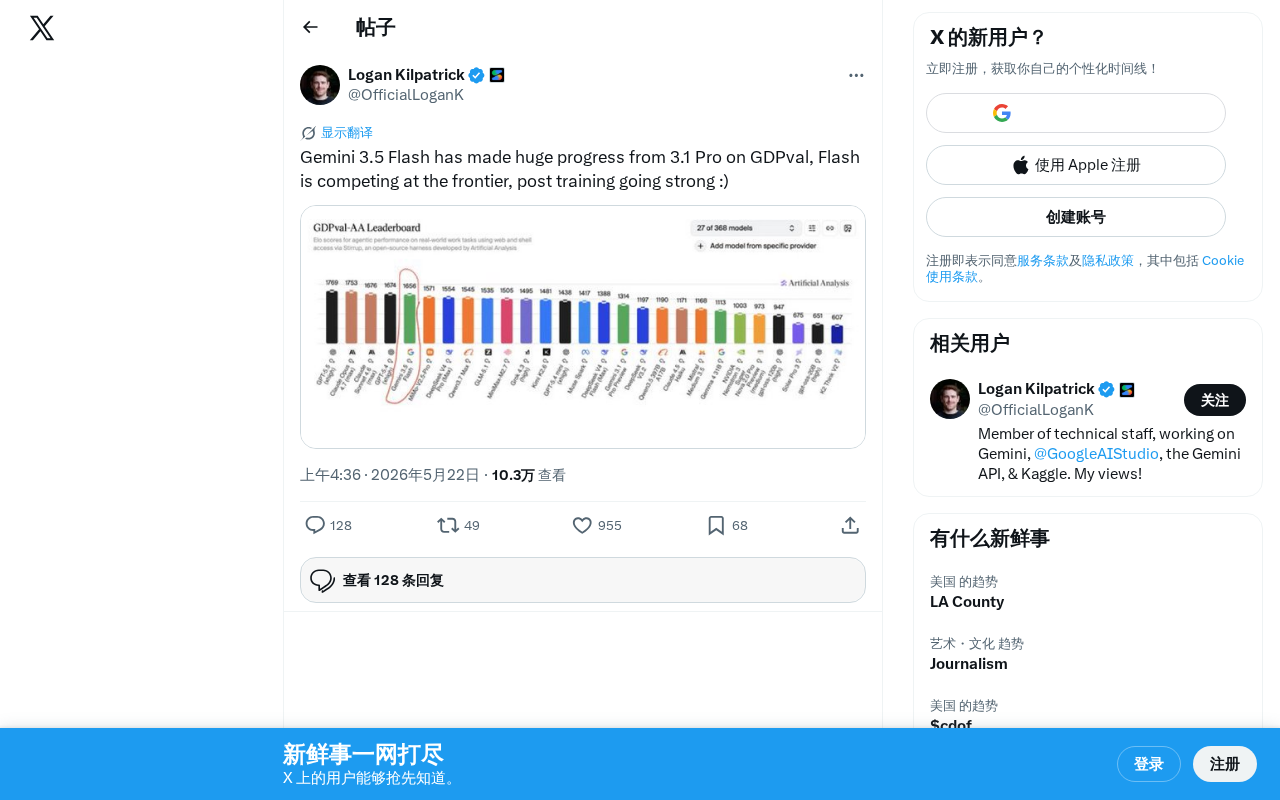
Gemini 3.5 Flash Achieves a Massive Leap on the GDPval Benchmark
Google Gemini 3.5 Flash surpasses Gemini 3.1 Pro on the GDPval benchmark. The lightweight Flash model leverages post-training techniques to approach frontier-level performance, redefining the balance between quality and cost.
 Tech Frontiers
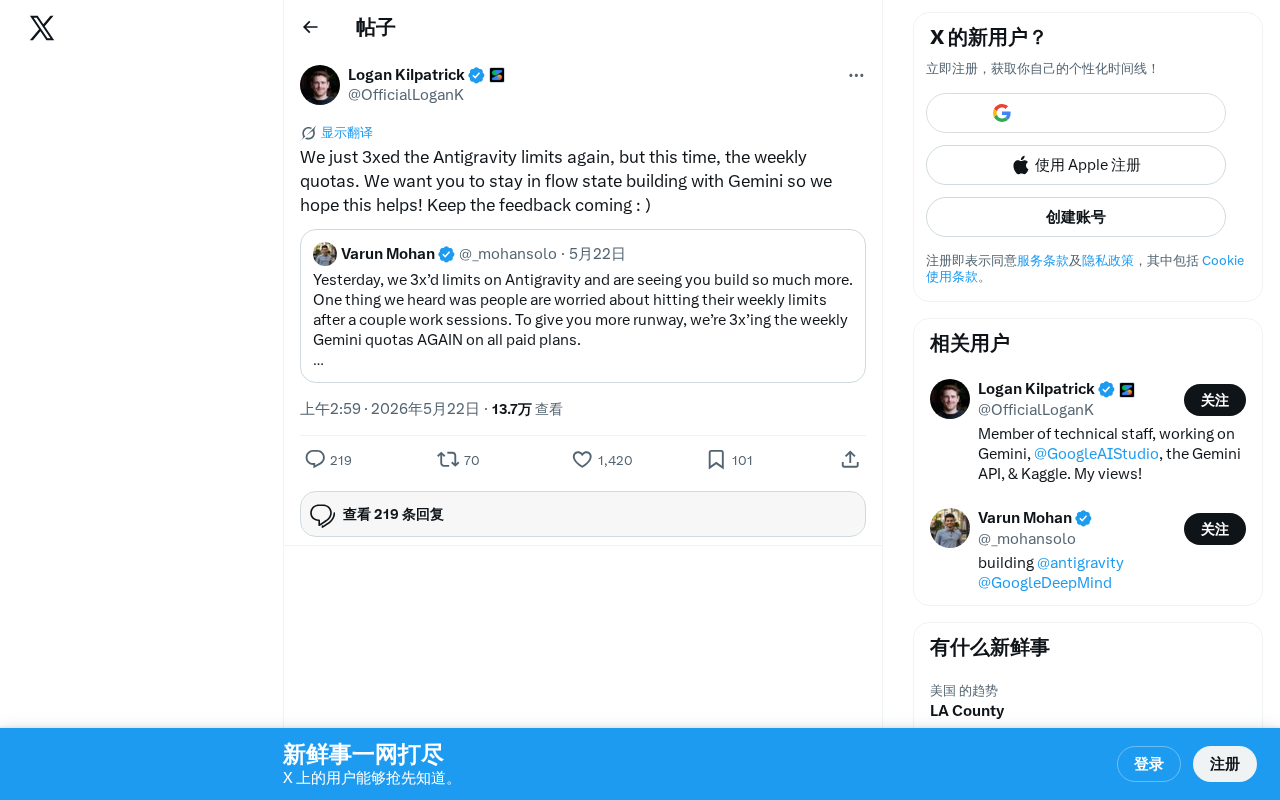
Google Gemini Antigravity Weekly Quota Tripled — AI Coding Without Limits
Google Gemini triples Antigravity weekly quotas following a prior daily quota boost. Analyzing the impact on developers and its strategic significance in AI coding.