Codex vs Claude Code vs Cursor: In-Depth Comparison of AI Coding Tools
Comparing Codex, Claude Code, and Cursor on price, stability, and coding strengths to help you choose.
This article provides a comprehensive comparison of three leading AI coding tools: Codex, Claude Code, and Cursor. Codex offers better pricing and no rate limiting issues, making it ideal for frontend developers and budget-conscious teams. Claude Code excels at backend logic and complex reasoning. Cursor delivers the best IDE integration but at a premium price. The recommendation is to master all three and switch based on project needs.
AI Coding Tools Enter the Multi-Form Era
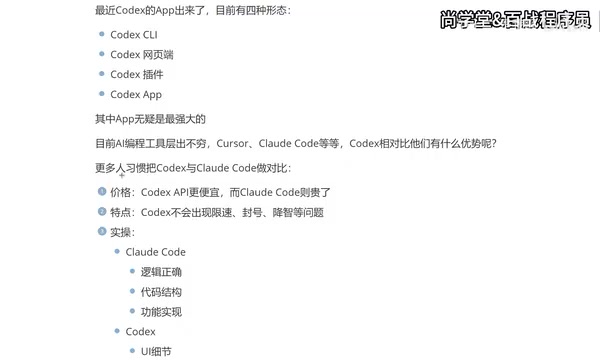
OpenAI's Codex recently launched a standalone App version, now offering four usage forms: CLI terminal, web interface, IDE plugin, and standalone App. In the past, most developers integrated Codex into development tools like VS Code through plugins, but with the App release, the standalone application has become the most complete and powerful way to use it.
From an industry evolution perspective, AI coding tools have progressed from initial code completion (like GitHub Copilot's line-level completion) to today's multi-form architecture, going through three phases: the first phase was embedded completion (Tab completion), the second was deep IDE integration (like Cursor embedding AI capabilities into every aspect of the editor), and the third is the standalone application form — where AI has its own workspace and project management capabilities. The CLI terminal form suits DevOps and scripting scenarios, the web interface lowers the barrier to entry, IDE plugins maintain developers' existing workflows, and the standalone App means AI coding assistants are beginning to have their own "workbench," capable of independently completing the entire process from understanding requirements to generating code.
With AI coding tools proliferating, developers face decision paralysis. Cursor, Claude Code, and Codex form a three-way rivalry, each with distinct strengths. This article breaks down the core differences among these three AI coding tools across dimensions including pricing, stability, and real-world coding experience.
Codex vs Claude Code Head-to-Head: Which Is More Worth Using
Pricing Comparison: Codex Offers Better Value
From an API call cost perspective, Codex's pricing is relatively lower, while Claude Code's usage costs run higher. AI coding tool pricing models typically fall into two categories: subscription-based and pay-per-use. Cursor uses a monthly subscription model (Pro version around $20/month), Claude Code charges per token through the Anthropic API (Claude Sonnet 4's input price is approximately $3 per million tokens, output around $15), while Codex leverages OpenAI's API system, with its codex-mini model priced significantly lower than comparable competitors.
For developers who heavily use AI-assisted programming, daily usage can generate hundreds of code generation requests, with monthly API costs ranging from tens to hundreds of dollars. The cumulative cost difference over time can be several-fold — quite substantial. From a purely economic standpoint, Codex is the more budget-friendly choice.
Stability Comparison: Codex Has No Rate Limits or Account Bans
Claude Code has a particularly frustrating issue in practice — rate limiting and account bans. Frequent calls can easily trigger rate limits, and in severe cases, accounts may even be banned.
The root cause lies in Anthropic's rate limiting mechanism for API calls. This is a protective measure set by large model service providers to ensure service stability and prevent abuse, typically including limits on two dimensions: requests per minute (RPM) and tokens per minute (TPM). Different payment tiers correspond to different quota caps, with free and lower-tier users more likely to trigger limits. Account bans are usually related to abnormal calling patterns, terms of service violations, or being falsely flagged as automated abuse.
In contrast, Codex performs much more reliably in this regard, with no rate limiting or account banning issues. OpenAI's Codex takes a more lenient approach, partly because its standalone App form can better manage request queues and user sessions.
Regarding the "quality degradation" issue, while some users have reported declining output quality from Codex, this problem isn't significant in most real-world usage scenarios.
Coding Style Comparison: Codex for Frontend, Claude Code for Backend
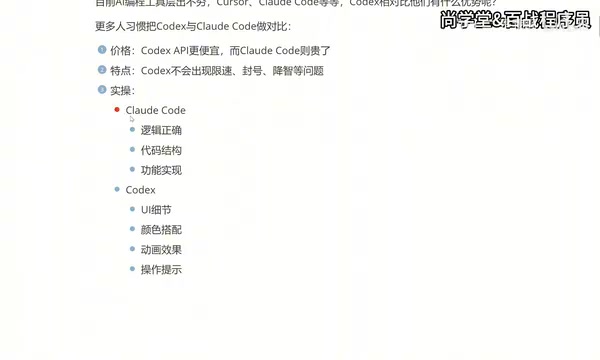
The two tools have notably different emphases in code generation, closely tied to their underlying training data and model tuning strategies:
Claude Code leans toward logical correctness, code structure standards, and completeness of functional implementation. Anthropic's Claude model series emphasizes logical reasoning and structured thinking during training (influenced by its Constitutional AI methodology), making it excel in backend development scenarios such as algorithm design, database query optimization, and microservice architecture, delivering more reliable results when handling complex business logic.
Codex focuses more on UI details, color coordination, animation effects, and polished interaction prompts. OpenAI's Codex model leverages its multimodal capabilities (including understanding design mockups and UI screenshots) to better translate visual requirements into CSS animations, responsive layouts, and interaction details in frontend scenarios. For frontend development and app interface development, Codex-generated code often delivers more refined visual presentation.
In simple terms: backend developers may prefer Claude Code, while frontend developers will have a better experience with Codex. This also reflects a current trend in AI programming: general-purpose models are differentiating toward vertical scenarios.
How to Choose Among Cursor, Claude Code, and Codex
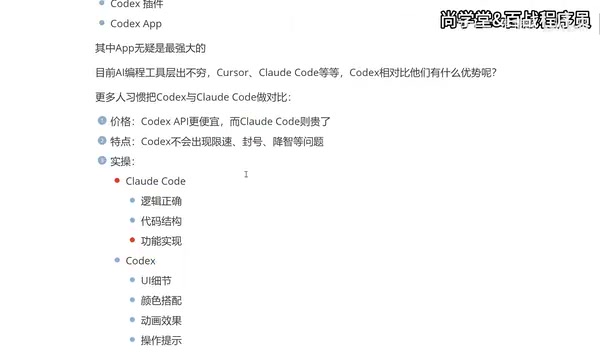
While there are numerous AI coding tools available today, only three have truly formed the top tier: Cursor, Claude Code, and Codex. For professional developers, the recommendation is to master all three rather than relying on just one. The reasons are straightforward:
- Different companies may provide accounts for different AI tools
- Different projects may suit different tools
- Tools can complement each other's weaknesses
Among them, Cursor is developed by Anysphere and is essentially a deep fork of VS Code, with a rebuilt AI interaction layer on top. Its core advantage lies in the seamless fusion of AI capabilities with the IDE experience — including multi-file context awareness, Composer multi-step task orchestration, and semantic indexing of entire code repositories (implemented via vector databases). Cursor supports multiple underlying models (GPT-4o, Claude Sonnet, etc.), and this model-agnostic architecture design gives it exceptional flexibility.
Migration Path from Cursor to Codex
Many developers follow this usage path: start with Cursor (great experience but expensive), then switch to Claude Code (lower cost after connecting to domestic models, but compromised experience), and finally settle on the Codex App paired with VS Code.
Cursor's monthly fee (Pro version around $20/month, plus additional token consumption for premium features) is indeed a significant expense for individual developers and students. While connecting Claude Code to domestic models reduces costs, response quality and speed often fall short. "Connecting to domestic models" refers to using API compatibility layers (such as open-source gateway projects like OneAPI, New API, etc.) to adapt domestic large model APIs (such as DeepSeek, Qwen, GLM, etc.) to the Anthropic API format, thereby calling domestic models through Claude Code's client. The advantage of this approach is dramatically lower costs (domestic model API prices are typically one-tenth to one-fifth of overseas models), but the trade-off is that code generation quality and complex reasoning capabilities often decline, with potential issues like context understanding deviations and instability in long code generation — essentially a "lower cost, lower quality" compromise.
The emergence of the Codex App provides a balance point — the standalone App handles AI interaction and code generation, VS Code handles traditional code editing and project management, and the two work in tandem.
Which Developers Are Better Suited for Codex
Overall, the following groups will get a better experience using Codex:
- Frontend developers: Codex's ability to handle UI details is its core advantage
- Independent developers and small teams: High cost-effectiveness without rate limits disrupting workflow
- Programming beginners: Codex is more intuitive in code presentation and operational guidance
- Full-stack developers: The App form supports a more complete project management workflow
It's worth noting that if your project primarily involves complex backend logic, Claude Code may still be the better choice. No tool is absolutely superior — the key is matching your actual needs.
Summary: AI Coding Assistants Evolving from Auxiliary Tools to Independent Workbenches
AI coding tools are iterating rapidly. Codex's evolution from a plugin to a standalone App represents a clear trend: AI coding assistants are moving from "auxiliary tools" to "independent workbenches." The deeper implication of this shift is that AI is no longer just one link in a developer's workflow — it's beginning to possess the ability to independently handle complete development tasks, from understanding requirements and designing solutions to generating code and debugging fixes, forming a closed loop.
For developers, maintaining proficiency across multiple tools — Cursor, Claude Code, and Codex — and flexibly switching based on project characteristics is the most pragmatic strategy today.
Related articles

Five Common Claude Code Mistakes — How Many Are You Making?
Five common Claude Code mistakes developers make: copy-pasting code, skipping CLAUDE.md, inefficient prompting, ignoring docs, and poor context management — with fixes.

Andrew Ng's New Course Explained: A Practical Guide to Using OpenAI's O1 Reasoning Model
Deep dive into Andrew Ng and OpenAI's Reasoning with O1 course covering test-time scaling, new prompting paradigms, multi-model orchestration, and practical applications for developers.

Learning AI After College Entrance Exams: A Complete Path from Zero to Freelancing
How to efficiently learn AI skills during summer break after exams? A complete path from mastering prompts and hands-on projects to freelancing on platforms.