Complete Breakdown of the Free Gemini CLI Course: Andrew Ng's Recommended AI Coding Practical Guide
Complete Breakdown of the Free Gemini …
DeepLearning.AI and Google launch a free Gemini CLI course teaching practical AI coding assistant applications.
DeepLearning.AI and Google have jointly launched a free Gemini CLI course recommended by Andrew Ng. Using AI developer conference planning as a hands-on project thread, the course systematically teaches skills from installation basics to advanced automated workflows, including Google Workspace integration, MCP server invocation, data dashboard building, and multimedia processing. Gemini CLI is fully open source with all System Prompts publicly available. Andrew Ng notes his prototyping is now entirely AI-assisted, as Agentic Coding redefines how developers work.
DeepLearning.AI and Google have jointly launched a free course on Gemini CLI, taught by Google Developer Advocate Jack Weatherspoon and personally recommended by Andrew Ng. The course systematically teaches how to dramatically boost development efficiency with this open-source AI coding assistant, covering everything from installation basics to advanced automated workflows.
Gemini CLI Course Overview: From Installation to Automated Workflows
Gemini CLI is an open-source intelligent coding assistant from Google, part of the current wave of popular Agentic Coding tools. Similar to Claude Code, OpenAI Codex, and other tools in this category, it can directly access your local machine, execute commands like pip install, git, npx, and help developers automate a large portion of their coding work.
Agentic Coding is one of the most important paradigm shifts in AI programming over the past two years. Unlike early code completion tools (such as the first generation of GitHub Copilot), Agentic tools possess "autonomous action" capabilities—they don't just passively respond to individual instructions but can decompose complex tasks, plan execution steps, invoke external tools, and dynamically adjust strategies based on intermediate results. The underlying support for this capability comes from large language models' Function Calling and Tool Use abilities, combined with access to local file systems, terminal commands, and network services, enabling AI assistants to truly "get things done" rather than merely "offer advice."

The course learning path is clearly designed: starting with installing Gemini CLI and progressively advancing to automated workflows that organize and coordinate multiple tools and MCP servers. Specifically, learners will master the following core skills:
- Coordinating operations between local files and cloud services
- Engineering the management of Gemini CLI's context and memory for optimal output
- Using advanced automation to handle routine tasks like code reviews
Hands-on Project: Connecting Core Skills Through AI Conference Planning
The course uses a continuous hands-on case study—planning an AI developer conference (Next AI Dev Conference)—to connect multiple core skill modules through this scenario.
Developing a Conference Website with Google Workspace Extensions
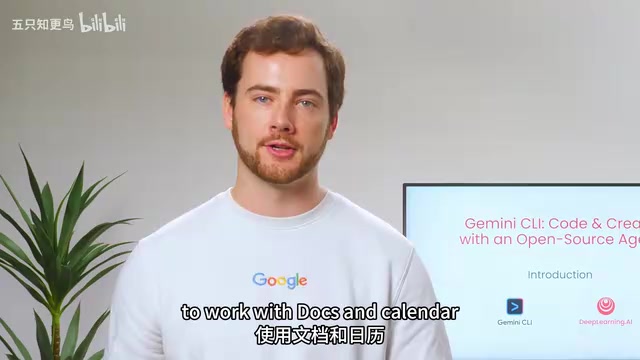
Using Gemini CLI's native Google Workspace extensions, learners will learn how to interact with Google Docs and Calendar to build key features of a conference website. This demonstrates that Gemini CLI is not just a code generation tool but an intelligent coordinator capable of connecting multiple cloud services.
Creating Marketing Materials via Canva MCP Server
The course introduces the Canva MCP server, teaching how to use Gemini CLI to create conference marketing materials. This is a typical real-world application of the MCP (Model Context Protocol)—connecting different tools and services through standardized interfaces.
The MCP protocol is becoming the infrastructure standard for the AI tool ecosystem. It was proposed and open-sourced by Anthropic in late 2024, aiming to solve the fragmentation problem of integrating AI models with external tools and data sources. Before MCP, every AI tool needed to develop a separate adapter layer for each external service, resulting in extremely high maintenance costs. MCP defines a unified "server-client" communication specification, allowing any tool that follows the protocol (such as Canva, GitHub, databases, etc.) to be directly invoked by any MCP-supporting AI assistant. Currently, major AI vendors including Google and OpenAI have announced MCP support. Gemini CLI's native MCP support means developers can freely combine tool services from different vendors to build highly customized automated workflows.
Building a Data Analytics Dashboard
Learners will build a data dashboard that combines attendee data with existing company databases. This segment showcases Gemini CLI's practical capabilities in data analysis and visualization.
Automated Processing of Multimedia Content
The course also covers non-coding tasks: converting conference podcasts into social media short videos and posts. The application boundaries of Agentic Coding tools have already extended far beyond traditional software development.
Andrew Ng on Agentic Coding: Why Developers Must Pay Attention
Andrew Ng shared a noteworthy perspective in the course introduction: During the prototyping phase, he barely writes code by hand anymore, relying entirely on AI coding assistants to get things done. This isn't a beginner's observation—it's a practical conclusion from one of the world's most renowned AI educators.
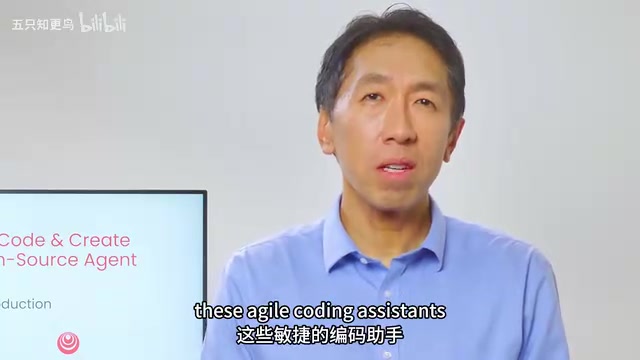
The core value of Agentic programming tools lies in their access to the local environment. With just a small set of tools, these assistants can set up the required development environment and rapidly build complete applications or feature sets. Prototyping speed has reached unprecedented levels. Behind this speed improvement lies a key technical mechanism: context window and memory management. Modern Agentic tools need to maintain task state, code history, and tool call records within limited context windows. How these are engineered directly determines the quality of an AI assistant's performance on long-cycle complex tasks—which is precisely why this course includes a dedicated module on "context and memory management."
From an industry trend perspective, tools like Gemini CLI, Claude Code, and OpenAI Codex are redefining how developers work. The developer's role is shifting from "code writer" to "AI coordinator"—focusing more on architecture design, requirements definition, and quality control, while delegating actual coding implementation to AI assistants.
Fully Open Source: Every Line of Code and System Prompt Is Public
A key feature of Gemini CLI is that it is fully open source. Every line of code is publicly available on GitHub, including the actual instructions and System Prompts. In the current environment where AI tools are predominantly closed-source, this is particularly rare.
The disclosure of System Prompts offers learning value to the developer community that transcends the tool itself. System Prompts are the core configuration that determines an AI assistant's behavior patterns, capability boundaries, and interaction style, typically regarded as trade secrets. Most closed-source AI tools deliberately hide this content because it embodies extensive prompt engineering experience. Gemini CLI's decision to make its System Prompts public means developers can directly learn how Google engineers guide models to handle code tasks, set safety boundaries, and optimize multi-step task execution logic. For developers who want to deeply understand Agentic system design principles, this is invaluable first-hand learning material, and it also reflects Google's strategic considerations in open-source ecosystem building.
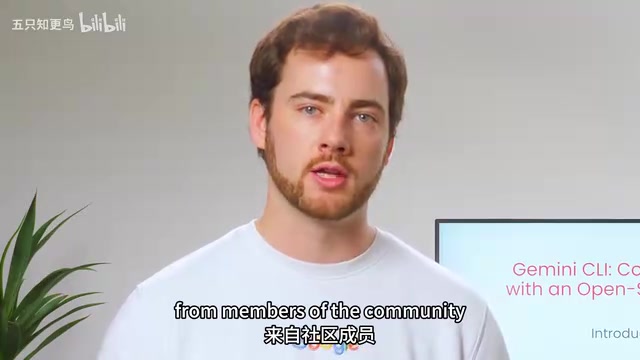
The project has already merged thousands of Pull Requests from community members, including popular features like session management. The Google team is actively welcoming more community contributions. Developers can directly examine Gemini CLI's prompt design to understand how it works—which is itself an excellent learning resource.
Who Is This Free Course For
The course also includes a practical bonus: demonstrating how to use Gemini CLI to organize and search through messy course materials, making the learning process more efficient. This seemingly simple feature demonstrates AI tools' potential in knowledge management.
For developers who want to systematically learn Agentic Coding best practices, this course offers a rare opportunity—directly learning from Google's internal practices and converting knowledge into practical skills through hands-on projects. The course is free, includes both Chinese and English subtitles, and has a very low barrier to entry.
Whether you're a seasoned developer already using AI coding assistants or a newcomer just entering this field, this course is worth your time. In today's rapidly iterating AI tool landscape, mastering the methodology of collaborating with AI is more important than mastering any specific tool.
Key Takeaways
- DeepLearning.AI and Google jointly launched a free Gemini CLI course, taught by a Google Developer Advocate and recommended by Andrew Ng
- The course uses AI conference planning as a hands-on project thread, covering scenarios including website development, MCP server integration, data dashboard building, and multimedia content processing
- Gemini CLI is fully open source, with all code including System Prompts publicly available on GitHub, with thousands of community PRs already merged
- Andrew Ng states he barely writes code by hand during prototyping anymore; Agentic Coding tools are redefining how developers work
- The course teaches Google's internal best practices from installation basics to multi-tool coordination, context management, and automated code reviews
Related articles
 Tutorials
Cursor + Codex Dual-IDE Collaboration: A Practical Methodology for Open-Source Project Customization
A complete methodology for open-source project customization based on real-world experience, detailing the Cursor+Codex dual-IDE workflow, seven-stage process, MVP validation, and AI source code reading techniques.
 Tutorials
Cursor Multi-Agent in Practice: Building a Full-Stack Next.js Blog in 50 Minutes
Build a full-stack blog in 50 minutes using Cursor IDE's multi-Agent mode with Next.js, Clerk auth, and Supabase. Learn the 4-phase AI Agent workflow and key integration pitfalls.
 Tutorials
Building an AI Software Factory from Scratch: A Cursor Engineer's Hands-On Experience with Multi-Agent Collaboration
Cursor engineer Eric shares practical insights on building an AI software factory: automation levels, guardrail design, parallel Agent management, and scaling to 1000+ Agents for 24/7 development.