Complete Guide to Developing WeChat Mini Programs with AI: From Zero to Launch for Just $4

Build and launch a WeChat Mini Program with AI coding tools for as little as $4, no programming experience needed.
This article covers how anyone can independently develop a WeChat Mini Program using AI tools like Cursor or Trae for just 30-100 RMB. The five core steps include: registering an account and obtaining an AppID, writing quality requirements documentation as AI input, AI-driven modular development with verification in WeChat Developer Tools, cloud function deployment and debugging, and completing review and filing for launch. Success hinges on requirements document quality, incremental verification, and debugging skills.
Overview
With AI programming tools, anyone can independently develop and launch a WeChat Mini Program, with total costs ranging from just 30-100 RMB (approximately $4-$14). Based on practical experience shared by a Bilibili creator, this article details the complete five-step process from account registration, requirements documentation, AI-assisted development, debugging, to final publication—helping complete beginners get started quickly.
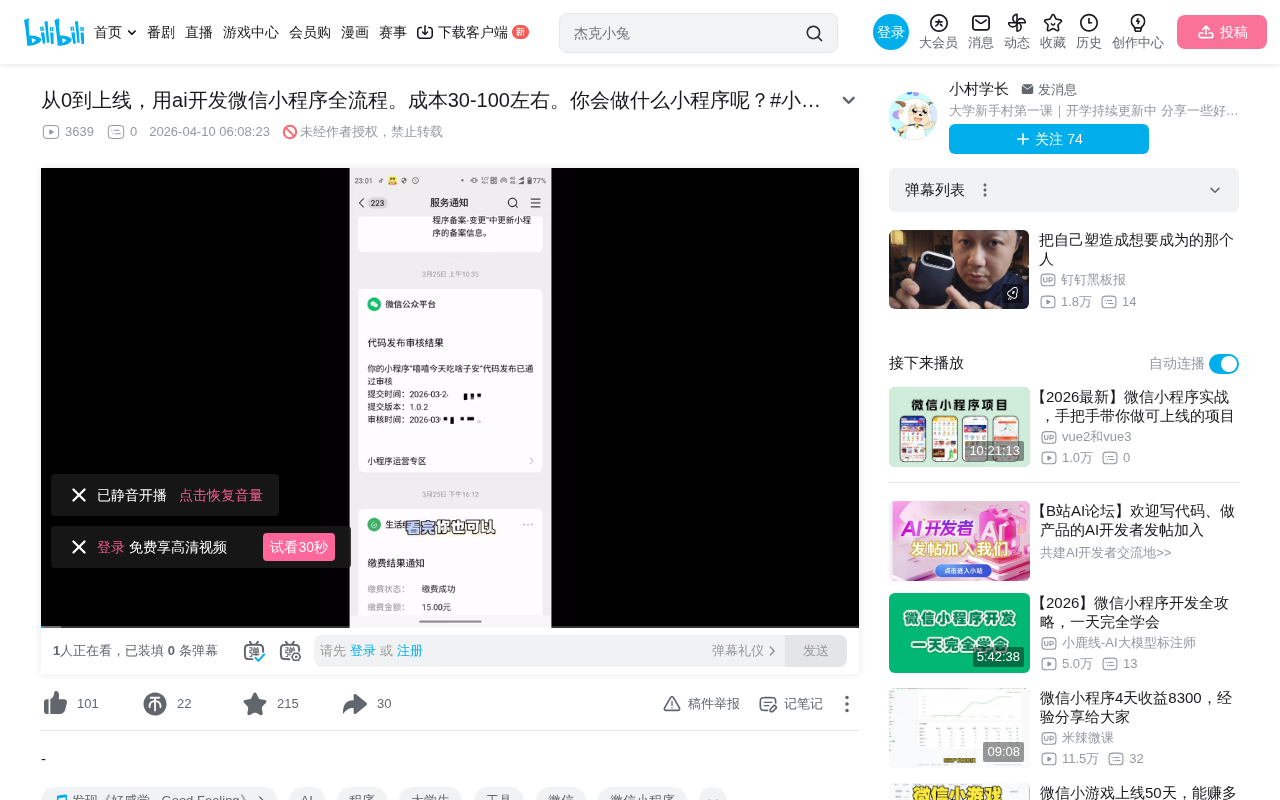
Tool Preparation & Account Registration
Choosing Development Tools
The entire development process requires two core tools:
- WeChat Developer Tools: The official Mini Program development IDE provided by WeChat, used for previewing, debugging, and uploading code
- AI Programming Tools: Cursor or Trae are recommended—both work out of the box without configuring MCP or Skills, making them ideal for coding beginners
Cursor is a deeply customized AI code editor based on VS Code, with built-in large language models like Claude and GPT-4 that can understand entire project contexts and generate code. Trae is an AI IDE developed by ByteDance, similarly integrating multiple large model capabilities. The core advantage of both tools is embedding AI capabilities directly into the development environment—developers can generate, modify, and debug code through natural language conversation without manually configuring MCP (Model Context Protocol) or various skill plugins. Compared to traditional AI programming approaches that require manual configuration of plugins and environments, the zero-configuration nature of Cursor and Trae significantly lowers the barrier to entry.
Obtaining an AppID
After registering a Mini Program account on the WeChat Official Accounts Platform (mp.weixin.qq.com), navigate to "Account Settings" → "Account Information" to find your AppID. Note that the WeChat Developer Platform, WeChat Open Platform, and WeChat Official Accounts Platform are three different portals—for Mini Program development, you should choose the WeChat Official Accounts Platform.
When creating a project, select "WeChat Cloud Development" mode, which eliminates the cost of setting up your own server and is key to keeping total expenses between 30-100 RMB. WeChat Cloud Development is a one-stop backend cloud service provided by the WeChat team, offering three core capabilities: Cloud Functions, Cloud Database, and Cloud Storage. Choosing cloud development means developers don't need to purchase cloud servers, configure domain SSL certificates, or build backend APIs—operations that typically cost hundreds to thousands of RMB annually. Cloud Development uses a Serverless architecture with pay-per-use billing, making costs extremely low for small projects.
Writing Requirements Documentation: The Core Input for AI Development
Collaborating with AI to Refine Requirements
The requirements document is the core input for AI development—its quality directly determines the final product outcome. In AI-assisted development, the requirements document essentially serves as a "system-level prompt" for the large language model. The AI model uses the requirements document as the primary reference in its context window, with all code generation based on reasoning from this document. The clearer and more logically complete the document, the more accurate the AI-generated code will be, reducing the number of subsequent revisions.
Recommended approaches for refining requirements:
- Write an outline yourself, then have AI fill in the details
- Use a conversational approach, letting AI continuously ask questions and refine
- Use Gemini or ChatGPT to discuss requirements—their suggestions tend to be more practical
This is why Gemini or ChatGPT are recommended for initial requirement discussions—these general-purpose conversational models excel at structured thinking and requirements analysis, helping users discover overlooked edge cases and logical gaps, such as handling abnormal user operations, UI display when data is empty, and other easily overlooked scenarios.
The requirements document needs to clearly address three core questions:
- What features does the Mini Program have?
- What's the logic for implementing these features?
- What does the interface look like?
About Prototype Design
Prototype design is not a mandatory step—you can skip it and proceed directly to development. If you do need prototypes, Figma combined with MakeModel AI is recommended for quick generation.
The requirements document can be stored as a new file in the project directory and simply deleted before uploading code.
AI-Driven Project Development Process
Starting Development
Once the requirements document is ready, Cursor and Trae's chat interfaces will display a one-click development prompt button. You can also directly input instructions like: "Develop this WeChat Mini Program according to this requirements document."
Before starting work, the AI automatically scans current project documents and performs web searches to learn the latest WeChat Mini Program syntax specifications, so there's no need to worry about outdated syntax. This mechanism ensures that even if WeChat officially updates API interfaces or deprecates old syntax, the AI can access the latest development standards and avoid generating outdated code.
Incrementally Verify Each Feature Module
The AI develops feature by feature, and each completed feature needs to be verified in WeChat Developer Tools:
- Click the "Clear Cache" button (broom icon) → Clear All
- Click "Recompile"
- Check the results in the simulator
- If there are issues, go back to the AI chat to provide feedback for modifications
The incremental verification strategy is crucial—if you wait until all features are developed before testing, it becomes very difficult to identify which step introduced a bug. Additionally, AI context windows are limited, and accumulating too many unresolved issues causes repair efficiency to drop dramatically.
Cloud Functions & Database Configuration
In WeChat Cloud Development, Cloud Functions are the core of logic implementation and need to be manually uploaded:
- Find the cloud functions folder → Right-click → "Upload and Deploy: Install Dependencies in Cloud"
- Each cloud function needs to be uploaded individually
- Create database collections in the Cloud Development console—collection names should be copied directly from what the AI provides
The "Upload and Deploy: Install Dependencies in Cloud" operation involves two steps: first uploading local cloud function code files to WeChat's cloud servers, then the cloud automatically executes npm install based on the package.json file to install required third-party dependency packages. Each cloud function is an independent execution unit with its own dependency environment, which is why they need to be uploaded one by one. Cloud functions are essentially Node.js functions running in the cloud—developers don't need to purchase or manage servers, paying only per invocation.
Difference between Database and Storage: The database stores structured data (such as user information, order records), while the storage repository holds actual files (such as images, audio)—the database only saves link addresses to the storage repository. The cloud database is a JSON document database (similar to MongoDB), where each record is a JSON object supporting nested structures, making it very flexible. Developers can call database APIs directly from the Mini Program frontend or perform more complex data operations through cloud functions.
Storage Permission Considerations
If the Mini Program includes backend management features (involving data creation, deletion, and modification), database permissions need to be set to "Users can read and write." Note: Some advanced permissions may require upgrading the cloud development plan.
Cloud database permissions are divided into four levels: only creator can read/write, only creator can write but everyone can read, everyone can read/write, and only admin can read/write. For backend management scenarios, permissions typically need to be set to "everyone can read/write" or data operations can bypass frontend permission restrictions through cloud functions.
Debugging Tips & Common Issues
Basic Debugging Process
When encountering errors, open the "Console" in WeChat Developer Tools and copy-paste the red error messages to the AI for quick problem identification.
The WeChat Developer Tools console is similar to a browser's DevTools, displaying JavaScript runtime errors, failed network requests, cloud function call exceptions, and other information. Red error messages typically contain the error type, description, and stack trace—these are highly effective debugging clues for AI.
Deep Problem Investigation Strategies
When the same error persists (unresolved after 3+ attempts), manual intervention is needed:
- Investigate the full chain: Frontend → Cloud Functions → Database → Storage → Data Return
- Remind AI to search the web and check each link one by one
- Watch for hidden default limitations: For example, cloud database queries default to returning only 20 records—AI may not proactively discover such issues
Regarding the cloud database's 20-record query limit, this is a default value set by WeChat for performance and resource protection. In traditional database development, developers typically use paginated queries to handle large datasets, but AI-generated code often ignores this platform-specific limitation and assumes queries return all results. Solutions include: implementing pagination with skip and limit, using MAX_LIMIT (100 records) in cloud functions for batch retrieval, or concatenating complete datasets through multiple request loops.
The Right Way to Describe Problems to AI
When describing UI issues to AI, avoid vague terms like "this" or "that." The correct approach is to describe specifically:
- ✅ "The button with the text 'View Menu Selection' displayed above"
- ✅ "A red icon inside the circular frame below"
- ❌ "That button has a problem"
This is because AI cannot "see" your screen—it can only locate corresponding UI components in the code through text descriptions. Specific visual descriptions help AI quickly match the corresponding WXML templates and WXSS style code for precise fixes.
Publishing & Filing
Code Upload
Click the "Upload" button in the upper right corner of WeChat Developer Tools. The first upload will most likely fail code quality checks (package size too large, etc.)—send the specific error messages to AI for fixes, then re-upload.
WeChat Mini Programs have strict code package size limits: individual sub-packages cannot exceed 2MB, and total package size cannot exceed 20MB. AI-generated code may contain unused resource files, uncompressed images, or redundant code that causes the package to exceed limits. Common optimization solutions include: uploading image resources to cloud storage and referencing them via URL, enabling code compression, and deleting unused components and pages.
Review & Publication
After successful upload, submit for review on the WeChat Official Accounts Platform:
- Simpler features lead to faster reviews
- New accounts receive free expedited review packages
- Once approved, you can publish the live version
WeChat Mini Program reviews typically complete within 1-7 business days, covering: feature completeness (no obvious blank pages or non-functional features), content compliance (no prohibited content), and user experience (basic interaction logic flows properly). For first submissions, keep features as minimal as possible—after passing review, iterate with updates gradually.
Filing & Certification
To make your Mini Program discoverable via search, you need to complete the following steps:
- Mini Program Filing (ICP备案): Fill in relevant information—a dedicated person will call to guide you on any non-compliant items
- WeChat Certification: Carefully fill in service categories and service content declarations
- User Privacy Protection Guidelines: Must be updated, otherwise normal publication is not possible
According to the "Notice on Conducting Mobile Internet Application Filing" issued by China's Ministry of Industry and Information Technology in 2023, all apps and Mini Programs providing services within mainland China must complete filing. Mini Program filing requires providing entity information (personal ID or business license), responsible person information, service content descriptions, etc. Filing review typically takes 5-15 business days. Mini Programs without completed filing cannot be indexed by WeChat search and may face removal risks.
The phone review during the filing process is designed to help you pass—just cooperate with a friendly attitude and make the requested changes. Reviewers will clearly indicate what information needs modification and how to modify it; it's essentially a guidance-oriented communication process, not an interrogation.
Costs & Benefits
The primary cost of the entire process comes from the cloud development plan fee—the basic tier at approximately 30 RMB/month is sufficient for small projects. The basic cloud development tier typically includes: 2GB database storage, 5GB file storage, 20,000 cloud function calls per day, and other quotas—more than enough for Mini Programs with daily active users in the hundreds. If project growth exceeds basic tier limits, plans can be upgraded as needed.
For student users, the WeChat Official Accounts Platform offers student identity certification, AI Mini Program growth plans, traffic support, and other benefits worth exploring. After student certification, WeChat certification can be obtained for free (normally 300 RMB/year), further reducing overall costs.
Summary
AI programming tools have dramatically lowered the barrier to WeChat Mini Program development, but it's not entirely a "no-brainer" operation. The keys to success are: writing good requirements documentation, incrementally verifying features, and mastering debugging techniques. For entrepreneurs and students with ideas but lacking programming skills, this is a low-cost practical path worth trying.
It's worth noting that while AI can complete over 90% of the coding work, developers still need to understand basic project structure (page files consist of four parts: WXML templates, WXSS styles, JS logic, and JSON configuration), data flow (the frontend → cloud functions → database call chain), and platform rules (review standards, filing requirements). These cognitive frameworks help you collaborate more efficiently with AI and make correct judgments when AI makes mistakes.
Related articles
 Tutorials
Cursor + Codex Dual-IDE Collaboration: A Practical Methodology for Open-Source Project Customization
A complete methodology for open-source project customization based on real-world experience, detailing the Cursor+Codex dual-IDE workflow, seven-stage process, MVP validation, and AI source code reading techniques.
 Tutorials
Cursor Multi-Agent in Practice: Building a Full-Stack Next.js Blog in 50 Minutes
Build a full-stack blog in 50 minutes using Cursor IDE's multi-Agent mode with Next.js, Clerk auth, and Supabase. Learn the 4-phase AI Agent workflow and key integration pitfalls.
 Tutorials
Building an AI Software Factory from Scratch: A Cursor Engineer's Hands-On Experience with Multi-Agent Collaboration
Cursor engineer Eric shares practical insights on building an AI software factory: automation levels, guardrail design, parallel Agent management, and scaling to 1000+ Agents for 24/7 development.