Complete Guide to the Coze Platform: Build AI Applications with Zero Code

A complete guide to ByteDance's Coze platform for building AI apps without code.
Coze (扣子) is a zero-code AI application building platform by ByteDance that lets users create agents and AI apps without programming. It offers a community gallery, project development tools, a resource library, and a task center, with built-in models like Doubao and DeepSeek plus a rich plugin ecosystem. Individual users get 500 free resource credits daily. Beginners are advised to start by exploring the community and building simple agents.
What Is Coze? An Introduction to the Zero-Code AI Application Building Platform
Coze (扣子) is an AI application building platform launched by ByteDance, accessible at coze.cn. Its core value proposition is simple: it enables everyday users to quickly build their own AI applications without writing a single line of code.
Whether you want to create a video generation tool, an enterprise knowledge base chatbot, or an intelligent customer service system, Coze can help you make it happen. It's positioned similarly to Dify, but currently operates primarily as an online platform. While there is a privately deployable Coze Studio version, its features are relatively limited. Interestingly, the online version of Coze receives very rapid feature updates and has already developed impressively powerful capabilities.

A Detailed Look at Coze's Core Feature Modules
Community Gallery: A Wealth of AI Applications at Your Fingertips
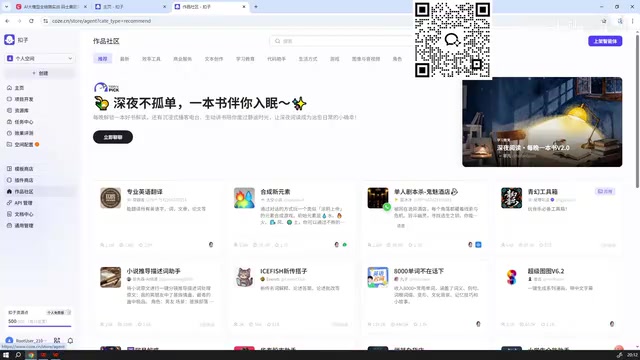
Coze's community gallery brings together a large collection of AI applications published by both users and the official team, covering a wide range of use cases including novel plotting, prompt generation, stock market assistants, English learning helpers, and more.
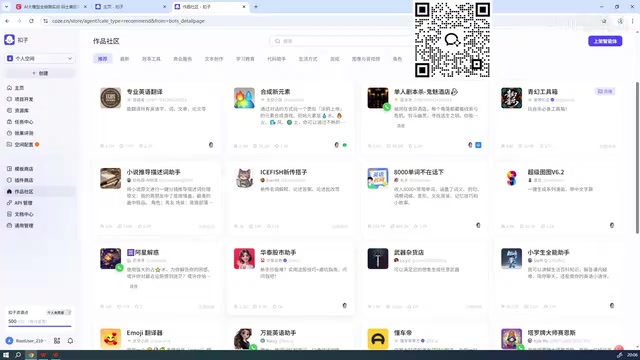
However, there's an important resource mechanism you need to understand: each account receives 500 free resource credits per day. Using applications published by others consumes your resource credits — a typical conversational app might cost a few dozen credits, but video generation apps can easily consume thousands or even tens of thousands. For example, the video generation feature in an official template requires 5,207 resource credits per use, far exceeding the daily free allowance for individual users.
If you're an enterprise user, you'll have a much more generous credit allocation and can freely test various applications. Additionally, when you find an impressive application created by someone else, you can clone it to your own workspace for free and customize it further — a highly practical way to learn and get started quickly.
Project Development: Two Core Types — Agents and AI Applications
Project Development is the core area of the Coze platform where all AI application building takes place. Coze supports creating only two types of AI applications:
- Agents: Think of these as AI assistants equipped with specific capabilities
- AI Applications: A major new feature recently added by Coze, offering richer application-building capabilities
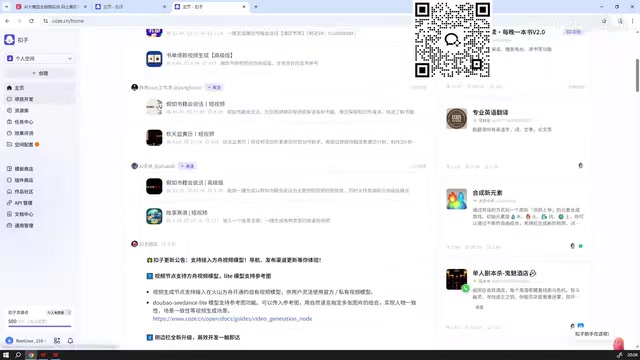
These two types cover the vast majority of AI application scenarios, from simple Q&A bots to complex multi-step automated workflows.
Resource Library: Centralized Management of Development Assets
While developing AI applications and agents, you'll need to create various components, including:
- Workflows: Execute specific operations following custom-defined processes
- Plugins: Functional modules that extend your application's capabilities
- Prompts: Instruction templates that guide AI behavior
- Databases: Knowledge bases for storing and managing data
The Resource Library serves as a centralized hub for storing and managing all these components, making it easy to reuse them across different projects.
Task Center and Performance Evaluation
The Task Center is primarily used for running workflows in batch. Once you've built a workflow, you can execute it in bulk here — ideal for scenarios that require large-scale processing.
The Performance Evaluation feature lets you test how well your workflows or agents perform. However, new users only get 10 evaluation attempts, so use them wisely.
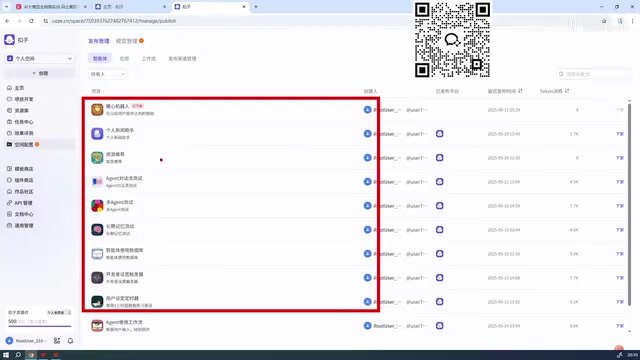
Coze Model Management: A Rich Selection of AI Models
As an AI platform, Coze comes with a variety of built-in large language models for users to choose from. Currently available models include:
- Doubao Series: Such as Doubao 1.6 Deep Thinking, among others
- DeepSeek: An optimized version by Coze, not a direct integration of the original
- Image Generation Models: Some of which carry higher fees
Here are a few important things to keep in mind when using models:
- Most text-based models are currently free and available for direct use
- Image generation models typically cost more — check the official documentation for specific pricing
- The platform continuously updates its models, with older models being replaced by superior new ones — some models are already marked as "deprecated"
- Models like DeepSeek have been optimized by the Coze team and may differ from their original versions
Coze Plugin Ecosystem: Extending the Boundaries of Your AI Applications
Plugins are a vital part of the Coze platform, providing additional capability extensions for your agents and AI applications.
Key Recommendations for Choosing Plugins
Prioritize Coze's official plugins — this is the most important rule. The reason is straightforward: third-party plugins developed by individuals offer no guarantee of stability, whereas official plugins have been thoroughly tested and run more reliably.
Take the "Image Understanding" plugin as an example — it accepts an image URL, analyzes the image content, and outputs a description. Plugins like this are extremely useful when building image analysis applications.
The plugin store offers both free and paid options. If existing plugins don't meet your needs, you can also develop custom plugins on your own.
Getting Started with Coze: Tips and a Recommended Learning Path
For users new to Coze, here's a recommended step-by-step learning path:
- Start by browsing the Community Gallery — experience outstanding applications published by others to understand what AI applications look like and what's possible
- Study the official documentation and basic tutorials — the Coze homepage provides comprehensive onboarding guides
- Begin by creating a simple agent — gradually master core concepts like prompts, plugins, and workflows
- Make good use of templates and the clone feature — copy excellent applications to your own workspace for learning and modification
- Plan your resource credit usage wisely — with only 500 credits per day on the individual plan, you'll need to budget carefully
Coze has dramatically lowered the barrier to AI application development — even without a programming background, you can build practical AI tools. As the platform continues to iterate and evolve, it's becoming one of the most promising zero-code AI application building platforms in China.
Related articles
 Tutorials
Cursor + Codex Dual-IDE Collaboration: A Practical Methodology for Open-Source Project Customization
A complete methodology for open-source project customization based on real-world experience, detailing the Cursor+Codex dual-IDE workflow, seven-stage process, MVP validation, and AI source code reading techniques.
 Tutorials
Cursor Multi-Agent in Practice: Building a Full-Stack Next.js Blog in 50 Minutes
Build a full-stack blog in 50 minutes using Cursor IDE's multi-Agent mode with Next.js, Clerk auth, and Supabase. Learn the 4-phase AI Agent workflow and key integration pitfalls.
 Tutorials
Building an AI Software Factory from Scratch: A Cursor Engineer's Hands-On Experience with Multi-Agent Collaboration
Cursor engineer Eric shares practical insights on building an AI software factory: automation levels, guardrail design, parallel Agent management, and scaling to 1000+ Agents for 24/7 development.