Connect Claude Code to DeepSeek: Zero-Barrier Four-Step Configuration Tutorial
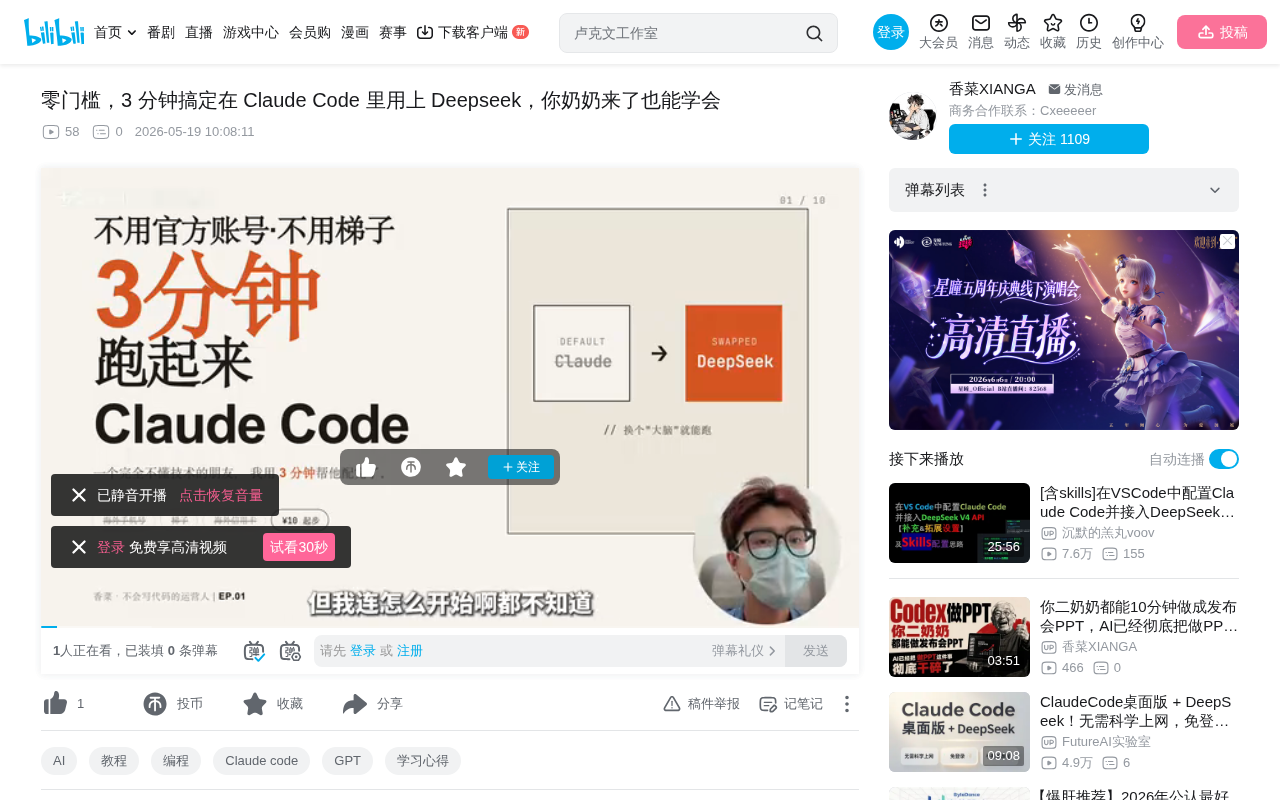
Replace Claude Code's underlying model with DeepSeek for zero-barrier AI programming assistance
This article explains how to replace Claude Code's underlying engine with DeepSeek, a domestically accessible model in China, bypassing the triple barriers of official accounts, proxies, and overseas credit cards. The process takes just four steps: install Claude Code, obtain DeepSeek API credentials (top up just 10 RMB), use the ccswitch tool for integration, and verify in terminal. Once configured, you get full functionality including code writing, file editing, and command execution at minimal cost.
Why Switch Claude Code's "Brain"?
Claude Code, the AI programming assistant from Anthropic, has become a productivity powerhouse for many developers thanks to its powerful code generation and file manipulation capabilities. However, for users in China, the official version presents three major barriers: you need a Claude official account, a network proxy tool, and an overseas credit card. The registration step alone is enough to deter most people.
But here's the thing — Claude Code's architecture actually allows users to swap out the underlying model. At its core, Claude Code is a terminal-based AI agent framework that decouples the user interaction layer, tool invocation layer, and model inference layer. Natural language instructions entered in the terminal are parsed by Claude Code's agent framework into a series of tool calls (such as file read/write, command execution, etc.), while the actual reasoning and decision-making are handled by the underlying large language model. This architecture means that as long as you replace the model's API endpoint and authentication credentials, the framework's tool-calling capabilities remain fully intact.
In other words, you can swap the default Claude model for DeepSeek — an AI model service that's directly accessible in China and supports WeChat and Alipay payments. Top up just 10 RMB and you can tinker for a long time, truly achieving zero-barrier access.
Four Steps to Connect Claude Code to DeepSeek
Step 1: Install Claude Code
Open your computer's terminal (called "Terminal" on Mac, "PowerShell" on Windows), paste the installation command, and press Enter. Wait for the installation to complete.
Note: Don't rush to open Claude Code after installation. Opening it directly will prompt you to log in to your Claude official account, and our goal is precisely to bypass this step.
Step 2: Obtain DeepSeek API Credentials
Go to platform.deepseek.com (directly accessible in China), register an account, and complete three tasks:
-
Top up: Find the payment section and add 10 RMB. Both WeChat Pay and Alipay are supported. This amount is sufficient for extended testing.
-
Get your API Key: Find the "API Key" option in the left sidebar menu and click to create one. The system will generate a string of characters — you must copy and save this key immediately, because it's only displayed once. Once you close the window, you can never view it again.
Here's why the API Key is only shown once: this is an industry-standard security practice called the "one-time display" strategy. The platform only stores the hash value (a one-way encrypted digest) of the key. Even if the platform's database is compromised, attackers cannot reverse-engineer the original key. If you accidentally lose your API Key, the correct approach is to delete the old key and create a new one, rather than contacting support to recover it.
- Note the API address: This URL tells Claude Code where to find the DeepSeek service — think of it as the "street address." DeepSeek's API interface follows the OpenAI API format standard, which is the de facto standard in the current LLM industry. Almost all major model providers (including domestic ones like Zhipu, Moonshot, and Alibaba Tongyi) offer OpenAI-compatible API endpoints, which is the technical foundation that enables Claude Code to connect to DeepSeek.
Step 3: Use the ccswitch Tool to Complete the Integration
Here we use a free utility called ccswitch, whose purpose is to help you "swap the brain" of Claude Code, switching the underlying model from Claude to DeepSeek.
The core mechanism of ccswitch works by setting system environment variables to override Claude Code's default model configuration. When Claude Code starts, it reads specific environment variables (such as ANTHROPIC_BASE_URL and ANTHROPIC_API_KEY). If these variables point to a third-party API service, Claude Code will send all inference requests to that service instead of Anthropic's official servers. ccswitch provides a graphical interface for this manual environment variable configuration process, eliminating the need for users to type export commands line by line in the terminal or edit configuration files, significantly lowering the barrier to entry.
Workflow:
- Download and install ccswitch
- Open it and select the Claude icon
- Click the plus button and select DeepSeek
- Enter the API Key and API address obtained in Step 2 into the corresponding fields
- Save and click "Enable"
The entire process is just filling in two fields and clicking two buttons.
Step 4: Verify the Configuration
Return to the terminal, type claude to launch Claude Code, then ask: "What model are you?"
If the response mentions "DeepSeek," congratulations — your configuration is successful. Your Claude Code is now using DeepSeek as its underlying model — writing code, editing files, running commands — the experience is essentially no different from using the official Claude model. This is because Claude Code's tool-calling capabilities (file operations, Shell command execution, etc.) are framework-level features independent of which underlying model is used, as long as the model has sufficient instruction comprehension and code generation capabilities.
Troubleshooting Common Issues
If verification fails, don't panic. The common issues are limited to these few:
| Symptom | Cause | Solution |
|---|---|---|
| Model says it's Claude | Forgot to click "Enable" in ccswitch | Go back to ccswitch and click the Enable button |
| Connection timeout | API address entered incorrectly | Check and re-enter the correct API address |
| Authentication failed | Extra spaces when copying API Key | Re-copy the API Key, ensuring no leading or trailing spaces |
These three scenarios cover the vast majority of configuration failures. Checking them one by one will almost always resolve the issue.
What Can You Do After Connecting to DeepSeek?
Once configured, you have a fully functional AI programming assistant that works directly in your terminal. Its capabilities include but are not limited to:
- Write code: Describe your requirements and it automatically generates code files
- Edit files: Specify the modification logic and it automatically completes file edits
- Run commands: Execute system commands to accomplish automation tasks
- Handle daily work: From data processing to document generation, everything can be driven by natural language
As the tutorial author put it: "The real barrier to Claude Code isn't technical — it's that many people give up at the 'how do I start' stage." The configuration itself isn't difficult; what's hard is having someone walk you through it the first time. Once you get it running, everything that follows flows naturally.
Cost and Value Analysis
DeepSeek's API pricing is extremely competitive among domestic LLMs. DeepSeek employs a Mixture of Experts (MoE) architecture, which is characterized by having a massive total parameter count while only activating a subset of "expert" networks during each inference. This maintains high performance while dramatically reducing computational costs. This is the technical foundation that enables DeepSeek to offer API services at extremely low prices — compared to dense models (like GPT-4), MoE architecture consumes less compute per inference, and this cost advantage is directly passed on to pricing.
With a 10 RMB top-up, based on typical daily programming assistance usage frequency, you can sustain weeks or even longer of use. Compared to Claude's official subscription of $20 per month, the cost advantage of this approach is very clear.
Of course, it should be objectively noted that DeepSeek and Claude may differ in capability on certain complex programming tasks. The Claude Sonnet series still has advantages in long-context understanding, complex multi-step reasoning, and large codebase refactoring scenarios. But for most everyday development needs, DeepSeek is more than sufficient, and it's especially suitable as a first step into the Claude Code workflow. Once you're familiar with this way of working, you can always consider upgrading to a more powerful model later.
Key Takeaways
- Claude Code supports swapping the underlying model, allowing DeepSeek integration to bypass the triple barriers of official accounts, proxies, and overseas credit cards
- Complete configuration requires only four steps: install Claude Code, obtain DeepSeek API credentials, use the ccswitch tool for integration, and verify in terminal
- DeepSeek costs just 10 RMB to top up for extended use, supports WeChat Pay and Alipay, and is directly accessible in China without a proxy
- Common configuration failures include forgetting to enable, incorrect addresses, and extra spaces in API Keys — all quickly resolvable
- After configuration, you get full AI programming assistant functionality including writing code, editing files, and running commands
Related articles
 Tutorials
Cursor + Codex Dual-IDE Collaboration: A Practical Methodology for Open-Source Project Customization
A complete methodology for open-source project customization based on real-world experience, detailing the Cursor+Codex dual-IDE workflow, seven-stage process, MVP validation, and AI source code reading techniques.
 Tutorials
Cursor Multi-Agent in Practice: Building a Full-Stack Next.js Blog in 50 Minutes
Build a full-stack blog in 50 minutes using Cursor IDE's multi-Agent mode with Next.js, Clerk auth, and Supabase. Learn the 4-phase AI Agent workflow and key integration pitfalls.
 Tutorials
Building an AI Software Factory from Scratch: A Cursor Engineer's Hands-On Experience with Multi-Agent Collaboration
Cursor engineer Eric shares practical insights on building an AI software factory: automation levels, guardrail design, parallel Agent management, and scaling to 1000+ Agents for 24/7 development.