Control Cloud Code via WeChat: Operate Your AI Coding Assistant by Sending Messages from Your Phone

Open-source Cloud Code project enables remote AI coding assistant control via WeChat messaging
The open-source Cloud Code project adds a WeChat remote control bridge feature based on Tencent's official iLink Bot API, allowing users to interact with an AI assistant via WeChat with support for text, images, and files. The project uses an OpenAI-compatible API adapter layer that can connect to various models including Chinese domestic LLMs. Deployment is straightforward — clone the project, configure the API, scan a QR code to authorize, and start using AI capabilities extended from professional terminals to everyday messaging.
Project Overview: Remote Control of Cloud Code via WeChat
An open-source project called Cloud Code recently updated its WeChat remote control bridge feature. Through Tencent's official iLink Bot API, users can directly control Cloud Code from their phone via WeChat, supporting text, image, and file sending/receiving. This means you can interact with your AI assistant anytime, anywhere through WeChat — no need to open a computer terminal.
At its core, Cloud Code is an open-source implementation of an AI coding assistant, similar to a self-hosted alternative to Cursor or GitHub Copilot, but with greater emphasis on extensibility and user control. Its architecture follows a modular design: the core layer handles conversation management and tool invocation with large language models, the adapter layer manages interface differences across API providers, and the bridge layer extends the interaction entry point from traditional terminals to instant messaging platforms like WeChat. This layered architecture allows each component to be independently replaced and upgraded.
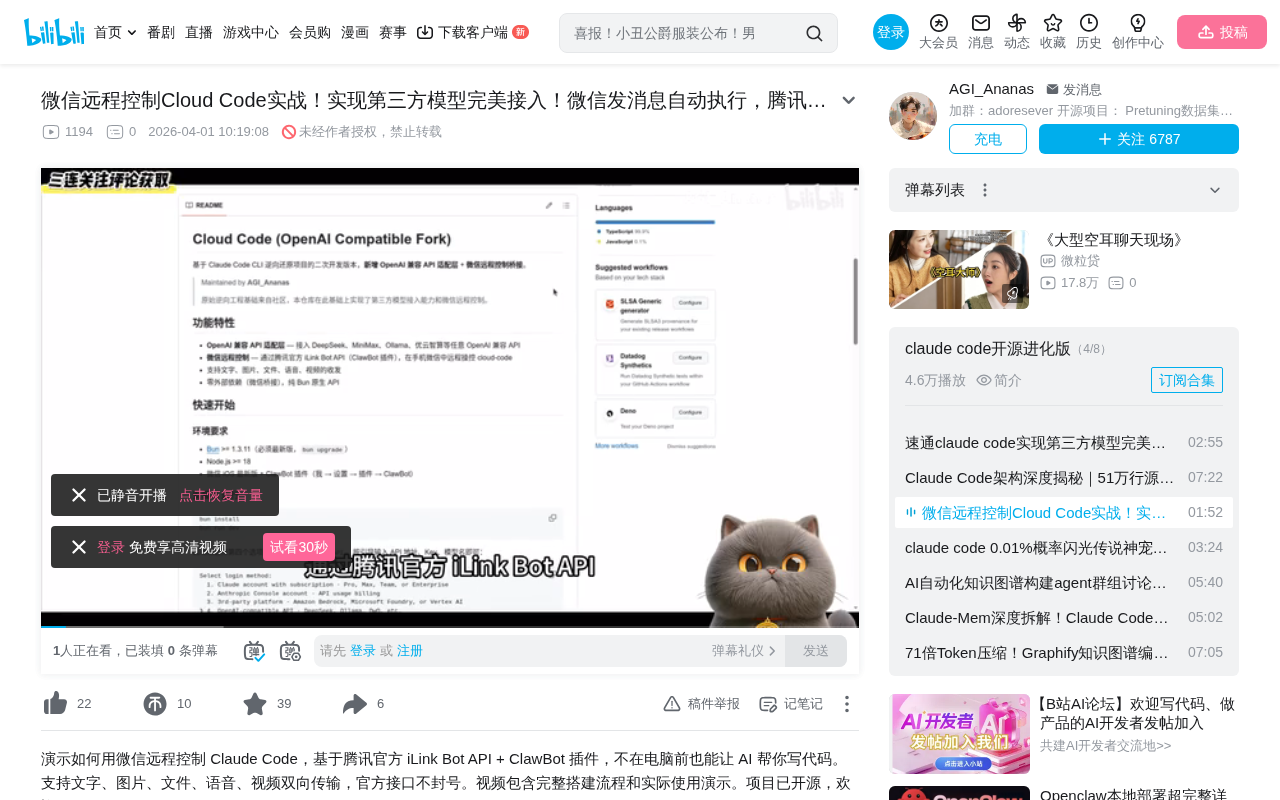
Key features of the project include:
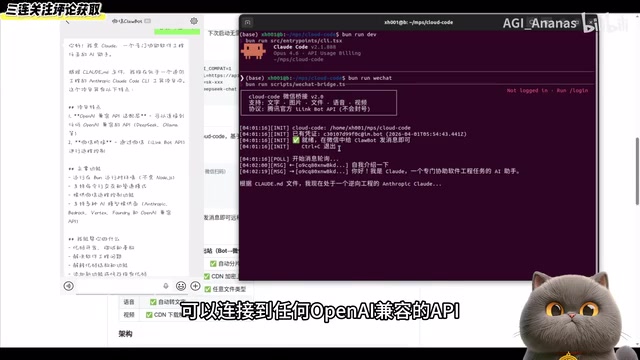
- OpenAI-compatible API adapter layer: Can connect to any OpenAI-compatible API, including Chinese domestic LLMs
- WeChat bridge: Remote control via WeChat with support for multiple message types
- File processing capabilities: Supports document receiving, saving, and content parsing
Feature Demo: File Exchange and AI Interaction via WeChat
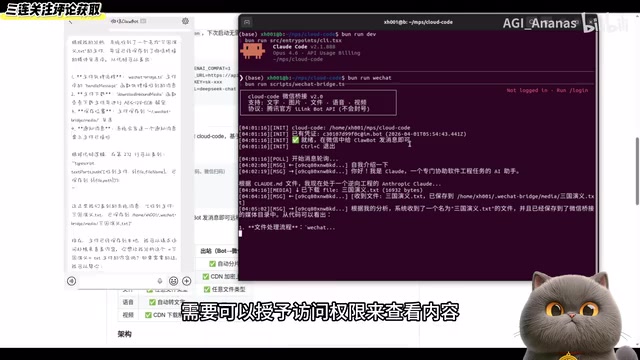
In the demonstration, the author sent a "Romance of the Three Kingdoms" document to Cloud Code. The system successfully received the file and saved it locally, providing a detailed breakdown of the complete file processing workflow — including file download and storage location information. The file was saved to the WeChat bridge's media directory, and users can grant access permissions to view the content.
File processing in the WeChat bridge scenario involves multiple technical steps: First, the WeChat server generates a temporary download link for the file sent by the user. After the bridge service obtains this link through the iLink Bot API callback, it downloads the file to a designated local media directory. The system then invokes the appropriate parser based on file type (such as PDF parsing, Word document extraction, image OCR, etc.) to convert the content into text. Finally, the extracted text is passed as context to the large language model for analysis. The entire workflow achieves automated conversion from unstructured documents to AI-comprehensible content.
The practical value of this interaction method is clear: you can send documents to the AI via WeChat while you're out, having it analyze, summarize, or process file content — completely freeing you from the constraint of sitting at a computer. Image sending and receiving has also been verified through testing.
Full Local Deployment Guide for Cloud Code
Environment Setup and Dependency Installation
The deployment process is relatively straightforward, consisting of the following steps:
- Clone the project repository: Clone the project from the open-source repository to your local machine
- Enter the project directory: Navigate to the project root directory
- Run the installation command: Install all dependency packages
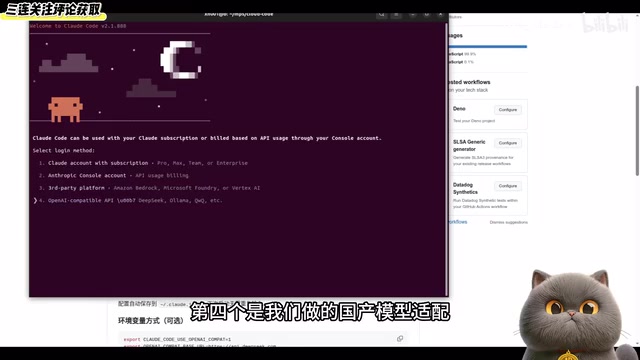
After downloading dependencies, the system enters a guided setup interface. The color mode can be chosen freely — the key option is the fourth one: domestic model adaptation, which is specifically optimized for users in China.
Model Configuration: Connecting to OpenAI-Compatible APIs
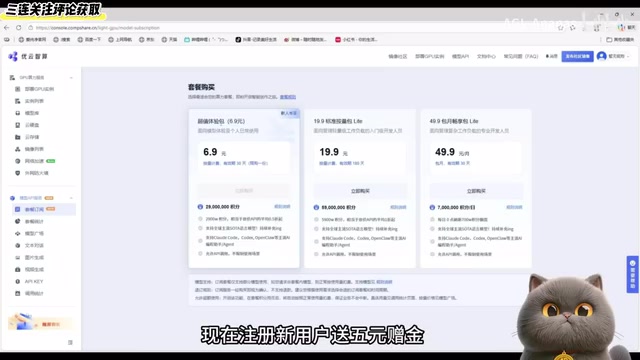
For model selection, the author recommends using API services from third-party model computing platforms.
An OpenAI-compatible API refers to an API service that follows the RESTful interface specification defined by OpenAI. After OpenAI launched ChatGPT, its API interface format (including the /v1/chat/completions endpoint, messages array structure, SSE protocol for streaming output, etc.) has become the de facto industry standard. Numerous model providers both domestically and internationally (such as DeepSeek, Qwen, Moonshot, etc.) have chosen to be compatible with this interface specification, allowing developers to switch between different underlying models simply by changing the base_url and API Key without modifying business code. This design pattern significantly reduces model migration costs and has given rise to numerous API aggregation platforms.
According to the introduction, the platform's advantages include:
- All models are officially proxied with extremely low prices for mainstream models
- No VPN required for access
- New users receive a 5 RMB sign-up bonus
The configuration process is: Enter API Key → Input model name → Press Enter to confirm → Select Yes. When you can successfully have a conversation in the terminal, the model configuration is complete.
WeChat Bridge Startup and Authorization
After model configuration is complete, copy and execute the command to start the WeChat bridge. On first execution, a QR code will be displayed — scan it with WeChat to authorize. After authorization, the system saves the credentials, so subsequent launches won't require re-scanning.
Once authorized, simply send a message to the corresponding account in WeChat to start using the AI assistant.
Technical Highlights Analysis
OpenAI Compatibility Layer: Freely Switch Underlying Models
Cloud Code's adoption of an OpenAI-compatible API adapter layer is a smart design choice. It means users aren't locked into any single model provider and can freely switch underlying models — whether it's the GPT series, Claude, or Chinese domestic models like Qwen or DeepSeek — as long as a compatible API endpoint is provided.
The deeper value of this architectural design lies in resilience: when a model provider experiences service outages, price adjustments, or performance degradation, users can switch to an alternative in seconds without any system modifications. Additionally, users can select the most suitable model for different tasks — for example, using DeepSeek for code tasks and Claude for long document analysis — achieving an optimal balance of cost and effectiveness.
Advantages of WeChat as an AI Control Interface
Choosing WeChat as the remote control interface has unique advantages:
- Zero learning curve: Everyone knows how to send WeChat messages
- Always available: With your phone in hand, you can interact with AI anytime
- Multimedia support: Native support for text, images, files, and other formats
- Instant notifications: WeChat push notifications ensure you never miss an AI response
From a product design perspective, this approach cleverly leverages users' existing habits and infrastructure. Compared to developing a standalone app or requiring users to SSH into a remote terminal, the WeChat bridge solution lowers the barrier to using an AI assistant to the absolute minimum — users don't need to understand any technical concepts, they just need to send messages as if chatting with a friend.
Security and Compliance Considerations
This project uses Tencent's official iLink Bot API, which offers better compliance and stability guarantees compared to unofficial WeChat automation solutions. iLink Bot is Tencent's officially provided enterprise-grade robot open platform interface, allowing developers to create intelligent bots that operate within the WeChat ecosystem. Unlike the unofficial approaches popular in earlier communities — such as reverse-engineering the Web WeChat protocol or simulating iPad protocols — the iLink Bot API is an officially authorized development channel with higher stability and compliance. Unofficial solutions often face account suspension risks and protocol invalidation issues, while the official API provides standardized capabilities for message exchange, file transfer, event callbacks, and more, making it suitable for building long-term stable automated services.
However, users should still note: when connecting AI to a personal WeChat account, attention should be paid to information security and privacy protection. It's recommended to set up an access whitelist during deployment, allowing only specific WeChat IDs to interact with the AI, to avoid unnecessary risks from accidental triggers or malicious calls by others.
Conclusion
Cloud Code's WeChat bridge feature opens up new possibilities for AI tool usage scenarios. By combining powerful AI capabilities with the most frequently used daily communication tool, it lowers the barrier to using AI tools. The project is open-source, and interested developers can deploy and experience it themselves. For users who want to use an AI assistant anytime, anywhere without installing additional apps, this is a solution worth trying.
From a broader perspective, projects like this represent an important trend in AI tool development: AI capabilities are permeating from professional development environments into everyday life scenarios, and interaction methods are gradually migrating from command lines and dedicated interfaces to the communication platforms users are most familiar with. In the future, we may see more similar bridge solutions emerge, seamlessly embedding AI assistants into people's existing digital lives.
Key Takeaways
- Cloud Code adds a WeChat remote control bridge feature, enabling phone-based AI control via Tencent's official iLink Bot API
- Supports text, image, and file exchange, allowing remote AI document processing
- Uses an OpenAI-compatible API adapter layer, supporting any compatible third-party model including Chinese domestic LLMs
- Simple local deployment: clone the project, install dependencies, configure the model API, and scan a QR code to authorize WeChat
- The project is open-source, ideal for users who want to use an AI assistant anytime via WeChat
Related articles
 Tutorials
Cursor + Codex Dual-IDE Collaboration: A Practical Methodology for Open-Source Project Customization
A complete methodology for open-source project customization based on real-world experience, detailing the Cursor+Codex dual-IDE workflow, seven-stage process, MVP validation, and AI source code reading techniques.
 Tutorials
Cursor Multi-Agent in Practice: Building a Full-Stack Next.js Blog in 50 Minutes
Build a full-stack blog in 50 minutes using Cursor IDE's multi-Agent mode with Next.js, Clerk auth, and Supabase. Learn the 4-phase AI Agent workflow and key integration pitfalls.
 Tutorials
Building an AI Software Factory from Scratch: A Cursor Engineer's Hands-On Experience with Multi-Agent Collaboration
Cursor engineer Eric shares practical insights on building an AI software factory: automation levels, guardrail design, parallel Agent management, and scaling to 1000+ Agents for 24/7 development.