Cursor AI Tutorial: Generate a Mini Program from Scratch with a Single Sentence

Cursor AI lets beginners generate complete mini program projects with a single natural language sentence.
Cursor is an AI code editor deeply customized from VS Code, integrating large language models like GPT-4 and Claude. Users can automatically generate complete mini program code simply by describing requirements in natural language. The entire workflow — creating a project, logging in, describing requirements, auto-generating code, and compiling — can be completed within 1 minute, with all code saved locally under the user's full control.
What is Cursor AI
Cursor is an AI-powered intelligent code editor that helps users automatically generate code through natural language conversations. Even without any programming background, you can complete an entire project by simply describing what you want in plain text.
From a technical architecture perspective, Cursor is a deeply customized version of the open-source VS Code editor, built by Anysphere. It integrates large language models like GPT-4 and Claude, leveraging code context understanding and natural language processing to automate the workflow from requirement descriptions to code generation. Unlike code completion tools such as GitHub Copilot, Cursor emphasizes holistic project understanding — it can generate multiple related files at once while maintaining logical consistency across the codebase. This means it's not just a "smart autocomplete" tool, but an AI development assistant that understands your entire project structure.
This article explains how to use Cursor AI to generate a fully functional mini program project with just a single sentence.
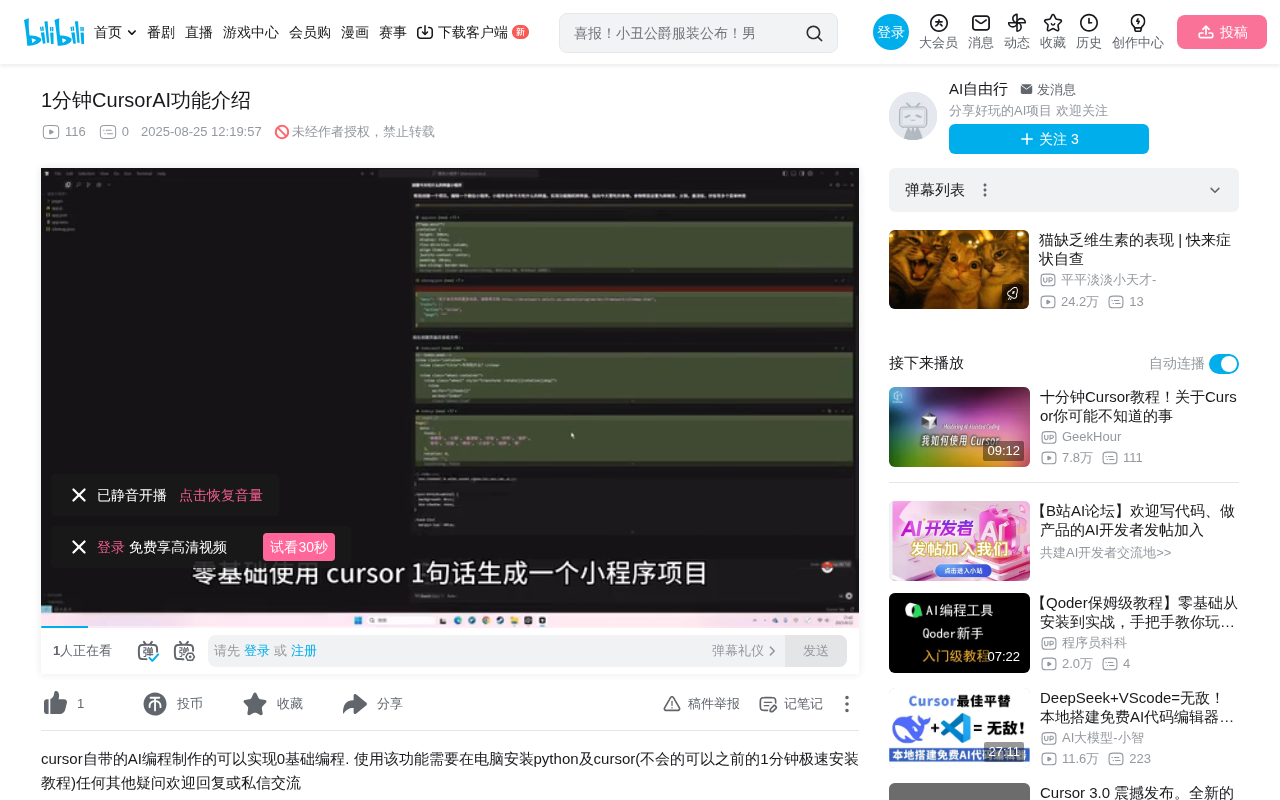
Step-by-Step Guide
Step 1: Create a Project
First, double-click to open the Cursor editor. Select "New File" from the left-side menu to open a new window. Then name your project — once named, all project files will be stored in this folder.
This step is straightforward and similar to working with any standard code editor. Cursor's interface is very beginner-friendly. Since Cursor is built on the VS Code architecture, users familiar with VS Code will find the layout nearly identical, including the file explorer, terminal panel, and extension marketplace — all maintaining the same interaction patterns, which minimizes the learning curve.
Step 2: Log In and Start an AI Conversation
On the right side of the editor, you'll see a chat window — this is Cursor's AI assistant interface. A login prompt will appear on first use; once logged in, you can start using the AI features.
After logging in, you can describe your project requirements directly in natural language in the chat box. For example, "Help me generate a to-do list mini program" or "Create a weather query mini program" — Cursor AI will automatically generate the corresponding code files based on your description.
Cursor AI's code generation relies on the in-context learning capabilities of large language models. When a user inputs a natural language requirement, the model parses it into structured development tasks, then progressively generates code files that conform to the target framework's conventions based on code patterns and best practices learned from training data. The model understands dependencies between files, ensuring that multiple generated files work together seamlessly. This process involves intent recognition, code planning, code generation, and consistency verification, ultimately outputting a complete set of project code that can run directly.
Step 3: Generate Code and Run
After submitting your specific requirements in the chat box, Cursor AI will automatically generate complete code in your local project folder. You simply drag the generated local files into the mini program development tool for compilation, and once compiled, you can see the mini program running.
The "mini program development tool" mentioned here refers to the official "WeChat Developer Tools" provided by WeChat — it's the essential environment for compiling and previewing mini program projects. WeChat mini program development involves several specialized technologies: WXML is WeChat's markup language, similar to HTML for building page structure; WXSS is WeChat's stylesheet language, similar to CSS for controlling page appearance; JavaScript handles business logic; and JSON files are used for project configuration. A complete mini program project typically includes app.js (global logic), app.json (global configuration), app.wxss (global styles), and corresponding files for each page. Traditional developers need to master all these technologies to complete a mini program project, but Cursor AI can generate all these files at once while ensuring correct cross-references between them.
The entire process from project creation to running requires virtually no manual coding — AI handles all the development work.
Core Advantages of Cursor AI
Zero Barrier to Entry
Cursor AI's biggest highlight is reducing the programming barrier to its absolute minimum. Traditional mini program development requires mastering multiple technologies like JavaScript, WXML, and WXSS, but with Cursor, you only need to describe your requirements in natural language to complete development.
This "natural language programming" paradigm represents an important trend in software development. In the past, programming languages were the only bridge between humans and computers — developers had to learn specific syntax rules to make computers execute tasks. The emergence of large language models has turned natural language itself into a "programming interface," with AI serving as the translation layer from human intent to machine instructions. This not only lowers the technical barrier but also enables non-technical roles like product managers and designers to participate directly in prototype development.
Efficient Development Workflow
From project creation to code generation to running, the entire process can be completed within 1 minute. This represents a significant efficiency boost for rapid prototype validation and personal project development.
In traditional software development workflows, even a simple mini program project typically takes hours or even days from environment setup, project initialization, and page development to debugging and running. In the product design field, "Rapid Prototyping" is an important methodology — building interactive product prototypes at minimal cost to validate core assumptions before committing formal development resources. Cursor AI compresses prototype building time to the minute level, dramatically accelerating the feedback loop from idea to validation.
Local Code Management
Unlike some online AI programming tools, code generated by Cursor is saved entirely locally. Users have complete control over their code, making subsequent modifications and maintenance convenient.
AI programming tools on the market generally fall into two categories: online platforms (like Replit AI, v0.dev) and local editors (like Cursor, GitHub Copilot). Online platforms have the advantage of requiring no environment configuration, but code is hosted in the cloud, raising data security and network dependency concerns. Local editors save code entirely on the user's device, support offline viewing and version management, and are better suited for formal projects requiring long-term maintenance. Cursor's local-first approach allows users to seamlessly integrate with Git version control, local debugging tools, and other development ecosystem components, while avoiding risks of code leakage and platform lock-in.
Usage Tips
While Cursor AI can quickly generate code, the following suggestions are worth considering for users who want to dive deeper into development:
-
Be as specific as possible with your requirements: The more detailed your description, the higher the quality of AI-generated code. For example, instead of saying "make a mini program," try "make a to-do list mini program with features for adding tasks, marking them complete, and deleting tasks, using a blue color theme." This specific description approach is known as "Prompt Engineering" in the AI field — optimizing input prompts to achieve more precise AI outputs. Good prompts should include multi-dimensional information such as functional requirements, UI style, and technical constraints.
-
Develop iteratively: Start by generating a basic framework, then gradually refine features through continued conversation. This approach aligns with the "incremental development" philosophy in software engineering — each iteration adds new functionality on top of the existing foundation, reducing the probability of errors in any single generation and making it easier to locate and fix issues.
-
Study the generated code: AI-generated code serves as excellent learning material that helps you understand programming logic. By reading the code structure, naming conventions, and logical organization in AI-generated code, beginners can gradually build intuitive understanding of programming, laying the foundation for future independent development or deep customization.
Cursor AI opens the door to programming for beginners, but creating truly high-quality products still requires understanding and optimizing the generated code. AI is a powerful development accelerator, not an omnipotent tool that completely replaces human judgment — understanding the logic behind the code is what enables you to build products that truly meet user needs on top of AI-generated foundations.
Key Takeaways
- Cursor AI enables users with zero programming experience to generate complete mini program projects through natural language conversation
- The workflow is simple: Create project → Log in → Describe requirements → Auto-generate code → Compile and run
- Generated code is saved locally, giving users complete control
- The entire development process can be completed within 1 minute, dramatically improving development efficiency
- Users are advised to provide specific requirement descriptions to obtain higher-quality code output
Related articles
 Tutorials
Cursor + Codex Dual-IDE Collaboration: A Practical Methodology for Open-Source Project Customization
A complete methodology for open-source project customization based on real-world experience, detailing the Cursor+Codex dual-IDE workflow, seven-stage process, MVP validation, and AI source code reading techniques.
 Tutorials
Cursor Multi-Agent in Practice: Building a Full-Stack Next.js Blog in 50 Minutes
Build a full-stack blog in 50 minutes using Cursor IDE's multi-Agent mode with Next.js, Clerk auth, and Supabase. Learn the 4-phase AI Agent workflow and key integration pitfalls.
 Tutorials
Building an AI Software Factory from Scratch: A Cursor Engineer's Hands-On Experience with Multi-Agent Collaboration
Cursor engineer Eric shares practical insights on building an AI software factory: automation levels, guardrail design, parallel Agent management, and scaling to 1000+ Agents for 24/7 development.