Cursor Deep Dive: Why This AI-Native Programming Tool Crushes Traditional IDEs
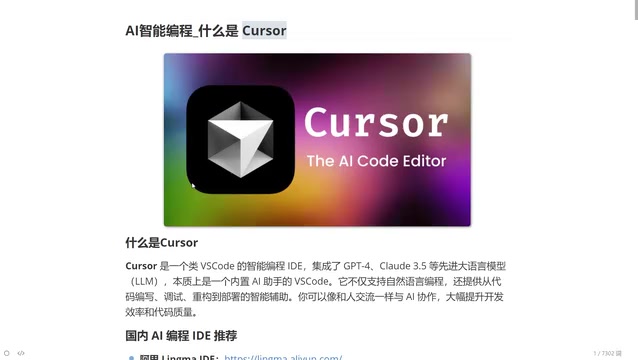
A comprehensive analysis of why Cursor's AI-native design outperforms traditional IDEs across every dimension.
This article provides an in-depth analysis of Cursor, an AI-native programming tool that integrates top LLMs like Claude and Gemini. It explores Cursor's four core features—AI-native design, intelligent code generation, context awareness, and multi-model support—and compares it with traditional IDEs across six dimensions including code completion, error handling, and development efficiency.
What is Cursor?
Cursor is an intelligent programming tool with a built-in AI assistant. Think of it as an "upgraded VS Code" — but this isn't a simple feature add-on. Cursor was designed from the ground up for AI, fundamentally reimagining how traditional IDEs approach programming.
Similar to ByteDance's Trae, Cursor integrates the world's top large language models to help developers with the entire workflow — writing code, debugging, error detection, and refactoring. The difference is that Cursor currently maintains a leading position in overall feature integration and intelligence.
Core Integrated Models
Cursor comes with the most powerful AI models in the programming domain:
- DeepThink: Free to use, highly ranked
- Claude series (3.5/3.7/4.0): Currently the strongest models for programming, but requires a paid subscription
- Google Gemini and other top-tier models
Users can freely switch between these models, choosing the most suitable AI engine for different tasks.
Cursor's Four Core Features
1. AI-Native Design
This is the most fundamental difference between Cursor and other IDEs that simply "bolt on AI plugins." Cursor doesn't install an AI plugin on top of an existing editor — it weaves AI capabilities into every interaction from the very beginning. AI isn't an add-on feature; it's the core experience.
2. Intelligent Code Generation
By describing requirements in natural language, Cursor can generate complete code logic. For example, you simply say "write me a login endpoint," and it understands the business requirements and generates the corresponding code.
3. Context Awareness
One of the main bottlenecks of current large language models is context understanding. When conversations get too long, models may "forget" earlier information. Cursor has deeply optimized this — it understands project structure, variable relationships, and provides real-time suggestions while you write code.
4. Multi-Model Support
Nearly all top-ranked programming models globally are available in Cursor, and users can flexibly switch between them based on task requirements.
Cursor vs Traditional IDEs: A Six-Dimension Comparison
Code Completion
Traditional IDE code completion is based on syntax analysis — function names you've written before will auto-suggest next time you type. Cursor's completion is based on contextual understanding. It "predicts" what you're about to do and proactively completes logic you haven't even started writing.
Code Generation
Traditional IDEs rely on preset templates and code snippets. Cursor generates complete business logic code through natural language understanding. This isn't simple template filling — it's code output based on logical reasoning about specific requirements.
Problem Solving and Error Handling
In traditional development, when programmers hit a problem, they search Google, browse documentation, or dig through Stack Overflow. Cursor has a built-in AI assistant — you can ask questions directly in the chat panel on the right side of the editor. More importantly, when your code throws an error, you can send the error message directly to the AI, which will analyze the root cause and suggest fixes.
This is especially valuable for junior programmers. Senior developers can fix bugs quickly because they've seen the same errors countless times. Cursor gives juniors that same "veteran-level" diagnostic capability.
Code Understanding and Refactoring
Traditional IDEs provide syntax highlighting and basic structural analysis. Cursor can deeply understand code logic and provide detailed explanations. For refactoring, the traditional approach relies entirely on developer experience, while Cursor can automatically suggest optimal refactoring strategies based on your requirements.
Development Efficiency and Code Quality
A key insight: with Cursor, junior programmers can produce code at a quality level approaching that of developers with 3-5 years of experience. This isn't an exaggeration — AI provides the collective experience of the world's top developers, not the limited knowledge of any single individual.
A Fundamental Shift in Interaction
| Dimension | Traditional IDE | Cursor |
|---|---|---|
| Interaction | Manual coding | Natural language conversation |
| Learning curve | Memorizing countless shortcuts | If you can talk, you can use it |
| Knowledge access | Search engines/docs | Instant AI answers |
| Innovation | Limited by personal knowledge | Diverse solution approaches |
Who Is Cursor For?
Cursor has an extremely broad audience:
- Senior developers: Let AI generate simple, repetitive code while you focus on review and refinement — dramatically boosting efficiency
- Junior and mid-level developers: Write high-quality code with AI assistance while improving your own skills through comparison and learning
- Complete beginners: Even without programming knowledge, you can describe what you want in natural language and have Cursor generate working code
Domestic AI Programming Tool Comparison
There are also noteworthy AI programming tools from China:
- Tongyi Lingma: Alibaba's AI programming assistant
- Trae: ByteDance's intelligent IDE
These tools also incorporate AI capabilities, but in terms of feature integration and intelligence, Cursor currently maintains a certain lead. Developers should choose the right tool based on their actual needs — or even use multiple tools in combination.
Conclusion
Cursor represents the future direction of programming tools — shifting from "humans adapting to tools" to "tools understanding humans." It's not just a productivity tool; it's a "programming equalizer" that levels the experience gap. Regardless of your skill level, mastering AI programming tools like Cursor will become a core competitive advantage in the workplace of the future.
Related articles
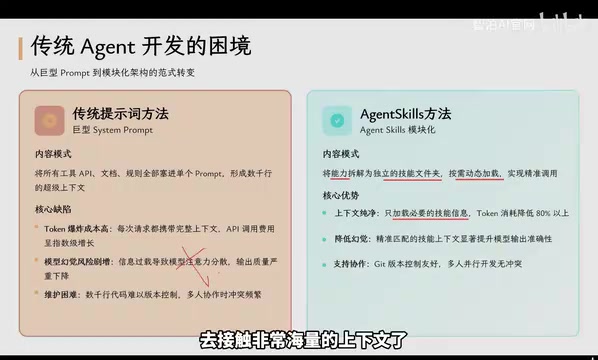
Agent Skills: Folders as Skills — Making AI Produce Precise, Template-Based Output
Agent Skills splits AI capabilities into independent skill folders with on-demand loading and progressive disclosure, cutting token costs by 80% and reducing hallucinations for template-based output.

Five Common Claude Code Mistakes — How Many Are You Making?
Five common Claude Code mistakes developers make: copy-pasting code, skipping CLAUDE.md, inefficient prompting, ignoring docs, and poor context management — with fixes.

Andrew Ng's New Course Explained: A Practical Guide to Using OpenAI's O1 Reasoning Model
Deep dive into Andrew Ng and OpenAI's Reasoning with O1 course covering test-time scaling, new prompting paradigms, multi-model orchestration, and practical applications for developers.