Cursor Deep Dive: Why This AI-Native Programming Tool Leads Traditional IDEs
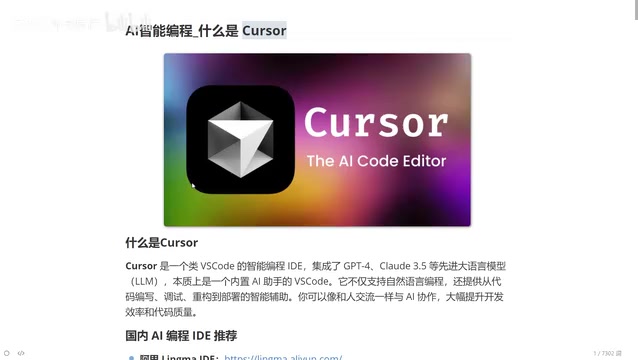
Deep dive into why Cursor's AI-native architecture outperforms traditional IDEs for developers at every level.
This article provides a comprehensive analysis of Cursor, an AI-native programming tool built from the ground up for AI collaboration. It explores Cursor's four core features — AI-native architecture, natural language code generation, deep context awareness, and multi-model switching — and compares it with traditional IDEs across six dimensions. The piece also identifies four ideal user profiles and offers a realistic assessment of AI programming tools' current limitations.
Introduction: A New AI Benchmark Redefining Programming Tools
Cursor is one of the most talked-about AI-native programming tools in recent years. Rather than simply bolting plugins onto a traditional editor, it was designed from the ground up for AI collaboration. If you've used VS Code, think of Cursor as an upgraded version that "can write code and teach you programming."
This article provides a comprehensive analysis of Cursor across its core features, differences from traditional IDEs, and target user groups — helping you decide whether this tool is worth adopting.
What Is Cursor: A Programming Environment with Built-in Top-Tier LLMs
At its core, Cursor is a programming tool integrated with the world's leading large language models. It comes with built-in access to Claude (3.5/3.7/4.0), DeepSeek, and other top-ranking models for coding, allowing users to freely switch between them. This means you can call upon the most powerful AI capabilities available at any time while writing code.
Compared to similar domestic products (such as ByteDance's Trae or Alibaba's Tongyi Lingma), Cursor currently maintains a clear lead in overall feature integration and intelligence. This is why, even with decent alternatives available, Cursor remains worth understanding and learning in depth.
Four Core Features of Cursor
AI-Native Design Architecture
Cursor isn't an existing IDE with an AI plugin "tacked on" — it was built from the software architecture level for AI interaction. This design philosophy allows AI capabilities to permeate every aspect of programming, rather than serving as a mere add-on feature.
Natural Language-Driven Intelligent Code Generation
By describing requirements in natural language, Cursor can generate complete code logic. For example, if you say "write me a login API endpoint," it understands the business requirement and outputs usable code. This interaction model dramatically lowers the barrier to programming.
Deep Context Awareness
Context awareness is one of the core bottlenecks of current large language models — they tend to "forget" earlier content as conversations grow longer. Cursor has deeply optimized this aspect, understanding project structure, variable relationships, and code dependencies to provide more precise suggestions.
Free Multi-Model Switching
Users can freely switch between Claude, Gemini, DeepSeek, and other models based on task requirements, fully leveraging each model's strengths in code generation, logical reasoning, documentation writing, and more.
Cursor vs. Traditional IDEs: A Six-Dimension Comparison
Code Completion and Generation
Traditional IDE code completion is based on syntax analysis — if you've written a function before, it will auto-suggest it next time. This completion is "mechanical," only matching existing code snippets.
Cursor's completion is fundamentally different: it understands your context, anticipates what you're about to do next, and offers intelligent suggestions. At the code generation level, traditional IDEs rely on preset templates and code snippets, while Cursor can generate complete business logic from natural language descriptions — a qualitative difference.
Problem-Solving and Error Handling Efficiency
In traditional development workflows, encountering an error typically means copying the error message and searching for solutions online — a time-consuming and inefficient process, especially painful for beginners.
Cursor has a built-in AI assistant chat window where you can paste error messages directly. It analyzes the error cause within your code context and provides fix suggestions with detailed explanations. This "on-the-spot diagnosis" experience dramatically shortens debugging cycles.
Code Comprehension and Refactoring Quality
For code comprehension, traditional IDEs offer syntax highlighting and basic structural analysis, while Cursor can deeply understand code logic and provide detailed explanations.
The difference in refactoring is even more significant. In traditional IDEs, refactoring depends entirely on the developer's experience — if you're a junior programmer, your refactored code will be junior-level. With Cursor, you simply describe your needs (e.g., "optimize this function for me"), and the AI draws on vast best practices from its training data to suggest better refactoring approaches.
This means a junior programmer using Cursor can potentially achieve code quality at a mid-to-senior level.
Interaction Methods and Overall Development Efficiency
| Dimension | Traditional IDE | Cursor |
|---|---|---|
| Interaction | Manual coding | Natural language conversation + manual coding |
| Learning Curve | Must memorize numerous shortcuts and feature locations | Most operations achievable through conversation |
| Development Efficiency | Depends on developer experience and proficiency | AI assistance significantly boosts efficiency |
| Knowledge Acquisition | Relies on search engines and documentation | Built-in AI provides real-time answers |
| Innovation Capacity | Limited by developer's knowledge scope | AI offers diverse solution approaches |
Who Should Use Cursor: Four User Profiles
Complete Programming Beginners
Even if you have zero programming experience, you can use Cursor to generate code by describing requirements in natural language. That said, to truly use it well, you should at least understand basic programming concepts so you can judge whether the AI-generated code is reasonable.
Junior to Mid-Level Developers (Greatest Value)
Cursor delivers the most value for this group. It's essentially an always-available senior programmer assistant that can write code, explain principles, troubleshoot errors, and optimize refactoring. You can compare AI-written code with your own during use, learning better programming paradigms in the process.
Senior Developers
Even programmers with ten years of experience can benefit from Cursor. Much repetitive code doesn't need to be written manually — let the AI generate it, make minor adjustments, and focus your energy on architecture design and core logic.
Cross-Language Developers
One point worth emphasizing: once you master Cursor, you can develop in virtually any programming language. Whether it's Python, Java, Go, frontend technologies, or anything else, AI can assist you with code writing. Language is no longer a barrier — business comprehension becomes the core competitive advantage.
A Realistic View of AI Programming Tools' Capability Boundaries
While Cursor's capabilities are impressive, we need to stay clear-headed:
- AI-generated code requires human review: AI can produce code that "looks correct but has logical errors" — developers need the ability to judge
- Complex business scenarios still require human leadership: AI excels at handling common patterns, but for highly customized business logic, human understanding and design capabilities remain irreplaceable
- Prompt quality determines output quality: Your ability to describe requirements directly affects AI output — this itself is a skill that needs cultivation
Conclusion: From Writing Code to Programming with AI
Cursor represents an important direction in the evolution of programming tools — from "humans adapting to tools" to "tools understanding humans." Through AI-native design, multi-model integration, and deep context awareness, it truly transforms how developers interact with code.
Whether you're a programming beginner or a seasoned developer, Cursor deserves a place in your toolbox. In the age of AI programming, the core competitive advantage is shifting from "being able to write code" to "being able to articulate requirements, understand business needs, and exercise judgment."
Related articles
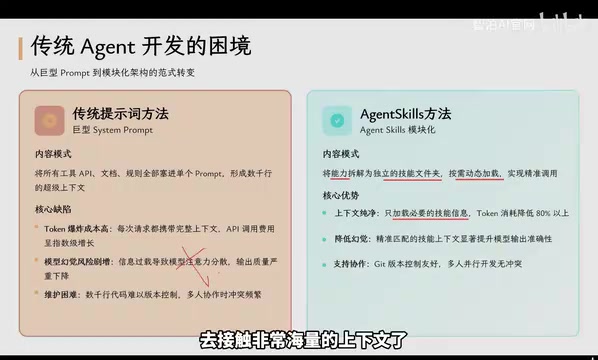
Agent Skills: Folders as Skills — Making AI Produce Precise, Template-Based Output
Agent Skills splits AI capabilities into independent skill folders with on-demand loading and progressive disclosure, cutting token costs by 80% and reducing hallucinations for template-based output.

Five Common Claude Code Mistakes — How Many Are You Making?
Five common Claude Code mistakes developers make: copy-pasting code, skipping CLAUDE.md, inefficient prompting, ignoring docs, and poor context management — with fixes.

Andrew Ng's New Course Explained: A Practical Guide to Using OpenAI's O1 Reasoning Model
Deep dive into Andrew Ng and OpenAI's Reasoning with O1 course covering test-time scaling, new prompting paradigms, multi-model orchestration, and practical applications for developers.