Cursor Practical Project Guide: Best Practices from Simple to Complex
A practical guide to using Cursor effectively across simple, standard, and complex projects.
This article provides a systematic framework for using Cursor in real-world projects. It analyzes Cursor's capability boundaries, outlines best practices for simple projects (full delegation), standard projects (structured rules, prompts, and iterative workflows), and complex projects (manual architecture with Cursor-assisted implementation), helping developers build an effective AI-assisted coding workflow.
Introduction
As AI programming tools become mainstream, Cursor has become a daily tool for many developers. However, many people lack a systematic methodology when using Cursor — they either over-rely on it and lose control of their projects, or distrust it entirely and miss out on productivity gains. This article provides a systematic overview of how to apply Cursor across different types of projects from a practical development perspective, helping developers establish the right usage strategies.
The core philosophy can be summed up in one sentence: Let Cursor handle what Cursor is good at, and do the rest yourself.
Cursor's Capability Boundaries: Where It Shines
Scenarios Where Cursor Excels
Cursor performs exceptionally well in the following scenarios:
- Rapid prototyping: Quickly scaffolding full-stack demos
- Small to medium projects: Projects with relatively standardized features
- Everyday CRUD: Routine business logic involving create, read, update, and delete operations
- Debugging assistance: Helping locate and fix bugs
Scenarios Where Cursor Falls Short
The following scenarios call for caution or avoidance when using Cursor:
- Core architecture design for large-scale projects: Involving complex system design decisions
- Pixel-perfect UI reproduction: Scenarios demanding extremely high visual precision
- Low-level performance optimization: Requiring fine-grained control over memory, rendering, etc.
- Strict security and compliance requirements: Systems in finance, healthcare, and other highly regulated domains
- Unsupervised large-scale refactoring: Batch code modifications without human review
- Over-engineering simple problems: Cursor sometimes adds unnecessary complexity
- Offline/private dependency projects: Projects relying on internal network resources
A real-world example: A developer working at Xiaomi encountered a real-time animation buffering feature for a robot that required both smooth animation and data accuracy. A colleague spent a week developing it with Cursor, but bugs kept popping up. In the end, it was hand-coded in three days with much better controllability and stability.
Simple Projects: Hand It Off to Cursor Entirely
For simple web frontend projects with relaxed requirements, you can let Cursor handle everything. There are three common generation approaches:
- Generate pages from a URL: Provide a reference website and let Cursor mimic it
- Generate pages from UI mockups: Upload design images and generate the corresponding code directly
- Generate pages from prompts: Describe your requirements in text and generate complete pages
This approach works well for personal projects, quick idea validation, or scenarios where code quality isn't a top priority.
Standard Projects: Establish a Structured Collaboration Workflow
Standard projects refer to typical business projects within a company — common features, team collaboration required, such as user management systems with standard tables, forms, and business logic. Using Cursor on these projects requires a more rigorous approach.
Setting Up Cursor Rules Files
For team collaboration, establish unified Cursor rules in the project root directory:
File path: .cursor/rules/code-rule.mdc
Basic structure of a rules file:
- Use triple dashes (
---) as delimiters for the file description - Set the scope via
Globs(e.g.,*.vue,*.ts) - Write specific rules: project basics, mandatory coding conventions, etc.
Configuring .cursorignore to Exclude Irrelevant Files
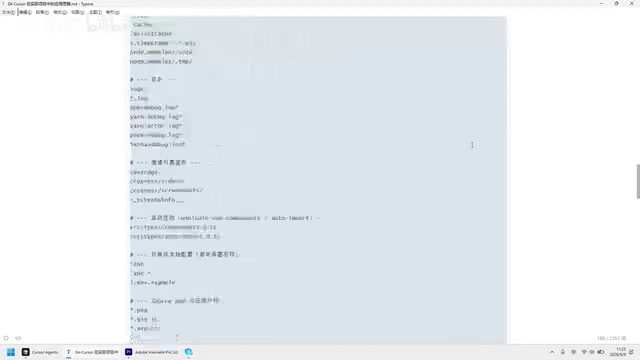
Some files in your project don't need to be read by Cursor. Excluding them improves performance. Create a .cursorignore file in the project root and list the content to exclude:
- Dependencies and lock files (
node_modules/,package-lock.json) - Build artifacts (
dist/,.nuxt/) - Tool caches (
.cache/)
Writing Structured Prompts
When sending instructions to Cursor, follow this structure (use as applicable):
- Objective: A one-liner describing what needs to be done
- Constraints: Rules files to follow, tech stack, no new dependencies, etc.
- Scope: Which files to create/modify only
- API contracts: Backend format, mock endpoints, etc.
- Acceptance criteria: What commands to run, what results to expect
- Prohibitions: What NOT to do (prevent the Agent from going overboard)
For example, a prompt to initialize a Vue 3 project:
Objective: Initialize a Vue + TS + ElementPlus + Pinia project in an empty directory. Constraints: Follow the rules file, use Vue Composition API. Files to create: package.json, App.vue, etc. Acceptance: Run npm install to install dependencies, npm run dev to start locally. Prohibitions: Do not write business pages or Pinia stores.
Five Practical Prompting Tips
Tip 1: Work in phases, iterate in small steps
Don't try to get everything done in one shot. Initialize the project first, then gradually add feature modules. Have Cursor complete only one clearly defined small task at a time.
Tip 2: Use Ask mode to understand the codebase when joining a project mid-stream
Use Ask mode (which doesn't modify code) to have Cursor walk you through the project:
"Explain this project. Point out the main entry points, key modules, and anything I should read before making changes."
Cursor will generate a project overview including the startup flow, key modules, and files recommended for priority reading.
Tip 3: Explicitly state what NOT to do
Prevent Cursor from freelancing. For example: "Pages must not call axios directly" or "Using the any type is strictly prohibited."
Tip 4: Use Ask mode during development to get suggestions
For example: "Suggest two simple, safe improvements for this project." Cursor will offer option A and option B for you to choose from.
Tip 5: Enable Plan mode for large features
Let Cursor strategize first by proposing multiple approaches. You decide which one to adopt, then have Cursor execute the implementation.
Non-Standard Projects: Manual Architecture Design + Cursor for Implementation
Non-standard projects are those with high complexity, demanding flexibility, strict standards, or where you want to preserve your personal coding style.
Recommended strategy: Build the framework and core architecture yourself, then use Cursor to fill in the specific content.
For example, with a Panel controller component whose core functionality is complex and flexible, using Cursor could introduce many uncontrollable factors. The right approach is:
- Design and implement the core architecture and data flow yourself
- Delegate the specific content displayed inside the Panel to Cursor
Four Criteria for Deciding Whether to Use Cursor
- Is the feature standardized with clear patterns?
- How high are the performance and precision requirements?
- What's the cost of errors?
- Does it require deep understanding of the business context?
If the answers to all of the above point to "high requirements," then humans should take the lead, with Cursor serving only as an assistant.
Summary: Choose Your Cursor Strategy by Project Type
The key to using Cursor in real-world project development lies in recognizing the tool's capability boundaries:
- Simple projects: Confidently hand them off to Cursor for quick results
- Standard projects: Establish rules, use structured prompts, and iterate step by step
- Non-standard projects: Maintain manual control over architecture, with Cursor assisting on implementation
More practical experience needs to be explored and accumulated through hands-on practice. Remember, Cursor is a productivity tool, not a replacement — using it wisely is the only way to truly unlock its value.
Related articles
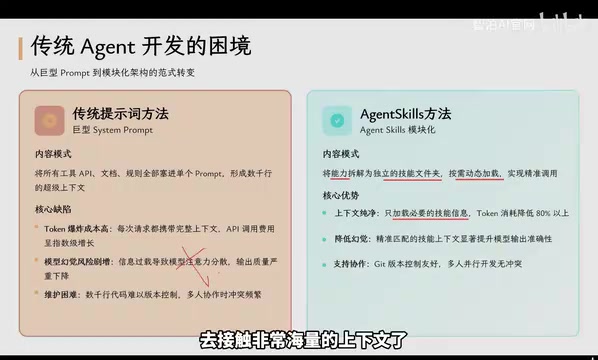
Agent Skills: Folders as Skills — Making AI Produce Precise, Template-Based Output
Agent Skills splits AI capabilities into independent skill folders with on-demand loading and progressive disclosure, cutting token costs by 80% and reducing hallucinations for template-based output.

Five Common Claude Code Mistakes — How Many Are You Making?
Five common Claude Code mistakes developers make: copy-pasting code, skipping CLAUDE.md, inefficient prompting, ignoring docs, and poor context management — with fixes.

Andrew Ng's New Course Explained: A Practical Guide to Using OpenAI's O1 Reasoning Model
Deep dive into Andrew Ng and OpenAI's Reasoning with O1 course covering test-time scaling, new prompting paradigms, multi-model orchestration, and practical applications for developers.