Developing a 2D RPG with Godot 4: A Hands-On Tutorial for Complete Beginners
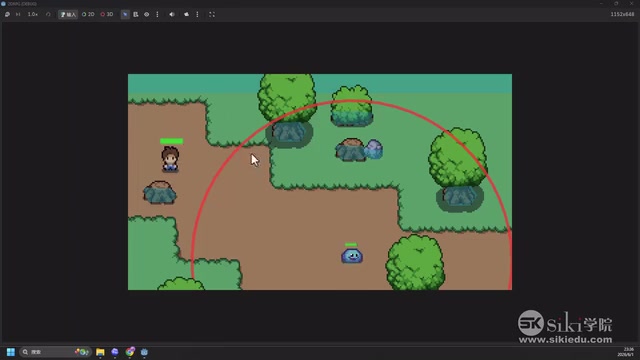
A beginner-friendly tutorial for building a complete 2D RPG game from scratch using Godot 4 and GDScript.
This hands-on course guides complete beginners through developing a 2D RPG with Godot 4 and GDScript. It covers core modules including TileMap scene building, character movement and animation, enemy AI with finite state machines, combat systems, and scene transitions with dungeon exploration. The tutorial highlights Godot 4's advantages as a lightweight, open-source engine with native 2D support and a Python-like scripting language.
Course Overview: A Complete RPG Development Project for Beginners
For anyone looking to get started with game development, choosing the right engine and a complete hands-on project is crucial. This course uses Godot 4 Engine + GDScript as its tech stack, guiding absolute beginners through building a 2D RPG game from scratch — complete with character controls, enemy AI, a combat system, and scene transitions.
Godot is a game engine originally open-sourced in 2014 by Juan Linietsky and Ariel Manzur. After nearly a decade of community-driven development, it has become one of the most popular open-source engines in the indie game development space. Godot 4, released in 2023, was a major architectural overhaul that introduced a new Vulkan rendering backend, an improved GDScript 2.0 language (with modern features like type annotations and await async support), and a rewritten physics engine. GDScript is Godot's proprietary scripting language that uses indentation-based syntax. Inspired by Python, it has been heavily optimized for game development scenarios with built-in vector operations, a signal mechanism, and node reference syntax.
While the course content doesn't directly involve AI-assisted programming with large language models, the mention of "AI tutorial" in its title suggests a possible integration of AI tools (such as code generation assistants) to speed up the development workflow. Regardless, this is an excellent small-scale, complete project for beginners to understand the full game development pipeline.
Core Technical Modules Explained
Building Game Scenes with TileMaps
TileMaps are the most fundamental and important method for constructing scenes in 2D games. The core idea behind tilemaps originated from early game hardware limitations — by breaking a scene into fixed-size tiles (typically 16x16 or 32x32 pixels) and repeatedly placing them from a pre-made tile atlas (TileSet), developers could build large scenes while drastically saving memory and art resources. From The Legend of Zelda to Stardew Valley, countless classic 2D games are built on tilemap systems.
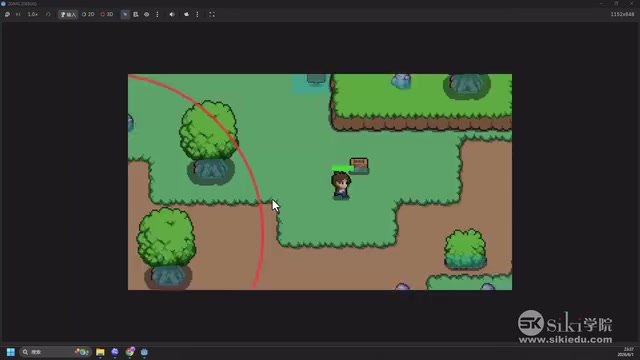
The course demonstrates how to use Godot 4's TileMap node to build game scenes, including laying down ground, walls, decorative objects, and other elements. Godot 4 completely overhauled the TileMap system, introducing a TileSet resource editor with support for multiple layers, terrain auto-connection, and per-tile configuration of physics collision shapes and navigation polygons.
For RPG games, tilemaps don't just determine the visual presentation — they're also directly tied to collision detection. Which areas are walkable and which are obstacles must be precisely configured in the TileMap. The separation of physics layers from visual layers means developers can independently set the visual appearance and collision area on the same tile. For example, a tree might visually occupy an entire tile, but its collision body is only set on the trunk, allowing the character to walk beneath the canopy without being blocked. The course starts with the collision module to help learners understand this design philosophy of separating physics and visual layers.
Character Controls and Animation System
The course covers the complete control logic for the main character, including these key components:
- Movement controls: Handling keyboard input via GDScript to implement four-directional character movement
- Animation switching: Switching between corresponding sprite animations based on the character's movement direction and state (idle, walk, attack)
- Health bar system: The main character has a visual HP bar that updates in real-time when taking damage
These seemingly simple features actually involve the coordination of multiple nodes in Godot, including AnimationPlayer and AnimatedSprite2D, making them an excellent exercise for understanding Godot's node tree architecture.
Godot's core design philosophy is "everything is a node." Every game object is a Node, and nodes form tree structures through parent-child relationships, creating Scenes. Scenes themselves can be instantiated as nodes within other scenes, enabling a high degree of modularity and reusability. The AnimationPlayer node can perform keyframe animation on any property of any node — not just position and rotation, but also color, opacity, and even variable values in code. AnimatedSprite2D, on the other hand, is specifically designed for managing sprite frame animation sequences, ideal for handling character walking, attacking, and other looping animations. This composition-over-inheritance architecture allows developers to build complex game objects by combining child nodes with different functionalities, without needing complex inheritance hierarchies.
Enemy AI and Combat Mechanics
The enemy AI in this course uses the classic area detection pattern, which is the most common approach for implementing enemy behavior in 2D RPGs:
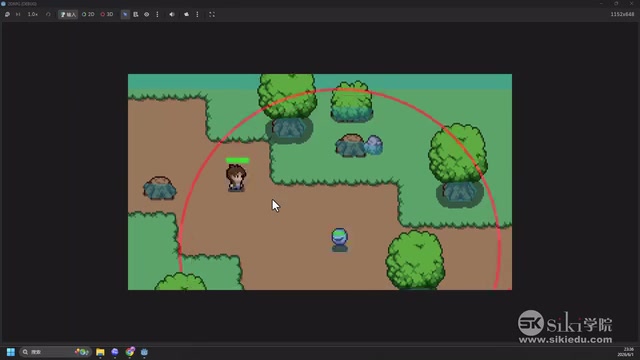
Here's how the implementation logic works:
- Patrol state: Enemies remain stationary or patrol along a fixed path by default
- Chase trigger: When the main character enters the red attack circle (an Area2D detection zone), the enemy switches to chase mode
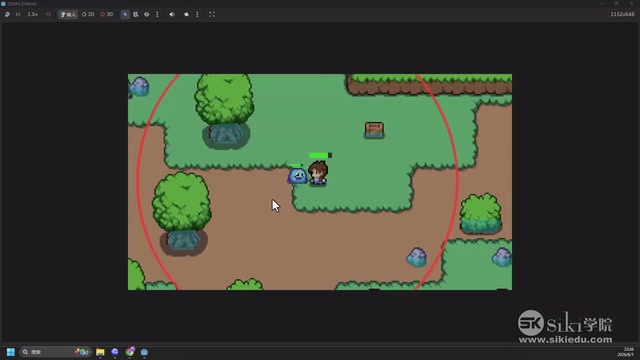
- Attack resolution: Once the enemy gets close enough to the main character, it executes an attack action, reducing the character's health bar accordingly
- Disengage mechanic: When the main character leaves the detection zone, the enemy cancels the chase and returns to patrol mode
The underlying mechanism here is the Finite State Machine (FSM) — the most fundamental and practical design pattern in game AI. The core concept is that an entity can only be in one state at any given moment (e.g., patrol, chase, attack, death), and transitions between states are triggered by specific conditions. Area2D is a Godot node used for non-physics collision detection — it doesn't produce physical collision responses (it won't push objects away) but can detect other objects entering and leaving through the Signal mechanism, making it perfect for enemy perception ranges, pickup areas, or triggers.
At the same time, the main character can also fight back against monsters, creating two-way combat interaction. While this system is simple, it fully covers the core concepts of state machines. In more complex projects, developers typically abstract the state machine into a standalone class or use Behavior Trees to handle more sophisticated AI decisions. However, for a beginner project, implementing state transitions with simple enum variables and conditional checks is more than sufficient — and it lays a solid foundation for developing more complex AI behaviors later.
Scene Transitions and Dungeon System
A complete RPG game can't have just one scene. The course demonstrates how to trigger scene transitions through specific areas — when the main character moves to a teleport point at the top of the map, they can enter a separate dungeon scene.
In the new scene, players can explore and interact independently, and return to the original scene when finished. This feature involves Godot's SceneTree management and scene instantiation, which are key concepts for understanding Godot's project architecture.
SceneTree is Godot engine's core runtime manager, responsible for maintaining the lifecycle of all active scenes, handling the frame loop (_process and _physics_process callbacks), and managing scene transitions. There are typically two approaches to scene switching: one is using get_tree().change_scene_to_file() for a complete replacement, which is simple and straightforward but loses all state from the current scene; the other is manually instantiating and adding child nodes for partial loading, which is more flexible but requires the developer to manage memory themselves. For RPG games, you usually also need Autoload (auto-loaded singletons) to persist cross-scene data like the player's health, items, and quest progress — Autoload nodes exist throughout the entire game lifecycle and are never destroyed during scene transitions, essentially serving as a global data manager.
Why Choose Godot 4 for 2D Game Development
Compared to commercial engines like Unity and Unreal, Godot 4 offers several significant advantages for indie developers and learners:
- Completely open-source and free: No revenue sharing, no licensing fees. Godot uses the MIT license, meaning developers can freely use, modify, and even redistribute the engine code without any commercial restrictions
- Lightweight: The installation package is only a few dozen MB (approximately 40-50MB), starts up quickly, and has extremely low hardware requirements — even older laptops can run it smoothly
- GDScript language: Python-like syntax with a gentle learning curve. Godot 4 also supports C# and C++ (via GDExtension) to meet different developers' needs
- Node tree architecture: An intuitive scene organization approach that's easy to understand and maintain, where each node has a single responsibility and can be flexibly combined
- Native 2D support: Unlike some engines that primarily focus on 3D and then "downscale" for 2D, Godot has an independent 2D rendering pipeline and coordinate system, delivering a very smooth 2D development experience with pixel-level precision
It's worth noting that in 2023, Unity's announcement of a per-install fee policy triggered a massive backlash from the developer community. A large number of indie developers migrated to Godot, causing its GitHub star count to skyrocket in a short period, and its community ecosystem and plugin resources grew rapidly as a result. For developers looking to quickly get started with game development and prototype creative ideas, Godot 4 is a very worthwhile investment of learning time.
Summary and Recommendations for Further Learning
The value of this course lies in providing a small but complete project that covers all the essentials. From map construction to character controls, from enemy AI to scene management, it covers the core aspects of 2D RPG development. For beginners, following along with a complete project like this is far more efficient than learning individual concepts in isolation — this project-driven learning approach helps developers build a holistic understanding of the entire game development pipeline and understand how different systems work together.
After completing the course, learners are encouraged to try the following extension exercises to reinforce what they've learned:
- Add more enemy types with different AI behavior patterns (e.g., ranged attacks, group coordination)
- Implement item pickup and inventory systems (involving data structure design and UI development)
- Add NPC dialogue functionality (explore Godot's DialogueManager plugin or build your own dialogue tree)
- Try using AI programming tools (such as Cursor or GitHub Copilot) to assist with writing GDScript code, and experience how AI can accelerate repetitive coding tasks in game development
Through continuous iteration and expansion, a simple tutorial demo can absolutely evolve into an engaging indie game. This is precisely the charm of game development — every small feature you implement provides immediate visual feedback and a sense of accomplishment, and the continuous accumulation of these small features ultimately builds a complete game world.
Related articles
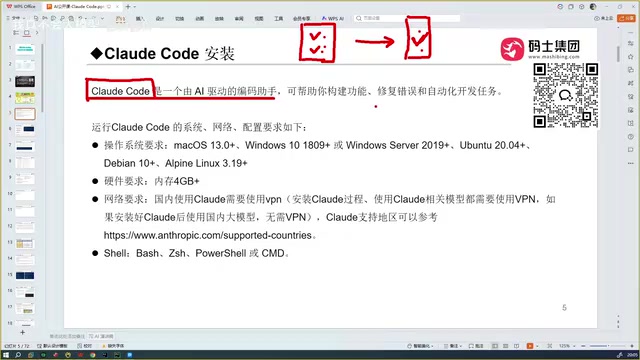
Getting Started with Claude Code: Core Advantages, Tool Comparisons, and Installation Guide
Deep dive into Claude Code's core strengths: full project context understanding, top-tier code accuracy, and plugin-based integration. Compares Cursor, Copilot, Trae, and covers setup essentials.
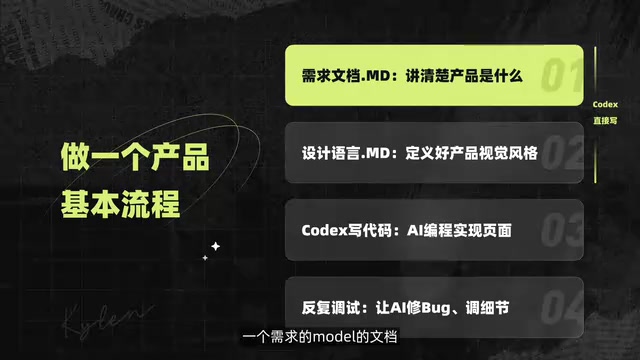
Codex Generates a WeChat Mini Program from a Single Prompt: A Complete Walkthrough from Requirements to Launch
Learn how to build a WeChat Mini Program from scratch using OpenAI Codex through pure conversation — covering requirements, design specs, code generation, and debugging.
DeepSWE Benchmark Deep Dive: Exposing SWE-Bench Flaws and the True Coding Ability Rankings
Deep dive into how DeepSWE exposes SWE-Bench Pro's data contamination and cheating issues. GPT-5.5 leads at 70%, open-source models lag far behind. Covers results, cost comparisons, and practical developer advice.