Codex Generates a WeChat Mini Program from a Single Prompt: A Complete Walkthrough from Requirements to Launch
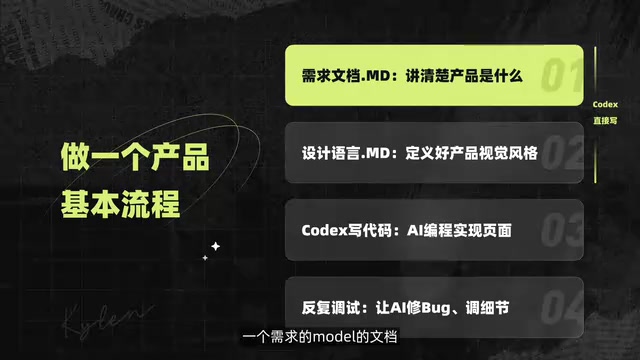
Build a complete WeChat Mini Program using OpenAI Codex through pure natural language conversation.
This article breaks down a real-world case study of building a WeChat Mini Program entirely through conversation with OpenAI's Codex. The four-step workflow covers generating a requirements document, creating a design specification from a visual reference image, auto-generating all code, and iteratively debugging through dialogue — no manual coding required.
Introduction: Building a WeChat Mini Program Through Pure Conversation — Without Writing a Single Line of Code
Have you ever imagined building a complete WeChat Mini Program without writing a single line of code? A Chinese tech YouTuber (Bilibili creator) recently shared a hands-on case study — using OpenAI's Codex programming tool to build a weight management WeChat Mini Program from scratch through pure conversation. The entire process required no manual coding; all instructions were given in natural language, and the AI automatically generated code, debugged issues, and refined UI details.
This article provides a complete breakdown of the workflow, helping you understand how to efficiently build your own Mini Program project using Codex.
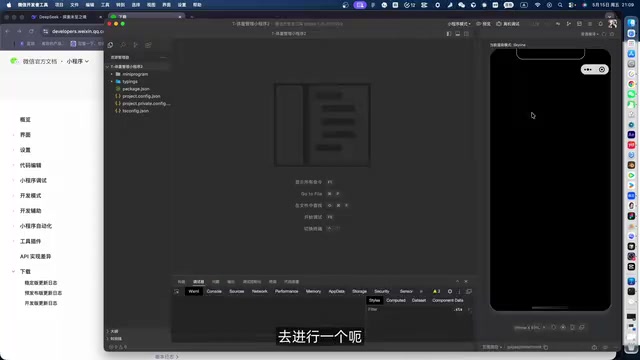
Tool Setup: Codex Desktop + WeChat Developer Tools
The entire project used only two core tools:
- Codex Desktop: OpenAI's AI programming tool, available for download directly from the official website. It handles all programming tasks — understanding requirements, generating code, debugging, and fixing issues. Codex is a specialized coding assistant built on GPT-series large language models, with core capabilities derived from pre-training on massive open-source code repositories. Unlike general-purpose chatbots, Codex Desktop provides full project-level code management — it can perceive the entire project's file structure, understand inter-file dependencies, and perform cross-file code generation and modification. This project-level context understanding is what distinguishes it from simple code completion tools (like early GitHub Copilot). Codex Desktop also includes a built-in sandbox execution environment that can automatically run tests after generating code to verify correctness, creating a closed-loop workflow of "generate → verify → fix."
- WeChat Developer Tools: The official Mini Program development IDE provided by WeChat, used for project preview, debugging, and launch configuration. Also available as a free download from the official website.
One critical setup step to note: the project folder created in Codex must share the same path as the project created in WeChat Developer Tools, so that code changes sync to the preview interface in real time.
It's worth understanding that WeChat Mini Programs use a unique front-end technology framework that shares similarities with traditional web development but also has significant differences. It uses WXML (an HTML-like markup language) to describe page structure, WXSS (a CSS-like styling language) to define visual styles, JavaScript for business logic, and JSON files for page and component configuration. Each Mini Program page consists of these four file types, following the MVVM (Model-View-ViewModel) architecture pattern. WeChat also provides a rich official component library (such as picker, scroll-view, swiper, etc.) and API interfaces (such as local storage wx.setStorageSync, network requests wx.request, etc.), allowing developers to implement most common features without third-party libraries. Because the Mini Program's technical specifications are relatively closed and standardized, AI models have already encountered a large number of similar code patterns in their training data, enabling them to generate Mini Program code quite effectively.
Four-Step Workflow: From Requirements to a Working Product
Step 1: Use Codex to Generate a Requirements Document
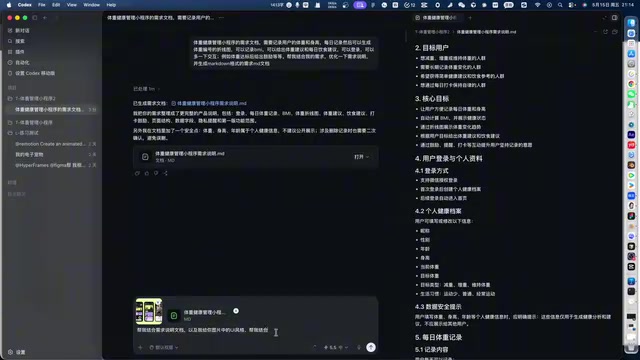
Building a Mini Program is like building any product — the first step is clearly defining the requirements. The creator provided Codex with a detailed description of the "weight management Mini Program's" functional positioning and core features, letting the AI automatically output a comprehensive requirements specification document (in MD format).
The key insight here: you don't need to write the product document yourself — just tell the AI what you want in natural language. Codex will organize the feature modules and interaction logic for you, outputting a structured requirements specification.
In traditional software engineering, a requirements document (such as a PRD, Product Requirements Document) serves as the communication bridge between product managers and development teams. In the AI programming context, the role of requirements documents has undergone a subtle shift — it's no longer just for humans to read, but is an advanced form of "Prompt Engineering" designed for the AI. A structured MD-format requirements document is essentially a carefully organized super-long Prompt that provides the AI with clear functional boundaries, interaction logic, and acceptance criteria. Compared to simply asking the AI to "build a weight management Mini Program" in one sentence, a detailed requirements document can improve AI output quality by orders of magnitude, because it drastically reduces the space where the AI needs to "guess."
Step 2: Provide Visual References to Generate a Design Specification
With requirements defined, the next step is visual design. The creator used a clever approach — providing the AI with a design reference image (mood board/inspiration image), letting Codex analyze the color scheme and visual language from the image to automatically generate a design specification document.
A mood board is a widely used visual communication tool in the design industry, typically composed of a collage of images, color swatches, font samples, and material textures, used to quickly align design direction at the beginning of a project. In the context of AI-assisted design, the value of mood boards is further amplified — multimodal AI models (such as GPT-4o, GPT-4.5, etc.) can "understand" visual elements in images and convert them into actionable design parameters. For example, AI can extract hex color values for the primary palette from a dark-themed reference image, identify a preference for rounded card design language, and recognize the use of sans-serif fonts. This automatic conversion from visual to parameters eliminates the work of manually writing Design Tokens.
This design specification was highly detailed, covering:
- Font sizes and hierarchy standards
- Card layout and spacing definitions
- Overall color scheme
- Text language style
- Icon design guidelines
The creator chose Codex's 5.5 model for content generation. He noted that generation speed was "not very fast" and suggested that users with limited tokens should opt for standard mode. In large language models, a token is the basic unit of text processing — roughly 1-2 tokens per English word, and about 1-2 tokens per Chinese character. The model's inference process consumes both input tokens (the context and instructions provided by the user) and output tokens (the AI-generated response). High-performance models like version 5.5 typically offer stronger reasoning capabilities and longer context windows, but each call also consumes more tokens, corresponding to higher API costs. This is why the creator recommended standard mode for users with limited tokens — standard mode uses a smaller model that, while potentially slightly lower in generation quality, significantly reduces token consumption for better cost-effectiveness.
Step 3: Codex Automatically Generates All Code Based on the Documents
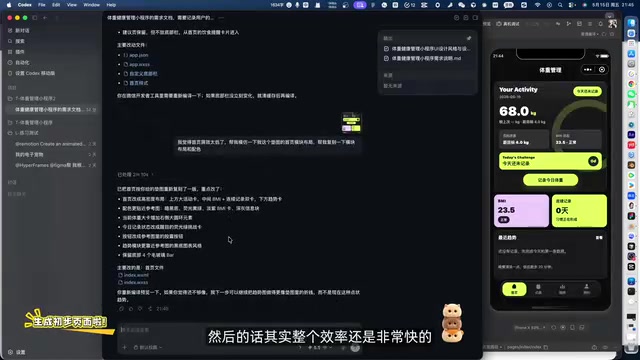
With the requirements document and design specification as the "blueprint," the next step is the core phase — having Codex combine both documents to automatically generate all the Mini Program's code.
The creator first had the AI create the necessary folder structure, then instructed it to generate code page by page based on the requirements and design specifications. Throughout the process, Codex:
- Divided pages according to the feature modules in the requirements document
- Wrote styles following the color scheme, fonts, and layouts from the design specification
- Automatically utilized WeChat's official component library to implement interactive controls
You might not have noticed, but the creator did not use Figma MCP (a solution for converting design mockups directly to code). Instead, he relied purely on conversation to help the AI understand design intent and generate code. Figma MCP (Model Context Protocol) is an open protocol proposed by Anthropic that allows AI models to directly connect to external tools and data sources. In the design-to-code scenario, the Figma MCP plugin lets AI directly read layer structures, style properties, component relationships, and other precise data from Figma design files, then generate front-end code based on this pixel-accurate design information. The advantage of this approach is extremely high fidelity, since the AI receives structured design data rather than vague image descriptions. However, the barrier to entry is also higher — it requires a designer to first complete a full design in Figma and configure the MCP server and corresponding plugins. The creator chose to skip this step, generating code directly through conversation plus reference images. While less precise than the MCP approach, this dramatically reduced workflow complexity and is much more accessible for users without a design background. Judging from the final results, this approach already produces quite impressive interfaces.
Step 4: Conversational Debugging — Fixing Bugs and Polishing Details
Once the initial code was generated, the work was far from done. What followed was an iterative process — through ongoing conversation, having Codex help with:
- Bug fixes: Describe functional logic issues directly to the AI for it to locate and fix
- UI detail adjustments: Spacing issues, inconsistent icon styles, color scheme tweaks — all handled through natural language instructions
- Interaction experience optimization: Settings page layout, control response behavior, etc.
The core philosophy at this stage: treat Codex as an on-call full-stack developer — you just need to play the product manager and provide feedback. This human-AI collaboration model is essentially a new form of "Pair Programming" — in traditional pair programming, two developers take turns coding and reviewing, while in AI-assisted development, humans handle requirements definition and quality control, and AI handles code implementation and modification execution. This division of labor enables people without programming skills to participate in the core software development process.
Final Result: A Dark-Themed Weight Management Mini Program
The finished product is a dark-themed weight management Mini Program with an eye-catching color scheme and clear visual hierarchy. From the mobile preview:
- Dark background with bright accent colors, maintaining a unified visual style
- Automatic use of WeChat's official components for a native, smooth interaction experience
- Consistent icon style with well-organized card layouts
- Complete page structure with real-world usability
The creator was satisfied with the results generated purely through conversation, noting that even without using Figma design-to-code conversion, the outcome was already quite impressive.
Practical Takeaways from Building a Mini Program with Codex
From this case study, several valuable lessons can be distilled:
1. The requirements document is the foundation — don't rush to have AI write code. Invest time upfront to clearly describe your requirements and let Codex generate a structured requirements document. The quality of this document directly determines the quality of the subsequent code. In prompt engineering practice, this is known as a macro-level application of the "Chain of Thought" strategy — rather than demanding the final result in one step, you guide the AI through intermediate steps to produce higher-quality output.
2. A visual reference image is worth a thousand words. Instead of describing your desired design style in text, give the AI a reference image directly. Codex can extract color schemes, layouts, and mood from images to generate precise design specifications. This leverages the visual understanding capabilities of multimodal large models — the model doesn't just "see" pixel information in images but also understands the design intent and aesthetic tendencies embedded within them.
3. Progress step by step — don't try to do everything at once. Generate the requirements document first, then the design specification, and finally the code. Each step builds on the output of the previous one, forming a progressive workflow. The underlying logic: although large language models' context windows are continuously expanding, processing too much information at once still leads to attention dispersion and degraded output quality. A step-by-step approach keeps each conversation round focused on a clear objective, resulting in higher-quality output.
4. Iterative refinement is inevitable. AI-generated code won't be perfect on the first try, but through continuous conversational modifications, you can gradually approach the ideal result. The key is patience — treat Codex as a collaborator that requires ongoing communication.
Conclusion: How AI Programming Is Changing Mini Program Development
This case study demonstrates the real capability boundaries of current AI programming tools — they can already help non-professional developers independently complete a full WeChat Mini Program project. While the process still requires human input for requirements definition and aesthetic judgment, the traditionally most time-consuming tasks — coding, debugging, and UI implementation — can now be largely delegated to AI.
From a broader perspective, this shift is redefining what it means to be a "developer." In the past, a developer's core competency was the ability to write code; in the AI programming era, that core competency is migrating toward "the ability to accurately describe requirements" and "the ability to evaluate output quality." This means product managers, designers, and even entrepreneurs with no technical background can potentially use AI tools to rapidly transform their ideas into working software products.
For readers who want to give it a try, I recommend starting with a simple utility Mini Program and following the four-step process of "requirements document → design specification → code generation → iterative refinement." You'll gain an intuitive understanding of what AI programming can really do.
Key Takeaways
Related articles

AITS Hands-On Review: API + Web + App Automated Testing All in One Platform
In-depth review of AITS: an AI testing platform covering API automation, Web automation, App real-device cloud testing, and performance testing end-to-end.
Codex vs Claude Code vs Cursor: How to Choose the Right AI Coding Tool
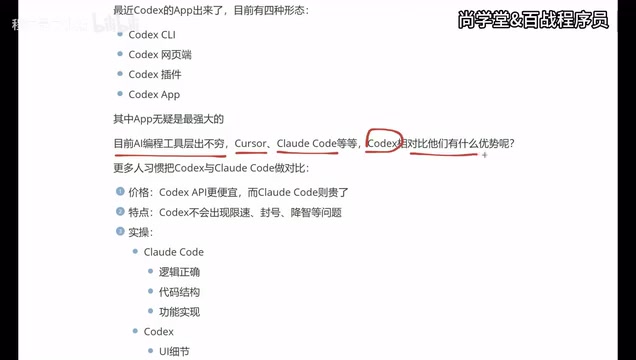
In-depth comparison of Codex, Claude Code, and Cursor: pricing, stability, and capabilities. Codex excels at frontend UI, Claude Code at backend logic, Cursor remains a stable veteran. Find your best AI coding tool.
Hermes Jarvis Deep Dive: The Voice-Driven All-in-One AI Assistant
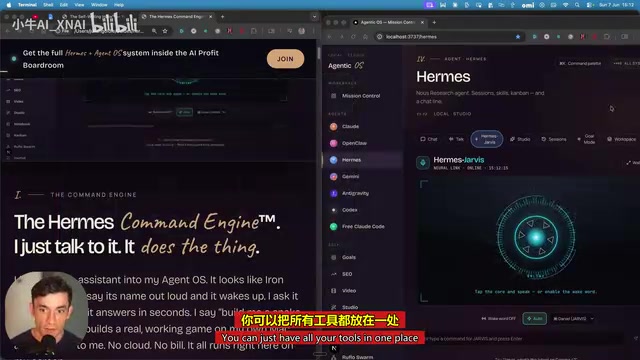
Deep dive into Hermes Jarvis voice AI assistant: its core features, five-layer architecture, multi-model integration, system-level control, and the future of voice-driven AI development.