Codex vs Claude Code vs Cursor: How to Choose the Right AI Coding Tool
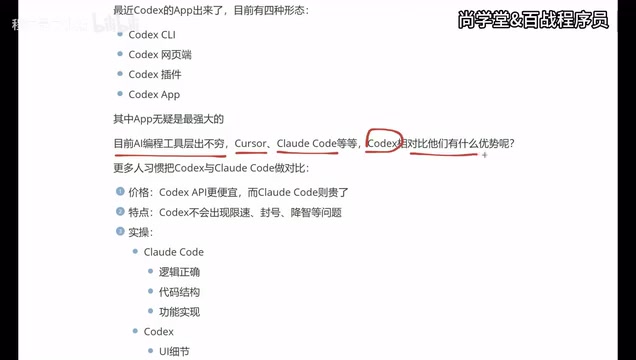
Comparing Codex, Claude Code, and Cursor to help developers pick the right AI coding tool.
This article provides a deep comparison of three leading AI coding tools — Codex, Claude Code, and Cursor — across pricing, stability, and development capabilities. Codex stands out for its affordable standalone app and frontend/UI strengths, while Claude Code excels in backend logic and architecture. Cursor remains a reliable AI-native IDE. The best strategy: learn all three and switch based on project needs.
AI Coding Tools Enter the Era of Three Giants
The competition among AI coding tools has reached a fever pitch. From the early days of GitHub Copilot to Cursor, and now Claude Code and OpenAI Codex, developers have more choices than ever. But the tools that truly stand in the top tier are really just three: Cursor, Claude Code, and Codex.
The evolution of AI coding tools traces back to 2021, when GitHub Copilot launched its first public preview. Built on OpenAI's Codex model (a code-fine-tuned version of GPT-3), Copilot was the first to bring LLM-powered code generation to everyday developers as an IDE plugin. The space heated up rapidly after that: in 2023, Cursor burst onto the scene with its AI-native IDE concept, elevating AI capabilities from "autocomplete assistance" to "conversational programming." Between 2024 and 2025, Anthropic released Claude Code and OpenAI launched its next-generation Codex, marking the evolution of AI coding tools from simple code completion to intelligent coding agents capable of understanding project context and executing multi-step tasks.
Recently, OpenAI's Codex launched a standalone app, joining its existing CLI terminal, web interface, and plugin forms — giving Codex four distinct usage modes. This has prompted many developers to reconsider: in an era overflowing with AI coding tools, is Codex truly worth adopting as a primary tool?
Codex's Four Forms: The Standalone App Is the Most Powerful
Codex currently offers four ways to use it:
- CLI (Command Line Terminal): Ideal for developers who prefer terminal-based workflows
- Web Interface: No installation needed — just use it in your browser
- IDE Plugin: Integrates into development tools like VS Code
- Standalone App: The newest and most feature-complete form
CLI (Command Line Interface) is one of the most primitive yet efficient ways for developers to interact with computers. In the context of AI coding tools, the CLI form means developers can interact with AI directly in the terminal using natural language commands. The AI reads the current project's file structure and code content, then executes modifications directly in the file system. The advantages include: no need to leave your terminal workflow, seamless integration with version control tools like Git, and support for scripting and automation.
In the past, most developers used Codex as a plugin integrated into various IDEs. But with the launch of the standalone app, things have changed — the app form is clearly superior to the other three in terms of feature completeness and user experience. The standalone app represents the evolution of AI coding tools from "plugin" to "platform." Traditional IDE plugins are constrained by the host editor's API and UI framework, limiting their room for feature expansion. A standalone app can design its own interaction interface, manage multiple project contexts, and provide richer visual feedback (such as code diff previews, task progress tracking, multi-agent parallel workflows, etc.). When used alongside traditional development tools like VS Code, it delivers the best results.
For developers who aren't fans of terminal-based CLI workflows, the app form is undoubtedly a more user-friendly choice.
Codex vs Claude Code: The Frontend vs Backend Preference Divide
Many people naturally compare Codex and Claude Code side by side, and indeed these two are currently the most representative AI coding tools. Looking across multiple dimensions, each has its own strengths and weaknesses.
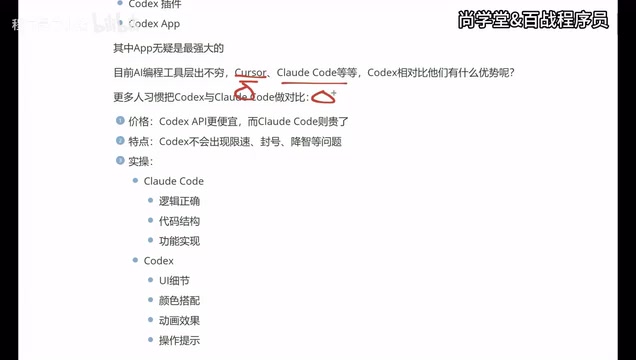
Price Comparison: Codex Is More Affordable
From a pure pricing perspective, Codex's app version is cheaper, while Claude Code's usage costs are relatively higher. For individual developers or budget-constrained teams, Codex has the edge in cost-effectiveness.
Stability Comparison: Codex Offers a Smoother Experience
Claude Code has a particularly frustrating issue — rate limiting and account bans. Many developers have reported that during high-frequency usage, Claude Code triggers rate limits or even account suspensions, seriously disrupting workflow continuity.
The technical root cause lies in the enormous computational cost of LLM inference. Each code generation request consumes GPU resources, especially when processing long contexts (such as reading an entire project codebase), where a single request can consume tens or even hundreds of thousands of tokens. Claude Code uses a subscription-based model, and when users send a large volume of requests in a short period, the system triggers rate limiting to protect service stability. Some users may even trigger the risk control system — leading to account bans — due to unusual usage patterns (such as API proxying or multi-user account sharing).
By comparison, Codex performs much better in this regard, with no rate limiting or account ban issues. As for "quality degradation" (where model output quality drops), while some users have reported it, the effect isn't noticeable in practical use. "Quality degradation" is a widely discussed phenomenon in AI tool user communities, referring to the possibility that during high-load periods or under certain conditions, AI providers may route user requests to smaller or older model versions, resulting in lower output quality. Users may perceive degradation as: simpler code suggestions, reduced context understanding, or generated code requiring more manual fixes. However, this phenomenon is often difficult to definitively confirm, since model outputs are inherently stochastic.
Capability Focus: Codex for Frontend, Claude Code for Backend
This is a particularly interesting finding and the most noteworthy difference in practical use:
-
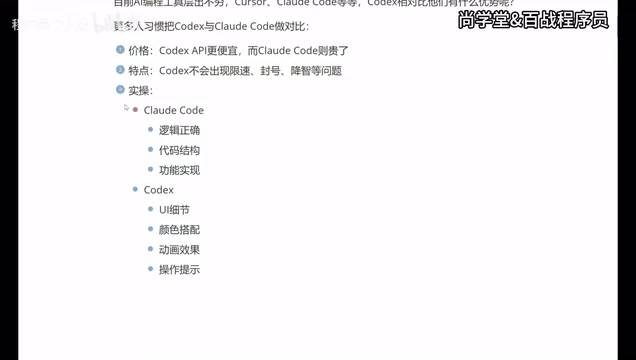
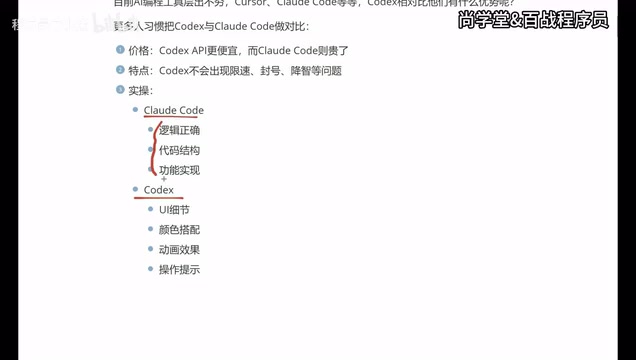
Claude Code leans toward logical correctness, code structure, and functional implementation, excelling in backend development scenarios. It has stronger capabilities in understanding complex business logic and managing code architecture, making it a favorite among backend developers.
-
Codex pays more attention to UI details, color schemes, animations, and interaction prompts, with clear advantages in frontend and app development scenarios. For projects requiring polished interface presentation, Codex-generated code tends to deliver better visual results.
This capability difference likely stems from differences in training data distribution and RLHF (Reinforcement Learning from Human Feedback) tuning directions of the underlying models. OpenAI's models may have incorporated more high-quality code samples from frontend frameworks (React, Vue, Tailwind CSS, etc.) during training, with greater emphasis on visual presentation quality during evaluation. Anthropic's Claude series, on the other hand, is known for its logical reasoning capabilities — its "thinking" mechanism makes it particularly strong at handling complex business logic, data flow design, and system architecture. Additionally, the two have different "aesthetic preferences" in code generation: Codex tends to produce UI code with refined animations and interaction details, while Claude Code prioritizes functional correctness and architectural soundness.
This difference means that your choice of tool largely depends on your development focus. If you primarily work on frontend or mobile development, Codex may be the better fit. If you focus on backend services and complex logic, Claude Code's advantages are more pronounced.
Master All Three: Cursor, Claude Code, and Codex
While each tool has its own strengths and ideal use cases, the practical advice is: you should learn to use all three. The reasons are simple:
- Different companies may provide accounts for different tools — you may not always get to choose freely
- Different projects suit different tools — flexible switching maximizes efficiency
- Tools iterate rapidly — today's weakness might be fixed tomorrow
It's worth noting that Cursor represents the AI-native IDE philosophy, where AI capabilities are a core design principle rather than an add-on feature. Traditional IDEs (like VS Code and IntelliJ) are designed around classic features such as file editing, syntax highlighting, and debugging, with AI layered on top via plugins. An AI-native IDE redesigns the interaction paradigm from the ground up: supporting natural language commands to directly manipulate code, providing AI-aware code navigation, built-in multi-file editing capabilities, and semantic (rather than syntactic) code understanding. Cursor is built on VS Code's open-source version (Code OSS), preserving the familiar interface while deeply integrating AI conversation, code generation, and project-level refactoring capabilities. This gives it the closest experience to traditional development among the three.
Looking at one developer's real usage journey: they initially used Cursor for over six months and found it solid, but the price was steep, and every renewal was painful. They then switched to Claude Code with domestic model integration, which lowered costs but compromised the experience. Ultimately, they settled on Codex's app form, finding the best balance among price, experience, and stability.
Which AI Coding Tool Should Beginners Choose?
For those with no programming experience, Codex is likely the most beginner-friendly starting point. Here's why:
- The app form lowers the barrier to entry — no complex environment setup required
- Focus on UI presentation — generated results are more intuitive and easier to verify
- Lower price — smaller cost of trial and error
- No rate limiting or account bans — your learning process won't be interrupted
Of course, as your skills grow, it's advisable to gradually master Cursor and Claude Code to build a complete AI coding toolkit. In a real development workflow, the three can complement each other: use Cursor for daily coding and rapid iteration, Claude Code for complex backend architecture design and logic implementation, and Codex for fine-tuning frontend interfaces and visual polish. This combined approach maximizes the efficiency gains that AI coding tools can deliver.
Summary: Choosing the Right AI Coding Tool
When it comes to choosing AI coding tools, there's no absolute "best" — only "best fit." Codex, with its standalone app form, lower pricing, and superior frontend development experience, is becoming the go-to choice for an increasing number of developers. But Claude Code's strengths in backend logic are equally hard to ignore, and Cursor, as a veteran player, still maintains a loyal user base.
The smartest strategy is: learn all three and switch flexibly based on project needs. After all, in the AI era, tools are just means to an end — what matters is getting projects done efficiently.
Related articles

Claude Code vs Codex: A Deep Comparison — Who Wins When the Tech Converges
Deep comparison of Claude Code vs OpenAI Codex across first-mover advantage, architecture, market share, and reliability. Discover what truly matters when AI coding tools converge.
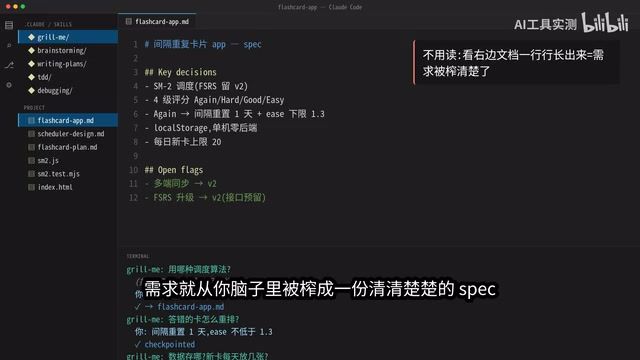
5 Daily Claude Code Tips: Let AI Interrogate You Instead
5 daily Claude Code tips: Grill Me for requirements, Brainstorming for architecture, Writing Plan for execution, TDD for testing, and Debugging for precise fixes — a complete AI coding workflow.

AITS Hands-On Review: API + Web + App Automated Testing All in One Platform
In-depth review of AITS: an AI testing platform covering API automation, Web automation, App real-device cloud testing, and performance testing end-to-end.