AITS Hands-On Review: API + Web + App Automated Testing All in One Platform

Hands-on review of AITS: one platform for API, Web, App automation and performance testing.
This article provides a hands-on review of AITS (AI Testing System), an all-in-one AI-powered testing platform. It covers seven core modules including a smart quality dashboard, API automation with intelligent parameter orchestration, Web automation with smart element locating, App real-device cloud testing, automated performance testing with bottleneck detection, and a universal workspace for cross-project reuse of assertions, data pools, and environment variables.
The Efficiency Trap for Testers
Anyone in software testing knows the drill: you spend the morning writing API test scripts, then move on to Web automation, then wrestle with App compatibility testing, and finally pull an all-nighter running performance tests and manually assembling reports. By the end of the day, you feel like a factory assembly line worker.
We've all bookmarked a ton of AI tools, but very few actually help us leave work on time. Today we're looking at AITS (AI Testing System), which claims to handle API, Web, App, and performance testing all in one place — feed in your requirements, and get results in one shot. Is this just marketing hype, or does it actually deliver? Let's break it down across seven core modules.
Getting Started: Registration and Environment Setup
AITS's account system is noticeably different from traditional testing platforms. It uses an organizational structure based on enterprise workspaces and team members. The registration process itself isn't complicated — you can complete account registration, workspace creation, and team member invitations within five minutes.
What you might not realize is that the interface configuration after entering the platform directly affects your subsequent experience. It's recommended to adjust workspace layout, default environment variables, and other basic settings right from the start to avoid repeated modifications later. This step seems simple, but sharpening the axe before chopping wood saves time in the long run.
Smart Dashboard: Say Goodbye to Manual Data Aggregation
This is one of AITS's most differentiated features. In the traditional workflow, when your boss asks "How's the quality of this release?" or "Where are the performance bottlenecks?", testers typically need to dig through logs, review charts, and piece together reports — half a day gone just like that.
AITS's Smart Dashboard presents test results directly as a visual overview:
- Pass rates at a glance
- Failed test cases pinpointed precisely
- Performance bottlenecks automatically tagged to specific endpoints
This means when it's time to report, just open the dashboard and you have a ready-made quality report — no more manually cobbling together data. For test team managers, this feature is especially valuable — it's essentially a real-time quality data hub that aggregates results scattered across various testing phases into a unified view, transforming quality status from "post-hoc summaries" to "real-time visibility."
API Automated Testing: No More Hand-Crafting Interface Scripts
What's the most annoying part of writing API tests? Configuring parameters, setting up interface dependencies, writing assertion rules — these highly repetitive "grunt work" tasks eat up enormous amounts of time.

AITS's core capabilities in API automated testing include:
Smart Import and Parameter Orchestration
It supports quick import of API documentation (such as Swagger/OpenAPI format) and automatically identifies parameter dependencies to complete orchestration. Swagger (now renamed OpenAPI Specification) is currently the most mainstream RESTful API description standard in the industry. Through a structured JSON or YAML file, it fully defines an API's endpoint paths, request methods, parameter types, response formats, authentication methods, and more. Once a development team maintains this documentation, testing tools can directly parse it to auto-generate request templates, eliminating the need for manual packet capture and reverse-engineering of interfaces. The fact that AITS can import these standardized documents means it can seamlessly integrate into most modern development team workflows.
Interface call chains that previously required manual mapping are now automatically configured by AI. In real business scenarios, interfaces often have complex data dependencies — for example, the Token returned by a login endpoint needs to be passed to all subsequent requests, and the order ID returned by an order creation endpoint needs to serve as an input parameter for the payment endpoint. This upstream-downstream data passing is known as "interface correlation" or "parameter orchestration" in the testing field. The traditional approach requires testers to manually write extraction rules (such as JSONPath or regular expressions) to extract fields from upstream interface responses and inject them into downstream interface request parameters. When the number of interfaces reaches hundreds or even thousands, manually mapping these dependency chains is extremely time-consuming and error-prone. AITS uses AI to automatically analyze data flow between interfaces, dramatically simplifying this process.
One-Click Assertion Rules
Built-in common assertion templates provide one-click application for scenarios like status code validation, field value matching, and data structure verification. Interface scripts that used to take half a day to write can now be generated in minutes, and they can be directly reused when switching projects.
For projects with a large number of interfaces, the efficiency improvement is orders of magnitude.
Web Automated Testing: Say Goodbye to Manual Click-Click-Click
Still manually clicking through Web pages, visually inspecting results, and then writing test cases? AITS's Web workspace provides two key capabilities:
Smart Element Locating
The biggest headache in traditional Web automation is unstable element locating, especially with dynamic elements and iFrame nesting scenarios. To understand this pain point, you need to know the underlying mechanics of Web automated testing: mainstream solutions are based on frameworks like Selenium or Playwright, which locate DOM elements on pages using IDs, CSS selectors, XPath, and other methods. However, modern frontend frameworks (such as React and Vue) heavily use dynamically generated class names and virtual DOM, causing traditional fixed selectors to break easily when pages are updated. iFrame nesting is another classic pain point — browsers treat iFrames as independent document contexts, and automation scripts need to explicitly switch contexts to interact with elements inside them, which becomes especially complex in multi-layer nesting scenarios.
AITS uses a smart locating algorithm that considers multiple dimensions including element text content, relative position, and attribute stability to automatically select the most stable locating strategy, dramatically reducing script maintenance costs.
Operation Recording and Script Generation
You walk through a page flow once, and AITS records it and generates reusable automation scripts. Next time you run regression tests, just execute the scripts — no need to repeat manual verification.
In practice, it's worth noting that dynamically loaded elements and complex iFrame scenarios may still require manual adjustments, but compared to writing scripts from scratch, the workload is significantly reduced.
App Automated Testing: Real Device Cloud Testing in One Go
The biggest pain point in App testing isn't writing scripts — it's not having enough devices and struggling with environment setup. Just configuring ADB and various emulator environments can eat up half a day.
It's worth explaining the background of ADB here: ADB (Android Debug Bridge) is the official command-line debugging tool provided by Android and is the underlying dependency for virtually all Android automated testing. Through ADB, testing tools can install applications, capture screenshots, simulate touch operations, read logs, and more. However, ADB environment configuration has always been a barrier to entry for mobile testing: driver compatibility issues, USB debugging authorization, and ROM customization differences across manufacturers can all cause connection failures. The iOS side is even more restrictive, requiring reliance on the Xcode toolchain and Apple's developer certificate system. This underlying environment complexity is the fundamental reason many testing teams invest enormous amounts of time in mobile testing.

AITS's App workspace bridges real device testing and cloud testing environments. The core workflow includes:
- One-click app installation: Upload an APK/IPA and it's automatically distributed to target devices
- Script recording: Operate on a real device once, and test scripts are automatically generated
- Cross-device compatibility testing: One set of scripts runs in parallel across multiple devices
No need to wrestle with ADB drivers and environment configuration yourself — the platform encapsulates all the underlying infrastructure. This is especially friendly for small and medium-sized teams — no need to purchase a cabinet full of test devices just for compatibility testing.
Performance Testing: Auto-Generated Reports, Auto-Located Bottlenecks
Performance stress testing has always been the most time-consuming part of testing work: building scenarios, configuring parameters, running scripts, monitoring curves, writing reports — the whole process often means working late into the night. Traditional performance testing typically uses open-source tools like JMeter, Gatling, or Locust, where testers need to manually configure thread groups, set up gradual load-increase strategies, monitor server resources, and then manually analyze bottlenecks from massive amounts of data. This process demands significant performance engineering experience from testers and is the primary reason performance testing is so time-consuming.
AITS highly automates this entire workflow — after scripts finish running, reports are automatically generated with key metrics clearly displayed:
- TPS (Transactions Per Second): The core metric for measuring system throughput, representing the number of business transactions the system can successfully process per unit of time
- Response time distribution: Typically focuses on P90, P95, and P99 percentile values — meaning the time within which 90%/95%/99% of requests complete, which reflects real user experience better than averages
- Error rate trends: As concurrent load increases, the error rate curve intuitively reveals the system's pressure tolerance limits
- Automatic bottleneck endpoint tagging: The system automatically identifies endpoints with abnormal response times or sudden error rate spikes, directly pinpointing the source of problems
No more manually analyzing curves and guessing where bottlenecks are — the system directly highlights the problem areas. This is probably the highest-ROI feature across the entire platform — avoiding detours means leaving work on time.
Universal Workspace: Stop Reinventing the Wheel
Whether you're testing APIs, Web, or Apps, some work is universal: assertion rules, data pool management, environment variable configuration, and more.

It's worth elaborating on the concepts of test data pools and environment variable management here. A test data pool is a pre-prepared collection of data that can be shared across multiple test cases. Common formats include CSV files, database tables, or platform-built-in data management modules. For example, batch registration testing requires hundreds of different username and phone number combinations, and payment testing requires various amount and payment method combinations — this data is stored centrally in the data pool, and test scripts reference it through parameterization to achieve data-driven testing. Environment variable management solves the problem of multi-environment switching: the same set of test scripts needs to run in development, testing, staging, and production environments, each with different domain names, database addresses, and third-party service configurations. Unified environment variable management enables one-click switching, avoiding the maintenance nightmare caused by hardcoding.
AITS includes universal modules in each workspace — configure once, and it takes effect across all three workspaces. For example:
- One set of assertion rules can be applied to both API and Web testing simultaneously
- Environment variables (test/staging/production) are managed centrally
- Data pools are shared across different test types
This design eliminates the hassle of reconfiguring from scratch when switching projects. For testing teams maintaining multiple projects simultaneously, the efficiency improvement is very noticeable.
Summary and Reflections
AITS's core value lies in connecting the entire testing chain end-to-end: from the macro-level quality dashboard, to the three automation tracks of API, Web, and App, to one-click performance testing with auto-generated reports — forming a complete AI testing engineering system.
Of course, no tool is a silver bullet. AI-generated scripts still require human review and fine-tuning, and test design for complex business scenarios still demands the professional judgment of test engineers. But what is undeniably true is that AITS is genuinely ahead of the curve when it comes to eliminating repetitive work and reducing toolchain complexity.
For testing teams still manually crafting scripts and piecing together reports, AI testing platforms like this are worth serious evaluation — after all, a tester's value should be reflected in testing strategy and quality control, not in day-after-day script writing and environment configuration.
Related articles
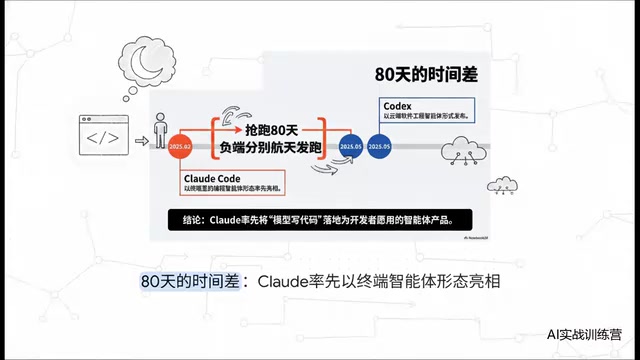
Claude Code vs Codex: A Deep Comparison — Who Wins When the Tech Converges
Deep comparison of Claude Code vs OpenAI Codex across first-mover advantage, architecture, market share, and reliability. Discover what truly matters when AI coding tools converge.
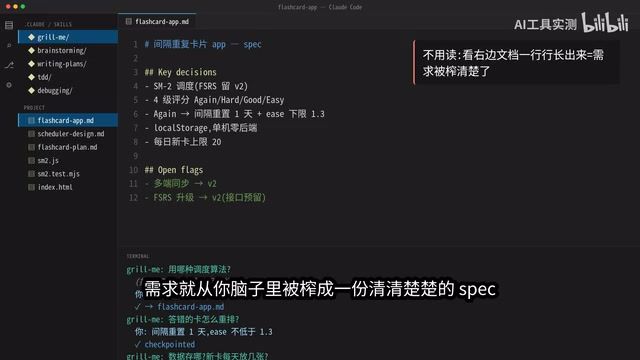
5 Daily Claude Code Tips: Let AI Interrogate You Instead
5 daily Claude Code tips: Grill Me for requirements, Brainstorming for architecture, Writing Plan for execution, TDD for testing, and Debugging for precise fixes — a complete AI coding workflow.
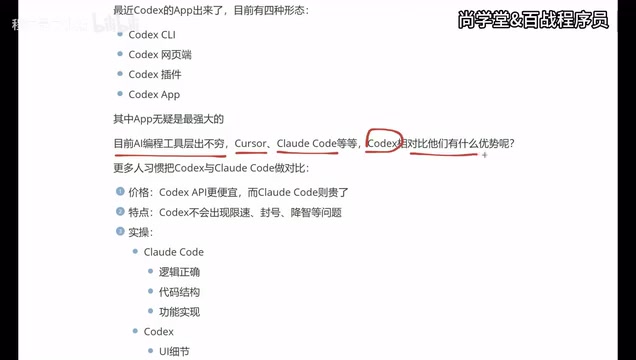
Codex vs Claude Code vs Cursor: How to Choose the Right AI Coding Tool
In-depth comparison of Codex, Claude Code, and Cursor: pricing, stability, and capabilities. Codex excels at frontend UI, Claude Code at backend logic, Cursor remains a stable veteran. Find your best AI coding tool.