Getting Started with Claude Code: Core Advantages, Tool Comparisons, and Installation Guide
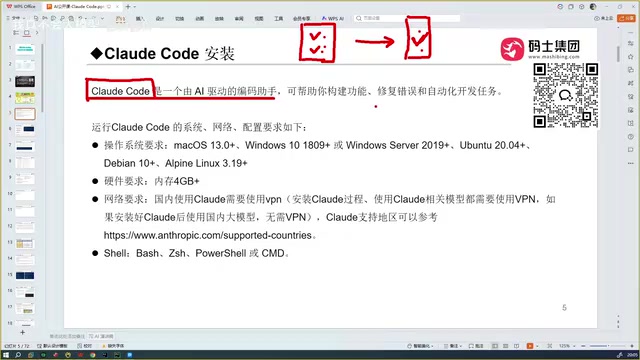
A comprehensive guide to Claude Code's advantages, tool comparisons, and installation essentials.
This article explores Claude Code's core strengths — full project context understanding, industry-leading code accuracy, and flexible plugin-based integration. It compares Claude Code with Cursor, Copilot, Trae, and Codex, explains the technical principles behind its Agent workflow and long-context architecture, and provides practical installation and model selection guidance for developers.
Introduction: A New Benchmark for AI Programming Assistants
In an era overflowing with AI programming tools, Claude Code is becoming the most talked-about coding assistant in developer circles, thanks to its exceptional code accuracy and powerful project comprehension capabilities. Unlike traditional conversational AI coding, Claude Code can read through every code file in an entire project, truly understand the context, and automatically debug to generate correct code.
This article is based on a public course by an experienced developer on Bilibili, systematically covering Claude Code's core advantages, comparisons with similar tools, and key points for installation and deployment.
The Fundamental Difference Between Claude Code and Traditional AI Coding
Many people's first experience with AI programming involves pasting code into a DeepSeek or ChatGPT chat window, describing their requirements, and receiving a code snippet in return. This approach has a critical limitation: the AI cannot perceive your complete project context.
Imagine your project has 100 code files — traditional conversational AI simply can't read them. You need to manually explain the project structure, dependencies, and existing interface definitions, which is both inefficient and prone to missing critical information.
Claude Code takes a fundamentally different approach:
- Full project context understanding: It can read through all code files in a project, feeding the complete context to the large language model
- Automatic debugging and error correction: It doesn't just generate code — it automatically runs it, detects errors, and fixes them
- End-to-end development experience: From understanding requirements to generating code to test validation, it creates a complete closed loop
In simple terms, traditional conversational AI gives you "code snippets," while Claude Code gives you "a complete, runnable solution."
The Technical Principles Behind Full Project Context Understanding
The reason Claude Code can read through all code files in an entire project lies in its underlying ultra-long context window technology. Traditional conversational AI typically has a context window of a few thousand to tens of thousands of tokens, while Claude series models have expanded their context window to the 200K token level — meaning it can "read" hundreds of thousands of characters of code content in a single pass.
Additionally, Claude Code has built-in intelligent code indexing and retrieval mechanisms. Rather than simply cramming all files into the context at once, it uses techniques like AST (Abstract Syntax Tree) parsing and symbol reference tracking to intelligently identify the code snippets most relevant to the current task, thereby maximizing information density within the limited context window. This workflow of "index first, then curate, then reason" ensures that when processing large projects, it neither misses critical dependencies nor suffers degraded reasoning quality from information overload.
The Agent Workflow Behind Automatic Debugging
Claude Code's automatic debugging capability isn't simply "checking for syntax errors after generating code" — it implements a complete AI Agent workflow. After Claude Code generates code, it automatically invokes the build tools configured in the project (such as npm, pip, gradle, etc.) to compile, runs the project's test suite, and then analyzes the error output. If it detects compilation errors or test failures, it feeds the error information back into the large language model for reasoning, generates a fix, and runs validation again — this "generate-execute-detect-fix" loop repeats until the code passes all checks.
This working pattern is known in the AI field as the ReAct (Reasoning and Acting) paradigm, where the AI alternates between reasoning and taking action. It's precisely this closed-loop feedback mechanism that makes Claude Code's final output quality far superior to the traditional one-shot code generation approach.
Horizontal Comparison of Mainstream AI Programming Tools
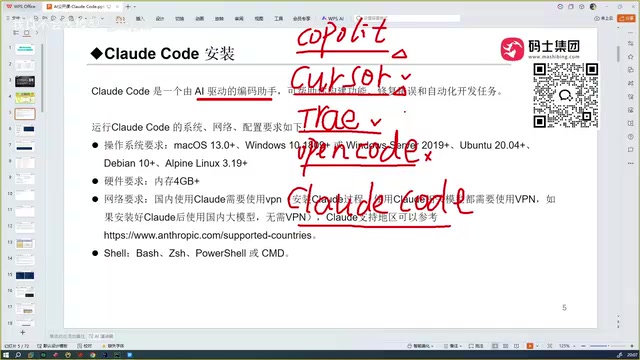
Before Claude Code, developers had already gone through multiple generations of AI programming tool iterations. Understanding this evolution helps explain why Claude Code stands out.
From Copilot to Cursor: The Rise of IDE-Level Programming Assistants
- GitHub Copilot: The first tool that let developers experience the disruptive potential of AI programming, with code auto-completion as its core capability
- Cursor: Takes things further than Copilot, capable of handling more complex coding tasks automatically, and is somewhat comparable to Claude Code
- Trae (domestic version): Excellent Chinese language understanding, providing a good experience for Chinese developers, and it's free
- OpenCode: Also a programming tool, but based on actual user feedback, it has relatively poor usability compared to similar tools
- Codex: OpenAI's programming tool, which reportedly matches Claude Code's capabilities when paired with GPT-5
Claude Code's Core Competitive Advantages
After hands-on comparison testing across multiple tools, the developer reached a clear conclusion: Claude Code has the highest code accuracy among all tools.
The fundamental reason behind this lies in differences in large language model capabilities. The upper limit of any programming assistant depends on the capability of its underlying model. Claude Code is powered by the Sonnet model, which is inherently very powerful, and it also supports selecting even more advanced models.
Sonnet Model's Technical Advantages in Programming Tasks
Claude Sonnet is Anthropic's mid-to-high-end model series, performing particularly well in programming benchmarks. On SWE-bench (an authoritative benchmark measuring AI's ability to solve real GitHub issues), Claude 3.5 Sonnet and Claude 4 Sonnet have consistently ranked among the top performers. Sonnet's exceptional performance in programming scenarios is closely tied to Anthropic's training strategy: Anthropic used large volumes of high-quality code corpora during model training and specifically optimized the model's performance on code generation, debugging, and refactoring tasks through RLHF (Reinforcement Learning from Human Feedback) and Constitutional AI techniques.
Furthermore, the Sonnet model has very strong instruction following capabilities, meaning it can precisely understand developers' natural language requirements and translate them into code that conforms to project specifications — rather than generating code that looks correct but is actually incompatible with the project's style or architecture.
By comparison:
- Trae is free with good Chinese understanding, but code quality drops noticeably with niche technology stacks
- Cursor is feature-rich, but still falls short of Claude Code in accuracy
- Codex + GPT-5 is considered the closest competitor to Claude Code
The Competitive Landscape of Codex and GPT-5
OpenAI's Codex was originally a code-specialized fine-tuned version of GPT-3 and served as the underlying engine for GitHub Copilot. In 2025, OpenAI relaunched a completely redesigned Codex, positioning it as an AI agent capable of autonomously executing programming tasks in cloud sandbox environments. Unlike Claude Code's local execution model, the new Codex uses cloud-based asynchronous execution — after a developer submits a task, Codex clones the code repository in an isolated cloud environment, installs dependencies, writes code, runs tests, and ultimately returns results in the form of a Pull Request.
Combined with GPT-5 (the latest flagship model in the GPT series) reasoning capabilities, Codex's performance on complex programming tasks does approach Claude Code's level. The competition between the two essentially reflects a battle between two technical approaches in AI programming tools: Claude Code's "local Agent + long context" approach versus Codex's "cloud sandbox + asynchronous execution" approach — each with its own strengths. The former offers faster response times and better privacy, while the latter is better suited for complex tasks that require extended execution time.
The developer's exact words were: "After using Claude Code, programmers will feel a deep sense of existential crisis."
Claude Code's Architecture: Not an IDE, But a Plugin
This is a key concept that many newcomers easily confuse.
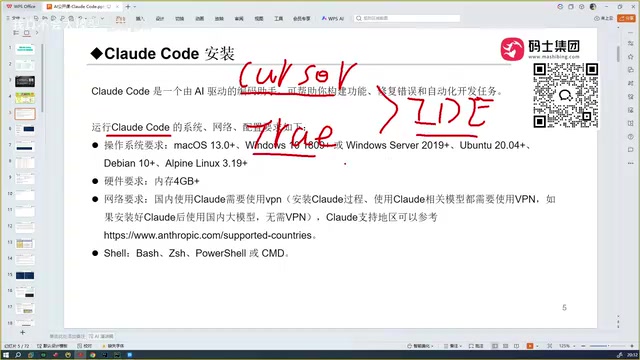
The Fundamental Difference Between Claude Code and Cursor/Trae
Cursor and Trae are themselves IDEs (Integrated Development Environments) — you download, install, and double-click to start using them. They're both built on VS Code.
Claude Code is not an IDE. It's a standalone software tool that needs to be integrated into your existing development environment after installation. It can be embedded into:
- VS Code (officially recommended)
- Cursor
- Trae
- IntelliJ IDEA
- PyCharm
- And other mainstream IDEs
This plugin-based design means you don't need to switch away from your familiar development tools — you can simply introduce Claude Code's capabilities into your existing workflow.
Technical Background of the Plugin Architecture
An IDE (Integrated Development Environment) is a software platform that integrates code editors, compilers, debuggers, version control, and other tools. VS Code has become the most popular IDE today because it's built with the Electron framework and features a powerful extension ecosystem. Both Cursor and Trae are secondary developments based on VS Code's open-source version, embedding AI capabilities directly into the editor core.
Claude Code, on the other hand, takes a plugin-based approach combining LSP (Language Server Protocol) and CLI (Command Line Interface) — it runs as an independent process and communicates with various IDEs through standardized protocols. The advantage of this architectural design is decoupling: Claude Code's core reasoning engine doesn't depend on any specific IDE, so it can simultaneously support different development environments like VS Code and the entire JetBrains suite. Developers don't need to migrate to an unfamiliar editor just to use AI capabilities.
System and Hardware Requirements
Claude Code's installation requirements are not demanding:
| Item | Requirement |
|---|---|
| Operating System | macOS / Windows / Linux |
| Memory | 4GB or more |
| Network | VPN required during installation |
| During Use | VPN not needed if using domestic models |
An important note: A VPN is required during the installation process, otherwise it will fail. However, after installation, if you choose to connect to a domestic large language model, you can run it directly on a domestic network during daily use.
Practical Tips for Using Claude Code
Model Selection Strategy
Claude Code supports multiple model configurations, with different models performing differently across various scenarios. Based on hands-on testing experience:
- For maximum accuracy: Use Claude's native advanced models (such as the Sonnet series)
- For everyday development: The Sonnet model is more than sufficient for the vast majority of coding scenarios
- For domestic network environments: You can configure domestic models to avoid network latency issues
Target Audience
- Professional developers: Significantly boosts coding efficiency, with particularly clear advantages in complex projects
- Programming beginners: Even those with zero experience can complete project development with Claude Code, though learning programming fundamentals alongside it is recommended
- Full-stack developers: Claude Code has excellent understanding and generation capabilities for both frontend and backend code
Conclusion
The reason Claude Code stands out among the many AI programming tools comes down to three core strengths: powerful context understanding, extremely high code accuracy, and flexible plugin-based integration. It doesn't require you to switch development tools or change your work habits, yet it can significantly improve your development efficiency and code quality.
For developers still deciding between Copilot and Cursor, Claude Code is worth serious consideration. Of course, the Codex + GPT-5 combination is also a formidable competitor worth watching. Ultimately, which tool you choose depends on your specific technology stack and use case.
Key Takeaways
Related articles

AITS Hands-On Review: API + Web + App Automated Testing All in One Platform
In-depth review of AITS: an AI testing platform covering API automation, Web automation, App real-device cloud testing, and performance testing end-to-end.
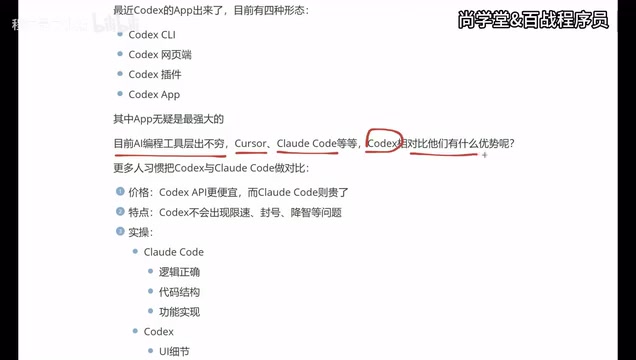
Codex vs Claude Code vs Cursor: How to Choose the Right AI Coding Tool
In-depth comparison of Codex, Claude Code, and Cursor: pricing, stability, and capabilities. Codex excels at frontend UI, Claude Code at backend logic, Cursor remains a stable veteran. Find your best AI coding tool.

Hermes Jarvis Deep Dive: The Voice-Driven All-in-One AI Assistant
Deep dive into Hermes Jarvis voice AI assistant: its core features, five-layer architecture, multi-model integration, system-level control, and the future of voice-driven AI development.