Dify 1.8 Deployment Guide: Complete Walkthrough from Docker Installation to AI App Development

Dify is a low-code AI app platform — version 1.8 brings simpler deployment and better stability.
Dify is a low-code AI application building platform for everyone, supporting five app types: Chatbot, Text Generator, Agent, Workflow, and Chatflow. For enterprise scenarios, it outperforms Coze, RAGFlow, and n8n in feature coverage, usability, and ecosystem support. Version 1.8 greatly simplifies Docker deployment with ~5–6 GB images, one-click startup, and significantly improved stability, making it the most worthwhile AI app building platform to learn today.
What Is Dify? A Low-Code AI Application Platform for Everyone
Dify is an AI application building platform designed for both non-programmers and developers. Its core value lies in enabling users to quickly build AI applications without writing code. Compared to similar tools like Coze, Dify stands out with a broader range of application types and more comprehensive features.
A Low-Code platform is a development approach that enables rapid application building through visual interfaces with minimal hand-written code. In the AI space, the rise of low-code platforms stems from the explosion of Large Language Model (LLM) capabilities — while models like GPT-4, Claude, and Qwen are incredibly powerful, integrating them into real-world business scenarios still requires significant engineering effort, including prompt design, API integration, context management, and data retrieval. The core value of platforms like Dify is encapsulating these engineering tasks into visual components, allowing users to achieve through drag-and-drop and configuration what would otherwise require hundreds of lines of code.
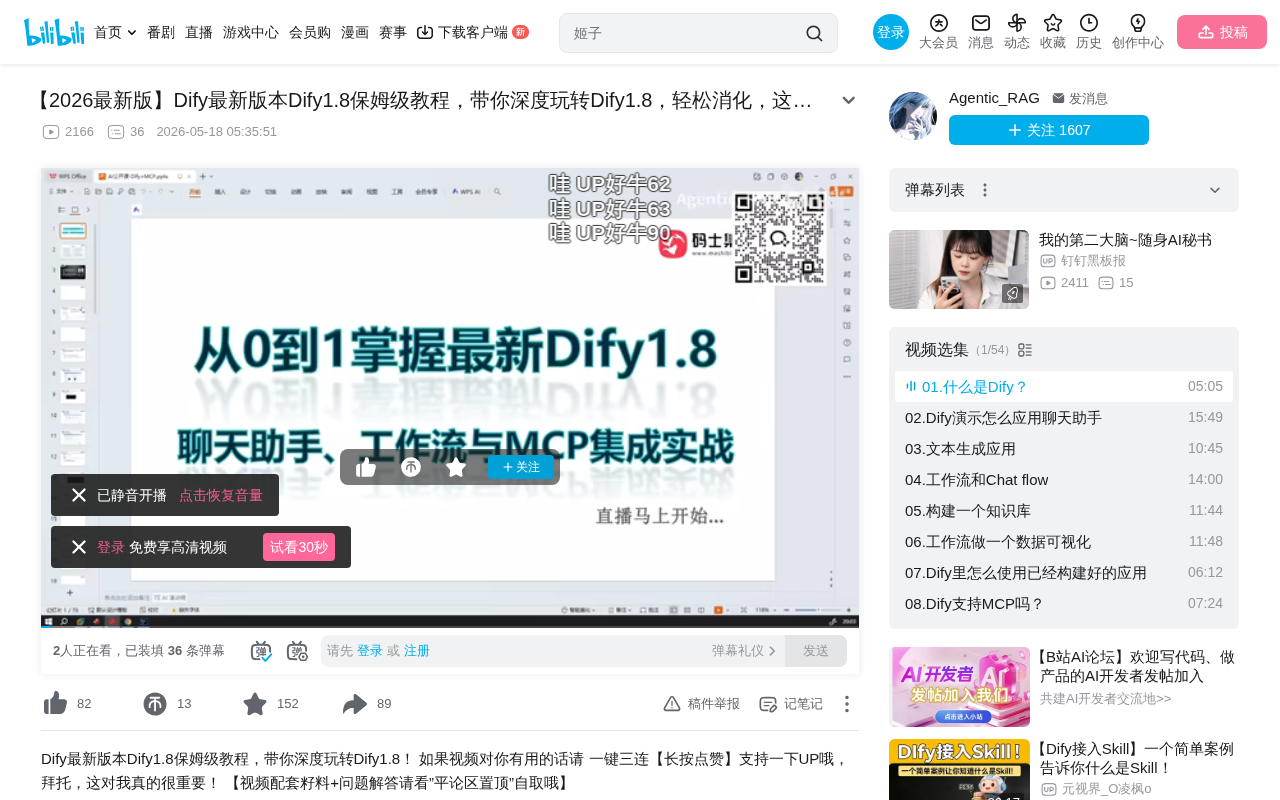
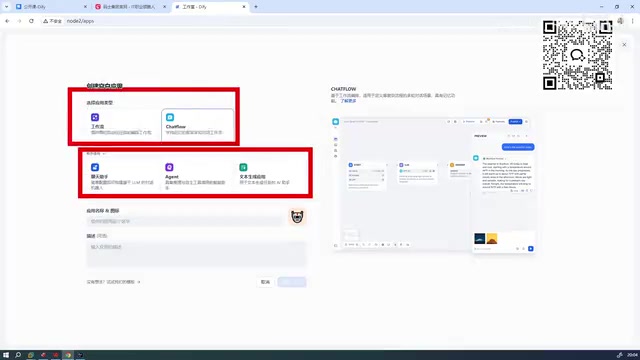
Dify supports five application types: the first three are beginner-friendly (including Chatbot, Text Generator, and Agent), while the latter two are more advanced — Workflow and Chatflow.
Among these, Agent is an important concept in AI, referring to AI systems with autonomous decision-making capabilities. Unlike regular chatbots, an Agent can independently select tools, break down tasks, perform multi-step reasoning, and execute actions based on user intent. For example, an Agent might first search the web for information, then call a calculation tool to process data, and finally generate a report. Workflow is an orchestration method that chains multiple processing nodes together in a predefined logical sequence, where each node can be an LLM call, conditional logic, data processing, or external API request. Chatflow is a concept unique to Dify — essentially a workflow with conversational interaction capabilities, suited for complex scenarios requiring multi-turn dialogue guidance. Dify separates Workflow and Chatflow to accommodate different use cases.
Dify's Position and Advantages in the AI Tool Ecosystem
The mainstream AI application building tools currently available include Dify, Coze, RAGFlow, n8n, and others. Based on hands-on experience, for enterprise-level use cases, the recommended priority is: Dify > Coze, while RAGFlow and n8n can be selectively adopted based on specific needs.
It's worth understanding the positioning of RAGFlow and n8n. RAGFlow is an open-source project focused on RAG (Retrieval-Augmented Generation). The core idea behind RAG is to retrieve relevant document fragments from an external knowledge base before the LLM generates a response, providing them as context so the model answers based on real data, effectively reducing "hallucination." RAGFlow has been deeply optimized for document parsing, chunking strategies, and retrieval accuracy, making it ideal for scenarios with extremely high requirements for knowledge base Q&A quality. n8n, on the other hand, is a general-purpose workflow automation tool — an open-source alternative to Zapier — that excels at connecting various third-party services and APIs to implement cross-system automated processes. It wasn't designed specifically for AI but can be used in conjunction with LLMs. In comparison, Dify offers a more complete AI application building experience, while RAGFlow and n8n each have their specialized strengths.
Three core reasons why Dify ranks first:
- Broad feature coverage: Compared to similar international tools, Dify offers a richer set of capabilities
- Outstanding usability: Its user-friendliness is among the best in its category
- Strong domestic ecosystem: Developed by a Chinese team, it has natural advantages in Chinese language support and integration with domestic models
If you plan to deeply learn just one AI application building platform, Dify is currently the most worthwhile investment of your time.
Complete Docker Deployment Process for Dify 1.8
Environment Preparation and System Requirements
Dify 1.8.0 has significantly simplified the deployment process compared to older versions. The entire installation is Docker-based with clear, straightforward steps. Before deployment, make sure Docker and Docker Compose are installed on your server.
Docker is a containerization technology that packages an application and all its dependencies into a standardized "container," ensuring the application runs consistently in any environment. Docker Compose is Docker's orchestration tool, which defines and manages multiple container services through a single YAML configuration file (docker-compose.yml). Dify's architecture includes multiple microservice components — web frontend, API backend, Worker for async task processing, database (PostgreSQL), cache (Redis), vector database, and more — all orchestrated through Docker Compose and launched with a single command. The biggest advantage of containerized deployment is eliminating the "it works on my machine" environment discrepancy problem, greatly reducing deployment complexity.
Three Steps to Complete Dify Installation
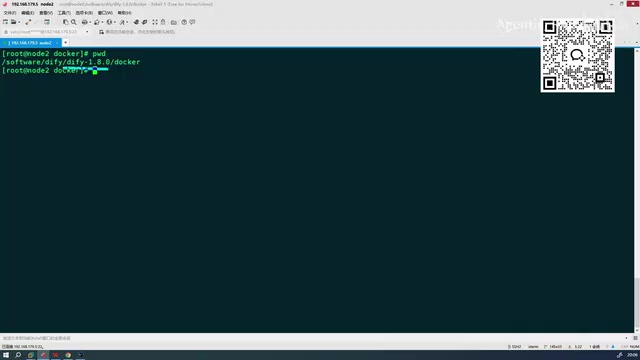
Step 1: Navigate to the project directory
cd dify
After entering the Dify directory, complete the extraction first.
Step 2: Configure the environment variables file
Navigate to the Docker directory and rename the .env example file to .env:
cd docker
cp .env.example .env
The .env file is a centralized configuration file for environment variables, containing runtime parameters such as database passwords, secret keys, and service ports. In version 1.8, environment variable configuration has been greatly simplified — you no longer need to make extensive additional configurations as in older versions. The default settings are essentially ready to run.
Step 3: Launch all services with one command
docker compose up -d
A single command spins up all container services. The -d flag runs containers in detached daemon mode, keeping all containers running in the background so they won't stop when the terminal is closed.
Image Size and Resource Usage
The total Docker image size for Dify 1.8 is approximately 5–6 GB, so having 10 GB of disk space is more than sufficient. The new version has noticeably faster image download speeds, allowing you to complete the full download and startup in a short time.
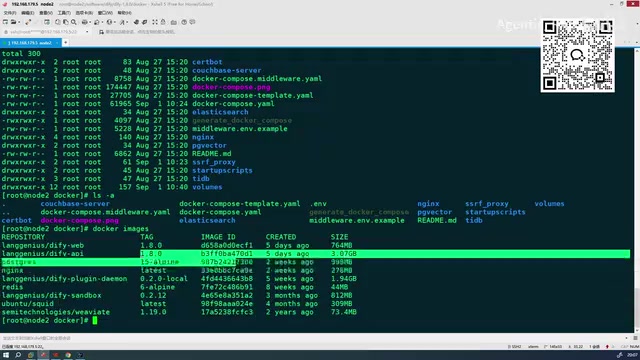
Version 1.8 has fixed numerous bugs from previous versions, with significantly improved overall stability. While a few minor issues remain, the overall experience is quite solid.
First Login and Core Feature Modules
Once the services are running, access the Dify management interface by navigating to the deployment node's IP address in your browser. The version 1.8 interface includes the following core modules:
- Explore: Browse and discover existing AI application templates
- Studio: Create and manage your own AI applications (the most essential module)
- Knowledge Base: Manage documents and data needed for RAG
- Tools: Configure and manage various plugin tools
The Knowledge Base module is the core component of Dify's RAG capabilities. After users upload documents (PDF, Word, web pages, etc.), the system automatically handles document parsing, text chunking, embedding (vectorization), and index storage. When a user asks a question, the system first converts the question into a vector, retrieves the most relevant document fragments from the vector database, and then injects these fragments as context into the LLM's prompt to generate an answer. In this pipeline, the quality of the chunking strategy directly impacts retrieval quality — chunks that are too large introduce noise, while chunks that are too small lose semantic completeness. Dify supports multiple vector databases (such as Weaviate, Qdrant, Milvus, etc.), allowing users to choose flexibly based on data scale and performance requirements.
Creating Your First AI Application
Click "Create Blank App" in the Studio to start building. Dify offers five application types to choose from. Beginners are recommended to start with Chatbot or Text Generator types to familiarize themselves with basic operations before attempting advanced features like Workflows.
Key Highlights of Dify 1.8
Based on hands-on deployment experience, version 1.8 has several noteworthy changes:
- Simplified deployment process: Environment variable configuration has been significantly reduced, lowering the barrier to entry
- Improved stability: Multiple known bugs from older versions have been fixed
- Minor detail adjustments: Some feature details differ from previous versions, so pay attention during use
Overall, Dify 1.8 is a version well worth upgrading to. For users who haven't tried Dify yet, now is an excellent time to get started — deployment is simpler, features are more complete, and community resources are richer. Whether you're building enterprise-level AI applications or learning AI engineering practices on your own, Dify is an extremely practical tool choice.
Key Takeaways
- Dify is a low-code AI application building platform supporting five application types: Chatbot, Text Generator, Agent, Workflow, and Chatflow
- For enterprise-level AI tool selection, Dify ranks higher in recommendation priority than Coze, RAGFlow, n8n, and similar products
- Dify 1.8 has greatly simplified the deployment process, with total image size of about 5–6 GB and one-click startup via Docker Compose
- The new version fixes multiple bugs from older versions and streamlines environment variable configuration, eliminating the need for extensive additional setup
- Dify's core modules include Studio, Knowledge Base, Tools, and Explore, with Studio being the primary entry point for creating AI applications
Related articles
 Tutorials
Cursor + Codex Dual-IDE Collaboration: A Practical Methodology for Open-Source Project Customization
A complete methodology for open-source project customization based on real-world experience, detailing the Cursor+Codex dual-IDE workflow, seven-stage process, MVP validation, and AI source code reading techniques.
 Tutorials
Cursor Multi-Agent in Practice: Building a Full-Stack Next.js Blog in 50 Minutes
Build a full-stack blog in 50 minutes using Cursor IDE's multi-Agent mode with Next.js, Clerk auth, and Supabase. Learn the 4-phase AI Agent workflow and key integration pitfalls.
 Tutorials
Building an AI Software Factory from Scratch: A Cursor Engineer's Hands-On Experience with Multi-Agent Collaboration
Cursor engineer Eric shares practical insights on building an AI software factory: automation levels, guardrail design, parallel Agent management, and scaling to 1000+ Agents for 24/7 development.