Figma Code Context: Open-Source MCP Tool That Converts Design Files to Frontend Code in 30 Seconds
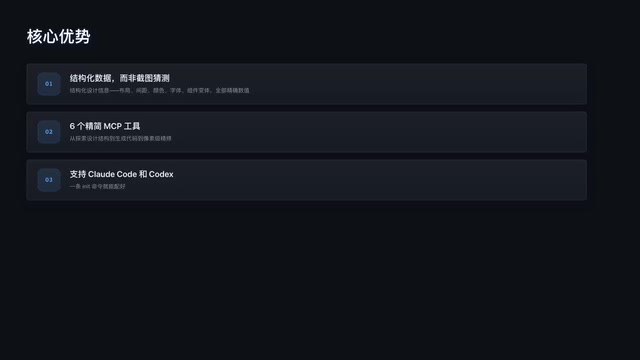
Open-source MCP tool that converts Figma designs to pixel-perfect frontend code using structured API data.
Figma Code Context is an open-source MCP tool that reads structured design data from Figma's API — including layout, spacing, colors, fonts, and component variants — and feeds it to AI for high-fidelity frontend code generation. Unlike screenshot-based approaches, it provides precise numerical values rather than visual guesses. With a two-step setup, progressive generation strategy, and support for both Cloud Code and Codex clients, it achieves near pixel-perfect results through iterative refinement.
From design files to frontend code, the traditional workflow requires developers to constantly cross-reference Figma annotations and manually reproduce every pixel detail. Now, a developer has open-sourced an MCP tool called Figma Code Context that lets AI directly read Figma design data through the MCP protocol, converting design files into high-fidelity frontend code in 30 seconds.
What Is Figma Code Context?
Figma Code Context is an open-source NPM package with a crystal-clear core concept: read design data from the Figma API, convert it into a structured format that AI can efficiently understand, and then have AI generate frontend code based on that data.
The Figma API mentioned here is Figma's official RESTful interface, which allows developers to programmatically access all data within design files. The API returns a complete Design Tree containing precise coordinates, dimensions, color values (supporting both RGBA and hexadecimal), font properties (font family, weight, line height, letter spacing), Auto Layout parameters (direction, spacing, padding), constraint relationships, and component variant information for every layer. This data is organized in JSON format, making it naturally suited for AI model parsing. For example, a button component is described in the API as a complete structure containing background fill color, border radius, padding, text child nodes, and their typographic properties — rather than a blurry pixel image.
Unlike the "screenshot and let AI write code from the image" approach, this tool provides precise, structured design information — layout, spacing, colors, fonts, component variants — all as exact values rather than AI visual guesses. This is critically important because with the screenshot approach, AI can only "see" pixels and often can't accurately determine whether spacing is 8px or 12px, or whether a color is #333 or #3A3A3A.
The tool includes 6 streamlined MCP tools covering the complete workflow from exploring design structure and generating code to pixel-level refinement. It currently supports two clients: Cloud Code and Codex, with a single Init command to complete configuration. Cloud Code is Anthropic's cloud-based programming environment powered by Claude, while Codex is OpenAI's command-line AI coding agent — both clients natively support the MCP protocol, meaning the same MCP server can serve two different AI platforms without any modifications. This is a practical demonstration of the value of MCP protocol standardization.
Installation & Configuration: Two Steps to Connect the MCP Tool
The entire configuration process is extremely straightforward, requiring just two steps:
Step 1: Go to Figma's developer settings page and generate a Personal Access Token. Figma's Personal Access Token is an OAuth-based authentication mechanism that authorizes third-party applications to access Figma data without requiring interactive user login. When generating a Token, you need to select authorization scopes, commonly including File Read (read file content), File Dev Resources Read (read development resources), and others. The Token essentially represents the user's identity and permissions, so it should be stored securely to prevent leaks. In the MCP tool scenario, the Token is stored in local configuration and automatically included in the request header for authentication with each Figma API call.
Step 2: Run the Init command and enter your Token. Once complete, type the $ symbol to verify the installation — if you see Figma's Scale information returned, the configuration is ready.
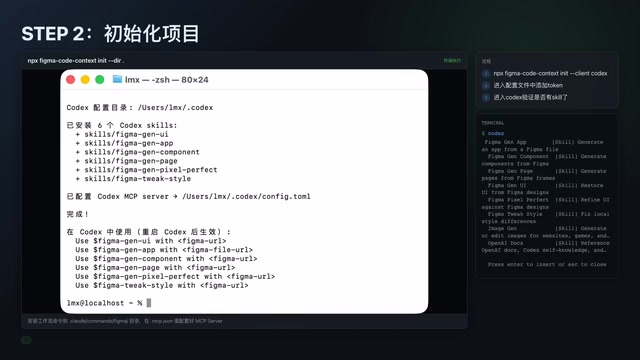
The entire process has no complex environment dependencies or configuration files, making it very developer-friendly. This also reflects a major advantage of the MCP protocol: standardized tool integration that dramatically reduces the cost of connecting tools.
Hands-On Demo: Complete Workflow from Figma Design to Frontend Code
After configuration, the actual usage workflow is equally intuitive. Here's an example of generating a page in Codex:
Get the Figma Design File Link
First, open the target design file in Figma, switch to Dev Mode, then copy the link from Dev Mode. The author specifically emphasized this point — nodes parsed in Dev Mode are more precise, giving AI access to more complete component hierarchy and style information.
Figma's Dev Mode is a dedicated developer-facing view officially launched by Figma in 2023. Unlike the standard design mode, Dev Mode reorganizes design data for implementation: it automatically identifies Auto Layout structures and maps them to CSS Flexbox/Grid properties, exposes design tokens (such as color variables and spacing variables) in a referenceable format, and provides clearer component hierarchy relationships. Links copied in Dev Mode contain precise node IDs (node-id) pointing to specific elements in the design tree, enabling API calls to precisely target specific components rather than entire pages. This significantly reduces the amount of data that needs to be parsed and improves the relevance of AI-generated code.
AI Automatically Parses Design Data and Generates Code
Paste the link into the Codex dialog, and AI will automatically invoke the MCP tool, completing the following workflow: extract structured data from the design file → convert it into text descriptions AI can understand → generate the corresponding frontend page code.
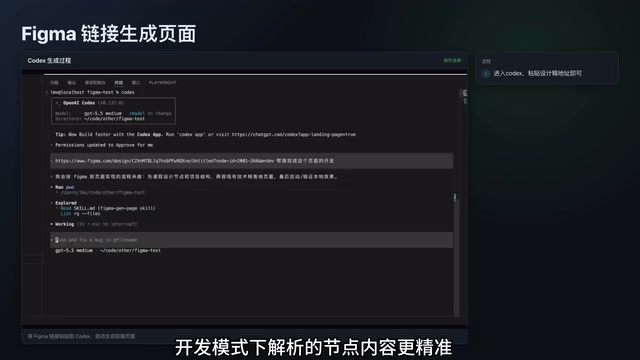
The first-pass generation achieves roughly 60% fidelity — the overall layout is there, but details still have discrepancies. This number is actually quite impressive — pure screenshot-based approaches often can't even get the layout fully correct on the first try.
Fixing Differences: From 60% to Pixel-Perfect
This is where the tool truly shines. For parts with discrepancies in the initial generation, you can extract the information from the differing nodes and feed it back to Codex for refinement. After supplementing with the differential node information, fidelity jumps dramatically from 60%, with UI details essentially fully reproduced.

Additionally, if the design file includes animation requirements, you can use a "description + node address" approach to have AI implement the corresponding animation effects. This progressive generation strategy — produce the overall framework first, then refine the details — aligns perfectly with real-world development habits. From an engineering perspective, there's deep reasoning behind this strategy: large language models face context window limitations and attention decay in single-pass generation. When they need to simultaneously handle overall page layout and pixel-level details for every component, models tend to sacrifice one for the other. Splitting the task into "overall framework generation" and "differential node refinement" phases makes the context more focused at each stage, allowing the model to allocate more attention to the current task. This also aligns with the iterative development philosophy in software engineering: establish a working baseline version first, then progressively approach the final goal through incremental modifications, with each step being controllable and verifiable.
Technical Value and Deeper Insights
Structured Data vs. Screenshot Recognition: Why Precise Data Matters More
Figma Code Context's core competitive advantage lies in structured data. There are already many "screenshot-to-code" tools on the market, but they fundamentally rely on visual model "guessing." Vision models (such as GPT-4V, Claude's vision capabilities) need to reverse-engineer design intent from pixel-level information when processing UI screenshots — a process that inevitably introduces errors. For example, two visually almost identical grays (#333333 and #3A3A3A) may become indistinguishable in screenshots due to screen color space and screenshot compression factors; a 12px gap and a 14px gap are also hard to precisely differentiate in low-resolution screenshots. Data obtained through the Figma API, however, is a precise expression of design intent, containing every value defined by the designer. This approach has a theoretically higher ceiling, with particularly clear advantages in complex component and design system scenarios.
Another Practice in the MCP Protocol Ecosystem
MCP (Model Context Protocol) is an open standard protocol introduced by Anthropic in late 2024, designed to solve the connection problem between AI large models and external tools and data sources. Before MCP, every AI application that needed to integrate external tools required custom integration code, resulting in massive duplication of effort. MCP adopts a client-server architecture: AI applications act as MCP clients, external tools act as MCP servers, and both sides communicate through standardized JSON-RPC messages. Servers expose three types of capabilities to clients: "Tools," "Resources," and "Prompts." This design is similar to what the USB protocol does for hardware devices — once a tool implements the MCP server interface, any AI client that supports MCP can plug-and-play with it, requiring no additional adaptation.
This project is an excellent case study of MCP in the design-development collaboration space, demonstrating how to seamlessly integrate professional tool capabilities into AI workflows through a standardized protocol. As the MCP ecosystem continues to expand, we can foresee more professional domain tools (such as database management, cloud service operations, project management, etc.) connecting to AI through the MCP protocol, forming an increasingly rich tool ecosystem.
Practical Impact on Frontend Development Workflows
Tools like this won't replace frontend developers, but they will significantly change workflows. Repetitive tasks like design file reproduction can be delegated to AI for initial drafts, while developers focus their energy on business logic, performance optimization, and interaction details. Moving from "manually translating design files" to "reviewing and optimizing AI-generated code" represents a qualitative leap in efficiency.
On a deeper level, this shift is also redefining the core competency requirements for frontend developers. When design file reproduction is no longer a time-consuming manual task, developers need stronger code review skills (judging the quality and maintainability of AI-generated code), architecture design skills (ensuring generated code integrates into existing project structures), and AI collaboration skills (learning how to guide AI toward better output through precise prompts and tool configuration). This isn't a downgrade in skills — it's a shift in where skills are focused.
Conclusion
As an open-source project, Figma Code Context provides an efficient path from design files to frontend code. The precision of structured data, standardized integration through the MCP protocol, and a progressive generation-and-refinement strategy — the combination of these three elements gives it a clear differentiated advantage among similar tools. For frontend developers who frequently need to reproduce design files, this is an efficiency tool well worth trying.
Related articles
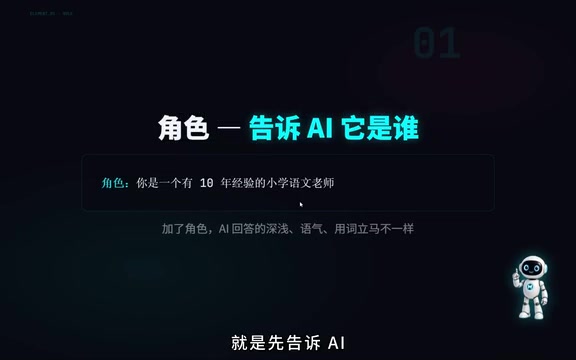
How to Write Prompts: Four Elements, Three Techniques, and Three Pitfalls Explained
Master prompt writing with the four-element framework (Role, Task, Requirements, Format), three techniques (few-shot, chain-of-thought, anti-hallucination), and avoid three common pitfalls for better AI results.
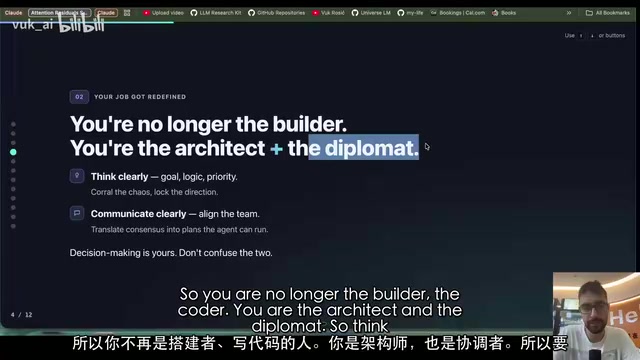
DeepSeek Researcher Summarizes 10 Rules for Using AI Agents
A DeepSeek researcher shares 10 universal rules for using AI agents, covering the shift from execution to judgment, memory file systems, human-AI collaboration boundaries, and more.
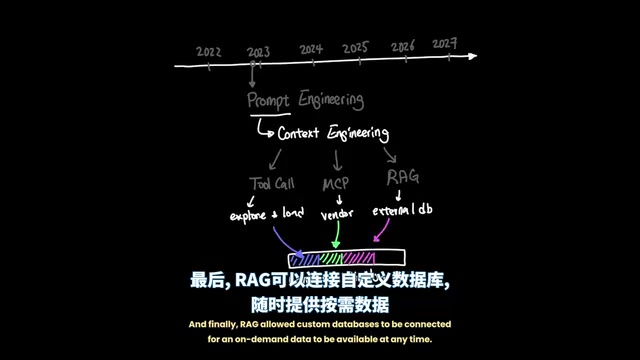
Agent Harness: A New AI Agent Paradigm from Prompt Engineering to Execution Environment Orchestration
Deep dive into Agent Harness Engineering: how loop execution and context isolation overcome the bottlenecks of prompt and context engineering in modern AI coding agents like Cursor.