Gemini Desktop Client Experience Across All Platforms: Where It Beats the Web Version
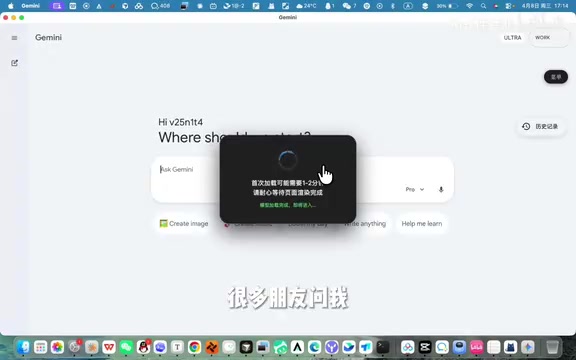
Gemini's native desktop client offers faster startup, lower resource usage, and smoother file handling than its web version.
Google Gemini has launched cross-platform desktop clients for Windows and Mac. Real-world testing reveals significant advantages over the web version: one-click startup instead of multi-step browser navigation, lower memory usage through independent lightweight processes, and smoother large file processing. The move aligns with industry trends as ChatGPT and Claude have already released desktop apps, making native AI clients the new competitive battleground.
Overview
Google Gemini has finally launched desktop clients across all platforms, covering major operating systems including Windows and Mac. For users who frequently rely on AI assistants daily, this is an update worth paying attention to — the native client offers noticeable improvements in startup efficiency and user experience compared to the web version.
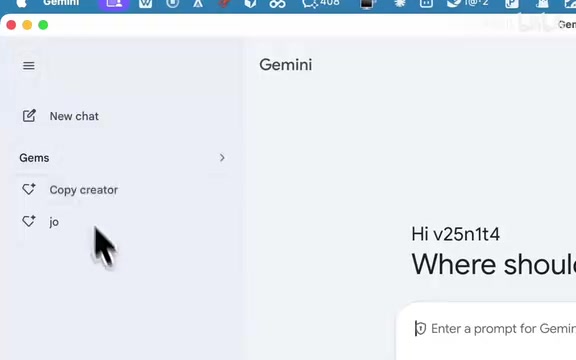

Why Switch from the Web Version to the Gemini Client?
Dramatically Improved Startup Efficiency
The typical workflow for using Gemini's web version is: open browser → type URL or click bookmark → wait for page to load → start conversation. This process seems simple, but when repeated multiple times daily, the accumulated time cost is considerable.
The core advantage of the Gemini desktop client is "click and use." As a native application, it bypasses the browser rendering engine's intermediate layer, delivering faster startup and response speeds. To understand this, you need to know how browser rendering engines (like Chrome's Blink or Firefox's Gecko) work — they are the core components that convert HTML, CSS, and JavaScript code into the visible user interface. When users access Gemini through a web page, all interactions must go through multiple steps including JavaScript interpretation and execution, DOM tree construction, style calculation, layout arrangement, and layer compositing before finally appearing on screen. Native desktop clients typically use the Electron framework or platform-native UI frameworks to communicate directly with the operating system's graphics interface, eliminating the overhead of the browser sandbox environment and general rendering pipeline. This gives them a structural advantage in startup speed and interaction responsiveness. This performance advantage is further amplified when handling scenarios involving large files, such as long document analysis and code review.
Lightweight Design with Low Resource Usage
It's worth mentioning that the Gemini client has a very small installation package size, doesn't consume excessive system resources, and runs smoothly even on computers with modest specs. In contrast, the web version runs inside a browser and must bear the additional memory overhead of the browser itself.
Modern browsers use a multi-process architecture where each tab, extension, and GPU acceleration module runs in an independent process. Taking Chrome as an example, a single blank tab can consume 100-200MB of memory, and with extensions and other tabs accumulating, the browser's total memory usage often reaches several GB. When Gemini runs as a web application, it not only bears its own memory requirements but also shares system resources with the browser's underlying infrastructure. A standalone lightweight client can precisely control memory allocation and avoid competing for resources with other browser components — this is the fundamental reason why the client performs more stably on low-spec devices.
Gemini Client vs. Web Version: Real-World Experience Comparison
Workflow Comparison
| Dimension | Web Version | Desktop Client |
|---|---|---|
| Startup Steps | 3-4 steps | 1 step (click icon) |
| Load Time | Depends on network and browser state | Nearly instant |
| System Resources | Shares browser memory | Independent lightweight process |
| Large File Processing | May experience lag | Runs smoothly |
Who Should Switch to the Client
The following types of users are recommended to prioritize the Gemini desktop version:
- High-frequency users: If you use Gemini more than 5 times a day, the saved startup time adds up
- Multitaskers: No need to switch between browser tabs — just Alt+Tab to bring up the conversation window directly
- Heavy file processing needs: If you frequently upload documents and images for analysis, the native app handles them more stably
Industry Context for the Cross-Platform Client
Gemini's launch of cross-platform clients reflects an important strategic adjustment by Google in the AI assistant space. Previously, ChatGPT had already launched desktop clients to positive reception, and Claude followed suit with its own desktop version. Google's move here is clearly aimed at closing a gap in product form.
From a competitive landscape perspective, since 2024, product form competition among AI assistants has extended from model capabilities to the user experience layer. OpenAI launched the ChatGPT macOS client in May 2024, later expanding to Windows, with its core selling points being the Option+Space global shortcut invocation and screenshot analysis features. Anthropic's Claude desktop version launched in the second half of 2024, emphasizing integration with local development environments. The essence of this competition is fighting for the user's "default AI entry point" — whoever becomes the most convenient and most frequently opened AI tool wins the dominant position in users' minds. Google's entry at this point is both a response to competitors and an enhancement of its own product matrix.
From an industry trend perspective, AI assistants moving from web to native clients is an inevitable direction. Native applications can better integrate with operating systems, and potential future features include:
- System-level shortcut key invocation
- Deep integration with the local file system
- Background persistence with instant response
- More comprehensive offline caching capabilities
These features can only be achieved through native clients because they depend on Native APIs provided by the operating system (such as Windows' Win32 API and macOS's Cocoa framework). By registering Global Hotkeys, users can invoke the AI conversation window with one keystroke from any application; through File System Watchers, the client can detect local file changes and proactively offer analysis suggestions; through system notification center integration, AI can promptly notify users after completing long-running tasks in the background. These capabilities are strictly restricted by the browser's security sandbox, and this is precisely the fundamental difference between native clients and web versions.
Conclusion
After hands-on testing, the Gemini desktop client does deliver a perceptible improvement in daily work efficiency. While the web version won't disappear, for users who prioritize efficiency, the client is already the better choice. If you're a heavy Gemini user, it's worth downloading and trying it now.
Key Takeaways
Related articles

Five Common Claude Code Mistakes — How Many Are You Making?
Five common Claude Code mistakes developers make: copy-pasting code, skipping CLAUDE.md, inefficient prompting, ignoring docs, and poor context management — with fixes.

Andrew Ng's New Course Explained: A Practical Guide to Using OpenAI's O1 Reasoning Model
Deep dive into Andrew Ng and OpenAI's Reasoning with O1 course covering test-time scaling, new prompting paradigms, multi-model orchestration, and practical applications for developers.

Learning AI After College Entrance Exams: A Complete Path from Zero to Freelancing
How to efficiently learn AI skills during summer break after exams? A complete path from mastering prompts and hands-on projects to freelancing on platforms.