Getting Started with Claude Code: An AI Programming Tool Anyone Can Learn Quickly

A beginner-friendly guide to getting started with Claude Code, Anthropic's terminal-based AI programming tool.
This guide walks you through everything you need to know about Claude Code — Anthropic's terminal-based AI programming assistant. From installation and environment setup to natural language coding, CLAUDE.md configuration, practical use cases like rapid prototyping and legacy code maintenance, and cost optimization strategies, this article helps developers of all levels get started quickly.
Why Claude Code Deserves Your Attention
In an era where AI programming tools are flourishing, Claude Code is becoming the go-to choice for an increasing number of developers. Recently, a live training session about Claude Code on Bilibili attracted considerable attention — among nearly 200 viewers in the stream, most said they had "heard of but never used" Claude Code. This is quite representative: many developers find Claude Code "mysterious" or "intimidating," assuming it's beyond their reach.
But the truth is exactly the opposite. As the instructor in the livestream put it: Claude Code is the tool closest to programmers — especially beginners. It doesn't require deep technical knowledge; you just use it directly.
This article will help you quickly understand what Claude Code is, what it can do, and how to get started from scratch.
What Is Claude Code
Positioning: An AI Programming Assistant in Your Terminal
Claude Code is a command-line AI programming tool (Agentic Coding Tool) developed by Anthropic. Unlike IDE plugins such as Cursor or GitHub Copilot, Claude Code runs directly in the terminal. It can understand your entire codebase and complete coding tasks through natural language conversation.
Understanding Agentic Coding: An Agentic Coding Tool represents a major paradigm shift in AI programming during 2024–2025. Unlike traditional code completion tools, agentic tools have the ability to autonomously plan, execute multi-step processes, and interact with the environment. They don't just generate code snippets — they act like an autonomous "agent" that understands the task objective, breaks it down into steps, reads files, executes commands, validates results, and self-corrects when errors occur. This concept stems from the AI Agent research direction, with the core idea of upgrading AI from a passive "tool" to an active "collaborator."
About Anthropic and the Claude Model: Anthropic was founded in 2021 by former OpenAI Research VP Dario Amodei and his sister Daniela Amodei. The company's core philosophy is building "safe, controllable" AI systems. The Claude model series is their flagship product, known for its Constitutional AI training methodology that emphasizes predictability and safety in AI behavior. As of 2025, Claude has iterated to the 3.5/4 series, excelling in code generation, long-text comprehension, and complex reasoning. As Anthropic's official programming tool, Claude Code directly leverages the latest Claude model capabilities, offering lower latency and more complete model access compared to third-party integrations.
Its core capabilities include:
- Code Generation & Editing: Describe your requirements in natural language, and it automatically generates or modifies code
- Codebase Understanding: Automatically indexes and comprehends your entire project structure
- Command Execution: Can directly run terminal commands, execute tests, and manage Git operations
- Multi-file Collaboration: Performs complex operations like refactoring and bug fixing across files
Differentiated Positioning Among AI Programming Tools
The current AI programming tool market is divided into three tiers: IDE-embedded (e.g., Cursor, GitHub Copilot), terminal-native (e.g., Claude Code), and cloud-hosted fully managed (e.g., Devin). Cursor forks VS Code to provide a graphical AI programming experience suited for developers accustomed to IDEs; GitHub Copilot deeply integrates into editors for line-level completion and Chat functionality. Claude Code, however, chose the terminal as its interaction interface. This design philosophy stems from the Unix tradition — the terminal is the most fundamental, universal tool for developers, unrestricted by any specific IDE, and capable of directly invoking all system capabilities (file operations, process management, network requests, etc.). This gives Claude Code a natural advantage in automation and flexibility.
Why Claude Code Is Beginner-Friendly
The traditional programming learning path requires mastering syntax, data structures, frameworks, and a vast amount of foundational knowledge. Claude Code changes this paradigm — you only need to clearly describe what you want, and it can help you build it. This dramatically lowers the barrier to entry for programming.
Of course, this doesn't mean you can skip learning programming entirely. Understanding basic programming concepts will help you collaborate more effectively with Claude Code and evaluate the quality of generated code.

Getting Started with Claude Code: Installation & Configuration
Environment Preparation
Using Claude Code requires the following:
- Node.js Environment: Node.js version 18 or above
- Anthropic API Key: Or a Claude Pro/Max subscription
- Terminal Tool: macOS/Linux terminal or Windows WSL
About WSL: WSL (Windows Subsystem for Linux) is a Linux compatibility layer provided by Microsoft for Windows 10/11, allowing users to natively run Linux binaries on Windows without the performance overhead of traditional virtual machines. Claude Code recommends using WSL because its underlying operations depend on Unix-style filesystem operations and Shell command execution. WSL2 is based on lightweight Hyper-V virtualization technology, providing a complete Linux kernel with file I/O performance close to native Linux — making it the best practice for Windows developers using command-line AI tools.
The installation command is straightforward:
npm install -g @anthropic-ai/claude-code
After installation, navigate to your project directory and type claude to launch.
Basic Usage Workflow
Step 1: Initialize the Project
Run claude from your project root directory, and it will automatically scan and understand your codebase structure.
Step 2: Give Instructions in Natural Language
You can describe your requirements directly in plain language, for example:
- "Analyze the overall architecture of this project"
- "Find and fix the bug in the login module"
- "Add parameter validation to this API endpoint"
- "Refactor this function to be asynchronous"
Step 3: Review and Confirm
Claude Code will display the changes it plans to make. You can review and confirm execution, or ask it to adjust the approach.
Advanced Tips
- Use the CLAUDE.md File: Create a
CLAUDE.mdfile in your project root directory containing your coding standards, architecture notes, etc. Claude Code will automatically read and follow them.
Deep Dive into the CLAUDE.md Mechanism: CLAUDE.md is a project-level configuration mechanism unique to Claude Code, essentially a form of "Persistent Prompt." In traditional AI conversations, you need to re-describe the project background and constraints with every new session. The CLAUDE.md file allows developers to persistently store coding standards (naming conventions, indentation styles), architectural decisions (design patterns, layered structures), tech stack information, and special constraints (performance requirements, security policies). Claude Code automatically loads this information as context on every startup, ensuring generated code consistently meets project standards. This mechanism is similar in concept to .editorconfig or .eslintrc, but extends its scope to the AI's behavioral layer.
- Use Slash Commands: Such as
/initto initialize project memory,/compactto compress conversation context, etc. - Batch Operations: You can describe multiple related tasks at once, and Claude Code will execute them in logical order.
Practical Use Cases for Claude Code
Scenario 1: Rapid Prototyping
For scenarios where you need to quickly validate an idea, Claude Code can build a working prototype in minutes. Simply describe your product requirements, and it will automatically select the tech stack, create the project structure, and write the core code.
Scenario 2: Legacy Code Maintenance
When facing an unfamiliar legacy project, Claude Code can quickly understand the code logic, help you locate issues, add comments, and perform safe refactoring. This is especially valuable in enterprise development.
Scenario 3: Learning New Technologies
When you want to learn a new language or framework, you can have Claude Code generate example code and explain it line by line — essentially giving you an always-available programming tutor.

Claude Code Costs and Plan Options
There are currently two main ways to use Claude Code:
| Plan | Cost | Best For |
|---|---|---|
| API Pay-as-you-go | ~$0.003/1K input tokens | Light users |
| Claude Max Subscription | $100–200/month | Heavy developers |
Understanding the Token Billing Model: A token is the basic unit of text processing for large language models — roughly 1–2 tokens per English word, and about 1.5–2 tokens per Chinese character. Claude Code's API billing is split between input tokens (content you send to the model, including code context) and output tokens (the model's generated response), with output tokens typically costing 3–5x more than input tokens. In practice, since Claude Code needs to read project files as context, a single complex operation can consume tens of thousands of tokens. Therefore, managing context window size (compressing conversation history with the /compact command) and using CLAUDE.md to reduce repetitive descriptions are effective cost optimization strategies.
For beginners, it's recommended to start with API pay-as-you-go pricing. With light daily usage, monthly costs typically range from $5–20. If you find yourself using it heavily, consider upgrading to the Max subscription for unlimited usage.
Learning Recommendations and Resources
A Step-by-Step Learning Path
- Week 1: Install and configure, complete small tasks through simple conversations (e.g., generate an HTML page)
- Week 2: Try completing a full small project with Claude Code
- Week 3: Learn CLAUDE.md configuration and master advanced commands
- Week 4: Introduce Claude Code into your actual work projects as a development aid
Key Mindsets
- Don't expect 100% perfection: AI-generated code requires human review
- Learn to ask good questions: The clearer and more specific your descriptions, the higher the output quality
- Keep learning the fundamentals: Claude Code is an accelerator, not a replacement
Conclusion
Claude Code is redefining how programmers interact with code. It's not some unreachable high-end tool — it's a practical assistant that genuinely boosts development efficiency. Whether you're a complete beginner or a seasoned developer, you can benefit from it.
In the current competitive landscape of AI programming tools, Claude Code has carved out a strong position with its powerful code comprehension capabilities and flexible terminal-based interaction. If you haven't tried it yet, now is the perfect time to get started.
Related articles
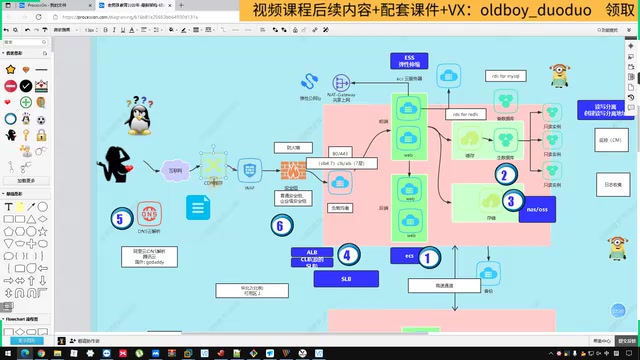
Complete Guide to Alibaba Cloud Website Architecture: The Full Request Path from DNS to Auto Scaling
A systematic guide to Alibaba Cloud website architecture covering DNS, CDN, WAF, CLB/ALB, ECS, Redis, NAS/OSS, and auto scaling along the full user request path.
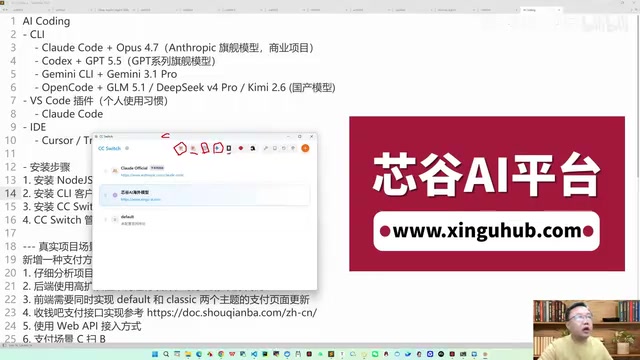
Claude Code in Practice: Completing a Complex Payment System Integration in 4 Hours for $60
Real case study showing how Claude Code + Opus 4.7 completed a complex payment system integration in 4 hours for $60, covering CC Switch setup, prompt engineering, and model selection strategies.

Vibe Coding Beginner's Guide: A Complete Roadmap to Building Software with AI — No Coding Experience Required
Vibe Coding lets anyone build software using plain language instructions with AI. Learn what it is, when to use it, which tools to pick, and how to get started.