Getting Started with SwiftUI: A Learning Path from Zero to Independently Developing and Publishing an APP
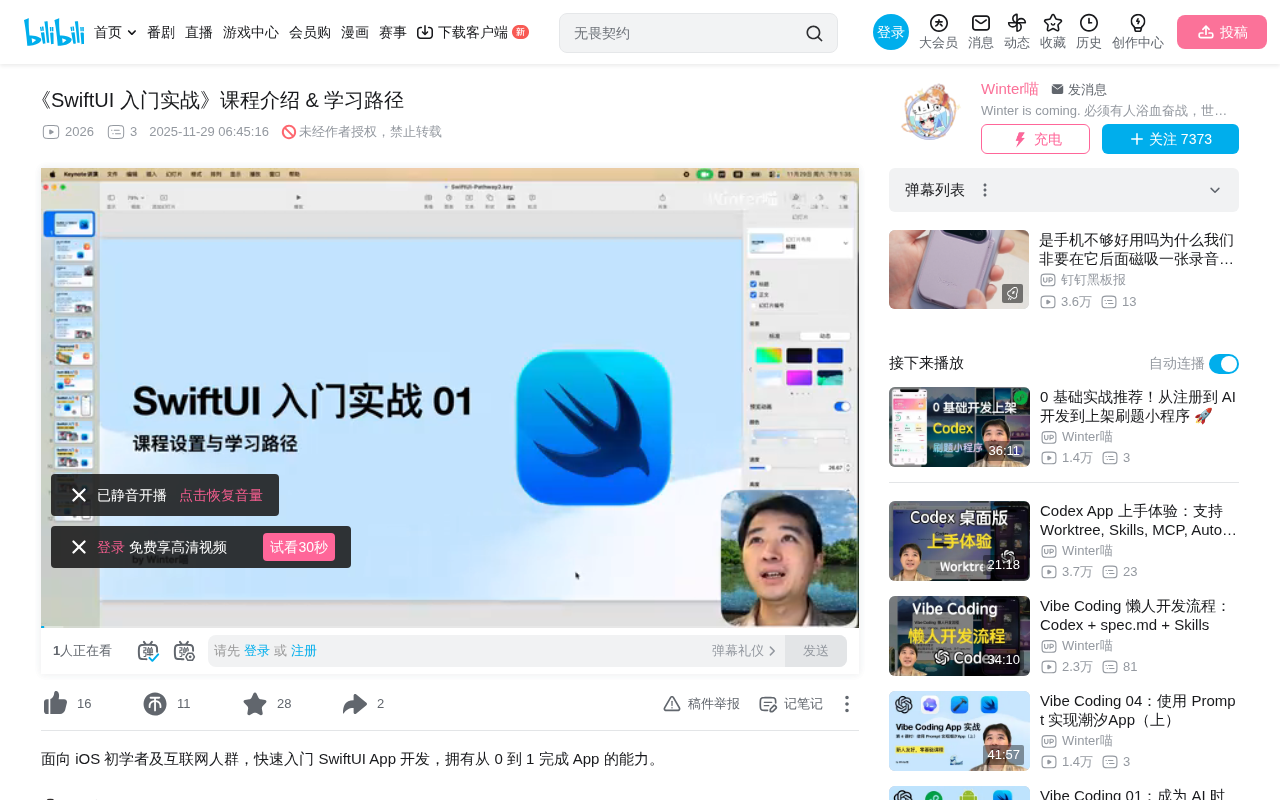
Bilibili creator WinterMeow launches a SwiftUI course helping beginners develop and publish APPs from scratch.
WinterMeow has launched a 20-lesson "SwiftUI Hands-On for Beginners" course series targeting complete beginners. The course highlights three key advantages: SwiftUI's low barrier to entry, AI-powered development efficiency, and cross-platform capability with a single codebase. The first half covers Swift fundamentals and the SwiftUI framework, while the second half focuses on building a complete APP and publishing it to the App Store, incorporating the creator's real-world experience from independently developing a pet community APP.
Course Overview: Getting into iOS Development in the AI Era
As the SwiftUI framework continues to mature, the barrier to entry for iOS development has significantly lowered. Bilibili creator WinterMeow recently launched a "SwiftUI Hands-On for Beginners" course series, designed to help complete beginners go from getting started to independently developing and publishing an APP on the App Store. This article outlines the core content and learning path of this course, providing a reference for readers interested in iOS development.
Why Now Is a Great Time to Learn SwiftUI
Dramatically Lower Development Barriers
WinterMeow shared his personal experience in the video: he first encountered Swift back in 2015 when it was open-sourced, but at that time iOS development required learning Objective-C and mastering complex UI development patterns like Storyboard, making the learning curve extremely steep. Now, SwiftUI—Apple's actively promoted UI development framework—has completely changed the game with its concise syntax, quick onboarding, and beginner-friendly approach.
AI-Powered Development Efficiency
The course particularly emphasizes AI's supporting role in development. Even with just a grasp of Swift basics, learners can quickly build simple APPs using AI tools like Qwen 3 Max or ChatGPT. This means that in the AI era, the path from idea to product is shorter than ever before.
One Codebase, Multiple Platforms
Another major advantage of the SwiftUI framework is its cross-platform capability. Using the classic Landmarks example, the course demonstrates how the same codebase can run on iPhone, iPad, macOS, Apple Watch, and even VisionOS—this "write once, run everywhere" capability dramatically improves development efficiency.
Course Structure and Learning Path
First Half: Fundamentals (Lessons 1-10)
The first half closely follows Apple's official materials with a progressive teaching approach:
- Lesson 2: Getting started with programming using Swift Playground—Apple's official learning platform designed for young people and beginners, which lowers the psychological barrier to coding.
- Lesson 3: Following Apple's official Swift Tour to learn the basic syntax of the Swift programming language, with hands-on practice in Xcode.
- Lesson 4: Building your first APP with AI assistance (a simple habit-tracking app), giving learners a sense of accomplishment before formally studying SwiftUI.
- Lessons 5-7: Formally learning SwiftUI, using Apple's classic official Landmarks tutorial as the core teaching material to master SwiftUI's foundational knowledge.
- Lesson 8: Reinforcing learned knowledge with AI assistance by independently recreating a popular APP.
- Lessons 9-10: Continuing deeper into the Landmarks tutorial to learn advanced SwiftUI concepts.
Second Half: Hands-On Development (Lessons 11-20)
The second half focuses on building a feature-rich, complete APP from scratch, covering the following core topics:
- Backend API Basics: Explaining fundamentals of network data fetching and teaching learners to write simple backend APIs to provide data interfaces for their APP
- Third-Party Library Integration: Introducing commonly used networking and image libraries and integrating them into real projects
- Image Processing: Covering image-related functionality encountered during development
- AI-Assisted Development Tips: Sharing how to use AI to quickly solve problems encountered during development
- APP Publishing Experience: Including App Store submission process, D-U-N-S number application, business qualification requirements, and other real-world lessons learned
Target Audience and Learning Recommendations
Who This Course Is For
- College students who want to learn iOS development
- People who aspire to become indie developers
- People in the AI era who want to turn creative ideas into APP products
Basic Requirements
The course has very low requirements for learners: basic internet literacy and a willingness to invest about 2 hours per week in study time. The course is priced at 68 RMB for all 20 lessons, with approximately 80% of lessons available for free—meaning non-paying users can still access the core content.
The Value of Real-World Experience
After learning SwiftUI in 2024, WinterMeow independently developed a feature-rich pet community APP and successfully published it on the App Store. He candidly shared in the video that he encountered numerous problems during development—from technical implementation to App Store review—but resolved them one by one through AI assistance and persistent exploration.
These hard-won lessons are the core value of the course. As he put it: "A problem that took me half a day to solve—once I share the experience with everyone, you might be able to fix it in just a few minutes." This kind of knowledge distilled from real practice is often more valuable than pure theoretical teaching.
Conclusion
For learners looking to get into iOS development, the SwiftUI + AI combination truly offers an unprecedentedly accessible path. The strengths of this course lie in its close alignment with Apple's official materials, emphasis on hands-on practice, integration of AI-assisted development concepts, and inclusion of complete end-to-end experience from development to App Store publication. If you've always wanted to develop your own APP but didn't know where to start, this might be a great starting point.
Related articles
 Tutorials
Cursor + Codex Dual-IDE Collaboration: A Practical Methodology for Open-Source Project Customization
A complete methodology for open-source project customization based on real-world experience, detailing the Cursor+Codex dual-IDE workflow, seven-stage process, MVP validation, and AI source code reading techniques.
 Tutorials
Cursor Multi-Agent in Practice: Building a Full-Stack Next.js Blog in 50 Minutes
Build a full-stack blog in 50 minutes using Cursor IDE's multi-Agent mode with Next.js, Clerk auth, and Supabase. Learn the 4-phase AI Agent workflow and key integration pitfalls.
 Tutorials
Building an AI Software Factory from Scratch: A Cursor Engineer's Hands-On Experience with Multi-Agent Collaboration
Cursor engineer Eric shares practical insights on building an AI software factory: automation levels, guardrail design, parallel Agent management, and scaling to 1000+ Agents for 24/7 development.