Getting Started with Trae Solo: Why It's the Best Entry Point for AI Agents

Why Trae Solo is the ideal free, zero-barrier entry point for integrating AI Agents into your workflow.
This guide explains why Trae Solo — ByteDance's free AI Agent tool — is the best starting point for anyone looking to integrate AI Agents into their workflow. With zero configuration, IDE-based local file access, and ByteDance's full-stack AI ecosystem, it removes all barriers to entry. The article also shares a practical methodology: start with the simplest tool, test with small tasks, discover capability boundaries through practice, and upgrade when you know what you need.
The Core Logic Behind Choosing Your First AI Agent Tool
Many people want to integrate AI Agents into their workflows but get stuck on tool selection. With so many AI Agent products on the market, where should you start? Bilibili creator Song Zhong shared his real experience: Your first AI tool doesn't have to be the most powerful — it just has to be the most convenient.
First, let's understand what an AI Agent is. An AI Agent is an AI system capable of perceiving its environment, making autonomous decisions, and executing tasks. Unlike traditional chatbots, AI Agents can call tools, perform multi-step reasoning, and interact with their environment — reading files, accessing the web, calling APIs, and executing code to complete complex, multi-step tasks. Since 2024, AI Agents have become the core direction for large model application deployment, with major companies racing to launch their own Agent products, aiming to upgrade large models from "chat tools" to "work assistants."
This perspective may seem simple, but it hits the pain point for most people. Many spend enormous amounts of time studying reviews and comparing specs, yet never actually start using anything. The value of AI Agents can only be realized within actual workflows.
What Is Trae Solo?
Trae Solo is an AI Agent product from ByteDance. Its parent product is Trae — a development tool with IDE functionality. Trae itself is a complete code development environment that, powered by ByteDance's proprietary large models, has spawned Web Coding tools.
Here, IDE (Integrated Development Environment) refers to the core tool programmers use to write, debug, and run code — think VS Code, JetBrains products, etc. IDEs inherently have full read/write access to the local file system, which means AI Agents built on an IDE architecture can directly manipulate files on the user's computer — creating, modifying, deleting, and organizing folders without additional authorization or complex configuration. This is Trae Solo's structural advantage over purely web-based AI tools.
Solo is a special variant of Trae:
- Trae: Oriented toward code services, targeting developers
- Trae Solo: Oriented toward personal Agent assistance, targeting general users
Since its core is a development tool with IDE functionality, it natively supports reading and writing local folders, giving it a natural advantage when handling local tasks.
Why Recommend Trae Solo as an AI Agent Starter Tool?
Free and Zero Barrier to Entry
The most important reason to recommend Trae Solo is that it's free. Installation is extremely simple — just click "Next" all the way through. No API configuration needed, no network environment setup, no folder path specification. Once installed, you can start chatting and using it immediately.
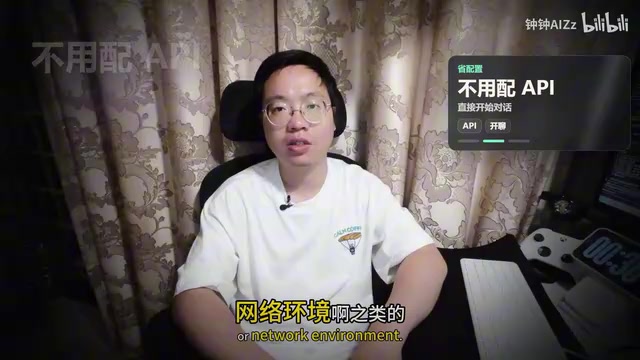
This is crucial for AI Agent beginners. Many tools have environment setup processes that scare off a large number of people, but Trae Solo eliminates all these barriers.
The Natural Advantage of ByteDance's Ecosystem
In real work, we encounter all kinds of needs: audio, images, coding, video, and more. ByteDance has a natural advantage here — at least for now, it covers virtually every AI capability an average user can think of. The models may not always be the strongest, but the coverage is broad enough.
ByteDance's AI portfolio spans large models (Doubao/Yunque series), AI development tools (Trae), AI video generation (Jimeng/Dreamina), AI image processing, and more. Jimeng (Dreamina) features a video generation model that ranks in the global first tier, capable of producing high-quality short video content. This full-stack AI capability means Trae Solo, as an Agent entry point, can tap into various AI capabilities across ByteDance's ecosystem, forming a complete creative pipeline from text to images to video. The video domain is especially noteworthy, backed by the globally leading video model Jimeng (Dreamina/CDAW 2.0).
The Experience Gap Compared to Competitors
There are products with similar positioning to Trae Solo that are also free, such as Tencent's comparable AI Agent tool. However, the actual experience reveals clear issues:
- "Mediocre yet overconfident": When you try to install Hermes or other Agents through it, it tells you "I'm powerful enough, just use me." While you can force the installation and continue, the experience is terrible.
- Insufficient model intelligence: It's not even as smart as Trae Solo.

How to Use Trae Solo Correctly
Treat It Like a Free Intern
This is an incredibly accurate framing. Don't start by assigning it extremely difficult or lengthy tasks — you'll most likely get nonsensical results. This is a common problem with current large models: they won't tell you they can't do something; instead, they'll "try really hard" and give you a pile of wrong answers.
This phenomenon is known as "Hallucination" in the AI field, and it's a shared issue across all large language models today. When a model lacks relevant knowledge, it won't admit ignorance — instead, it generates content that appears reasonable but is actually incorrect. This characteristic requires users to maintain basic judgment and not blindly trust AI output, especially in professional domains and factual matters. Understanding this is a prerequisite for correctly using any AI tool.

The right way to use it:
- Assign small tasks: organizing materials, collecting assets, gathering information
- Have it help you break down copywriting
- Use it to manage a local knowledge base
- Break complex tasks into smaller ones first, then complete them one by one
Discover the AI Agent's Capability Boundaries Through Practice
Only by letting the AI Agent actually touch your workflow can you feel its strengths and limitations. By continuously adjusting how you use AI at work and defining the boundaries of what AI can achieve, you'll learn:
- Where the Agent's capability boundaries lie
- What kind of Agent capabilities you need most
- When it's time to upgrade your tools
Don't bother reading reviews — just start using it and you'll know what works and what doesn't.
Summary: A Methodology for Choosing AI Tools
Song Zhong's methodology is worth adopting:
- Start using it first: Choose the lowest-barrier tool to quickly integrate into your workflow
- Test with small tasks: Begin with simple tasks and gradually understand the AI's capability boundaries
- Identify problems: Accumulate knowledge about AI Agents through actual use
- Upgrade your tools: When you clearly know what you need, then choose more powerful tools
This approach applies not only to Trae Solo but to all AI tool selection. Rather than agonizing over choices, take the first step.
There's a clear tool gradient in the AI Agent space: from zero-configuration free tools (like Trae Solo), to mid-tier tools requiring API Keys (like Agent frameworks configured with OpenAI/Claude APIs), to professional-grade solutions requiring self-deployment (like AutoGPT, CrewAI, and other multi-Agent collaboration frameworks). Each tier corresponds to greater capabilities and higher barriers to entry. Starting with the simplest tool, clarifying your needs through practice, and then gradually upgrading is the most efficient learning path.
You can also use Trae Solo to install other Agents and deploy other large models later, achieving a progressive upgrade path.
Key Takeaways
Related articles
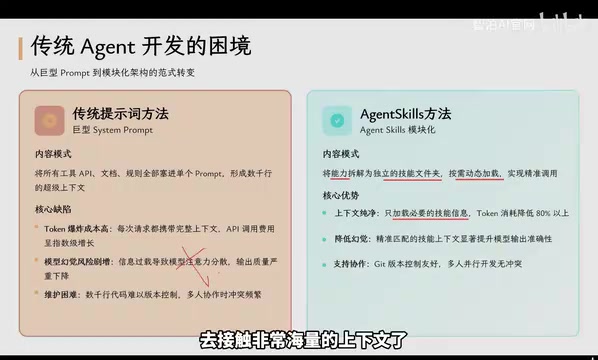
Agent Skills: Folders as Skills — Making AI Produce Precise, Template-Based Output
Agent Skills splits AI capabilities into independent skill folders with on-demand loading and progressive disclosure, cutting token costs by 80% and reducing hallucinations for template-based output.

Five Common Claude Code Mistakes — How Many Are You Making?
Five common Claude Code mistakes developers make: copy-pasting code, skipping CLAUDE.md, inefficient prompting, ignoring docs, and poor context management — with fixes.

Andrew Ng's New Course Explained: A Practical Guide to Using OpenAI's O1 Reasoning Model
Deep dive into Andrew Ng and OpenAI's Reasoning with O1 course covering test-time scaling, new prompting paradigms, multi-model orchestration, and practical applications for developers.