GitHub Copilot Skills in Practice: Making AI Automatically Follow Your Coding Standards
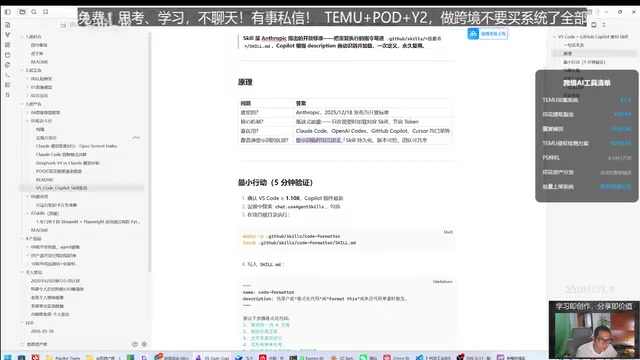
Use GitHub Copilot Skills to make AI automatically follow your team's coding standards while saving tokens.
GitHub Copilot Skills let you write reusable coding standards as Markdown files in `.github/skills`, enabling AI to automatically recognize and apply your team's conventions. This open standard by Anthropic reduces token consumption through lazy loading, supports semantic matching for auto-triggering, and integrates with Git version control for collaborative governance. The article covers setup, a hands-on comment standards demo, and best practices.
What Is a Skill? Installing an "Operating Manual" for Your AI Assistant
Skill is an open standard proposed by Anthropic. The core idea is: write repeatedly executed instructions into Markdown files under the .github/skills directory, allowing GitHub Copilot to automatically recognize and load these predefined standards.
The background behind Anthropic proposing the Skill standard is closely related to the "context management" challenge that current AI programming assistants face. Each call to a Large Language Model (LLM) has a context window limit—the maximum number of tokens the model can process in a single call. Even though Claude 3.5 already supports a 200K token context window, in real-world engineering, frequently carrying large system prompts still leads to increased response latency and rising costs. The Skill standard stores instructions in modular files within the file system, allowing AI to load them on demand rather than carrying everything at once. This is essentially a "Lazy Loading" strategy applied to prompt engineering.
Simply put, a Skill is like installing a job operating manual for your AI programming assistant—it learns the "specialized expertise" unique to your team or yourself. You only need to write a Skill file once, and the AI will automatically execute tasks according to your standards when needed.
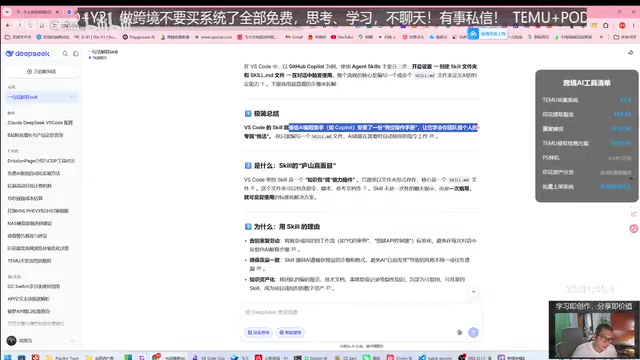
This approach serves two core purposes:
- Reusable: Write prompts once, use them repeatedly—no need to re-describe requirements every time
- Token-efficient: Avoid carrying large blocks of repeated instructions in every conversation, significantly reducing API call costs
Regarding token consumption, the video author shared real data: just two days of usage cost 65 yuan (after a 60% discount), involving multiple models including Claude, OpenAI, and GitHub Custom. Tokens are the basic unit of measurement for how LLMs process text—for Chinese text, one character is typically encoded as 1-2 tokens; in English, one word is approximately 1-4 tokens. Mainstream API pricing models charge separately for input and output tokens. For example, GPT-4o's input price is approximately $2.5 per million tokens, and output is approximately $10 per million tokens. In high-frequency development scenarios, if every conversation carries 2,000-5,000 tokens of specification instructions, 50 calls per day would consume an additional 100,000-250,000 tokens, equivalent to tens of yuan in RMB. Clearly, token optimization is a genuine necessity in daily high-frequency usage scenarios.
The Core Difference Between Skills and Regular Prompts
Many developers ask: can't I just save my prompts? What's actually different between Skills and regular prompts?
The problem with regular prompts is "use and discard"—while you can manually save prompt text, the AI won't automatically recognize and load them. With every new conversation, you need to re-paste or re-describe your standards.
Skill files are named skill.md, and Copilot automatically recognizes and loads them based on the name and description in the file. When you trigger a relevant scenario in conversation, the AI proactively invokes the corresponding Skill without manual intervention.
This essentially provides agents with a standardized, reusable capability extension pack, transforming AI from "needs to be taught every time" to "teach once and it remembers." This design philosophy reflects the industry trend of AI toolchains evolving from "general conversation" to "professional agents." Similar concepts appear on other platforms: OpenAI's Custom GPTs achieve role customization through Instructions, Cursor defines project standards through .cursorrules files, and Windsurf uses .windsurfrules. Anthropic positions Skills as an "open standard," meaning it hopes this file format will be adopted by multiple IDEs and AI tools, forming a cross-tool universal configuration standard similar to .editorconfig or .eslintrc.
Environment Setup and Configuration Steps
Prerequisites
Before creating Skills, confirm the following environment:
- VS Code version ≥ 1.108
- GitHub Copilot extension updated to the latest version
- Search for and enable the relevant Skill options in settings (
Ctrl + ,to open the settings panel)
Complete Workflow for Creating Skill Files
The process isn't complicated:
- Open the terminal in your project root directory
- Execute commands to create the
.github/skillsdirectory structure - Write Skill content in Markdown format into the file
- After saving, use
Ctrl + Shift + Pto open the command palette and load the Skill
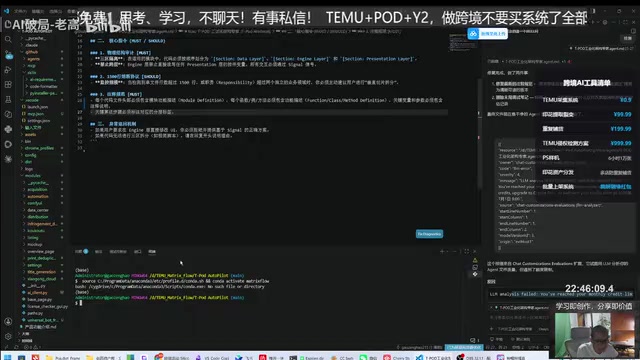
The core structure of a Skill file contains two key parts: name and description (the YAML metadata in the file header). YAML (YAML Ain't Markup Language) is a human-readable data serialization format widely used in configuration files. In Skill files, YAML Front Matter is wrapped between two --- lines and typically contains name (skill name) and description (trigger description) fields. Copilot's Skill matching mechanism is similar to semantic search: when the user's intent is semantically close enough to a Skill's description in the embedding space, the system automatically injects that Skill's content into the current conversation context. This mechanism relies on embedding vector similarity calculations, so the wording of descriptions directly affects trigger accuracy. Make sure to write them clearly and precisely.
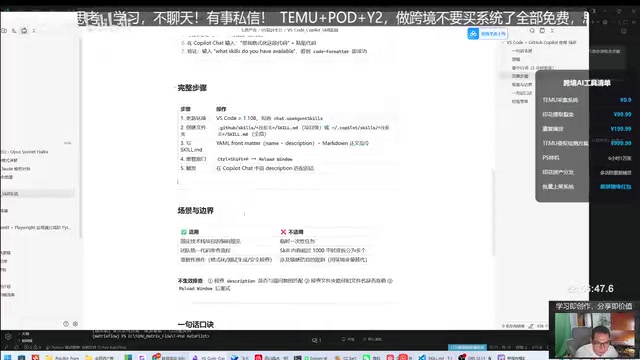
Hands-On Demo: Creating a "Comment Standards" Skill
Let's walk through a practical example demonstrating how to create a Skill specifically for code comments.
Why Make Comment Standards a Separate Skill?
Suppose your project already has Android-related Skills, but every time you need to add comments, the AI reads through all Skill content, causing unnecessary token consumption. By extracting comment standards into a separate Skill, the AI only loads the corresponding standards when comments are needed—both precise and cost-effective.
Creation Process
Simply type in the Copilot chat: "Write a Skill, name it Comment Standards, with the content being..." and the AI will automatically create the corresponding Skill file, adding a new skill.md under the .github/skills directory.
Throughout the process, the AI demonstrates solid autonomy—it determines the file structure on its own, automatically creates directories, and even proactively fixes format issues when detected.
Verifying Results
After creation, test with a 500+ line Python file. Input "check comments" or "add comments to paths.py," and Copilot will automatically add comments according to the standards defined in the Skill, including:
- Module functionality descriptions
- Docstrings for each function/class/method
- Inline comments for critical logic
In VS Code's Copilot panel, you can run a Skill via the slash command /run, or use "Reload Skills" to refresh the current project's Skill list.
Tips and Pitfall Guide
Project-Level Skills vs. Global Configuration
It's recommended to prioritize project-level Skills over global configuration. The benefit of project-level Skills is that different projects can have different standards—for example, frontend and backend projects often have different comment styles and code formatting requirements, making project-level management more flexible.
The design choice of placing Skill files in the .github/skills directory is deliberate. First, the .github directory is the standard configuration directory in the GitHub ecosystem (with existing conventions like workflows and ISSUE_TEMPLATE), so placing Skills here aligns with developers' mental models. Second, since Skill files are included in Git version control alongside project code, team members can review and iterate on Skill content through Pull Requests, enabling collaborative governance of coding standards. This is more enforceable than writing standards in a Wiki or Confluence—standards are no longer "suggestions" but "instructions" that AI will proactively execute.
Combining Multiple Skills
Besides comment standards, you can create other Skills like "Format Code." In Copilot's chat window, you can trigger multiple Skills simultaneously, such as "format code + add comments," completing multiple standardization operations in one go.
Skill Descriptions Must Be Clear Enough
In practice, you may encounter issues like commands not appearing in search, missing trigger conditions, or incomplete comment additions. This reminds us: Skill names and descriptions need to be sufficiently clear and precise; otherwise, the AI may fail to correctly identify trigger timing, or execution results may not meet expectations. Since Copilot's matching relies on semantic similarity calculations, it's recommended to explicitly list scenario keywords applicable to the Skill in the description—for example, "trigger when the user requests adding comments, supplementing docstrings, or checking comment completeness"—which significantly improves automatic matching hit rates.
Cross-Tool Compatibility
As an open standard, Skills can also be used in Claude's development environment, though the specific operations differ. This also means your Skill files have the opportunity to be reused across multiple AI tools. As more IDEs and AI programming tools adopt this standard, Skill files are poised to become the "Single Source of Truth" for team coding standards—write once and have them take effect across VS Code, JetBrains IDEs, terminal CLI tools, and other environments.
Summary
GitHub Copilot Skills are essentially a method for structuring and standardizing personal or team coding standards. It's not some advanced technology, but it delivers real efficiency gains in daily development: reducing repetitive communication costs, unifying code style, and saving token expenses.
For developers who frequently use AI-assisted programming, spending 10 minutes configuring a few commonly used Skills for your project is absolutely a worthwhile investment. Start with the most common scenarios like comment standards and code formatting, and gradually build up your team's Skill library.
Related articles
Remotion: The Open-Source Framework for Code-Driven Video Production with React
Deep dive into Remotion, the open-source framework for writing videos with React components. Covers core principles, use cases, comparison with traditional editors, and quick start guide.
Nex N2 Pro Real-World Testing: Top 5 on Official Benchmarks, Only 12th in Independent Tests
Deep-dive testing of Nex N2 Pro open-source Agent model comparing official benchmarks vs independent results. The 397B parameter model shows decent frontend generation but ranks 12th independently, not top 5 as claimed.
Claude Code Workflow in Practice: From Requirement Grilling to AFK Agent Auto-Coding
A detailed walkthrough of building real features with Claude Code: Grill Me requirement interrogation, auto-generated PRDs, AFK agent coding, and QA iteration loops with DDD and TDD strategies.