GPT-5 Full-Stack in Practice: Complete Tutorial for Building a Gas Meter Recognition Mini Program from Scratch

Full-stack practice building a gas meter OCR recognition mini program from scratch with GPT-5 in Cursor
This article documents the complete process of building a gas meter automatic reading WeChat mini program from scratch using GPT-5 with Cursor, covering UniApp frontend, UniCloud services, Alibaba Cloud OCR API, and UniAdmin backend management. GPT-5 demonstrated core advantages of completing complex features in one conversation, producing concise hallucination-free code, and strictly following prompts—though it won't perform creative development and demands high prompt quality.
Project Overview: Building a Complete Gas Meter Recognition Mini Program with GPT-5
This article documents a complete full-stack development practice using GPT-5—building a gas meter automatic reading mini program from scratch, covering frontend pages, cloud database, API integration, and admin panel development. This case study not only demonstrates GPT-5's programming capabilities but also provides a reproducible development path for beginners.
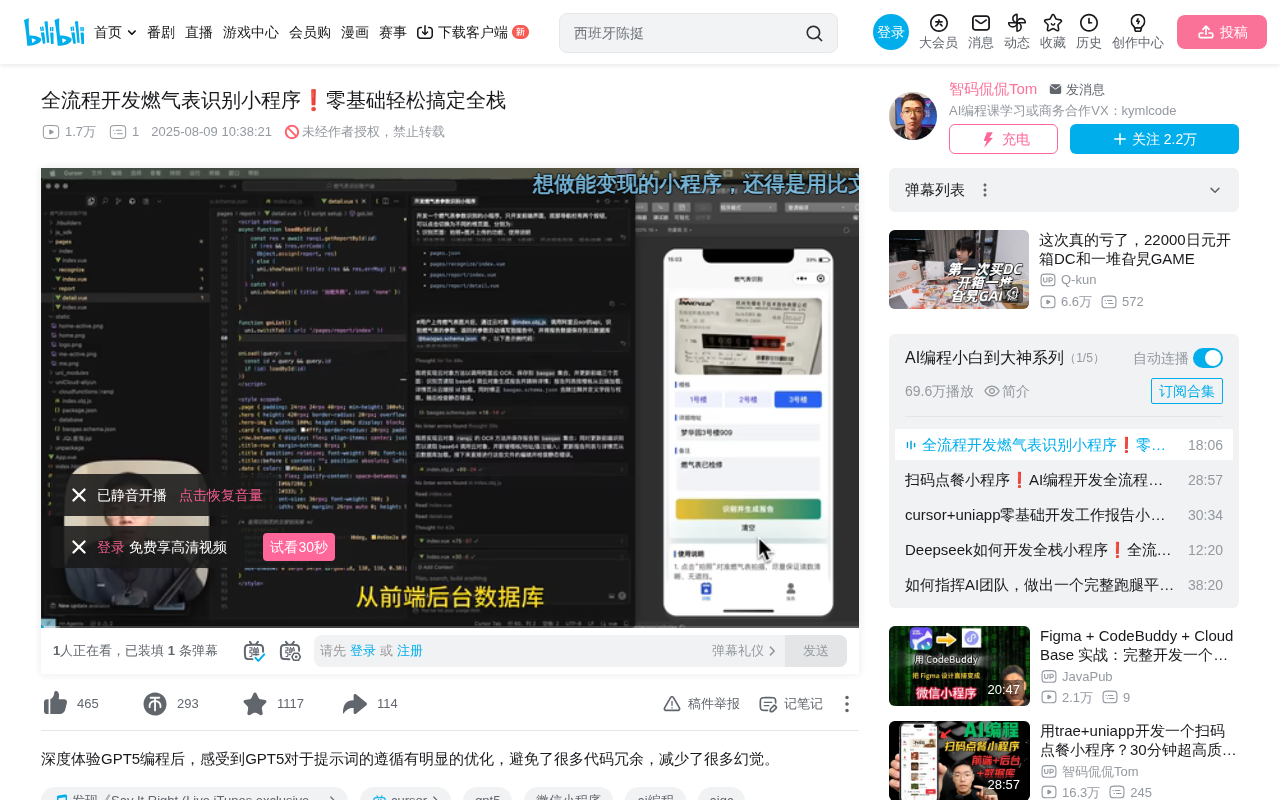
The project's tech stack includes: UniApp (frontend framework), UniCloud (Alibaba Cloud services), Alibaba Cloud OCR API (gas meter recognition), and UniAdmin (admin panel). The development tools consist of HBuilder X, Cursor (with GPT-5 integration), and WeChat Mini Program Developer Tools.
UniApp is a cross-platform frontend framework developed by DCloud, based on Vue.js syntax, allowing developers to write one codebase that compiles to iOS, Android, H5, and various mini program platforms (WeChat, Alipay, Baidu, etc.). UniCloud is DCloud's companion Serverless cloud development platform, supporting both Alibaba Cloud and Tencent Cloud as underlying providers, offering cloud functions/cloud objects, cloud databases, cloud storage, and more—enabling developers to implement backend logic without setting up their own servers. This integrated front-and-backend development model significantly lowers the barrier to full-stack development, making it particularly suitable for small projects and individual developers looking to quickly validate product ideas.
Environment Setup and Project Initialization
Creating the Project and Cloud Service Configuration
The first step is creating a new UniApp project in HBuilder X, selecting the default template and enabling UniCloud (Alibaba Cloud). After project creation, you need to associate a cloud service space—right-click the UniCloud folder and select "Associate Cloud Service Space," then create a new Alibaba Cloud service space (a free tier is available).
Once the cloud service space status changes to "Normal," associate it with the client project. This step establishes the connection channel between the frontend mini program and backend cloud services.
Runtime Environment Configuration
After configuring the installation path for WeChat Mini Program Developer Tools, launch the project through HBuilder X's "Run to Mini Program Simulator" feature. Several key settings to note:
- Enable "Service Port" in WeChat Developer Tools (Settings > Security Settings)
- Check "Connect to Cloud for Running Functions" in the HBuilder X console
- Trust and run the project, then close the debugger and compiler
Frontend Page Development: Core UI Done in One Conversation
After opening the project folder in Cursor and enabling the GPT-5 model, the frontend pages were completed through a single structured prompt. The key elements of the prompt included:
- Bottom Navigation Bar: Two buttons switching between different root pages (Recognition page, Report page)
- Recognition Page: Photo/image upload functionality + usage instructions
- Report Page: Category tab component (sorted by address), historical report list, report details (including readings, date, address, notes, and other fields)
The code generated by GPT-5 fully matched the described requirements—bottom navigation, page switching, and image upload all functioned correctly. However, the visual aesthetics were mediocre—which precisely illustrates a notable characteristic of GPT-5: it strictly follows the prompt without performing creative additional development.
API Integration: Implementing Gas Meter OCR Recognition
Alibaba Cloud OCR API Integration
The gas meter recognition feature is implemented through Alibaba Cloud's "Meter Reader Gas/Water Meter OCR" API, which offers a free trial of 100 calls over 30 days. It works by converting gas meter images to BASE64 encoding before sending the request, then returning recognition results.
OCR (Optical Character Recognition) is a technology that converts text in images into machine-editable text. In the gas meter scenario, OCR needs to identify numerical readings on the meter dial, involving image preprocessing (denoising, binarization), character segmentation, and character recognition. Modern OCR typically achieves end-to-end recognition based on deep learning models (such as CNN+RNN architectures or Transformers). BASE64 encoding is a method of converting binary data into ASCII strings, commonly used to transmit binary files like images in HTTP requests, since JSON format doesn't support directly embedding binary data. The encoded data increases in size by approximately 33%, but gains transmission compatibility in return.
In testing, a gas meter image with a reading of 00001823 was accurately recognized, validating the API's reliability.
Cloud Object Development and Database Design
After creating a cloud object (for calling external APIs) and a database table (for storing report data) in UniCloud, a prompt was sent to GPT-5 containing the following information:
- Feature description: User uploads image → Cloud object calls OCR API → Parameters auto-fill into report → Save to cloud database
- API request example code
- API response example code
- API key information
Here it's worth explaining the concept of cloud objects: Cloud objects are a higher-level abstraction that UniCloud introduced on top of cloud functions. Traditional cloud functions operate at the granularity of individual functions, with each API endpoint corresponding to a separate function; cloud objects organize code in an object-oriented manner, where a single cloud object can contain multiple methods, and frontend calls feel as intuitive as calling methods on a local object. For example, a cloud object named 'gasReport' can simultaneously contain 'recognize,' 'save,' 'query,' and other methods, resulting in cleaner code organization and reduced management overhead from numerous cloud functions.
Remarkably, GPT-5 completed the entire API integration code in just one conversation round, including cloud object logic and database writes. After testing in the simulator, although the report detail page displayed as blank, checking the database through the UniCloud Web console confirmed that data had been correctly written (address, readings, and other fields were all accurate).
The author commented: "GPT-5 helped us complete the API integration in just one conversation round. With other models, it would take at least four or five rounds of fixes."
Bug Fixing: Precise and Restrained Code Modifications
Report Detail Page Data Display Issue
For the "report detail is blank" issue, the prompt was: "The API call succeeded but the report detail is blank. Please query the data from the cloud database through the cloud object and display it in the report detail page," along with the detail page's code file.
GPT-5's fix added only a few lines of code, precisely solving the problem. This "minimal modification" style stands in stark contrast to other models.
Report List Page Data Retrieval
The blank data issue on the report root page was similarly resolved through a brief prompt, with GPT-5 again adding only the necessary few lines of code.
This demonstrates GPT-5's core advantage in AI programming: reducing code hallucinations and not writing anything beyond what's instructed. Code Hallucination is one of the core pain points in AI programming, referring to large language models generating code that appears reasonable but actually doesn't exist or is incorrect—such as calling non-existent API methods, using wrong parameter formats, or introducing unrelated code changes when fixing bugs. This problem is particularly severe in complex projects, as models may confuse syntax across different frameworks or fabricate library functions. The industry currently mitigates this through RAG (Retrieval-Augmented Generation), code verification feedback loops, and higher-quality training data. GPT-5's improvement in this area suggests that OpenAI may have introduced stricter code correctness alignment strategies during training.
By comparison, models like DeepSeek and Claude often modify unnecessary code when fixing simple issues, creating redundancy and performance problems.
Admin Panel: Quickly Building UniAdmin
The admin panel development follows a relatively standardized process:
- Create a new UniAdmin project, associated with the same cloud service space
- Auto-generate management pages through the Schema to Code feature
- Configure menu management, adding a "Gas Reports" menu item
- Register an admin account and log in
Schema to Code is an efficiency tool provided by UniCloud that automatically generates CRUD management interface code (Create, Read, Update, Delete) based on a database table's Schema (schema definition, i.e., field names, types, validation rules, etc.). Developers only need to define the data structure, and the system automatically generates complete admin functionality including list pages, form pages, search filters, and more. This low-code approach is very common in enterprise-level admin development, similar to tools like Django Admin and Laravel Nova—all essentially automating the repetitive work of building management interfaces.
The final admin panel supports viewing all meter reading records, adding/editing/deleting data, exporting to Excel, and achieves data synchronization with the frontend mini program—data modified in the admin panel is reflected in real-time on the mini program side.
GPT-5 Programming Capability Assessment and Summary
Through this complete full-stack development practice, several notable characteristics of GPT-5 in programming can be summarized:
Core Advantages:
- Extremely high prompt sensitivity: Develops strictly according to descriptions without generating excess code
- Complex features completed in one conversation: API calls, database operations, etc. typically succeed on the first try
- Concise code: Only adds necessary code when fixing bugs, avoiding redundancy
- Reduced hallucinations: Does not write content beyond what the prompt specifies
Usage Recommendations:
- Will not perform creative development; UI beautification requires additional instructions
- The professionalism and clarity of prompts directly determine output quality
- Recommended to understand the overall development process and describe each step clearly
The author's final assessment: GPT-5's programming experience is even superior to agentic programming tools like Trae's recently released Solo and MiniMax's Agent mode. The core philosophy of these agentic programming tools is to have AI not just generate code snippets, but autonomously complete the entire workflow from requirements analysis to code writing and debugging—like a junior programmer. In comparison, using GPT-5 in Cursor leans more toward "human-AI collaboration"—the developer drives the process while AI handles specific coding tasks, a model that may offer advantages in controllability and accuracy.
For beginners, the key isn't knowing how to code, but rather understanding the development process and being able to describe requirements clearly and professionally.
Key Takeaways
- GPT-5 can complete complex features like API calls and database operations in a single conversation, reducing the multi-round fix costs compared to other models
- GPT-5's core programming advantage is concise, redundancy-free code that strictly follows prompts without generating hallucinated code
- The complete project uses HBuilder X + Cursor + WeChat Developer Tools, combined with UniCloud and Alibaba Cloud OCR API for full-stack functionality
- When programming with GPT-5, the professionalism and clarity of prompts are crucial—you need to understand the overall development process and describe it step by step
- The author considers GPT-5's programming experience superior to agentic programming tools like Trae Solo and MiniMax Agent
Related articles
 Tutorials
Cursor + Codex Dual-IDE Collaboration: A Practical Methodology for Open-Source Project Customization
A complete methodology for open-source project customization based on real-world experience, detailing the Cursor+Codex dual-IDE workflow, seven-stage process, MVP validation, and AI source code reading techniques.
 Tutorials
Cursor Multi-Agent in Practice: Building a Full-Stack Next.js Blog in 50 Minutes
Build a full-stack blog in 50 minutes using Cursor IDE's multi-Agent mode with Next.js, Clerk auth, and Supabase. Learn the 4-phase AI Agent workflow and key integration pitfalls.
 Tutorials
Building an AI Software Factory from Scratch: A Cursor Engineer's Hands-On Experience with Multi-Agent Collaboration
Cursor engineer Eric shares practical insights on building an AI software factory: automation levels, guardrail design, parallel Agent management, and scaling to 1000+ Agents for 24/7 development.