Hermes Agent + Playwright: A Practical Guide to AI-Driven Browser Automation

Combining AI decision-making with Playwright execution for intelligent browser automation
This article introduces an AI-driven browser automation solution using a dual-layer architecture: Hermes Agent (an LLM-based AI decision layer) analyzes pages and plans operations, while Playwright (the browser control layer) handles precise execution, forming a "decision-execution-feedback" closed loop. The system offers three modes — snapshot decision-making, multi-turn dialogue control, and AI autonomous exploration — along with practical tips including optimized page structure extraction, retry mechanisms, resource interception for acceleration, and cross-platform CDP connections.
Why Do We Need AI-Driven Browser Automation?
In daily work, browser operations consume a significant amount of time: repetitive data collection, form filling, page monitoring... These tasks are time-consuming and labor-intensive. Manual operations are not only error-prone but also extremely inefficient. Even more challenging, some scenarios require 24/7 uninterrupted monitoring, which is simply beyond human capacity.
Traditional browser automation tools (such as Selenium and Playwright) can solve the "execution" problem but lack "decision-making" capability. Selenium was born in 2004 as the first widely adopted browser automation framework; Playwright is a next-generation tool released by Microsoft in 2020, offering significant improvements in speed and stability. However, both are essentially "instruction executors" — developers must pre-write every XPath or CSS selector for each step, and scripts break immediately when the page DOM structure changes. This fragility is particularly pronounced in modern web applications built with frontend frameworks like React and Vue, where the same button's selector might be completely different across different states. Introducing AI into browser automation fills exactly this gap: letting AI "see" the page, "think" about strategy, and "decide" the next action, truly achieving intelligent browser control.
Overall Architecture: AI Decision-Making + Playwright Execution
The entire system adopts a dual-layer architecture design with clear division of responsibilities:
- AI Decision Layer (Hermes Agent): Responsible for analyzing page content, understanding semantics, and planning operation sequences
- Browser Control Layer (Playwright): Drives the Chromium browser to actually execute clicks, inputs, screenshots, and other operations
Hermes Agent is essentially an AI Agent based on a Large Language Model (LLM), working in the ReAct (Reasoning + Acting) paradigm: first reasoning about the current page state, then deciding which action to execute. The core difference from traditional RPA (Robotic Process Automation) is that LLMs can understand task objectives described in natural language and decompose them into specific browser operation sequences. Page content is typically passed to the LLM in structured text form (such as simplified HTML or Markdown), and the LLM outputs structured operation instructions (such as click coordinates or element descriptions in JSON format), which are then parsed and executed by Playwright.
The two layers form a closed loop: AI decision → Playwright execution → page state feedback → AI re-decision, cycling continuously until the task is complete. This "perception-reasoning-action" loop is the core architectural pattern of modern AI Agents, enabling AI to work without understanding browser low-level APIs, while Playwright doesn't need to understand business logic — each handles its own responsibilities for efficient collaboration.

Environment Setup and Installation
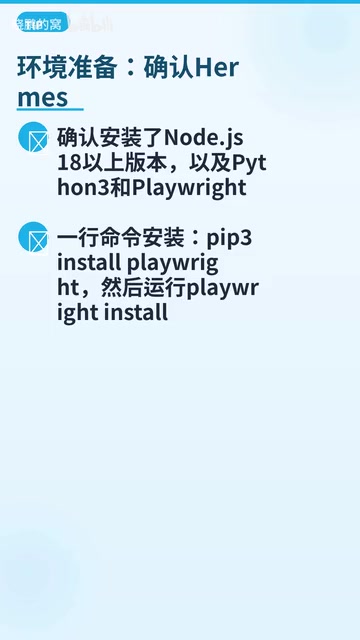
Environment setup is very simple. Just confirm the following prerequisites:
- Node.js 18+
- Python 3
Installing Playwright requires only two commands:
pip3 install playwright
playwright install chromium
The first line installs the Playwright Python library, and the second downloads the Chromium browser engine. Playwright is built on CDP (Chrome DevTools Protocol) for fine-grained control over Chromium. This protocol allows external programs to control almost all browser behaviors through WebSocket connections, including network request interception, DOM manipulation, and JavaScript execution. Users with slow download speeds can use acceleration mirrors. Once installed, it's ready to use without complex configuration.
Two Invocation Methods
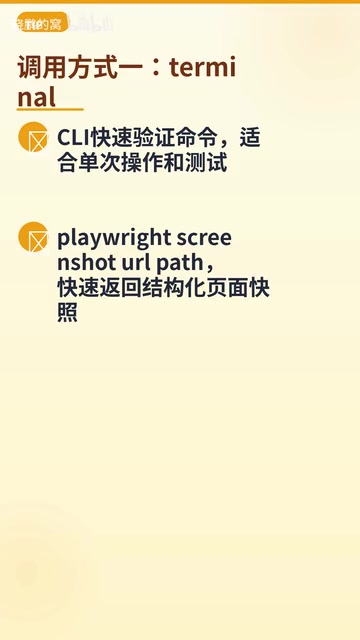
Terminal Command-Line Mode
Suitable for quick verification and one-time operations, invoked directly from the command line:
playwright screenshot <URL> <save-path>
This method quickly returns structured page snapshots, ideal for testing phases to verify whether pages load correctly and elements exist.
Execute Code Mode
Runs embedded within Python scripts, supporting Headless mode to launch Chromium, suitable for complex automation workflows. Headless mode means the browser runs without a graphical interface — all rendering is completed in memory without displaying any windows. This is particularly important in server environments, offering faster speeds and lower resource consumption compared to headed mode. The core advantage of this approach is its ability to seamlessly integrate with AI conversations for intelligent control.
Python scripts allow flexible orchestration of multi-step operations, dynamically adjusting execution paths based on AI analysis results — something the command-line mode cannot achieve.
Three AI-Driven Modes Explained
Mode 1: AI Snapshot Analysis and Decision-Making
This is the most basic mode, with the following workflow:
- After page loading, automatically extract page structure and content
- AI analyzes page semantics and understands the current state
- AI decides the next action (click, input, scroll, etc.)
- Loop execution until the task is complete
This mode is suitable for scenarios with clear objectives but potentially changing page structures. AI can flexibly adapt based on actual page content, completely solving the pain point of traditional scripts crashing due to selector failures.
Mode 2: Multi-Turn Dialogue Control
AI first plans a series of operation sequences, and Playwright executes each step in order. The result of each step is returned to AI for judgment and adjustment.

This mode is suitable for complex multi-step tasks, such as: login → navigate to a specific page → fill out a form → submit → verify results. AI can correct subsequent plans based on actual feedback at each step, providing stronger fault tolerance. This dynamic planning capability is a core advantage that static scripts simply cannot match.
Mode 3: AI Autonomous Exploration
This is the most advanced mode — there's no fixed workflow; AI autonomously determines the next step based on page content. Technically, this is similar to a Web Crawler, but with LLM semantic understanding capabilities: traditional crawlers traverse links using breadth-first or depth-first algorithms without understanding content value, while AI-driven exploration can judge "whether this link is relevant to the task objective," achieving purposeful, targeted crawling.
After extracting each page, AI determines which links are worth clicking and which information is worth collecting. A depth control parameter (max_depth) prevents infinite loops — autonomous exploration without depth limits could generate exponential page visits on link-dense websites. Combined with a visited URL deduplication set and maximum branch limits per level, you can build an autonomous exploration system that is both intelligent and controllable.
This mode is particularly suitable for exploratory tasks like information gathering and competitive analysis. AI can "browse" web pages like a human, discovering valuable content — one of the important directions for current AI Agent applications.
Practical Tips and Optimizations
Optimized Page Structure Extraction
Don't throw the entire HTML to AI. Instead, extract key page structures (headings, links, buttons, form elements, etc.) to reduce token consumption and improve AI analysis efficiency. This is crucial: modern web pages easily contain tens of thousands of lines of HTML, filled with CSS class names, inline styles, tracking scripts, and other noise that has zero value for AI decision-making. Taking GPT-4 as an example, every 1000 tokens costs approximately $0.03, a complete page might consume thousands of tokens, while effective information might only account for 10%. The best practice is to use BeautifulSoup or Playwright's built-in evaluate method to extract the page's semantic skeleton: retain heading hierarchy (h1-h6), interactive elements (button, input, a tags and their text), and key data nodes, while removing all style and script tags. This can reduce token consumption by over 80% while giving AI a clearer page semantics, significantly improving decision accuracy.
AI Click with Retry Mechanism
Network latency, dynamic page loading, and other factors may cause elements to be temporarily unclickable. Adding a retry mechanism significantly improves operation stability, preventing the entire workflow from being interrupted by occasional issues.

Screenshot Recording and Acceleration Optimization
- Screenshot after each operation: Records page state for easy debugging and tracing
- Intercept irrelevant images: Using Playwright's request interception feature, block ad images, decorative images, and other irrelevant resources to significantly accelerate page loading speed
Cross-Platform Connection to Windows Browser
A very practical tip: Enable Chrome's debugging port on Windows (port 9222), and WSL or remote Linux can connect via CDP protocol to reuse the already-logged-in browser environment, directly controlling any web application without re-logging in or handling complex authentication flows. CDP (Chrome DevTools Protocol) is the underlying debugging protocol exposed by Chrome, allowing external programs to control almost all browser behaviors through WebSocket connections — Playwright itself is also built on this protocol.
# Start Chrome in debugging mode on Windows
chrome.exe --remote-debugging-port=9222
Summary
The combination of Hermes Agent + Playwright perfectly merges AI's "intelligent decision-making" with Playwright's "precise execution." The core workflow is very clear: AI decision → Playwright execution → page state feedback → AI re-decision.
In practical applications, choose the appropriate mode based on task complexity:
- Terminal command-line mode: Quick verification, one-time operations
- Execute Code mode: Complex automation tasks, multi-step workflows
As large language model capabilities continue to improve, AI-driven browser automation will become increasingly intelligent, evolving from "executing scripts" to "autonomously understanding and completing tasks." This evolutionary path — from Selenium's hard-coded selectors, to Playwright's stable execution layer, to the semantic understanding and autonomous decision-making capabilities granted by LLMs — represents one of the most important paradigm shifts in the automation field, and foreshadows that future software robots will truly possess human-like web interaction capabilities.
Related articles
 Tutorials
Cursor + Codex Dual-IDE Collaboration: A Practical Methodology for Open-Source Project Customization
A complete methodology for open-source project customization based on real-world experience, detailing the Cursor+Codex dual-IDE workflow, seven-stage process, MVP validation, and AI source code reading techniques.
 Tutorials
Cursor Multi-Agent in Practice: Building a Full-Stack Next.js Blog in 50 Minutes
Build a full-stack blog in 50 minutes using Cursor IDE's multi-Agent mode with Next.js, Clerk auth, and Supabase. Learn the 4-phase AI Agent workflow and key integration pitfalls.
 Tutorials
Building an AI Software Factory from Scratch: A Cursor Engineer's Hands-On Experience with Multi-Agent Collaboration
Cursor engineer Eric shares practical insights on building an AI software factory: automation levels, guardrail design, parallel Agent management, and scaling to 1000+ Agents for 24/7 development.