Hermes Agent WeChat Integration Guide: Deploy Your Personal WeChat AI Bot in Three Steps
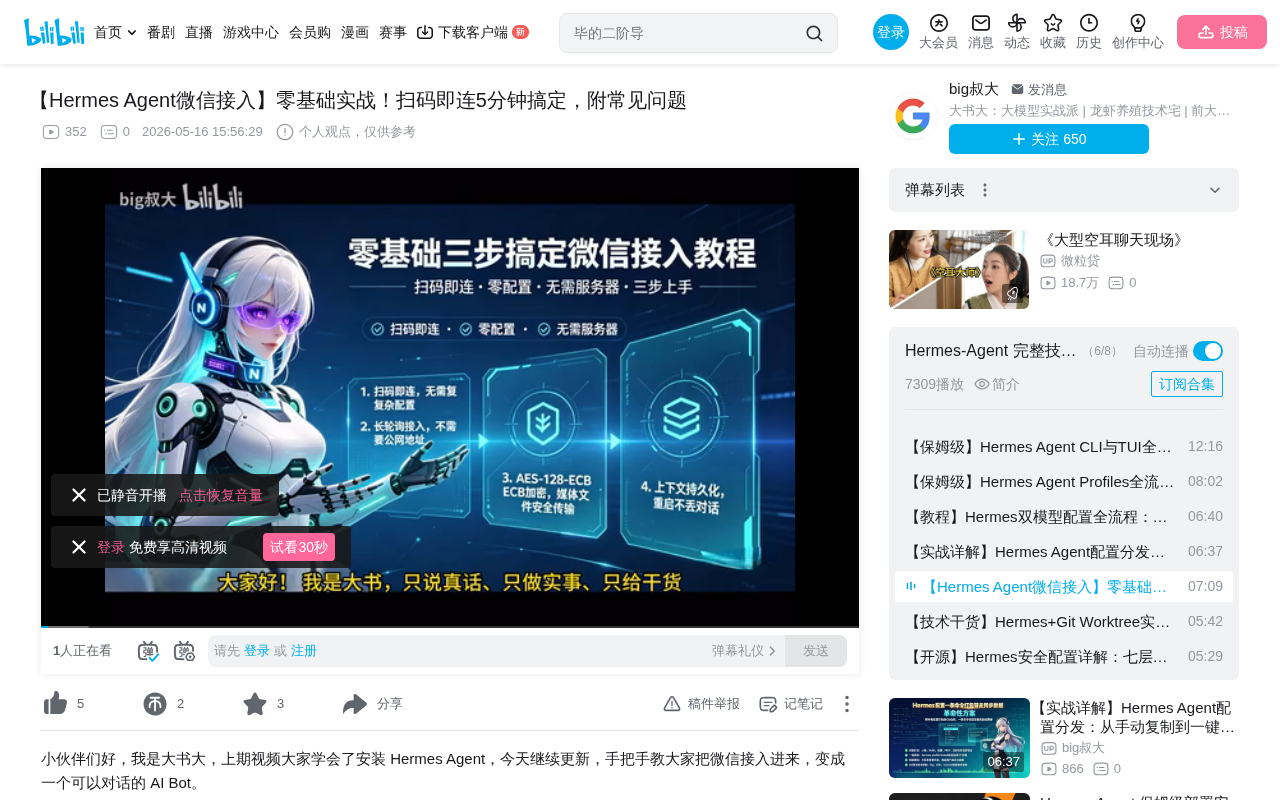
Hermes Agent integrates with WeChat via iLink Bot API in three steps for personal AI assistant chat.
This article details the complete process of integrating the Hermes Agent framework with WeChat. Using Tencent's iLink Bot API with HTTP long polling, deployment requires just three steps: install dependencies, scan QR code to log in, and start the gateway—no server or public IP needed. The system supports media encryption/decryption, context persistence, message deduplication, and six other core capabilities. However, due to iLink Bot identity limitations, group message support is limited, making private chat the most stable use case.
Overview
As an AI agent framework, Hermes Agent needs to be connected to a communication channel before it can be put to practical use. WeChat, being the most frequently used messaging tool in China, is naturally the top choice for integration. Based on a hands-on tutorial by Bilibili creator "Dashu" (大叔), this article provides a detailed walkthrough of the complete Hermes Agent WeChat integration process, feature capabilities, and troubleshooting solutions.
The entire integration process takes just three steps: install dependencies, scan QR code to log in, and start the gateway. No server required, no open ports needed, no Webhook configuration necessary—deployment can be completed in 5 minutes.
Core Principles and Important Limitations
Technical Architecture
Hermes Agent's WeChat integration is achieved through Tencent's official iLink Bot API, specifically designed for personal WeChat accounts. It's important to note that this is an entirely different system from WeCom (Enterprise WeChat)—don't confuse the two.
iLink Bot API is a bot interface service provided by Tencent for personal WeChat accounts. Unlike the WeCom Open Platform (WeCom API), iLink Bot targets regular personal WeChat users, allowing developers to interact with the WeChat messaging system via standard HTTP protocols. Its design philosophy is similar to the Telegram Bot API—developers don't need to maintain WebSocket persistent connections or deploy publicly accessible Webhook servers. Instead, messages are retrieved through client-initiated HTTP Long Polling.
In simple terms, the iLink Bot interface turns your WeChat account into a Bot capable of receiving and sending messages. It uses HTTP long polling to pull messages, making it stable even when deployed at home.
About HTTP Long Polling: HTTP Long Polling is a simulated server-push mechanism. The client sends an HTTP request to the server, and instead of returning an empty response immediately, the server keeps the connection open until new data is available or a timeout occurs. After receiving a response, the client immediately initiates the next request, creating a near-real-time message reception effect. Compared to WebSocket, long polling doesn't require maintaining persistent connection state and is more friendly to firewalls and proxies. Compared to short polling (timed requests), it avoids the resource waste of numerous invalid requests. The advantage of this architecture is that home networks behind NAT and development machines without public IPs can work normally, significantly lowering the deployment barrier.
Limitations You Must Know
Before getting started, there's one critical limitation you must understand:
After scanning the QR code to log in, your WeChat account is bound to an iLink Bot identity—this is NOT your original WeChat account itself. This distinction directly affects the available feature scope:
- iLink Bot cannot be added to WeChat groups like a regular contact
- iLink typically does not push regular WeChat group messages to Hermes
- Even if someone @mentions your scanned WeChat account in a group, it's not the same as mentioning the iLink Bot—they are two independent identities
- Group-related configurations only take effect when iLink actually pushes group events
Conclusion: Private (direct) messaging is the most stable use case. If you want to build a group chat bot, you need to first test whether iLink pushes group events to you. When the Gateway starts, if the group policy isn't set to Disabled, the logs will print a Warning about this limitation. If you've set a policy but receive no messages in groups at all, it's a limitation on iLink's side—don't waste time tweaking configurations.
Three Steps to Complete Integration
Step 1: Install Dependencies
Make sure you have a personal WeChat account, then install two Python packages:
pip install aiohttp cryptography
-
aiohttp: Used for network communication (HTTP long polling). aiohttp is the most mature asynchronous HTTP client/server framework in the Python ecosystem, built on the asyncio event loop. In the Hermes Agent scenario, it primarily serves as an HTTP client—initiating long polling requests, uploading/downloading media files, and calling the iLink Bot API. Compared to the synchronous requests library, aiohttp's asynchronous nature allows the main thread to remain unblocked while waiting for network I/O, which is crucial for an agent gateway that needs to handle multiple conversations simultaneously, maintain long polling connections, and make concurrent LLM API calls.
-
cryptography: Used for decrypting WeChat media files (WeChat file transfers use AES-128-ECB encryption; this package is mandatory). cryptography is a security-audited cryptographic library in Python that provides both high-level and low-level encryption primitive interfaces, making it the standard choice for AES encryption/decryption tasks.
Optional: If you want to render QR codes directly in the terminal, you can additionally install the hermes-agent-messaging component. It's not required—the QR code link will be printed as a URL instead.
These two packages are used for both WeChat and Telegram platform integrations, so installing them once saves effort later.
Step 2: Scan QR Code to Connect
Use the official interactive wizard—the entire process is automated:
hermes gateway setup
Workflow:
- The wizard prompts you to select a platform—choose WeChat
- The wizard automatically requests a QR code from the iLink Bot API
- The QR code is displayed in the terminal (or a URL is printed)
- Scan the code with your WeChat mobile app and confirm login
- Credentials are automatically saved to the designated directory
After confirming the scan, the terminal will display an Account ID—you'll need this ID for environment variable configuration later. Don't worry if you can't remember it; it's already automatically saved to a file.
Add the configuration to your .env file:
WECHAT_ACCOUNT_ID=YourAccountID
WECHAT_ALLOWED_USERS=AllowedPrivateChatUserList(Optional)
The group policy defaults to disabled—keep the default.
Step 3: Start the Gateway
Start with a single command:
hermes gateway
The gateway reads the saved credentials, restores the WeChat connection, connects to the LLM API, begins long polling to pull messages, and concurrently dispatches them to the AI for processing. At this point, WeChat integration is complete.
Nine Core Capabilities
After WeChat integration, Hermes Agent provides the following capabilities:
| Capability | Description |
|---|---|
| Long Polling | Pulls messages via HTTP long polling; no open server ports required |
| AES-128-ECB Encryption | WeChat media files are transmitted via encrypted CDN; automatic encryption/decryption is fully transparent |
| Full Media Support | Images, videos, files, and voice messages are all supported |
| Markdown Preservation | Markdown messages sent are natively rendered in WeChat |
| Smart Message Splitting | Messages are only split when exceeding 4000 characters; shorter ones are sent as a single message |
| Typing Indicator | WeChat shows "typing..." while AI is processing |
| Auto Retry | Automatic backoff and retry on temporary API errors |
| Context Persistence | Conversation context is stored on disk; conversations continue seamlessly after gateway restart |
| Deduplication | Identical message IDs within a 5-minute sliding window are not processed twice |
Key Capabilities Deep Dive
AES-128-ECB Encryption Mechanism: AES-128-ECB is a configuration of the AES (Advanced Encryption Standard) algorithm using a 128-bit key length in ECB (Electronic Codebook) mode. AES is currently the most widely used symmetric encryption algorithm, standardized by NIST. ECB mode is the simplest block cipher mode of operation—each plaintext block is encrypted independently, and identical plaintext blocks always produce identical ciphertext blocks. While ECB mode has pattern leakage risks when encrypting large amounts of structured data (such as the famous ECB penguin pattern problem), for WeChat CDN media file transmission scenarios, combined with other security mechanisms (such as HTTPS transport layer encryption and one-time key distribution), it provides adequate protection with excellent decryption performance. Hermes Agent automatically decrypts encrypted media files upon receipt, completely transparent to the user.
Context Persistence: Context persistence refers to serializing and storing AI conversation history (including user inputs and model responses) to disk rather than keeping them only in memory. This solves a practical pain point: when the gateway process is interrupted due to upgrades, crashes, or system restarts, users don't lose their previous conversation context. After restarting, the system restores conversation state from disk, and the LLM can still "remember" what was discussed before. This is especially important for personal AI assistant scenarios—users may interact with the assistant across hours or even days, during which the gateway may undergo multiple restarts. Without persistence, every restart means starting conversations from scratch, severely degrading user experience.
Sliding Window Deduplication: In distributed messaging systems, due to network jitter, timeout retries, and other factors, the same message may be delivered multiple times (At-Least-Once semantics). Hermes Agent employs a 5-minute sliding window deduplication strategy: the system maintains a set of processed message IDs within a time window. When a new message arrives, it first checks whether its ID already exists in the set. If it does, the message is discarded to avoid triggering duplicate AI responses. The 5-minute window size is an engineering trade-off—too short might miss delayed duplicate messages, too long would consume excessive memory. The sliding window means old message IDs automatically expire and are cleared over time, keeping memory usage constant.
Among these, media encryption handling and context persistence are the two most practical features—the former makes file transfers secure and transparent, while the latter ensures conversation continuity.
Ten Common Troubleshooting Issues
Startup Issues
Q1: Startup reports missing aiohttp and cryptography
pip install aiohttp cryptography
Q2: Startup reports Token is required
Re-run hermes gateway setup to complete QR code login.
Q3: Startup reports Account ID is required
Add WECHAT_ACCOUNT_ID=YourAccountID to your .env file.
Q4: Message says another gateway is using this Token Stop the other Hermes gateway instance first—the same Token can only be used by one instance at a time. This is because under the long polling mechanism, the same credentials can only maintain one active polling connection. If two instances poll simultaneously, it causes message distribution chaos or connection conflicts.
Login Issues
Q5: Session Expire error code -14
The login session has expired. Run hermes gateway setup again and scan the QR code. iLink Bot login sessions have validity period limits—extended inactivity or server-side session refreshes can trigger expiration.
Q6: QR code expired The QR code auto-refreshes up to three times. If it keeps expiring, check your network connection.
Q10: Terminal QR code doesn't display
Reinstall the hermes-agent-messaging component.
Functionality Issues
Q7: Bot doesn't respond to private messages
Check WECHAT_DM_POLICY—if it's set to Allow List, confirm the sender is on the allowed list.
Q8: Bot receives no group messages at all This is a limitation of the iLink Bot identity itself, not a Hermes issue. Refer to the limitations section above.
Q9: Media file upload/download fails Ensure the cryptography package is installed and verify that your network can access WeChat CDN domains.
Core Troubleshooting Principle
The first step in troubleshooting is always checking the logs—not repeatedly changing configurations. If there's no raw message event in the logs, it's basically a platform-side issue, and changing configurations won't help.
The logic behind this principle: Hermes Gateway logs record every raw event received from the iLink Bot API. If a message doesn't appear in the logs at all, the problem occurred on the iLink platform side (the message was never pushed over), and no amount of Hermes configuration adjustment will help. Conversely, if you can see the raw event in logs but no response was triggered, then you should check message filtering policies, user whitelists, and other local configurations.
Summary
Hermes Agent's WeChat integration solution is designed to be remarkably simple—deployment is complete in three steps. The core advantages are: zero server dependency, automatic encryption/decryption, and context persistence. The main limitation is iLink Bot's limited support for group messages, making one-on-one private chat the optimal use case currently.
For users who want to quickly set up a personal AI assistant, this is one of the lowest-barrier solutions available today. If group chat scenarios are needed later, consider looking into Feishu (Lark) or QQBot integration options.
Related articles
 Tutorials
Cursor + Codex Dual-IDE Collaboration: A Practical Methodology for Open-Source Project Customization
A complete methodology for open-source project customization based on real-world experience, detailing the Cursor+Codex dual-IDE workflow, seven-stage process, MVP validation, and AI source code reading techniques.
 Tutorials
Cursor Multi-Agent in Practice: Building a Full-Stack Next.js Blog in 50 Minutes
Build a full-stack blog in 50 minutes using Cursor IDE's multi-Agent mode with Next.js, Clerk auth, and Supabase. Learn the 4-phase AI Agent workflow and key integration pitfalls.
 Tutorials
Building an AI Software Factory from Scratch: A Cursor Engineer's Hands-On Experience with Multi-Agent Collaboration
Cursor engineer Eric shares practical insights on building an AI software factory: automation levels, guardrail design, parallel Agent management, and scaling to 1000+ Agents for 24/7 development.