How to Choose an AI Coding IDE: A Complete Comparison of Cursor, Trae, and Windsurf
How to Choose an AI Coding IDE: A Comp…
A comparative analysis of mainstream AI coding IDEs with selection recommendations
This article reviews the current mainstream AI coding IDEs, focusing on Cursor as the top choice for most developers (powered by GPT and Claude models with intelligent Auto mode routing), plus advanced usage of integrating Codex for GPT-5 series access. It also compares Trae (convenient access in China), Windsurf (excellent code completion), and Tiro (lightweight and easy to use), recommending developers choose progressively based on their skill level.
Introduction
AI coding IDEs (Integrated Development Environments) are a new generation of development tools that deeply embed Large Language Models (LLMs) into code editors. Unlike traditional IDEs (such as VS Code or IntelliJ IDEA), AI coding IDEs go beyond syntax highlighting and code completion — they can understand natural language instructions, generate complete functional modules, automatically debug errors, and even scaffold entire projects from scratch based on requirements. The core breakthrough behind this technology lies in Transformer-based large language models, which gain cross-language code understanding and generation capabilities through pre-training on massive code repositories (such as billions of lines of code on GitHub).
In the era of AI-assisted programming, choosing the right development tool has become key to boosting productivity. Whether you're a complete beginner or an experienced developer, AI coding IDEs can significantly accelerate your development workflow. This article reviews the current mainstream AI coding IDEs, analyzing each one from Cursor to Trae and Windsurf, to help you find the tool that best fits your needs.
Cursor: The Top Choice for Most Developers
Cursor is currently the primary choice for most software developers outside of domestic Chinese tools (like Trae). Here's why it's so popular:
Powerful underlying models: Cursor calls GPT and Claude series models under the hood. The GPT series (by OpenAI) is renowned for its strong instruction-following capabilities and broad knowledge coverage, excelling in code generation and multi-step reasoning. The Claude series (by Anthropic) stands out with its ultra-long context window (up to 200K tokens) and stricter safety alignment strategies, offering clear advantages when handling large codebases and long document analysis. Both are among the most advanced AI models available today, ensuring high-quality code generation.
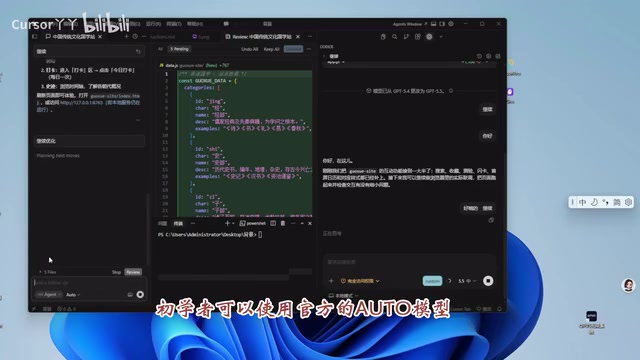
Low barrier to entry: Beginners can directly use the official Auto mode, where the system dynamically routes requests to the most suitable model based on task type. This intelligent dispatching mechanism is a key reason why Cursor's user experience surpasses single-model tools. You might not realize it, but many senior developers also use Auto mode in their daily work — it's already smart enough for most scenarios.
Advanced Usage: Integrating Codex for Enhanced Code Capabilities
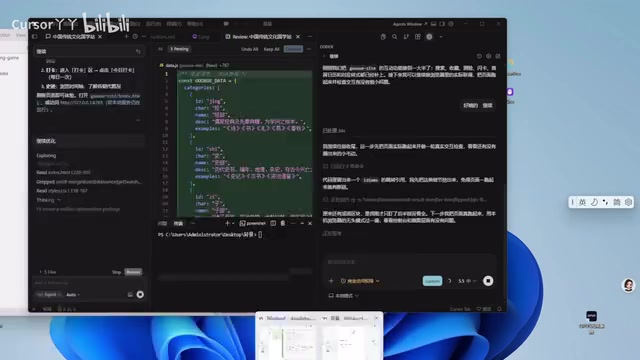
For more experienced AI developers, you can integrate OpenAI's Codex into Cursor. Codex was originally released in 2021 as a model specifically fine-tuned for code tasks and served as the underlying engine for GitHub Copilot. After multiple generations of evolution, modern Codex is now deeply integrated into the GPT-5 series architecture — it's no longer a standalone lightweight model, but rather a specialized capability layer trained with reinforcement learning (RLHF) and code execution feedback. Its core advantage lies in understanding the semantic intent of code rather than merely performing text prediction, supporting advanced tasks like multi-file context association, automated test generation, and cross-language code migration. Codex currently uses GPT-5 series models, including versions like GPT-5.4 and GPT-5.5.
GPT-5.5 is reportedly the strongest model overall among all large language models currently available, with significant advantages in code understanding, generation, and debugging. This is why senior developers prioritize integrating Codex when working on complex engineering projects. Of course, this is an advanced configuration — if you don't need GPT-5 series capabilities, the default Auto mode is more than sufficient.
Comparison of Other Mainstream AI Coding IDEs
Besides Cursor, there are several other noteworthy AI coding tools on the market:
Trae: A Convenient Choice for Chinese Developers
Trae is an AI coding IDE launched by ByteDance, built on its proprietary large model capabilities and integrating the Doubao series models. For developers in China, Trae's greatest practical value lies in network access stability — since servers are deployed domestically, you get low-latency AI responses without needing a VPN. From a technical architecture perspective, Trae adopts an Agent mode similar to Cursor's, supporting multi-turn conversational programming and codebase-level context understanding. ByteDance adopted a generous free tier strategy when launching Trae, aiming to rapidly build a domestic developer user base, making it a significant competitor in China's AI coding tool market. Overall, Trae is convenient for Chinese users to register and use without requiring special network configurations, making it ideal for developers who don't want to deal with network setup hassles.
Windsurf: Excellent Code Completion Experience
Windsurf evolved from Codeium, a company focused on AI-powered code completion. Its core technical highlight is the "Cascade" system — a multi-step code generation engine with deep context awareness that can track a developer's operation history and intent flow, rather than merely responding to single commands. Code completion technology has evolved from early rule-based static analysis to today's LLM-based semantic completion, with the core difference being that models can understand variable naming intent, business logic context, and cross-file dependencies. Windsurf has invested heavily in completion latency optimization, achieving competitive response speeds through local caching and predictive preloading. It's available immediately upon registration with a low barrier to entry, offering solid performance in both code completion and conversational programming.
Tiro: A Lightweight AI Coding Tool
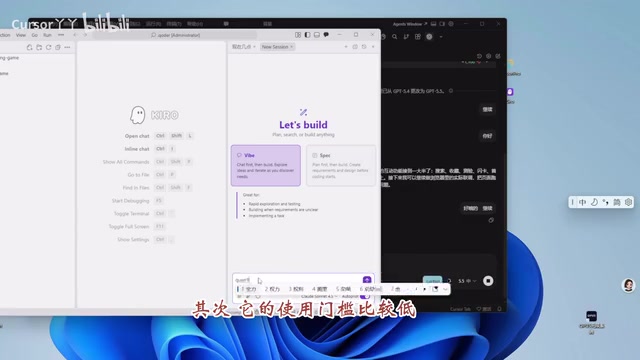
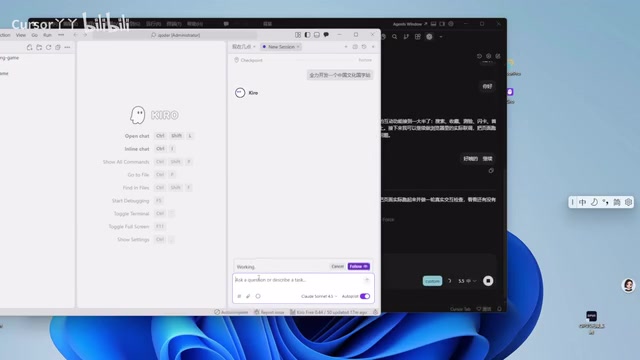
Tiro is another register-and-use AI coding tool, suitable for users who want to quickly experience AI-assisted programming. Compared to Cursor and Windsurf, Tiro is positioned as more lightweight, ideal for developers who don't need complex tooling and want to get started quickly.
How to Choose the Right AI Coding IDE
Here are recommendations for developers at different levels:
| User Type | Recommended Tool | Reason |
|---|---|---|
| Complete beginner | Cursor (Auto mode) or Trae | Low barrier, works out of the box |
| Intermediate developer | Cursor + custom model selection | Flexible configuration, higher efficiency |
| Senior developer | Cursor + Codex (GPT-5 series) | Most powerful models, excellent for complex tasks |
Conclusion
The core value of AI coding IDEs lies in lowering the programming barrier and boosting development efficiency. From a technological evolution perspective, these tools are rapidly advancing from simple code completion assistants toward intelligent Agents capable of understanding complete project context and autonomously planning development steps. For most people, Cursor's Auto mode is already an excellent starting point. As your understanding of AI-assisted programming deepens, gradually exploring more advanced model configurations and tool combinations is the most sensible learning path. What matters isn't which tool you use, but that you practice hands-on and accumulate experience through real projects.
Key Takeaways
- Cursor is the most mainstream AI coding IDE today, calling GPT and Claude models under the hood, with Auto mode's intelligent routing suitable for developers at all levels
- Senior developers can integrate Codex to access GPT-5 series models, gaining advanced capabilities like semantic-level code understanding and multi-file context association
- Windsurf excels in code completion experience through its Cascade system; Trae provides stable low-latency experience for Chinese developers through domestic server deployment
- Lightweight tools like Tiro are also worth noting — register and start using immediately, ideal for quick onboarding
- Tool selection should be progressive based on your skill level, starting from Auto mode and advancing gradually
- The core value of AI coding tools is lowering barriers and boosting efficiency — what matters most is hands-on practice
Related articles
 Tutorials
Cursor + Codex Dual-IDE Collaboration: A Practical Methodology for Open-Source Project Customization
A complete methodology for open-source project customization based on real-world experience, detailing the Cursor+Codex dual-IDE workflow, seven-stage process, MVP validation, and AI source code reading techniques.
 Tutorials
Cursor Multi-Agent in Practice: Building a Full-Stack Next.js Blog in 50 Minutes
Build a full-stack blog in 50 minutes using Cursor IDE's multi-Agent mode with Next.js, Clerk auth, and Supabase. Learn the 4-phase AI Agent workflow and key integration pitfalls.
 Tutorials
Building an AI Software Factory from Scratch: A Cursor Engineer's Hands-On Experience with Multi-Agent Collaboration
Cursor engineer Eric shares practical insights on building an AI software factory: automation levels, guardrail design, parallel Agent management, and scaling to 1000+ Agents for 24/7 development.