Kun: Open-Source DeepSeek Smart Desktop Client with 4.4K Stars on GitHub
Kun is an open-source DeepSeek desktop agent for auto-coding, writing, and remote PC control.
Kun is a free, open-source smart desktop client built on a local-first architecture that integrates DeepSeek and other large models. With 4.4K GitHub Stars, it offers Agent-powered fully automated programming, intelligent document writing, and phone-to-PC remote control via messaging apps. Its local-first design ensures data privacy while delivering powerful AI capabilities for everyday workflows.
An open-source desktop agent tool called Kun has recently gone viral on GitHub, rapidly accumulating 4.4K Stars in a short period. It wraps the capabilities of large models like DeepSeek into a local-first desktop client, supporting Agent-powered fully automated programming, document writing, remote phone-to-PC control, and many other practical scenarios — making it a true "agent workbench."
What Is Kun?
Kun is an open-source, free smart desktop client built around the core philosophy of "local-first" — user data and operations are handled locally, while leveraging the capabilities of large models like DeepSeek through API integration. It supports both Windows and macOS, offering ready-to-use installation packages that work right out of the box.
"Local-first" is an important trend in software architecture in recent years. Its core idea is to keep data storage and computation on the user's local device as much as possible, rather than relying entirely on cloud servers. This concept was first systematically articulated by the Ink & Switch lab in a 2019 paper. In AI application scenarios, local-first means that conversation history, document content, generated code, and other user data are all stored locally — only the necessary prompts are sent to the cloud via API when invoking the large model for inference. This architecture offers significant advantages in privacy protection, offline availability, and response speed, making it especially suitable for handling sensitive scenarios like internal corporate documents and personal private data.
The project is open-sourced on GitHub and is being updated rapidly. It currently supports multiple model integrations including DeepSeek and Xiaomi's MiMo, with an ever-expanding feature set that includes image generation, media generation, and speech-to-text.
Installation and Configuration
Basic Setup
When you first open the software after installation, a simple initialization is required. There are two key steps:
- Language Settings: Switch the interface language to your preferred language
- API Configuration: Enter your DeepSeek API Key
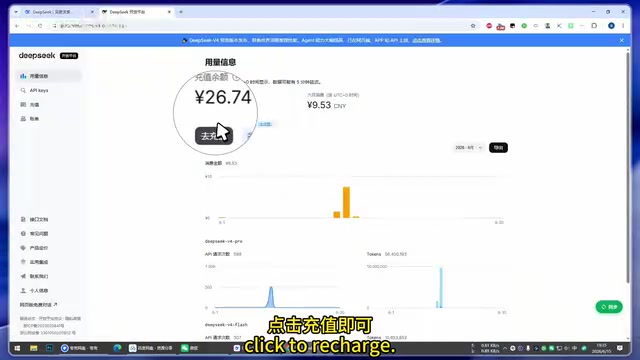
If you don't have an API Key yet, you can click the link within the software to jump directly to DeepSeek's official API platform. Top up a few yuan on the platform (which will last a long time), then create an API Key, copy and paste it into Kun, and save.
An API Key serves as the identity credential and billing basis for accessing large model services. When a client like Kun calls DeepSeek's API, it actually sends the user's prompt to DeepSeek's cloud servers via HTTP requests, and the server returns the results after completing the inference computation. DeepSeek's API uses a per-token billing model — tokens are the basic units that large models use to process text, with Chinese characters corresponding to roughly 1-2 tokens each. DeepSeek's API pricing is extremely competitive among domestic large models, with its V3 model's input price as low as about 1 yuan per million tokens — which is why "a few yuan can last a long time." This API-based approach allows third-party clients to access powerful AI capabilities without deploying models themselves.
The entire configuration process is very streamlined and can be completed in just a minute or two, making it very beginner-friendly.
Core Features Explained
Agent-Powered Fully Automated Programming
Kun's left sidebar features a "Code Writing" module, which is one of its most impressive capabilities. Users simply describe their requirements in natural language, and the software automatically completes the programming task end to end.
This feature is a textbook application of AI Agent technology. Unlike traditional code completion tools, Agent programming employs a "plan-execute-verify" closed-loop workflow: the large model first understands the user's natural language requirements, breaks them down into multiple subtasks (such as creating project structure, writing core logic, designing the interface, debugging and testing, etc.), then executes each subtask step by step while self-checking and correcting along the way. This approach essentially lets AI play the role of a complete software developer, rather than merely serving as a code snippet generator. Similar products in the industry include Cursor, Windsurf, and other AI coding tools, but Kun differentiates itself by targeting non-programmer users, packaging programming capabilities into a more accessible desktop application form — users can obtain complete, runnable programs without configuring a development environment.
For example, in a demo, entering "Help me write a small program that adds watermarks to images" causes Kun to start working automatically, completing the code step by step while clearly explaining what each step does. The resulting mini-program can be used immediately — import an image and a watermark is automatically added, all without writing a single line of code manually.
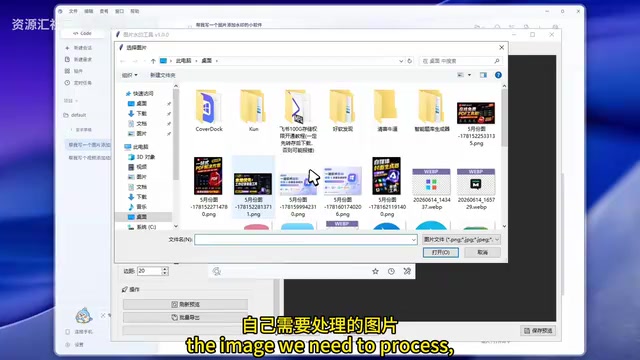
This "requirement-driven" approach to programming dramatically lowers the development barrier, allowing even users with zero programming knowledge to quickly generate practical tools through natural language.
Smart Writing and Document Processing
Beyond programming, Kun also offers a "Writing" module. Users can drag documents directly into the chat box and have the AI summarize, analyze, or rewrite them. The software can quickly read and understand document content, outputting structured summaries.
Additionally, Kun supports creating independent "Writing Spaces," ideal for writing scenarios that require privacy protection. All content is processed locally, so there's no need to worry about sensitive information leaking.
Remote Phone-to-PC Control
This is one of Kun's most distinctive features — by connecting to instant messaging tools like Feishu (Lark) or WeChat, users can remotely control Kun on their computer from their phone to execute tasks.
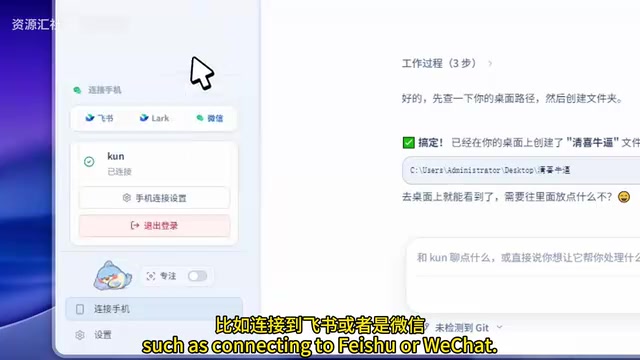
The implementation behind this feature is quite clever. The Kun client connects as a Bot to the open interfaces of platforms like Feishu or WeChat, continuously listening for messages from specific users. When a user sends a text command from their phone, the message is relayed through the messaging platform's servers to the Kun client on the computer. Kun parses the command content, calls the large model for understanding and planning, then executes specific desktop operations through the operating system's file system APIs, automation scripts, and other mechanisms. This architecture cleverly leverages existing instant messaging infrastructure as a communication channel, avoiding the need for users to configure complex network settings like NAT traversal or port forwarding, significantly lowering the barrier to remote control.
In a demo, sending a command from a phone telling Kun to "create a TXT document on the desktop and generate a weekly work report inside it" triggers the software to start working automatically:
- Receives the command from the phone
- Creates a TXT document on the desktop
- Automatically generates the weekly report content and writes it to the document
- Notifies the user with a popup upon completion
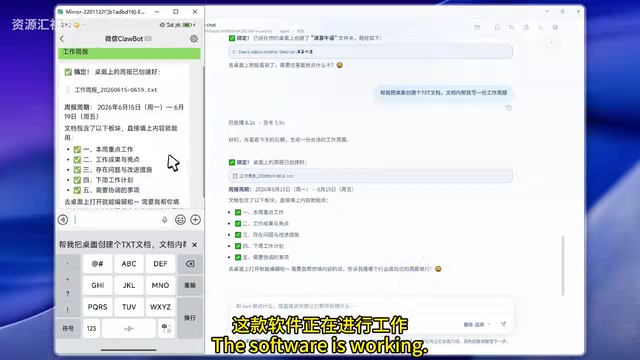
Opening the newly created TXT document on the desktop reveals the complete weekly report content already saved inside. This means that even when you're away from your computer, you can use your phone to have AI help you complete various desktop operations, such as organizing files or sorting desktop content.
More Extended Capabilities
Kun's features go well beyond the ones described above. As a rapidly iterating open-source project, it currently also supports:
- Multi-model Integration: In addition to DeepSeek, it supports models like Xiaomi's MiMo. MiMo is an open-source reasoning large model released by Xiaomi in 2025, with the full name Mi Mixture-of-experts Model. It uses a Mixture of Experts (MoE) architecture with a total parameter count of 24.6B, but only activates approximately 5.3B parameters per inference, significantly reducing computational overhead while maintaining high performance. MiMo excels in tasks like mathematical reasoning and code generation. Xiaomi has open-sourced it and provides API services, offering users a flexible alternative to DeepSeek.
- Image Generation: Generate images through AI models
- Media Generation: Broader multimedia content creation
- Speech-to-Text: Automatic transcription of audio content
The combination of these features makes Kun more than just a chat window — it's a true "agent workbench" capable of covering a wide range of everyday work scenarios.
Summary and Evaluation
Kun's core value lies in three things: open-source and free, local-first, and comprehensive functionality. It brings large model capabilities from the cloud to the desktop, allowing users to enjoy AI-driven productivity gains while safeguarding data privacy.
The 4.4K Stars popularity is no accident — in today's market where AI tools are flourishing, an open-source desktop client that can automatically write code, process documents, and be remotely controlled from a phone genuinely fills an important gap in use cases. For users looking to deeply integrate DeepSeek into their daily workflow, Kun is well worth trying.
Related articles
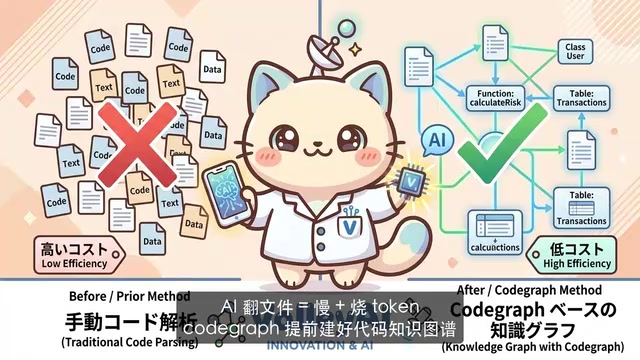
CodeGraph: The 50K-Star Open-Source Tool That Cuts AI Coding Token Usage in Half
CodeGraph is a 50K-star open-source tool that builds a code knowledge graph so AI coding assistants can locate code instantly—cutting Token usage by 47%, boosting speed by 22%, all running 100% locally.
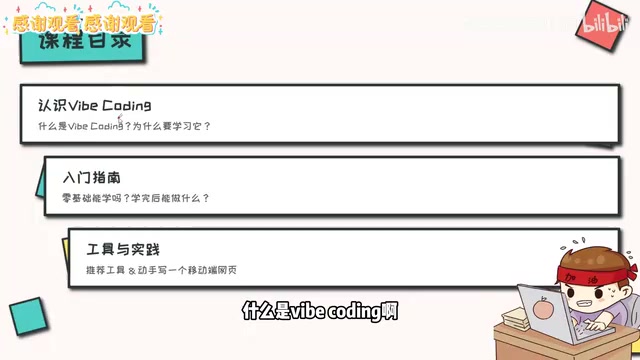
VibeCoding Beginner's Guide: A Complete Guide to Building Software with Natural Language from Scratch
VibeCoding lets anyone build software through natural language conversations with AI. Learn the core concepts, learning path, and practical methods to get started.
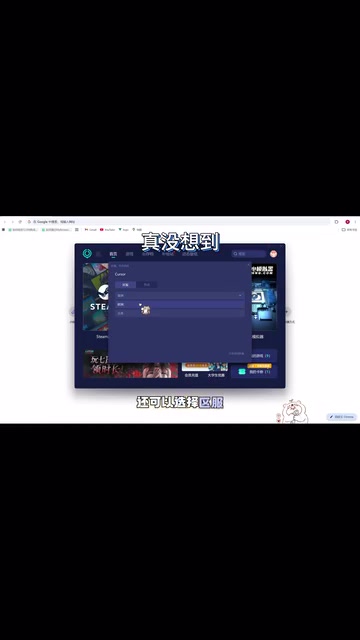
Using UU Accelerator to Speed Up Cursor: A Compliant Solution for Stable AI Coding in China
Learn how to use NetEase UU Accelerator to speed up Cursor AI coding tool in China, with step-by-step setup including node selection and launch configuration.