Learn to Code with AI from Scratch: A Complete Learning Path from Beginner to Deployment
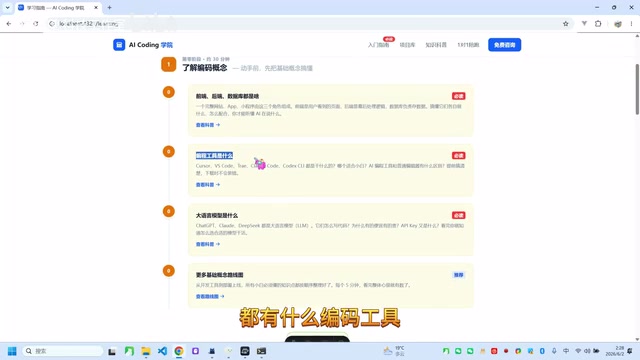
A step-by-step guide for non-programmers to build and deploy projects using AI coding tools.
This article provides a complete learning path for absolute beginners to start coding with AI. It covers understanding programming fundamentals (frontend, backend, databases), setting up development environments, mastering AI coding tools like Cursor and Claude through effective prompt engineering, progressing through hands-on projects from static pages to full-stack apps, and finally deploying to production using platforms like Vercel.
Introduction
With the explosive growth of AI coding tools, more and more people without programming backgrounds are trying to use AI to write code and build projects. But faced with a dizzying array of tools and concepts, many don't know where to start. This article lays out a clear learning path for absolute beginners to start coding with AI, taking you from zero programming knowledge to independently completing and deploying a full project.
Understanding Programming Fundamentals: Building a Technical Knowledge Framework
Before getting your hands dirty, you first need to build a basic understanding of the programming world. This doesn't mean mastering a specific language — it means understanding how the entire technology ecosystem works.
Understanding Project Structure
A complete website, app, or mini-program typically consists of three core components:
- Frontend: The interface that users see and interact with
- Backend: The server-side logic that handles business operations and data processing
- Database: Where data is stored and managed
Understanding how these three parts work together to form a complete project is your first lesson. You don't need to dive deep into each area, but you should know their respective responsibilities and how they collaborate.
In modern web development, the frontend and backend typically follow a "separated architecture" pattern. This means the frontend and backend are two independent programs that communicate via the HTTP protocol — the frontend sends a Request to the backend, the backend processes it and returns a Response, usually in JSON format. The advantage of this architecture is that the frontend and backend can be developed and deployed independently without interfering with each other. Think of it like a restaurant: the dining area (frontend) handles greeting guests and displaying the menu, the kitchen (backend) prepares the food, and the pantry (database) stores all the ingredients.
Regarding databases, you should also know they fall into two main categories: Relational databases (like MySQL, PostgreSQL) store data in table format and are ideal for structured data; Non-relational databases (like MongoDB) store data as documents and offer more flexibility. For beginner projects, relational databases are the most common choice.
Getting to Know Mainstream AI Coding Tools
There are currently several AI coding tools available, and understanding their positioning and usage is important:
- Cursor: An AI-powered programming IDE based on VS Code with deeply integrated AI assistance
- VS Code: A free code editor by Microsoft that can connect to various AI models through plugins
- Trae: An AI programming tool launched by ByteDance
- Windsurf (formerly Codeium): Another popular AI coding assistant
Here's a fundamental concept worth explaining: An IDE (Integrated Development Environment) is the core tool programmers use to write code. It's more than just a text editor — it integrates features like syntax highlighting, error detection, debugging tools, and version control. VS Code became the world's most popular code editor because of its massive plugin ecosystem — you can extend its functionality by installing plugins, including connecting to various AI models.
Tools like Cursor and Trae represent a new generation of AI coding tools that deeply integrate large language model capabilities on top of the IDE foundation. Here's how they work: when you type a natural language instruction, the tool sends your description along with the current project's code context to the LLM's API endpoint. After the model returns the generated code, the tool inserts it into the correct location. This "context-aware" capability allows AI-generated code to seamlessly integrate with your existing project, rather than producing isolated code snippets.
Understanding Large Language Models
The core engine powering these AI coding tools is the Large Language Model (LLM). Common ones include:
- ChatGPT (OpenAI)
- Claude (Anthropic)
- DeepSeek (DeepSeek AI)
These models possess powerful code generation and comprehension capabilities, serving as the "brain" behind AI coding. Which model you choose depends on your specific needs and use case.
The underlying technology of large language models is the Transformer architecture, which uses an "attention mechanism" to understand relationships between words in text. In simple terms, these models read massive amounts of text data from the internet during training (including billions of lines of open-source code) and learned the ability to "predict the most likely next Token given the preceding context." When you describe a feature requirement to the model, it's essentially generating the most reasonable code token by token, based on programming patterns learned from its training data.
Different models have different strengths in coding: Claude excels at long-context understanding and complex project architecture, particularly at generating large, well-structured blocks of code in one go; ChatGPT (GPT-4 series) offers well-rounded capabilities with the most mature ecosystem; DeepSeek stands out for its exceptional cost-effectiveness and performs excellently in Chinese-language scenarios and code generation. For beginners, it's recommended to start by deeply using one model, then switch as needed once you're comfortable.
Setting Up Your Development Environment: Preparing for AI-Assisted Coding
Once you understand the concepts, the next step is to set up your development environment. This is where many beginners get stuck, but it's not complicated if you follow the steps.
Installing an AI Coding Tool
Based on your preference, choose and install an AI coding tool. Beginners are recommended to start with Cursor or Trae, as they work out of the box with highly integrated AI features and require no additional configuration.
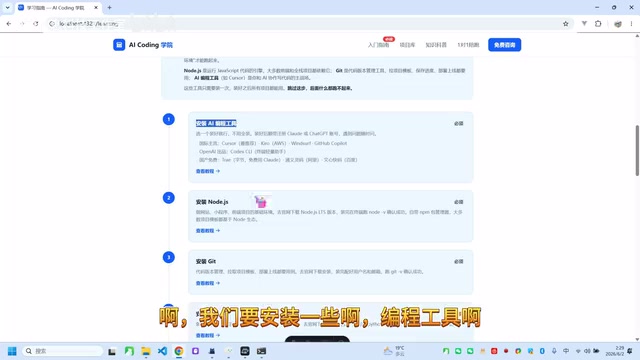
Installing a Code Runtime Environment
Depending on the type of project you want to build, install the corresponding runtime environment:
- Node.js: Essential for running JavaScript code; needed for virtually all frontend and full-stack projects
- Python: If your project involves data processing or AI-related features
- Java: For enterprise-level backend development (optional)
You might wonder: why do you need to install a "runtime environment" after writing code? That's because the code we write is human-readable text (called source code), and computers can't execute it directly. The runtime environment's job is to translate source code into instructions the computer can understand and execute. Node.js allows JavaScript to run outside the browser, and the Python interpreter enables .py files to be executed — without the corresponding runtime, code is just a bunch of text.
After installing Node.js, you'll also get an important tool: npm (Node Package Manager), a package manager. Its purpose is to help you download and manage third-party code libraries (called "dependencies") that your project needs. Modern software development rarely involves writing everything from scratch — instead, it heavily reuses existing open-source components from the community. For example, if you want to implement date formatting in your project, you don't need to write the algorithm yourself; just install a mature date-handling library via npm. When you see a package.json file in a project, it records which third-party packages that project depends on.
Additionally, beginners should pay attention to version management when setting up their environment. Different projects may require different versions of Node.js or Python. Using version management tools like nvm (Node Version Manager) or pyenv makes it easy to switch between multiple versions, avoiding strange errors caused by version conflicts.
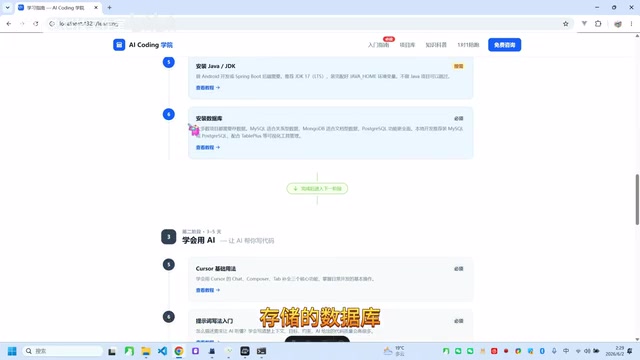
Installing a Database
Projects need to store data, so you'll also need to install a database. Beginners can start with SQLite or MySQL, or use a cloud database service (like Supabase) to reduce configuration complexity.
Learning to Use AI Coding Tools Effectively
With your environment set up, here comes the crucial part — learning how to use AI tools effectively for coding. This step determines whether you can truly leverage the advantages of AI-assisted coding.
Mastering Prompt Techniques
When collaborating with AI to write code, the quality of your prompts directly determines the quality of the output. You need to learn how to:
- Clearly describe the functionality you want to implement
- Provide sufficient context
- Break down complex requirements into steps
- Ask AI to explain code logic to help you understand
Good prompts enable AI to generate high-quality code in one shot, while vague descriptions often require repeated revisions.
Prompt Engineering has become a core skill in the AI era. At its essence, it's about learning to communicate efficiently with AI. There's a key concept to understand here: large language models have a "Context Window" limitation, meaning the amount of text a model can process at once is finite (typically ranging from tens of thousands to hundreds of thousands of Tokens). This means you can't dump all your project's code into the AI at once — you need to strategically provide the most relevant information.
An effective coding prompt typically follows this structure:
- Role setting: Tell the AI what role it's playing (e.g., "You are a React frontend development expert")
- Background information: The tech stack used in the current project, existing code structure
- Specific requirements: The functionality you want to implement — the more specific, the better
- Constraints: Code style, performance requirements, compatibility requirements, etc.
- Output format: How you want the AI to respond (complete file, code snippet, or step-by-step instructions)
For example, instead of saying "help me build a login page," try "Using React and Tailwind CSS, create a login page component that includes email and password input fields, a login button, and a 'Forgot Password' link. The form should call the /api/login endpoint on submission and include basic form validation." The more precise your description, the better the AI-generated code will match your needs.
Getting Familiar with Core Tool Features
Whether it's Cursor's Composer feature, VS Code with a DeepSeek plugin, or other tools, make sure you're familiar with these core operations:
- Code generation: Generate code from natural language descriptions
- Code completion: Get intelligent suggestions while writing code
- Code explanation: Have AI interpret the meaning of existing code
- Bug fixing: Feed error messages to AI for analysis and fixes
Hands-On Project Practice: Progressing from Simple to Complex
Once you know how to use the tools, it's time for the most critical part — hands-on practice. Learning through real projects is the most efficient approach.
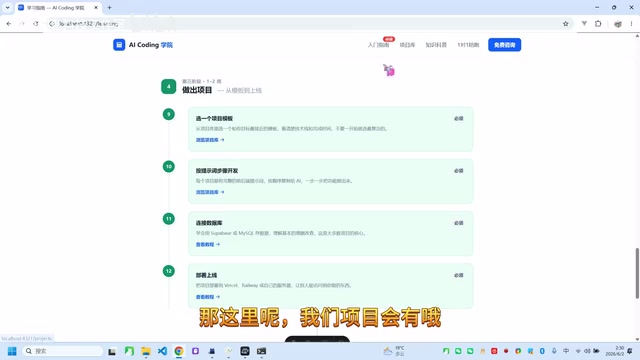
Start with Simple Projects
Follow this recommended progression:
- Static web pages: Pure frontend pages to familiarize yourself with the basic structure of HTML/CSS/JS
- Mini-programs: Applications with simple interactive logic
- Full-stack websites: Complete projects with frontend, backend, and database
With each stage you complete, your understanding of programming will level up.
Follow Project Prompt Templates
Many AI coding communities and tutorials offer project prompt libraries. You simply follow the prompts step by step, letting AI generate the code for you, and you can build a complete project from scratch. Through this process, you'll gradually understand how the frontend, backend, and database work together.
Deploying to Production
Once your project is complete, the final step is deploying it online so others can access it. Common deployment platforms include Vercel and Netlify (for frontend) and various cloud servers (for full-stack projects). The moment you complete deployment, you've truly gone through the entire journey from zero to one.
Deployment involves several fundamental concepts — understanding them will help you smoothly complete this final step:
- Domain name: The address of your website (e.g., www.example.com). You need to purchase a domain and point it to your server
- DNS (Domain Name System): The system that translates human-readable domain names into computer-recognizable IP addresses — essentially the internet's "phone book"
- Server: A remote computer that runs your backend code, online 24/7, waiting for user requests
For beginners, Serverless architecture is the most beginner-friendly deployment approach. Platforms like Vercel and Netlify use this model — you simply upload your code, and the platform automatically handles server configuration, load balancing, HTTPS certificates, and other complex tasks. You don't need to purchase or maintain your own server, and you pay based on actual usage (the free tier is usually sufficient for small projects).
Additionally, these modern deployment platforms typically support CI/CD (Continuous Integration/Continuous Deployment): when you push code to a GitHub repository, the platform automatically detects changes, builds the project, and deploys the latest version. This means you don't need to manually redeploy after each code change — the website updates automatically, greatly simplifying the maintenance workflow.
Conclusion
The complete path for beginners to start coding with AI can be summarized as:
Understand concepts → Set up environment → Learn the tools → Build real projects → Deploy to production
The core philosophy of this path is: you don't need to spend months learning a programming language first. Instead, with AI assistance, you learn by doing. AI has lowered the barrier to programming, but understanding fundamental concepts and mastering tool usage remain essential groundwork. As long as you follow this path step by step, anyone can use AI to build their first project.
Related articles
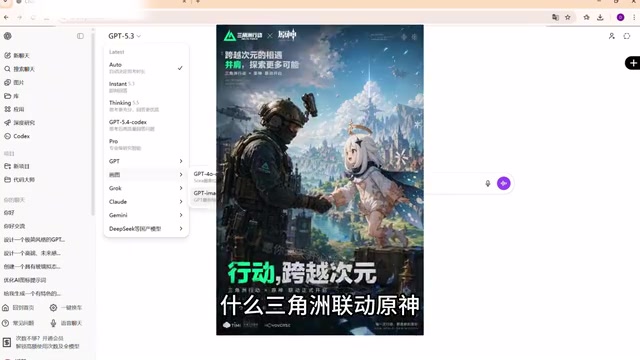
Free Full-Power GPT on AI Aggregation Platforms? The Risks and Truth Behind Shared Accounts
Deep analysis of AI aggregation platforms promoted on Bilibili, exposing privacy leaks and legal risks of shared account pools for free GPT and Claude access, plus safe alternatives like OpenRouter and DeepSeek.
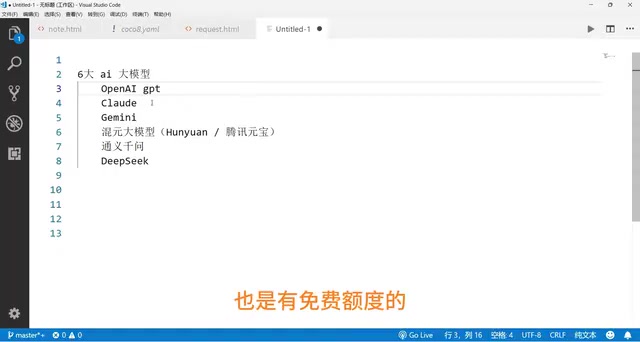
GPT, Claude, Gemini vs. China's Top Three: A Complete Comparison of Coding Ability, Chinese Language Performance & Pricing
A side-by-side comparison of GPT, Claude, Gemini, Tencent Hunyuan, Qwen, and DeepSeek across coding ability, Chinese language performance, and API pricing to help you find the best fit.
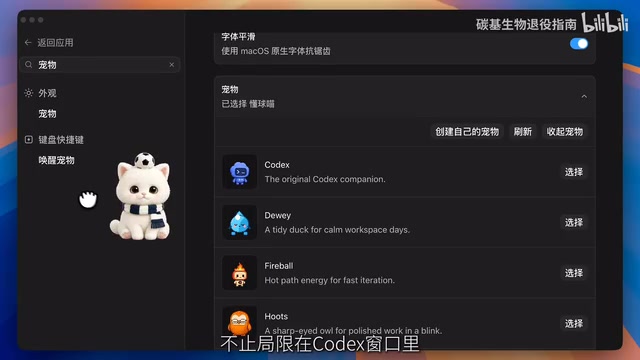
Codex Hands-On from Scratch: Building a Full-Stack World Cup App Without Writing Code
Learn how to build a full-stack World Cup app with OpenAI Codex without writing code, covering multi-session concurrency, MCP voice synthesis, Skill encapsulation, and scheduled task automation.