MCP Service Hybrid Deployment in Practice: Integrating Tools, Resources, and Prompts into a Single Service

A single MCP service can simultaneously provide multiple tools, prompts, and resources without separate deployment.
This article clarifies a common misconception in MCP development: tools, prompts, and resources don't need to be deployed separately. The MCP protocol allows a single service to register and expose multiple capability types simultaneously — hybrid deployment is the norm in production. The three primitives have different control authorities (tools triggered by models, prompts by users, resources by applications) but coexist equally at the protocol level. Service architecture should be flexibly organized based on business needs, with tools being the core component requiring the deepest study.
Introduction
In real-world MCP (Model Context Protocol) development, many developers have a common question: Must Tools, Prompts, and Resources be deployed separately? Can each service only provide a single type of capability? This article answers this common confusion through a practical demonstration — a single MCP service can simultaneously provide multiple tools, multiple prompts, and multiple resources.
MCP Protocol Overview
MCP (Model Context Protocol) is an open protocol released by Anthropic in late 2024, designed to standardize how large language models interact with external data sources and tools. It's similar to REST API specifications in web development, but specifically designed for AI application scenarios. MCP uses a client-server architecture where MCP servers expose capabilities (tools, prompts, resources), and MCP clients (typically embedded in AI applications) are responsible for discovering and invoking these capabilities. The protocol communicates via JSON-RPC 2.0 and supports two transport methods: stdio and HTTP+SSE, making both local and remote deployment possible. Understanding this protocol background helps us better grasp the service organization issues discussed in this article.
From Separation to Integration: How to Organize MCP Services
Single Responsibility Is Just a Starting Point for Learning
In earlier learning phases, to aid understanding, we typically write and test tools, prompt templates, and resources separately. For example:
- Writing a standalone tool service (such as a code generation tool)
- Writing a standalone prompt template service
- Writing a standalone resource service
This separated approach helps with learning and debugging, but many developers develop a misconception: they assume production environments must also be deployed this way.
Understanding the Technical Positioning of the Three Core Primitives
Before diving into hybrid deployment, it's important to clarify the technical distinctions between MCP's three core primitives: Tools are functions that models can actively invoke, similar to OpenAI's Function Calling mechanism — the model decides whether to call them based on user intent; Prompts are predefined templates used to standardize interaction patterns in specific scenarios, which clients can present as slash commands or quick actions; Resources are similar to GET endpoints in REST APIs, providing read-only data for models to reference, such as file contents or database records. The control authority differs — tools are invoked by the model, prompts are triggered by users, and resources are controlled by the application. Precisely because they are equal capability declarations at the protocol level, they naturally support coexistence within the same service.
Hybrid Deployment Is the Norm in Production
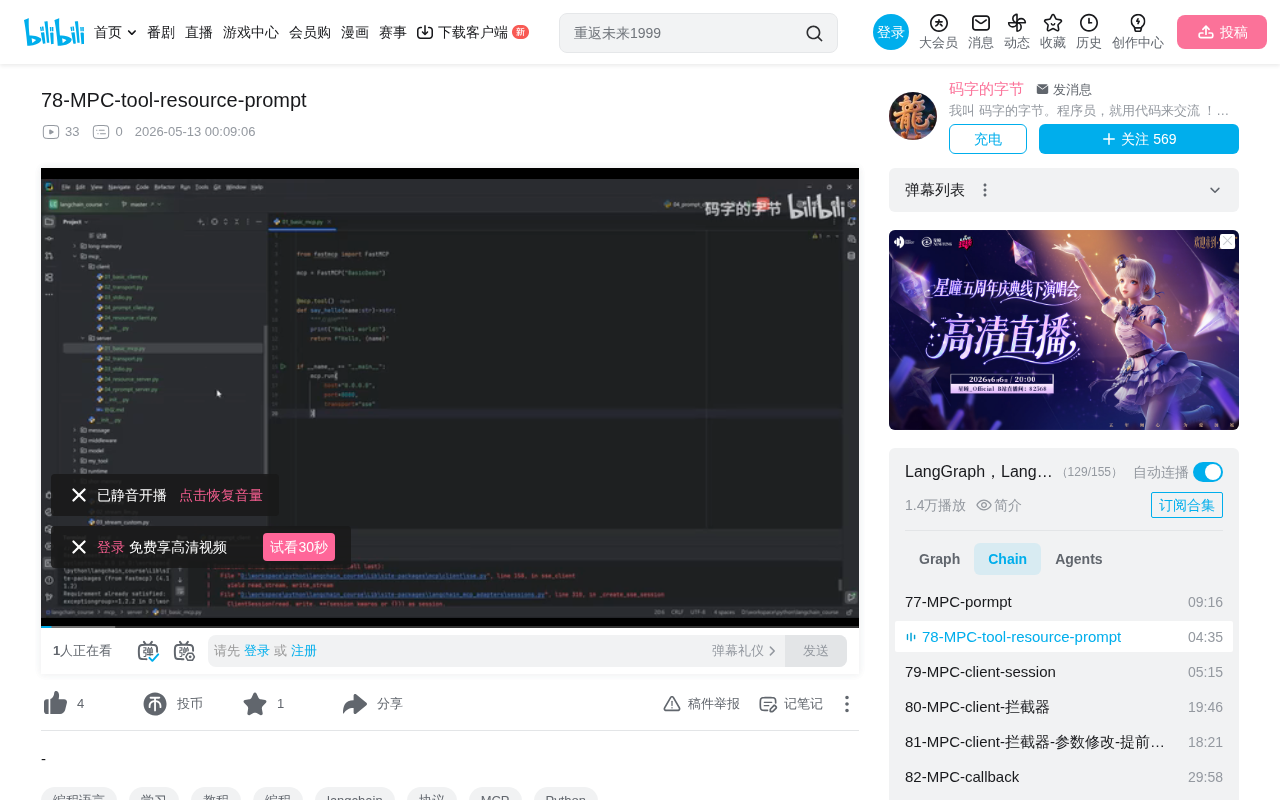
In reality, the MCP protocol is designed to allow a single service to register and expose multiple types of capabilities simultaneously. In our demonstration, we created a comprehensive service called service that integrates the following into a single MCP service:
- Multiple tools: For example, a "greet" and a "say goodbye" tool method
- Multiple prompt templates: Predefined Prompt templates
- Multiple resources: External data resources available for model invocation
This means you can freely organize your MCP service structure based on business requirements, without being constrained by the mindset of "one service does only one thing."
This discussion actually maps to the classic microservices vs. monolithic architecture debate in software engineering. Microservices architecture emphasizes that each service handles only a single function, enabling independent deployment and scaling, but introduces complexities like inter-service communication and distributed transactions. In the MCP context, over-splitting means managing multiple service processes and configuration files, increasing operational overhead. Integrating related capabilities into a single MCP service reduces inter-process communication overhead, simplifies the deployment process, and is particularly suitable for business scenarios with high functional cohesion. Of course, for large systems, splitting MCP services along domain boundaries remains a reasonable choice — the key is making trade-offs based on actual needs rather than dogmatically following any particular pattern.
Practical Demo: Building and Verifying a Comprehensive MCP Service
Service Registration and Startup Process
At the code level, the integration process is very straightforward:
- Consolidate previously separate tool definitions, prompt templates, and resource declarations into a single service file
- Register all tools, prompts, and resources simultaneously when the MCP service starts
- After startup, clients can discover and invoke all capabilities at once
From the protocol level, after an MCP client connects to the server, it obtains the server's capability declarations (Capabilities) through an initialize handshake, then discovers all registered capabilities through methods like tools/list, prompts/list, and resources/list. These discovery mechanisms are parallel and independent — the server simply needs to register all capabilities to their corresponding handlers during initialization.
Verifying Hybrid Deployment Results
After the service starts, connecting via an MCP client reveals:
- The tools list simultaneously shows multiple methods like "greet" and "say goodbye"
- Prompt templates load normally and can be retrieved and used by clients
- Resources are also accessible normally
All capabilities coexist within the same service instance without interference, and clients can invoke any type on demand.
Positioning of MCP Prompts and Resource Templates
It's worth noting that among MCP's three core capabilities, Prompts and Resource Templates are relatively simple — basic usage can satisfy most scenario requirements. Their API design is intuitive with a low learning curve.
What truly requires deep study is the Tool component. Tools are the most powerful and complex component in the MCP protocol, involving:
- Tool definition and parameter description (input parameter validation based on JSON Schema)
- Tool-model interaction mechanisms (how models understand tool descriptions and decide when to invoke them)
- Security and permission control for tool invocations
- Collaborative use of tools with prompts and resources
Regarding security, the MCP protocol adopts a Human-in-the-Loop design philosophy. When a model decides to invoke a tool, the client application can display a confirmation dialog to the user before execution, allowing them to approve the tool call's parameters and intent. Additionally, MCP servers can limit the scope of exposed functionality through capability declarations (Capabilities), and clients can implement access control policies. This multi-layered security mechanism ensures that even if a model generates an inappropriate tool call request, it won't directly cause security risks. This is also one of the important reasons why the tool component is far more complex than prompts and resources.
Future learning will focus on advanced tool usage, including how to combine prompts and resources to build more powerful AI applications.
Key Insight: Flexibility of MCP Service Architecture
For MCP developers, this demonstration conveys an important message: Don't be constrained by the code organization patterns used during the learning phase. In real projects:
- You can package related tools, prompts, and resources into the same service
- A single MCP service can expose multiple types of capabilities simultaneously
- Service organization should be determined by business logic, not technical limitations
This flexibility is a key advantage of the MCP protocol design, allowing developers to organize their AI service architecture in the most reasonable way. Whether you choose to consolidate all capabilities in a single service to simplify deployment, or split them into multiple focused services along domain boundaries for team collaboration and independent scaling, the MCP protocol provides full support. The final architectural decision should be based on practical factors such as team size, business complexity, and deployment environment — not on misconceptions about protocol capabilities.
Key Takeaways
- A single MCP service can simultaneously provide multiple tools, multiple prompts, and multiple resources — no need for separate deployment
- In production environments, MCP service structure should be freely organized based on business logic, not constrained by single-responsibility learning patterns
- Prompts and resource templates are relatively simple; Tools are the most core and complex part of the MCP protocol requiring deep study
- MCP protocol flexibility allows developers to organize AI service architecture in the most reasonable way
- The three MCP primitives have different control authorities: tools are triggered by models, prompts by users, and resources by applications
- Tool invocation security is ensured through human-in-the-loop mechanisms and multi-layered access control
Related articles
 Tutorials
Cursor + Codex Dual-IDE Collaboration: A Practical Methodology for Open-Source Project Customization
A complete methodology for open-source project customization based on real-world experience, detailing the Cursor+Codex dual-IDE workflow, seven-stage process, MVP validation, and AI source code reading techniques.
 Tutorials
Cursor Multi-Agent in Practice: Building a Full-Stack Next.js Blog in 50 Minutes
Build a full-stack blog in 50 minutes using Cursor IDE's multi-Agent mode with Next.js, Clerk auth, and Supabase. Learn the 4-phase AI Agent workflow and key integration pitfalls.
 Tutorials
Building an AI Software Factory from Scratch: A Cursor Engineer's Hands-On Experience with Multi-Agent Collaboration
Cursor engineer Eric shares practical insights on building an AI software factory: automation levels, guardrail design, parallel Agent management, and scaling to 1000+ Agents for 24/7 development.