MCP Transport Protocols Explained: SSE vs. Streamable HTTP vs. STDIO
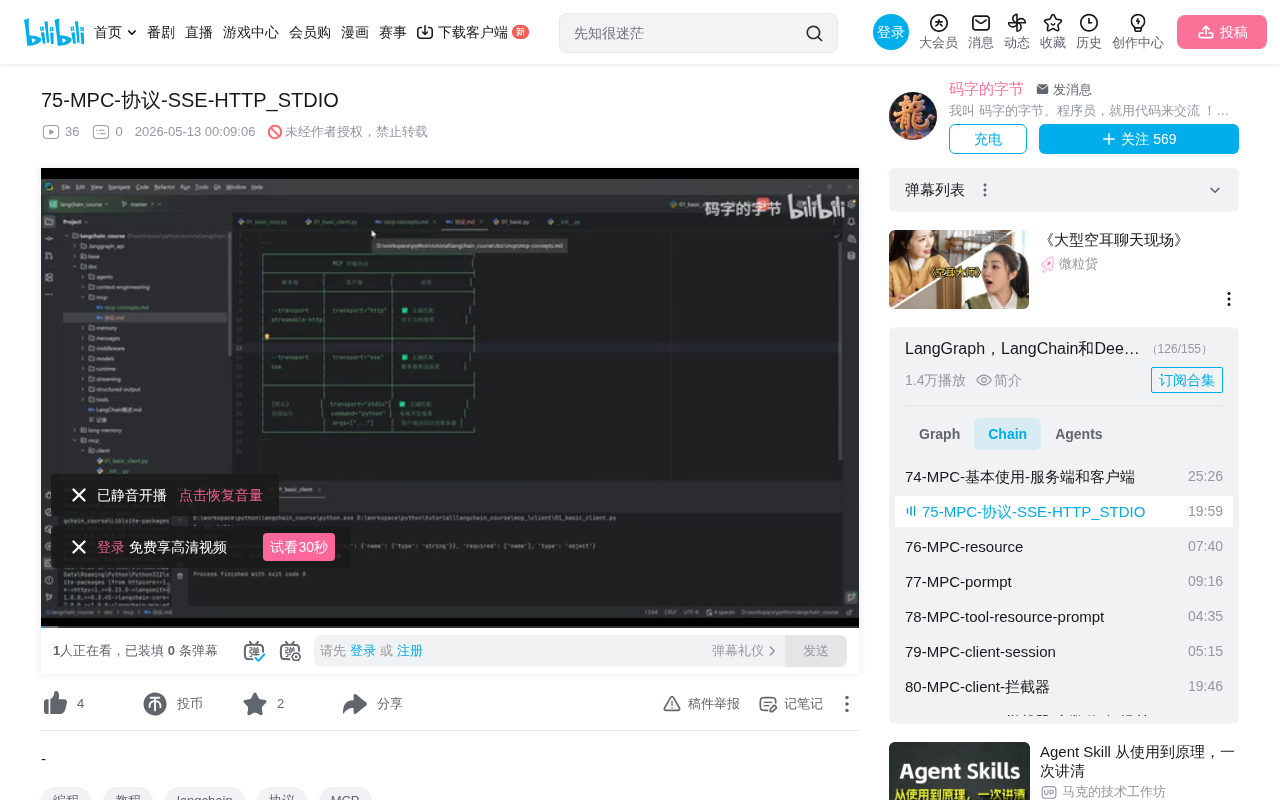
A guide to choosing between MCP's three transport protocols: SSE, Streamable HTTP, and STDIO.
MCP supports three transport protocols: SSE, Streamable HTTP, and STDIO. SSE is a deprecated unidirectional push protocol. Streamable HTTP supports bidirectional communication and is the officially recommended remote transport. STDIO is suited for local inter-process communication. Client and server protocols must match, and migrating from SSE to Streamable HTTP requires changing the endpoint path from /sse to /mcp. The message layer is unified on JSON-RPC 2.0, so switching transports doesn't affect business logic.
MCP Transport Protocol Overview
MCP (Model Context Protocol) supports three transport protocols: SSE, Streamable HTTP, and STDIO. Each protocol determines how the MCP server and client communicate and how the service is deployed. Understanding their differences and use cases is essential for properly configuring MCP services.
MCP's message layer is based on the JSON-RPC 2.0 specification — a lightweight remote procedure call protocol. Each message contains a method (method name), params (parameters), and id (request identifier). On top of this, MCP defines standard methods such as tools/list, tools/call, and resources/read. Regardless of the transport protocol used, the message format remains the same — the transport layer is only responsible for reliable message delivery without altering the message content itself. This layered design means that migrating from SSE to Streamable HTTP requires no changes to business logic code, only transport configuration adjustments.
Key Differences Between the Three Transport Protocols
SSE (Server-Sent Events)
SSE is an HTTP-based unidirectional push protocol where data can only flow from the MCP server to the client. Importantly, SSE is no longer recommended in the latest MCP specification — production environments should migrate to Streamable HTTP.
From a technical standpoint, SSE is a server push technology defined in the HTML5 specification, built on HTTP long connections. Unlike WebSocket, SSE only supports one-way data flow from server to client. After the client establishes a connection via a standard HTTP request, the server can continuously push an event stream. SSE data is plain text, with each message prefixed by data: and events separated by double newlines. Due to its unidirectional nature, MCP clients still need to send requests to the server via additional HTTP POST requests, resulting in architectural asymmetry and complexity — the fundamental reason it's been replaced by Streamable HTTP.
Streamable HTTP
What the official documentation labels as "HTTP" transport actually refers to the Streamable HTTP protocol. The key difference from SSE is that it supports bidirectional communication — both server and client can push data to each other. This is the currently recommended remote transport method.
Streamable HTTP was designed specifically by the MCP protocol team for AI Agent communication scenarios. It introduces streaming response capabilities on top of standard HTTP while retaining the simplicity of the request-response model. The core design principle: clients send JSON-RPC requests to the server via HTTP POST, and the server can choose to return a plain JSON response or upgrade to an SSE streaming response. This flexibility allows both simple tool calls and long-running streaming tasks to be handled within the same protocol framework. Additionally, the server can proactively push notifications to the client through established connections, enabling true bidirectional communication.
A critical detail that's easily overlooked: when switching from SSE to Streamable HTTP, the endpoint address changes. In SSE mode the path is /sse, while in Streamable HTTP mode it becomes /mcp. Missing this detail will cause connection failures.
STDIO (Standard Input/Output)
STDIO is used for local scenarios where the MCP service runs as a local script, communicating via standard input and output. Its configuration is entirely different from remote protocols and requires the following parameters:
transport: set tostdiocommand: the execution command (e.g.,python)args: script path arguments
STDIO is an OS-level inter-process communication mechanism that includes three streams: standard input (stdin), standard output (stdout), and standard error (stderr). In MCP's STDIO mode, the client launches the MCP service script as a child process, connected via pipes: the client writes JSON-RPC messages to the child process's stdin, and the child process writes responses to stdout. This approach requires no network stack, offers extremely low latency, and provides inherent process-level security isolation. However, it's limited to communication on the same machine and cannot be deployed across networks.
Client-Server Protocol Matching Rules
Testing confirms that the MCP client and server transport protocols must match. If the server uses SSE, configuring the client with HTTP or STDIO will result in errors.
One notable exception: when the server uses Streamable HTTP, configuring the client with either http or streamableHttp works correctly — the two are equivalent in this scenario.
Common Pitfalls and Solutions for STDIO Mode
Two key points to watch out for when using STDIO mode:
- Script paths must be correct: Use absolute path concatenation to avoid file-not-found issues caused by relative paths.
- Execution environment must match: If your project uses a virtual environment (venv), you need to specify the Python interpreter path within the virtual environment (
sys.executable). Otherwise, the system default Python may lack the project's required dependencies.
Python virtual environments (venv) are the standard solution for dependency conflicts in the Python ecosystem. Each virtual environment has its own independent site-packages directory and Python interpreter copy, with third-party libraries installed inside the virtual environment rather than globally. In STDIO mode, the MCP client needs to start a Python process to execute the service script. Using the system default Python interpreter (typically at /usr/bin/python or C:\Python\python.exe) means it cannot access libraries installed in the virtual environment (such as fastmcp, pydantic, etc.), causing ImportError. The correct approach is to use sys.executable to get the current virtual environment's interpreter path, ensuring the child process runs in the correct environment.
Additionally, the server startup method needs adjustment in STDIO mode. You cannot directly reuse the remote mode startup code — it must be adapted for the STDIO protocol entry point.
Protocol Comparison Summary
| Protocol | Communication Direction | Use Case | Recommendation |
|---|---|---|---|
| SSE | Unidirectional push | Remote (legacy) | ❌ Deprecated |
| Streamable HTTP | Bidirectional | Remote/Production | ✅ Recommended |
| STDIO | Local communication | Local script tools | ✅ Suitable |
In summary, prefer Streamable HTTP for remote MCP deployments, and use STDIO for local tool integration. If your project still uses SSE, migrate to Streamable HTTP as soon as possible — and remember to change the endpoint path from /sse to /mcp.
Key Takeaways
- MCP has three transport protocols: SSE (deprecated), Streamable HTTP (recommended), and STDIO (local)
- SSE is unidirectional push; Streamable HTTP supports bidirectional communication
- Client and server protocols must match; SSE endpoint is /sse, HTTP endpoint is /mcp
- STDIO mode requires careful attention to script paths and Python virtual environment configuration
- MCP's message layer is based on JSON-RPC 2.0; switching transport layers does not affect business logic code
Related articles
 Tutorials
Cursor + Codex Dual-IDE Collaboration: A Practical Methodology for Open-Source Project Customization
A complete methodology for open-source project customization based on real-world experience, detailing the Cursor+Codex dual-IDE workflow, seven-stage process, MVP validation, and AI source code reading techniques.
 Tutorials
Cursor Multi-Agent in Practice: Building a Full-Stack Next.js Blog in 50 Minutes
Build a full-stack blog in 50 minutes using Cursor IDE's multi-Agent mode with Next.js, Clerk auth, and Supabase. Learn the 4-phase AI Agent workflow and key integration pitfalls.
 Tutorials
Building an AI Software Factory from Scratch: A Cursor Engineer's Hands-On Experience with Multi-Agent Collaboration
Cursor engineer Eric shares practical insights on building an AI software factory: automation levels, guardrail design, parallel Agent management, and scaling to 1000+ Agents for 24/7 development.