New API in Practice: Complete Tutorial for Building Your Own AI API Relay Station

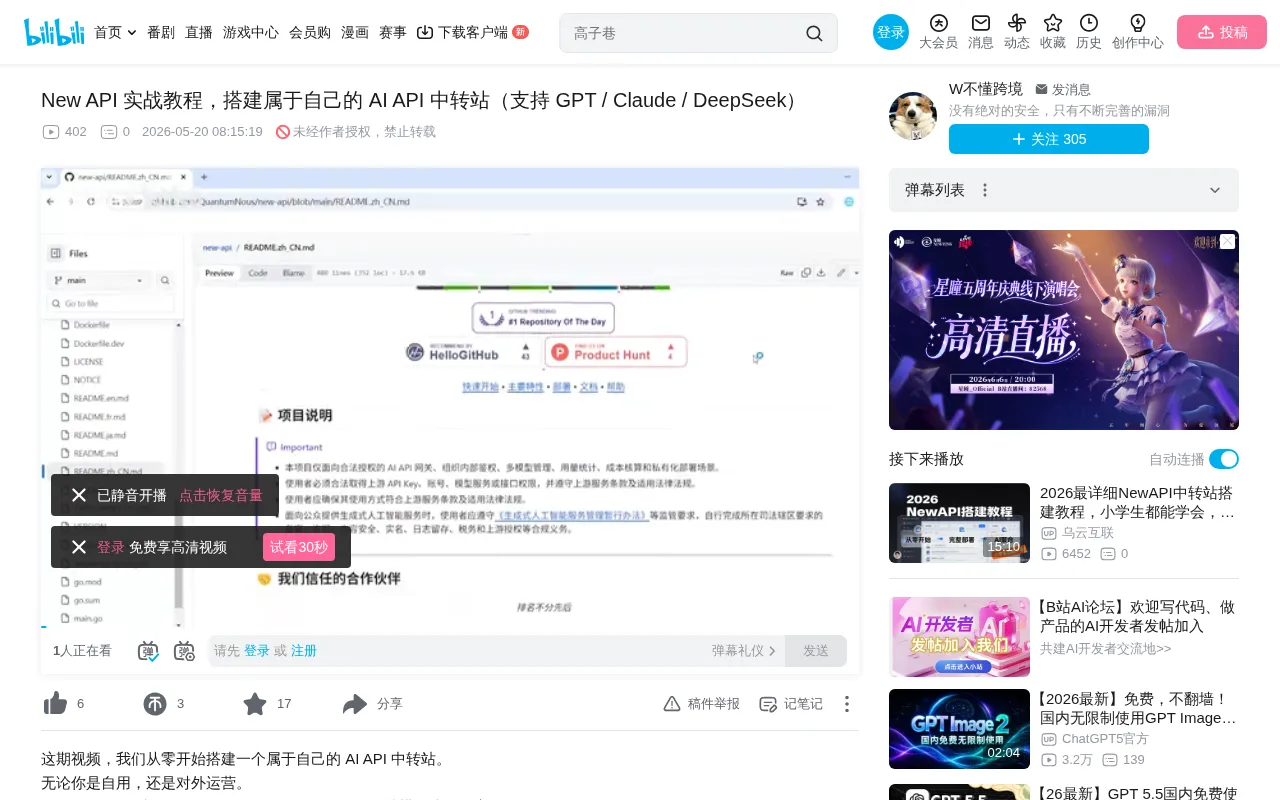
Deploy tutorial for New API: unified management and relay of multi-model AI APIs
This article covers deploying and using the open-source project New API — an API gateway designed for AI LLMs that unifies interfaces from GPT, Claude, DeepSeek, and other models into an OpenAI-compatible format. It covers server configuration selection, Docker deployment workflow, security essentials (database passwords, Redis passwords, SESSION_SECRET), core features (channel management, token management, subscription management), and client call verification, suitable for both personal use and commercial multi-tenant operations.
Why Do You Need an AI API Relay Station?
If you're working on AI application development, tool integration, or using multiple large language models simultaneously (GPT, Claude, DeepSeek, etc.), you've certainly encountered these pain points: each model has a different interface format, key management is chaotic, and there's no unified way to control quotas and permissions.
The open-source project New API was created to solve exactly these problems. It helps you manage all model interfaces in one place, automatically distribute requests to different models, and control API permissions and quotas — turning all AI calls into a single standardized OpenAI-compatible interface. Whether for personal use or providing commercial services, it makes your entire calling system clean and efficient.
Why the OpenAI-Compatible Interface Has Become the Industry Standard
The OpenAI Compatible API has become the de facto standard for LLM calls. OpenAI originally defined a set of RESTful API specifications, including endpoints like /v1/chat/completions and /v1/embeddings, using Bearer Token authentication with JSON request and response formats. Due to OpenAI's first-mover advantage, virtually all AI development tools (such as LangChain, LlamaIndex, and various IDE plugins) natively support this interface format. Consequently, later model providers (such as DeepSeek, Mistral, and Qwen) have also adopted this specification. The core value of an API relay station is converting interfaces that aren't fully compatible into this standard format, achieving "integrate once, use everywhere."
Architecture Principles of API Gateways and Relay Stations
An API Gateway is a core component in microservice architecture, acting as a middle layer between clients and backend services. It handles request routing, protocol conversion, load balancing, rate limiting and circuit breaking, authentication and authorization, and more. In AI scenarios, an API relay station is essentially an API gateway specifically designed for LLM calls. It receives requests from downstream users, forwards them to upstream model providers based on configured channel strategies, while handling format conversion, token billing, and traffic control. This architectural pattern is already very mature in traditional internet infrastructure — Kong, Nginx, and Envoy are all well-known gateway implementations. New API adapts this pattern specifically for AI API management.
Server Configuration Requirements
Before setting up, you need to choose the appropriate server configuration based on your use case.
Personal Use Configuration (Minimum Requirements)
- CPU: 1 core
- RAM: 1GB
- Storage: Any available disk space
This configuration is only suitable for personal use and is not recommended for public access.
Small-Scale Operation Configuration (Dozens of Users)
- CPU: 2 cores
- RAM: 4GB
- Storage: 40GB
- Database: MySQL
- Redis: Recommended to enable
This configuration can handle approximately 30 to 100 concurrent users with dozens to hundreds of requests per minute. For actual public commercial operations, the configuration should be at least four times higher.
Complete Docker Deployment Process
Installing the Docker Environment
The project needs to be deployed in Docker. First, run the one-click installation command to install Docker. The installation process may pause for a moment — this is normal. After installation, start Docker and set it to auto-start on boot, then install Docker Compose.
Docker is an OS-level virtualization technology that packages an application and all its dependencies into a standardized container image. Compared to traditional software installation directly on a server, Docker deployment offers environment consistency (eliminating the "it works on my machine" problem), rapid deployment and rollback, and resource isolation. Docker Compose is Docker's orchestration tool — through a single YAML configuration file, it defines startup parameters, network relationships, and volume mounts for multiple containers, allowing you to start an entire application stack (e.g., app + database + cache) with a single command. For projects like New API that require database and Redis coordination, Docker Compose greatly simplifies deployment complexity.
Pulling the Project and Configuring
After pulling the New API project and entering the project directory, the official Docker Compose configuration file is already fairly complete. However, if you're opening it to the public with multiple users, the following configurations must be modified — otherwise the risks are significant:
First: Database Password
Must be changed to a strong password. The database stores all user data, API Keys, Tokens, and other sensitive information. If a weak password is discovered through scanning, everything could be leaked. For large user bases, MySQL is recommended (uncomment the MySQL configuration and comment out PostgreSQL).
Second: Redis Password
Must be set to a strong password. Redis exposed on the public internet without protection is extremely dangerous — many server breaches occur because of missing or weak passwords.
Redis is a high-performance in-memory key-value store capable of over 100,000 read/write operations per second. In the API relay station scenario, Redis primarily handles: rate limiting (using sliding window or token bucket algorithms to control each user's request frequency); session caching (storing user login states to avoid frequent database queries); quota caching (caching users' remaining quotas in memory for real-time deduction without writing to the database each time); and distributed locking (ensuring data consistency in multi-node deployments). Redis exposed on the public internet without a password is extremely dangerous — attackers can write SSH public keys or Crontab entries through Redis to compromise the server, which is why a strong password is essential.
Third: Streaming Response Parameters
Recommended to set larger values. If too small, streaming output will be interrupted, affecting user experience.
Streaming response is an important feature of LLM APIs, implemented via HTTP's Server-Sent Events (SSE) protocol. Traditional HTTP requests follow a "request-wait-return all at once" pattern, while streaming responses allow the server to progressively push content to the client as it's generated — users can see text appearing character by character like typing. This is crucial for user experience when LLMs generate long texts — users don't have to wait tens of seconds to see the complete response. In the relay station scenario, streaming responses require maintaining long connections without interruption. If the buffer is set too small or the timeout is too short, the connection will be closed prematurely while the model is still generating content, causing output truncation.
Fourth: SESSION_SECRET
Can be ignored for personal use, but should be enabled for public-facing services. Its purpose is Session encryption, multi-node synchronization, and preventing Cookie forgery. SESSION_SECRET is essentially a key string used for symmetric encryption — the server uses it to sign and encrypt Session data. If not set or left at default, attackers could forge legitimate Session Cookies and impersonate administrator identities to log into the system. In multi-node deployments, all nodes must use the same SESSION_SECRET to correctly parse Sessions generated by each other.
Starting the Service
Once the configuration is confirmed correct, execute the Docker Compose command to start the service. Image pulling may take a while depending on network speed. Once complete, access the server IP on port 3000 in your browser to enter the management interface.
System Initialization and Mode Selection
After entering the interface, you need to complete system initialization:
-
Set up the admin account: The username and password absolutely must not be weak. Especially don't use "admin" as the username — it's easily brute-forced.
-
Choose the operating mode:
- Public service mode: Provides multi-tenant commercial services for profit
- Personal use mode: Local deployment or personal use, not publicly accessible
- Demo site mode: For exploring features and familiarizing yourself with operations
Domain and Security Configuration Recommendations
If providing public services, it's strongly recommended to:
- Register a public domain and point it to the IP+port via reverse proxy
- Use HTTPS encrypted transmission; don't directly expose the server IP
- Host the domain on Cloudflare to leverage its CDN and DDoS protection capabilities
Cloudflare is one of the world's largest CDN and network security providers. Its free tier includes DNS management, DDoS protection, SSL certificates, and basic WAF (Web Application Firewall) functionality. After hosting your domain on Cloudflare, all traffic passes through Cloudflare's global edge nodes first, and malicious traffic is filtered before reaching the origin server. Reverse Proxy refers to using software like Nginx or Caddy to listen on ports 80/443 and forward requests to the internal service on port 3000. The benefits of this architecture are: the origin server IP is not exposed (attackers cannot scan it directly), HTTPS encryption is automatically obtained, and Cloudflare's global nodes can accelerate access. For AI relay station services that involve API Key transmission, HTTPS encryption is the basic safeguard against man-in-the-middle attacks that could steal keys.
Many AI relay stations adopt this architecture for both security and stability.
Core Feature Configuration
Subscription Management
Subscription management is used to create purchase plans for users. You can set the plan name (e.g., "DeepSeek Plan"), amount, currency (default USD), purchase limit (how many times the plan can be purchased), validity period, and quota.
Channel Management
Channel management is where you define Token sources. Whether you're an individual or a service provider, you add upstream API Token sources here, with support for many common providers.
Important note: The keys entered here are API Keys you purchased from providers (such as the DeepSeek official website), not the keys you distribute to users.
Channel management also supports priority and weight configuration. When multiple channels are configured for the same model, the system performs intelligent routing based on priority and weight. For example, you can configure multiple provider Keys for the same model — when one provider experiences a failure or runs out of quota, the system automatically switches to a backup channel, achieving high availability. This load balancing and failover mechanism is crucial for ensuring service stability.
Token Management
Token management is the entry point for distributing API Keys to yourself or users. You can configure:
- Expiration time
- Quota limits (unlimited quota can be enabled)
- Access restrictions: allow or deny access to specific models
Once created, the system generates a key that users can use to call the service.
Multi-Tenancy and Commercial Architecture
Multi-tenancy is a core architectural pattern in SaaS software, where a single system simultaneously serves multiple independent users (tenants), with each tenant's data isolated while sharing the underlying infrastructure. In New API's context, multi-tenancy manifests as: each registered user has independent API Keys, independent quota balances, independent usage records, and independent model access permissions. Administrators can set different plans and restrictions for different users. This design enables a single New API instance to support a complete API reselling business — administrators purchase API quotas in bulk from upstream providers, distribute them to downstream users at a markup through subscription plans, with the price difference being the profit. Currently, a large number of domestic "AI relay station" commercial services operate on similar architectures.
Client Call Verification
Using the Cline plugin in VSCode as an example, here's how to verify that the API relay is working properly:
- After installing the Cline plugin, find the Cline panel on the left side
- Click to add a provider configuration
- Key point: Don't select DeepSeek, Anthropic, or OpenRouter — choose "OpenAI Compatible" or "OpenAI" instead, because New API is essentially an OpenAI-compatible interface
- For the URL, enter:
server-IP:port/v1(ordomain/v1if you have a domain). The trailing/v1is required - Enter the previously generated key
If you get a normal response after sending a message, the entire API relay flow is fully operational. The /v1 path here is the version prefix defined in the OpenAI API specification — all compatible interfaces follow this convention. The actual complete request paths would be /v1/chat/completions (chat completion), /v1/models (model list), etc. The client SDK automatically appends the specific endpoint path to the /v1 base.
Summary
The New API project provides AI developers with a powerful API gateway solution. Its core value lies in:
- Unified interface: All models are called through the OpenAI-compatible format
- Flexible management: Fine-grained permissions, quotas, and model access control
- Commercial-ready: Supports subscription plans, multi-tenancy, and usage statistics
- Simple deployment: One-click Docker deployment with clear configuration
For developers building AI applications or managing multiple model APIs, New API is an infrastructure tool worth trying. As the LLM ecosystem rapidly evolves with more model providers and greater interface differences, the value of infrastructure like API relay stations will only continue to grow. Whether it's reducing development integration costs, enabling vendor-lock-free switching, or building commercial API distribution services, a unified API management layer is an indispensable component.
Related articles
 Tutorials
Cursor + Codex Dual-IDE Collaboration: A Practical Methodology for Open-Source Project Customization
A complete methodology for open-source project customization based on real-world experience, detailing the Cursor+Codex dual-IDE workflow, seven-stage process, MVP validation, and AI source code reading techniques.
 Tutorials
Cursor Multi-Agent in Practice: Building a Full-Stack Next.js Blog in 50 Minutes
Build a full-stack blog in 50 minutes using Cursor IDE's multi-Agent mode with Next.js, Clerk auth, and Supabase. Learn the 4-phase AI Agent workflow and key integration pitfalls.
 Tutorials
Building an AI Software Factory from Scratch: A Cursor Engineer's Hands-On Experience with Multi-Agent Collaboration
Cursor engineer Eric shares practical insights on building an AI software factory: automation levels, guardrail design, parallel Agent management, and scaling to 1000+ Agents for 24/7 development.