Old-School Coding: What It Was Like to Build Projects by Hand in the Pre-AI Student Days

A nostalgic look at building projects by hand before AI coding tools existed.
In the age of AI coding assistants, a developer reflects on their student days spent building a lyrics sync app entirely by hand over two weeks. Without Copilot or ChatGPT, every bug fix, architecture decision, and rendering optimization required deep technical understanding. The article explores how old-school coding forged foundational skills, systems thinking, and debugging abilities that remain invaluable even as AI tools transform modern development.
What Is "Old-School Coding"?
In an era where AI coding assistants are everywhere, the term "old-school coding" is quietly gaining traction in developer communities. It refers to the traditional development approach of building projects from scratch without any AI tools — relying entirely on your own programming skills, documentation, and debugging techniques.
A Bilibili content creator recently shared a project they completed during their student days, spending half a month writing every line of code by hand. The post struck a chord with many developers, sparking waves of nostalgia.
Project Showcase: A Handcrafted Lyrics Sync App
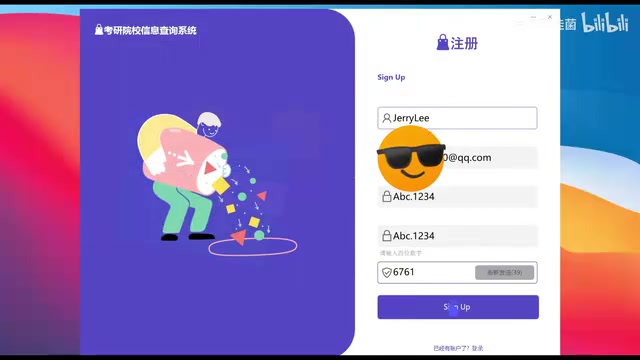
From the video screenshots, this is a music player application with word-by-word synchronized lyric display. The lyrics are highlighted and advance word by word in time with the music, achieving a KTV-style karaoke subtitle effect.
This kind of feature might not seem overly complex by today's standards, but for a student developer, there were plenty of technical challenges to chew through:
-
Audio timeline parsing: Accurately tracking music playback progress. Different platforms offer different audio APIs — Windows has DirectSound, WASAPI, and Windows Media Foundation; Android has MediaPlayer and ExoPlayer; iOS has AVAudioPlayer and AVFoundation. The key challenge is that audio playback time retrieval suffers from latency and jitter — the playback position reported by the system can deviate from the actual audible sound by tens of milliseconds. To achieve smooth synchronization, developers typically need to set up a high-frequency timer (polling every 16–30 milliseconds), continuously querying the current playback position and comparing it against lyric timestamps, while also handling sync resets for user interactions like dragging the progress bar or pausing/resuming playback.
-
Lyric timestamp matching: Aligning lyrics in LRC or custom formats with the audio timeline. LRC (Lyric) is a widely used lyric file format first proposed in the 1990s. Its basic structure adds a time tag before each line of lyrics, such as
[00:12.50]indicating that line should display at 12.5 seconds into the song. However, standard LRC only supports line-level sync. To achieve word-by-word highlighting (the KTV subtitle effect), you need enhanced LRC formats or custom per-word timestamp schemes like QRC (QQ Music format) or KRC (Kugou format). The core difficulty of word-level sync is that each character's start time and duration must be precisely annotated, typically at millisecond-level precision. Without ready-made parsing libraries, developers had to write their own string parsers, handling edge cases like mixed multilingual text, punctuation, and spaces. -
Word-by-word highlight rendering: Achieving smooth character-level animation effects. This is essentially a real-time animation problem — the most straightforward approach is to recalculate which character should be highlighted in each frame, then render the sung and unsung portions in different colors. More refined implementations calculate a percentage based on the current character's time progress, creating a left-to-right gradient fill effect on individual characters, which requires text clipping or shader techniques. Without modern UI frameworks to help, developers had to manually manage the render loop, keeping animation frame rates stable at 30fps or 60fps and above, while avoiding performance issues through techniques like dirty rectangle detection, double-buffered rendering, and text measurement caching.
-
UI layout and interaction: Overall interface design and user input handling

A Half-Month Development Journey: Every Line of Code Was Typed by Hand
No GitHub Copilot. No ChatGPT. Completing a project like this in half a month meant massive amounts of manual coding, endless breakpoint debugging sessions, and page after page of technical documentation. Every functional module required the developer to personally master the underlying principles — from audio API calling conventions to render loop performance optimization, every step represented genuine technical growth.

This development approach is admittedly less efficient than today's AI-assisted programming, but the deep understanding and sense of accomplishment it brings are hard to replace. As many veteran programmers like to say: "You truly understood what every single line of code was doing."
Looking Back from the AI Era: What Did Old-School Coding Actually Train?
With AI coding tools like Cursor and Copilot dramatically boosting development efficiency today, it's worth reflecting on what the old-school coding era taught us. It's worth noting that GitHub Copilot first launched its technical preview in 2021, built on OpenAI's Codex model, capable of auto-completing code snippets based on code context and comments. Cursor emerged in 2023 as an AI-native code editor deeply integrated with large language models like GPT-4, supporting conversational programming, codebase-level context understanding, and multi-file refactoring. The core strength of these tools lies in pattern matching and code generation — they're extremely efficient at handling common programming patterns, API calls, and boilerplate code, but still have clear limitations when it comes to deeply understanding business logic, performing low-level performance tuning, or handling rare edge cases.
Precisely because of this, the following abilities forged during the old-school coding era have become even more valuable in the AI age:
-
Foundational skills: Without AI as a safety net, every bug had to be located and fixed on your own — debugging ability was forged under pressure. Developers had to learn to read stack traces, set conditional breakpoints, and use memory profiling tools. These low-level debugging skills remain the last line of defense when facing complex problems that AI can't solve.
-
Systems thinking: You had to design the overall architecture yourself, with no AI to offer suggestions. From module decomposition to data flow design, from interface definitions to error handling strategies, every architectural decision required the developer to make judgments based on a deep understanding of both requirements and technology.
-
A stronger sense of accomplishment: Every line of code was your own sweat and effort, making the moment the project finally ran all the more satisfying.

Of course, this isn't to say we should reject AI tools. The ideal path is: first build a solid foundation through old-school coding, then leverage AI tools to boost efficiency. Only by understanding the underlying principles can developers effectively evaluate the quality of AI-generated code and quickly identify and fix problems when AI makes mistakes — this is the fundamental reason why the "build the foundation first, then use the tools" learning path is so widely endorsed. As the content creator reflected — student-era projects may have been rough around the edges, but each one carried pure coding passion and solid technical growth.
Final Thoughts
Technology advances and tools evolve, but the essence of programming — solving problems with logic and creativity — has never changed. Whether it's old-school coding or AI-assisted development, what matters most is always the developer's love for technology and pursuit of great products.
Related articles
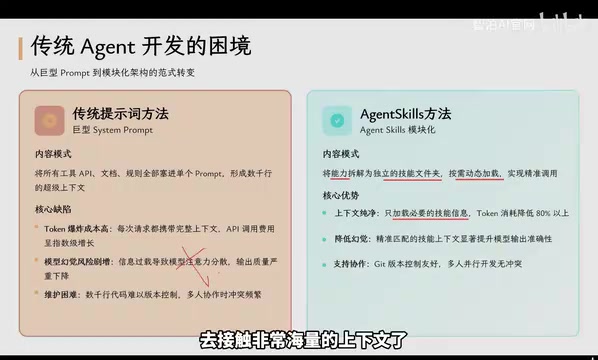
Agent Skills: Folders as Skills — Making AI Produce Precise, Template-Based Output
Agent Skills splits AI capabilities into independent skill folders with on-demand loading and progressive disclosure, cutting token costs by 80% and reducing hallucinations for template-based output.

Five Common Claude Code Mistakes — How Many Are You Making?
Five common Claude Code mistakes developers make: copy-pasting code, skipping CLAUDE.md, inefficient prompting, ignoring docs, and poor context management — with fixes.

Andrew Ng's New Course Explained: A Practical Guide to Using OpenAI's O1 Reasoning Model
Deep dive into Andrew Ng and OpenAI's Reasoning with O1 course covering test-time scaling, new prompting paradigms, multi-model orchestration, and practical applications for developers.