OpenAI Account Registration Practical Guide: Phone Verification & Anti-Ban Tips Explained

Bilibili creator shares complete technical workflow for bulk-registering 91 OpenAI accounts without bans.
This article documents a Bilibili content creator's technical workflow for bulk-registering OpenAI accounts. Core methods include: Chile phone number SMS verification (~0.37 CNY each), residential IP proxies (7% overlap rate), browser fingerprint spoofing plugins, and custom domain email to reduce costs. The creator claims 91 accounts registered with zero bans, at approximately 0.5 CNY per account. However, the article warns that this behavior violates OpenAI's Terms of Service and carries the risk of mass account purges.
Introduction
As OpenAI progressively rolls out new features like Codex and GPT-5.5, many users want to register free accounts to experience these cutting-edge AI tools. A Bilibili content creator shared a complete workflow for bulk-registering OpenAI accounts, claiming to have registered 91 accounts with zero bans. This article compiles the key operational steps and considerations for readers who may find it useful.
Disclaimer: This article is purely a technical process documentation. Bulk account registration may violate OpenAI's Terms of Service. Readers should assess the risks independently.
Core OpenAI Registration Workflow
Phone Number Verification Is the Key to Successful Registration
The content creator repeatedly emphasized that registering an OpenAI account requires phone number verification, not email verification. Here's why:
- Email registration has an extremely low success rate for receiving verification codes — codes often never arrive
- Reportedly, email registration allows phone number reuse, but verification code delivery is unstable in practice
- Phone number registration has a significantly higher success rate
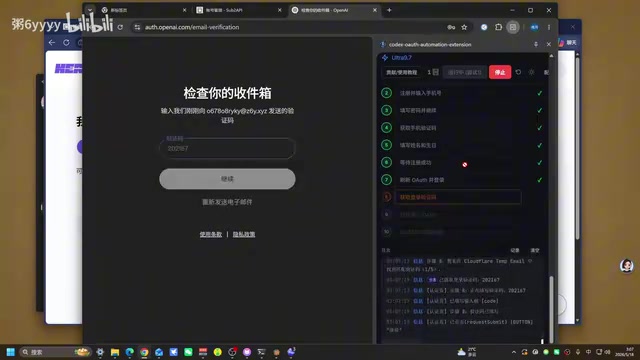
For SMS verification platforms, the creator recommends using Chile phone numbers, currently priced at approximately 0.368 CNY (about three cents USD) per code, with a relatively high success rate.
Technical Background on SMS Verification Platforms
SMS verification platforms (SMS Verification Services) are online services that provide temporary phone numbers for receiving SMS verification codes. These platforms typically deploy large numbers of SIM cards across various countries worldwide, with users paying per verification code received. Chile numbers are recommended likely because the number pool in that region is relatively new and less abused — OpenAI's risk control system has varying trust levels for numbers from different countries. It's worth noting that after 2024, OpenAI has progressively tightened restrictions on virtual numbers and VoIP numbers, with physical SIM card numbers having significantly higher pass rates than virtual ones.
SMS Platform Operation Tips
Pay attention to the following details during the SMS verification process:
- Check verification code receipt status in advance: After sending the verification code request, return to the SMS platform to check if the code was received
- Reuse numbers to save costs: If a number has already received a verification code but registration failed, you can use the same number and received code to re-register, avoiding wasted fees
- Pay attention to timestamps: Check the SMS receipt time to confirm which number corresponds to the current registration request
Account Management & Anti-Ban Strategies
Using Browser Extensions to Manage Multiple Accounts
The creator uses a modified browser extension to manage registered accounts. The main modification adds date and time identifiers before account names — for example, "0518" represents an account registered on May 18th.
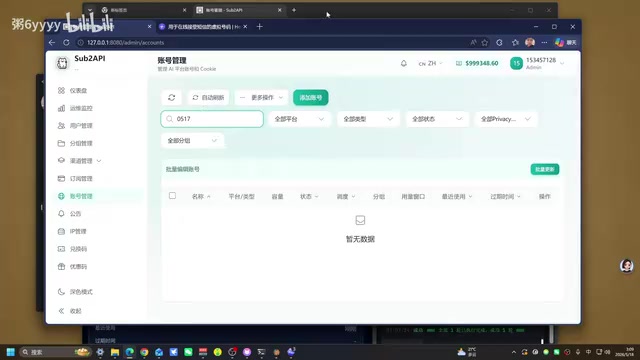
The benefits of this approach:
- Easy to find specific batches of accounts by date
- Convenient for monitoring whether accounts have been banned
- Quick identification of problematic accounts
According to the creator, they registered a total of 91 accounts, none of which have been banned to date.
Custom Domain Email to Reduce Registration Costs
Using your own domain to receive email verification during registration can significantly reduce costs. The advantage of custom domain email is the ability to create unlimited email aliases without needing to purchase separate email services for each account.
Custom Domain Email for Bulk Registration
Custom Domain Email refers to creating email addresses using a domain you own (e.g., yourname.com). By configuring the domain's MX records (Mail Exchange records) to point to a mail server, users can create email addresses with any prefix (e.g., a@yourname.com, b@yourname.com). Common solutions include Cloudflare Email Routing (free, supports forwarding received emails to a primary inbox), Zoho Mail free tier, and self-hosted mail servers. The Catch-all feature allows a domain to receive emails sent to any non-existent email address, meaning there's no need to create email accounts one by one — any prefix will receive mail. A domain's annual fee is typically around a few dozen CNY, and when amortized across dozens of accounts, the cost becomes negligible.
Proxy & Browser Environment Configuration
Residential IP Proxy Selection
The creator uses a residential IP proxy service with the following specifications:
- Type: Residential IP
- Overlap rate: ~7%
- Cost: Under ~50 CNY (monthly), annual fee around 500+ CNY
- Traffic-based billing model
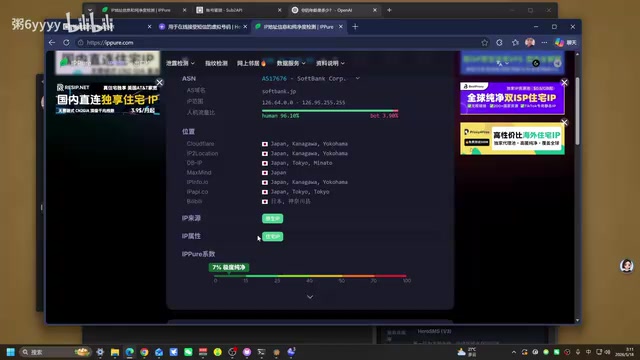
Compared to datacenter IPs, residential IPs have a much lower probability of being detected as proxies, which is crucial for registration success rates.
Technical Principles of Residential IP Proxies
Residential IP Proxies route network requests through IP addresses belonging to real household broadband users. Unlike Datacenter Proxies, residential IPs are assigned to actual ISP customers, so they appear as regular home users rather than servers in IP reputation databases (such as MaxMind, IP2Location). The "~7% overlap rate" means that approximately 7% of IP addresses in the proxy provider's pool may be simultaneously or recently used by other customers. The lower the overlap rate, the "cleaner" the IP, and the lower the probability of being flagged as suspicious by target websites. Major residential proxy providers include Bright Data, Smartproxy, IPIDEA, etc., with billing models typically based on traffic (GB) or request count.
Browser Fingerprint Spoofing for Anti-Detection
To avoid detection by OpenAI, the creator also uses a browser fingerprint detection plugin (similar to a "leak detection" tool). The plugin functions as follows:
- When enabled, it hides real browser environment information
- Shows all green on fingerprint detection websites (indicating no real information leaked)
- When disabled and the page is refreshed, the real environment is exposed
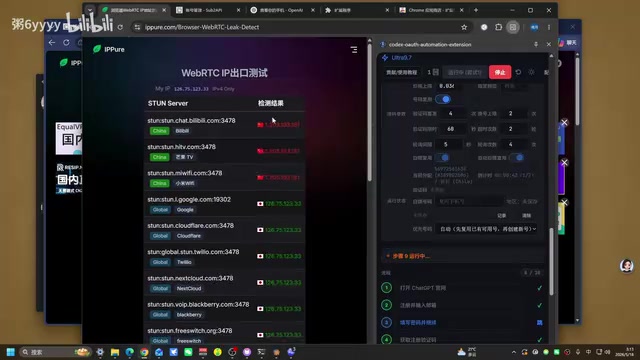
The plugin can be found and downloaded from browser extension stores. After installation, pin it to the toolbar — the icon's outer ring shows blue when enabled and gray when disabled.
Browser Fingerprinting Technology Explained
Browser Fingerprinting is a technique that can track users without cookies. Websites use JavaScript to collect multi-dimensional browser information — including User-Agent strings, screen resolution, installed font lists, Canvas rendering results, WebGL renderer information, timezone, language settings, hardware concurrency, etc. — to generate unique identifiers. Research shows that combinations of these parameters can achieve over 99% unique identification rates among millions of users. Anti-fingerprinting plugins work by intercepting websites' JavaScript API calls and returning forged or randomized parameter values, making each visit present a different "digital identity." Professional anti-detect browsers (such as AdsPower, Multilogin, GoLogin) go further by creating completely isolated environments for each browser profile, including independent cookie storage, local storage, and fingerprint parameters.
Registration Cost Breakdown
Overall, the registration cost per account is approximately:
| Item | Cost |
|---|---|
| SMS verification (Chile number) | ~0.37 CNY |
| Proxy traffic consumption | ~0.1 CNY |
| Domain email | Negligible when amortized |
| Total cost per account | Under ~0.5 CNY |
Risk Warnings & Considerations
Although the creator claims zero bans across 91 accounts, be aware of the following:
- OpenAI may update detection strategies at any time — past experience doesn't guarantee future safety
- Bulk registration itself violates Terms of Service and carries the risk of mass account purges
- Phone numbers from SMS platforms may be reused by multiple people, increasing the risk of association-based bans
- Proxy IP quality directly affects account survival rates
OpenAI's Account Risk Control Mechanisms
OpenAI employs a multi-layered anti-abuse detection system to identify bulk registration and abnormal usage behavior. Its risk control dimensions likely include: IP reputation scoring (whether it's a known proxy/VPN), device fingerprint consistency, registration behavior patterns (time intervals, operation speed), phone number source (whether it's a virtual number or from known SMS platform number ranges), and inter-account association analysis (shared IPs, similar registration patterns, same payment methods, etc.). OpenAI may also use machine learning models for real-time risk assessment of registration requests, combining multiple signals to produce a risk score. Once bulk registration behavior is detected, the platform may employ a delayed ban strategy — not banning immediately, but processing in batches after accumulating sufficient evidence. This is why "not banned yet" doesn't mean "safe forever."
Conclusion
The core elements of this OpenAI account registration workflow can be summarized as: Phone number verification + Residential IP proxy + Browser fingerprint spoofing + Custom domain email. The overall technical barrier isn't particularly high, but it requires a certain level of technical knowledge and tool preparation. For regular users, it's advisable to evaluate whether multiple accounts are truly necessary — a single legitimately registered account with reasonable usage may be the safer choice.
Related articles
 Tutorials
Cursor + Codex Dual-IDE Collaboration: A Practical Methodology for Open-Source Project Customization
A complete methodology for open-source project customization based on real-world experience, detailing the Cursor+Codex dual-IDE workflow, seven-stage process, MVP validation, and AI source code reading techniques.
 Tutorials
Cursor Multi-Agent in Practice: Building a Full-Stack Next.js Blog in 50 Minutes
Build a full-stack blog in 50 minutes using Cursor IDE's multi-Agent mode with Next.js, Clerk auth, and Supabase. Learn the 4-phase AI Agent workflow and key integration pitfalls.
 Tutorials
Building an AI Software Factory from Scratch: A Cursor Engineer's Hands-On Experience with Multi-Agent Collaboration
Cursor engineer Eric shares practical insights on building an AI software factory: automation levels, guardrail design, parallel Agent management, and scaling to 1000+ Agents for 24/7 development.