Qoder Rules Feature Explained: Constraining AI Agents Like CLAUDE.md
Qoder Rules Feature Explained: Constra…
How Qoder's Rules feature persistently constrains AI Agents, similar to Claude Code's CLAUDE.md mechanism.
Qoder's Rules feature works like CLAUDE.md for Claude Code — it lets developers define persistent constraints that guide AI Agent behavior throughout development. By converting rules into system-level prompts, it eliminates repetitive instructions, improves output consistency, and maintains controllability as Agents execute complex multi-step tasks autonomously.
What Is Qoder's Rules Feature
Qoder (also known as Coder) has a fundamental yet crucial feature — Rules. If you've used Claude Code before, think of it as something similar to CLAUDE.md. It's not for chatting — it's a tool for creating constraints on the AI Agent.
CLAUDE.md is a project-level configuration file designed by Anthropic for their command-line AI programming tool, Claude Code. Developers write coding standards, project structure descriptions, tech stack preferences, and other information into this Markdown file, and Claude Code automatically reads it on every startup, injecting it as system-level context into the AI's reasoning process. This design addresses a real pain point: large language models have no cross-session memory — every new conversation loses previously established agreements. CLAUDE.md is essentially a persistent Prompt Engineering technique that solidifies instructions (which would otherwise need to be manually entered each time) into a configuration file. This approach was later adopted by multiple AI programming tools and has gradually become a common design pattern across the industry. Qoder's Rules feature is a direct inheritance and extension of this design philosophy.
In simple terms, the Rules feature lets you tell Coder in advance: when executing development tasks going forward, follow these preset specifications. This eliminates the hassle of repeatedly reminding the Agent about guidelines in every conversation.
How to Create Qoder Rules
Creating rules in Qoder is a straightforward process:
- Navigate to the Rules feature interface
- Click "Create Rule"
- Enter a rule name
- Write the specific content you want the Agent to follow in the rule body
The entire process has no complex configuration barriers — even developers new to AI programming tools can get started quickly.
Rule Types and Activation Methods
Always Type: The Most Common Choice
Qoder officially provides several different rule types, and their core difference lies in how they are activated. For most development scenarios, simply choosing Always is sufficient.
The meaning of Always is straightforward — the rule remains active continuously throughout the entire development process. Whether you're writing new code, modifying existing code, or having the Agent execute more complex tasks, Always rules will consistently constrain the Agent's behavior.
Other Conditional Types
Besides Always, Qoder also supports more granular rule trigger conditions, such as:
- Scenario-specific activation: Only activated in certain development scenarios
- File-specific activation: Only constrains the Agent when operating on certain files
- Model-specific activation: Only enabled when using a particular AI model
Unless you have very specific restriction requirements, there's generally no need to overcomplicate things. The Always type already covers the vast majority of use cases.
Core Value of the Rules Feature
Persistent Constraints
The most essential function of Qoder's Rules feature is ensuring the Agent consistently follows your predefined requirements throughout development, rather than relying on you to repeatedly remind it in conversations.
This aligns perfectly with the design philosophy of CLAUDE.md — using a preset document to persistently communicate team coding standards, project conventions, and technical preferences to the AI Agent. From a technical implementation perspective, these rules are converted into System Prompts, which hold the highest priority in the large language model's message architecture. In the API designs of mainstream models from OpenAI, Anthropic, and others, messages are divided into three roles: system, user, and assistant. System messages are injected at the front of the conversation, and the model prioritizes system-level agreements when generating responses. Qoder's Rules feature essentially auto-appends developer-defined specifications to the system layer of every request, achieving persistent behavioral constraints without repeated input.
Improved Development Controllability
To understand the value of the Rules feature, you first need to understand how the role of AI Agents in software development has evolved. Early tools like GitHub Copilot primarily provided line-level or function-level code suggestions, with developers retaining full control. AI Agents (such as Qoder, Claude Code, and Cursor's Agent mode), however, possess autonomous planning and multi-step execution capabilities — they can analyze requirements, formulate implementation plans, create files, write code, run tests, and even automatically fix issues based on error messages. While this autonomy boosts efficiency, it also introduces the risk of losing control: the Agent might choose technical approaches that don't align with team standards, or generate code with inconsistent style. The Rules feature exists precisely to resolve this tension — maintaining output predictability through preset constraints while still granting the Agent autonomy.
Once you've configured your rules, regardless of whether you're:
- Having the Agent write code from scratch
- Having the Agent modify existing code
- Having the Agent execute complex multi-step tasks
The overall workflow becomes more controllable, and output quality becomes more consistent.
Usage Recommendation: Configure Rules Before Development
For developers just starting with Qoder, follow this principle:
Set up your common rules first, then have the Agent execute project development tasks.
This is an easily overlooked but critical preliminary step. Many people grab the tool and rush to have AI write code, only to find the output doesn't meet expectations, requiring repeated adjustments. If you establish clear rules from the start, subsequent development efficiency will noticeably improve.
Common rule content can include:
- Code style standards (indentation, naming conventions, etc.)
- Tech stack preferences (which frameworks/libraries to prioritize)
- Comment and documentation requirements
- Error handling strategies
- Project-specific architectural conventions
Summary
Qoder's Rules feature is essentially the "system-level prompt" in AI programming tools. It front-loads and persists developer intent and specifications, enabling the AI Agent to behave as expected throughout the entire development lifecycle. For those pursuing efficient, controllable AI-assisted development experiences, this is a foundational configuration step that should not be overlooked.
Related articles
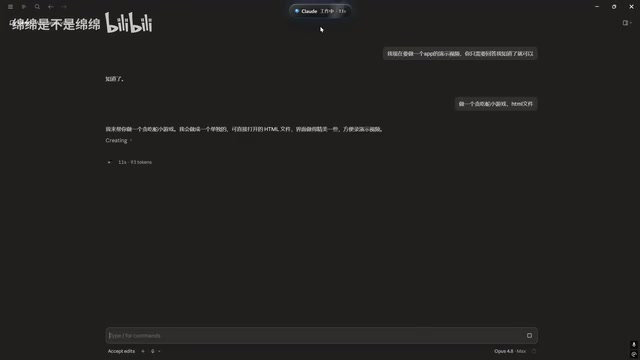
Claude Code Desktop Status Capsule: An Open-Source Widget for Real-Time AI Coding Status Monitoring
An open-source desktop status capsule that monitors Claude Code's idle, working, and completed states in real time, with multi-conversation management, memos, and music control for developers.

GPT-5.2 Codex vs Opus 4.5 Hands-On: A Comprehensive Comparison of Coding Ability, Speed, and Developer Experience
Hands-on comparison of GPT-5.2 Codex vs Opus 4.5 across frontend generation, physics simulation, 3D scenes, and code refactoring, with practical selection advice.
Deep Dive into the Three AI Programmin…
Deep Dive into the Three AI Programming Frameworks: The Right Way to Do Specification-Driven Development
Deep dive into the three frameworks of Specification-Driven Development (SDD) for AI programming: Blueprint, Execution Flow, and Change Records — solving the problem of AI code going off the rails.