Self-Media Assistant Download & Installation Guide: Multi-Platform One-Click Distribution Tool

A complete guide to downloading, installing, and using Self-Media Assistant for multi-platform content distribution.
This guide walks you through downloading and installing Self-Media Assistant, a desktop tool that enables one-click content distribution across platforms like Douyin, Kuaishou, Bilibili, and Xiaohongshu. It covers version selection for Windows and macOS (including Intel vs. Apple Silicon), how to check your Mac's chip type, and the tool's core value for streamlining multi-platform content operations.
What Is Self-Media Assistant?
Content creators managing multiple platforms simultaneously often face the tedious process of logging in repeatedly and publishing content one by one. Self-Media Assistant is a desktop tool designed to solve exactly this pain point — it helps users centrally manage and distribute content across multiple platforms with one click, dramatically boosting daily operational efficiency.
This tool supports both Windows and macOS, covering the vast majority of creators' use cases. Below is a detailed walkthrough of the download, installation, and key usage tips for Self-Media Assistant.
Step-by-Step Download & Installation Guide
Step 1: Visit the Official Website
First, go to the official Self-Media Assistant website. On the homepage, find and click the "Start Exploring" button to access the detailed introduction and download page.
Step 2: Choose the Right Version for Your Operating System
On the download page, you'll see installation packages for different operating systems, primarily divided into Windows and macOS versions.
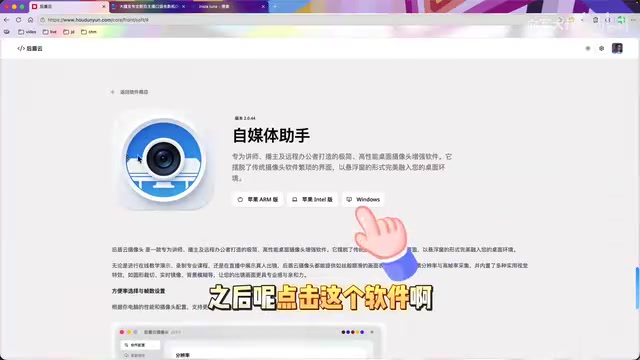
An important note: the macOS version offers two separate installation packages corresponding to two different chip architectures in Apple computers:
- Intel Version: For Mac computers released in 2020 or earlier, which are equipped with Intel processors.
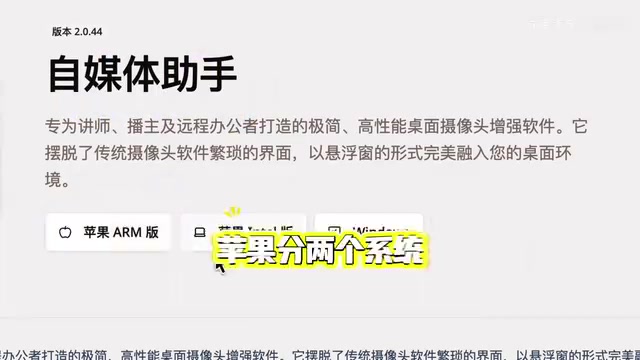
- Apple Silicon Version: For Mac computers with Apple's own M1, M2, M3, M4, M5, or other Apple-designed chips — generally models released from late 2020 onward.
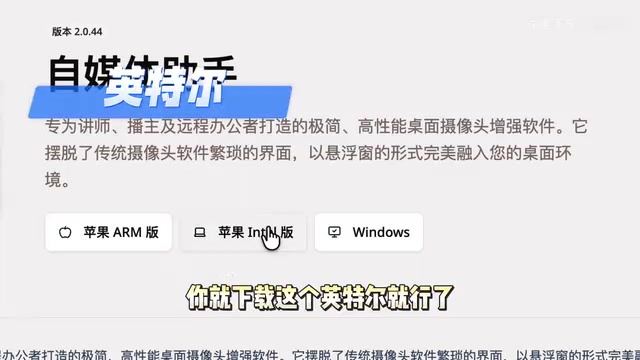
Step 3: Complete Installation and Launch
Once the download is complete, just follow the standard installation process. Windows users can double-click the installer and follow the prompts; macOS users simply drag the app into the "Applications" folder. The entire process is straightforward and requires no additional configuration.
How Mac Users Can Check Their Chip Type
If you're unsure which chip your Mac uses, follow these quick steps:
- Click the Apple icon () in the top-left corner of your screen
- Select "About This Mac"
- In the popup window, look for the "Chip" or "Processor" field
If it shows "Apple M1," "Apple M2," or similar, choose the Apple Silicon version. If it shows "Intel Core i5," "Intel Core i7," or similar, choose the Intel version.
Core Features and Value of Self-Media Assistant
For content creators, the core value of Self-Media Assistant lies in significantly improving operational efficiency. When you need to publish content simultaneously on Douyin (TikTok China), Kuaishou, Bilibili, Xiaohongshu (RED), WeChat Channels, and other platforms, the repetitive work of logging in, uploading, and filling in titles and descriptions for each one consumes a huge amount of time.
Self-Media Assistant provides a unified management interface that lets creators edit once and publish across multiple platforms simultaneously, freeing up more energy to focus on content creation itself.
That said, tools are ultimately just aids. Content quality remains the core competitive advantage in self-media operations — no distribution tool, however good, can replace the production of high-quality content. Creators are encouraged to continuously hone their content skills while leveraging tools to boost efficiency.
Summary
As a lightweight multi-platform content distribution tool, Self-Media Assistant offers a simple and intuitive download and installation process that's very beginner-friendly. Mac users just need to make sure they select the correct installation package based on their chip type. If you're running content operations across multiple platforms, give it a try and see if it can bring meaningful efficiency gains to your creative workflow.
Related articles
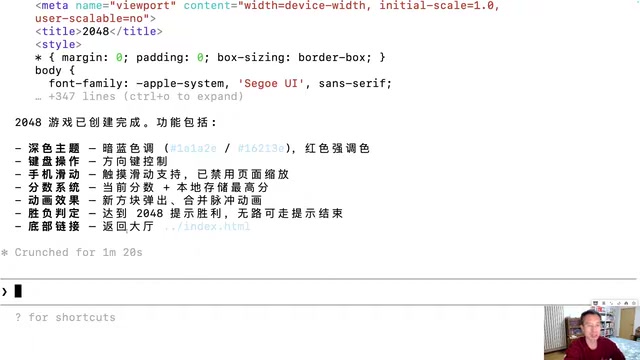
Generating 10 Web Games with One-Line Prompts: A Hands-On Claude Code Experience
A senior developer uses Claude Code to generate 10 playable web games including 2048, Gomoku, and Tetris with one-line prompts in under an hour. A deep dive into AI programming's real capabilities.
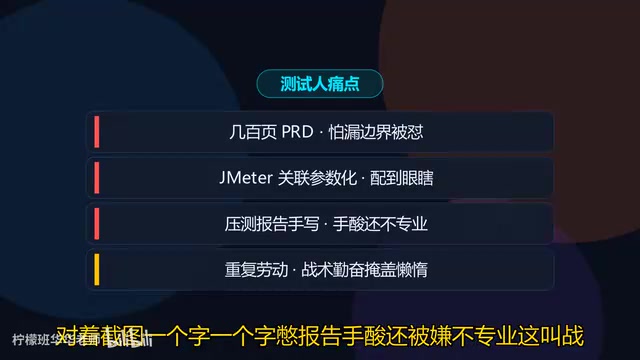
Five Essential Cursor Skills Every QA Engineer Needs: A Complete Breakdown
A detailed guide to five essential Cursor Skills for QA engineers: PRD analysis, test case generation, JMeter scripting, load test reports, and web automation.

DiffusionGemma: Google's Open-Source Diffusion Language Model with 4x Faster Inference
Google releases DiffusionGemma, an open-source diffusion language model achieving up to 4x faster inference and real-time self-correction by generating text in parallel rather than token by token.