Setting Up GitHub Actions CI for ESP32 Projects: Automated Testing on Every Push with AI
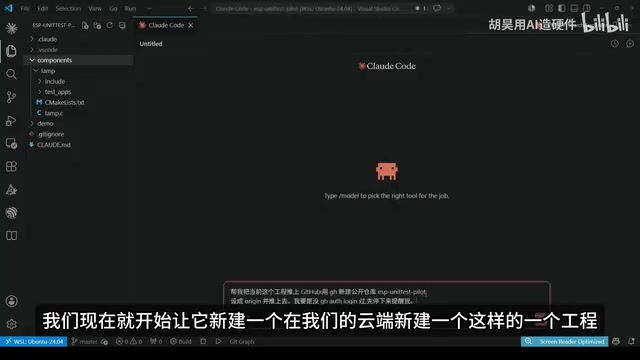
Use AI to set up GitHub Actions CI for ESP32, enabling automated unit testing on every code push.
This article walks through using AI to configure a GitHub Actions CI pipeline for an ESP32 project. By leveraging ESP-IDF's Linux native testing capability, unit tests are automatically compiled and run in the cloud on every git push — no real hardware needed. The guide covers the complete process from repository setup to workflow configuration and verification with both passing and failing tests.
Embedded Development Gets CI Too
In traditional embedded development, CI/CD (Continuous Integration/Continuous Deployment) has always been a pain point — testing typically depends on hardware, making it impossible to run automated tests in the cloud as easily as in web development. The concept of CI/CD originated from the agile development movement and has become highly mature in web and mobile application development, yet the embedded world has long remained on the sidelines. The core reason lies in the tight coupling between embedded software and hardware — code correctness often depends on its actual behavior on a specific chip with specific peripherals. Traditional Hardware-in-the-Loop (HIL) testing requires dedicated test rigs with real development boards connected to CI servers, which is expensive and complex to maintain. Large companies like Bosch and Continental invest millions in building HIL test systems, but this is completely unrealistic for individual developers and small teams.
However, ESP32 has a unique advantage: you can separate the code logic and run unit tests in a Linux environment. The ESP-IDF framework abstracts the hardware layer, allowing logic code to be natively compiled and run on a Linux host. This design philosophy fundamentally changes the feasibility of embedded CI.
This is exactly the approach the creator used, leveraging AI to set up a GitHub Actions CI pipeline for an ESP32 project. From then on, every git push triggers automatic compilation and test execution in the cloud — green if everything passes, red with an email notification if something fails. The entire process requires virtually no manual intervention.
What Is CI? Why Do Embedded Projects Need It?
The core idea of CI (Continuous Integration) is simple: every time code is committed to a remote repository, the cloud automatically pulls the code, compiles it, and runs tests to confirm that new code hasn't broken existing functionality.
For embedded projects, the value of CI is particularly significant:
- Prevents forgotten tests: It's common to push code after making changes and forget to run tests
- Team collaboration safeguard: In multi-developer environments, code quality is automatically verified before PR merges. Pull Requests are the core mechanism of GitHub collaborative development — when a developer completes feature development on a branch, they request to merge the code into the main branch via a PR. The combination of CI and PRs forms a so-called "Quality Gate" — repository administrators can set branch protection rules requiring all CI checks to pass before a PR can be merged, ensuring codebase stability at a process level
- Fast feedback: Immediate email notification on test failure, preventing issues from accumulating
The traditional difficulty with embedded CI is the need for Hardware-in-the-Loop testing, but the ESP-IDF framework supports compiling logic-layer code as native Linux programs, opening the path to cloud-based testing. Specifically, starting from ESP-IDF 5.0, the framework introduced a special target platform called "Linux Host," allowing developers to compile pure logic code that doesn't depend on hardware peripherals into Linux x86_64 native executables. The principle works through conditional compilation and mock implementations of the Hardware Abstraction Layer (HAL), replacing GPIO, SPI, and other hardware operations with stub functions, while business logic, state machines, data processing algorithms, and other code run unchanged on the host machine. This approach is essentially a Software-in-the-Loop (SIL) testing strategy — it cannot verify timing-sensitive hardware interactions, but it's highly effective for validating business logic correctness. Combined with the Unity test framework (built into ESP-IDF), developers can write standard assertion-based unit tests and get results in milliseconds.
Hands-On: AI Builds the CI Pipeline Step by Step
Creating the Repository on GitHub and Pushing Code
The creator had AI create a new repository on GitHub and push the existing ESP32 project to it. This was a simple project using button presses to cycle through LED colors — not complex in functionality, but sufficient to demonstrate the complete CI workflow.
AI Writes the GitHub Actions Workflow Configuration
Next, the creator explained the previous testing methodology (how to run ESP32 unit tests on Linux) to the AI and had it write the GitHub Actions workflow file. GitHub Actions is GitHub's CI/CD platform, officially launched in 2019, which allows developers to define automated workflows through YAML files in their repositories. Unlike traditional CI tools such as Jenkins, GitHub Actions requires no self-hosted servers — it directly uses GitHub-provided cloud virtual machines (Runners) to execute tasks. Each workflow consists of one or more jobs, with each job running in an isolated virtual environment (supporting Ubuntu, Windows, and macOS). For public repositories, GitHub provides 2,000 free minutes per month, which is more than enough for most open-source and personal projects. Actions also supports a rich ecosystem of community-generated reusable components (called Actions) — for example, the official ESP-IDF Docker image used in this case can be directly referenced as the runtime environment, eliminating the tedious steps of manually installing the toolchain.
The AI generated two key files:
- Test script: Encapsulating the compilation and test execution commands
- GitHub Actions workflow file: Defining trigger conditions and the runtime environment
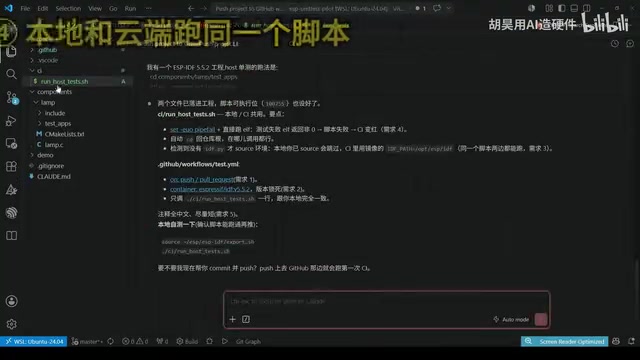
The core workflow configuration includes:
- Trigger conditions: Automatically triggered on code push or PR creation. Covering both events is a best practice — push events ensure every commit is verified, while pull_request events serve as a quality gate for code merging, preventing any code changes that would cause test failures from entering the main branch
- Runtime environment: Using ESP-IDF 5.5.2, consistent with the local development environment
- Test logic: If any single test case fails, the entire CI status turns red
Committing and Pushing to the Cloud
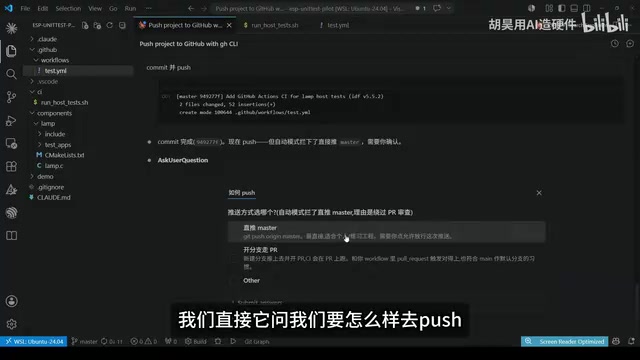
After the AI completed the configuration, it performed the commit and push operations. There was a small hiccup here — GitHub's permission restrictions prevented the AI from pushing directly, so the creator manually copied the commands to complete the push. This reminds us that when using AI-assisted development, permission and authentication operations often still require human intervention. GitHub uses Personal Access Tokens (PAT) or SSH keys for authentication, and these credentials should not be exposed to AI tools for security reasons. Therefore, manual confirmation and execution is a necessary security boundary when dealing with remote repository operations.
Verification: Green Pass and Red Fail
Normal Test Pass
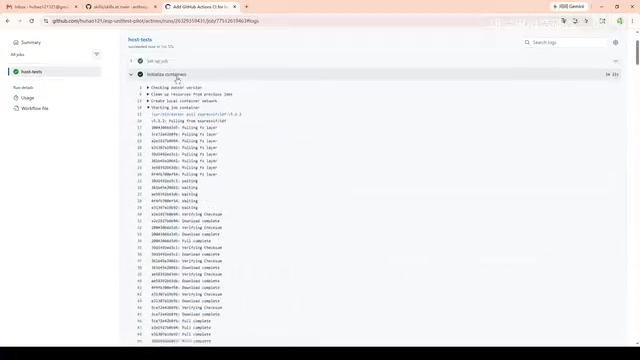
After the push was complete, the CI task could be seen running on GitHub's Actions page. The process follows this sequence:
- Pull the ESP-IDF environment (slower the first time, as it needs to download the Docker image containing the complete toolchain, typically 1-2GB)
- Compile the project code
- Run unit tests
All tests passed, and the status turned green. On the repository's main page on GitHub, a green checkmark badge appears next to the README — this is the common CI status badge seen in open-source projects, providing an at-a-glance view of the project's health.
Deliberately Introducing Errors to Verify CI Effectiveness
To verify that CI can actually catch problems, the creator deliberately modified the code to introduce an error and pushed again. This time, after CI ran:
- The status turned red, clearly indicating test failure
- GitHub automatically sent an email notification stating that "the print test didn't pass"
- Clicking the email link leads directly to the error details
This bidirectional verification proved the CI configuration's effectiveness — it not only allows code through when correct but also raises alarms promptly when errors occur. This "traffic light" mechanism is the most core value of a CI system: it transforms code quality from depending on developer diligence into an automated, enforceable process guarantee.
Key Technical Takeaways
ESP-IDF's Linux Native Testing Capability Is the Key Enabler
The entire solution works because ESP-IDF supports compiling the code logic layer as native Linux programs. This means core business logic correctness can be verified in the cloud without real hardware. Of course, parts involving hardware peripheral interactions still need to be tested on actual devices. In real-world projects, a recommended approach is to adopt a layered testing strategy: low-level drivers and hardware interactions are covered by on-device testing, the middle business logic layer is automatically verified in CI through Linux native tests, and upper-level integration tests selectively incorporate HIL testing based on project scale. This maximizes CI coverage without losing test authenticity through excessive mocking.
AI's Practical Role in CI Configuration
In this scenario, AI primarily handled:
- Generating workflow configuration based on project structure and testing requirements
- Writing test scripts that encapsulate compilation and test commands
- Handling file creation and git operations
While these tasks aren't particularly complex, they can significantly lower the barrier to entry for embedded developers unfamiliar with GitHub Actions syntax. GitHub Actions' YAML configuration syntax has its own unique indentation rules, context expressions (like ${{ github.event_name }}), and step dependencies that are easy to get wrong when first encountered. AI can generate usable configuration files directly from natural language requirement descriptions, compressing the learning curve from "read documentation → understand syntax → write configuration → debug errors" down to "describe requirements → fine-tune output." This has practical significance in encouraging embedded developers to embrace modern DevOps practices.
Conclusion
This case demonstrates a highly valuable practice direction: bringing modern software engineering best practices into embedded development. Through ESP32's Linux native testing capability + GitHub Actions + AI-assisted configuration, embedded projects can also enjoy the quality assurance that automated CI provides.
For individual developers or small teams, this workflow is virtually zero-cost (GitHub Actions is free for public repositories), yet it effectively prevents the classic problem of "changed the code but forgot to test." If you're also working on ESP32 projects, consider setting up a similar CI pipeline. As the ESP-IDF framework continues to improve its Linux Host target support, and as AI programming tools keep evolving, the gap between embedded development and modern software engineering practices is rapidly shrinking — the development experience that once belonged exclusively to internet teams is now within reach.
Related articles
CodeGraph: The 50K-Star Open-Source Tool That Cuts AI Coding Token Usage in Half
CodeGraph is a 50K-star open-source tool that builds a code knowledge graph so AI coding assistants can locate code instantly—cutting Token usage by 47%, boosting speed by 22%, all running 100% locally.

VibeCoding Beginner's Guide: A Complete Guide to Building Software with Natural Language from Scratch
VibeCoding lets anyone build software through natural language conversations with AI. Learn the core concepts, learning path, and practical methods to get started.

Using UU Accelerator to Speed Up Cursor: A Compliant Solution for Stable AI Coding in China
Learn how to use NetEase UU Accelerator to speed up Cursor AI coding tool in China, with step-by-step setup including node selection and launch configuration.